Have you ever had a problem printing on a workstation and have the documents stack up in the queues – all documents will delete except one? This is an age old problem, where you get a print job that seems to be stuck in the printer queue on a workstation. The easiest way to get rid of this print job that works most of the time is to stop and start the spooler service on the workstation.
This is most easily accomplished via the command line in Windows XP, Vista, or Windows 7. Follow the steps below to bounce the service and successfully get the print job out of the queue.
- Open a command prompt by typing cmd at a search/run menu
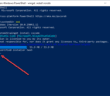
- Type the following command to stop the print spooler service: net stop spooler
- Type the following command to start the print spooler service: net start spooler
- Alternatively on Vista and Windows 7 you can run both commands together net stop spooler & net start spooler

After the command has run, most likely you will be able to delete the hung job from the printer, or it will have already deleted out.

Google is updating how articles are shown. Don’t miss our leading home lab and tech content, written by humans, by setting Virtualization Howto as a preferred source.
About The Author