



Notifications
Clear all
Proxmox help
1
Posts
1
Users
0
Reactions
1,640
Views

Jan 18, 2026 2:59 pm
Let's briefly look at the steps to update Proxmox Datacenter Manager (PDM). It is very similar to how you would update a Proxmox VE Server node. Navigate to Administration > Updates.
Just like Proxmox VE Server, you need to add the no subscription repository to your PDM server as you can see I have done below.
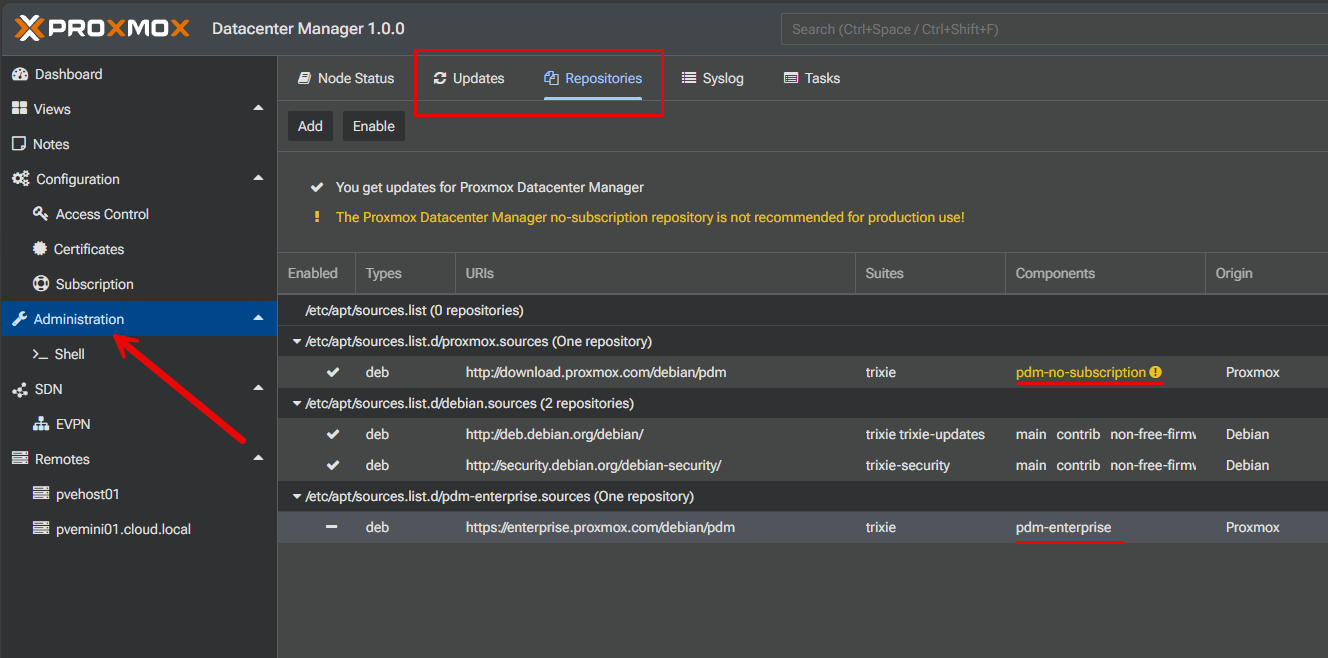
Then refresh the updates that are available. Once you have done that, you can apply the updates. It will launch the pop-up dialog like it does with Proxmox VE Server and you will type a Y to confirm.
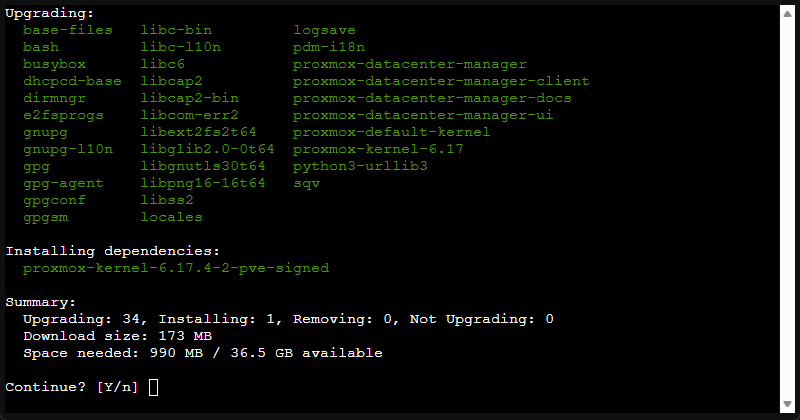
That is all there is to it. Once the updates apply, you can refresh the interface and it should reflect a new version listed for Proxmox Datacenter Manager.