



Notifications
Clear all
Home Lab Forum
1
Posts
1
Users
0
Reactions
6,900
Views

Mar 16, 2025 8:02 pm
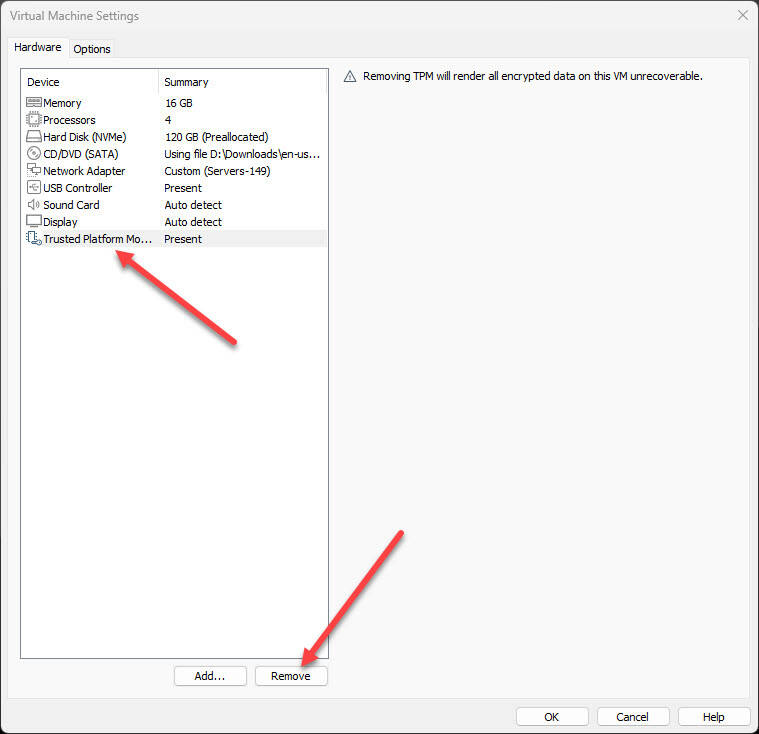
If you find yourself in need of unencrypting a VMware Workstation virtual machine that you have encrypted already, what are the steps to do this? Well, there are actually only a few steps you need to follow to successfully unencrypt a virtual machine. Note the steps that follow. First we have to edit the settings of the virtual machine. Click your TPM and click Remove.
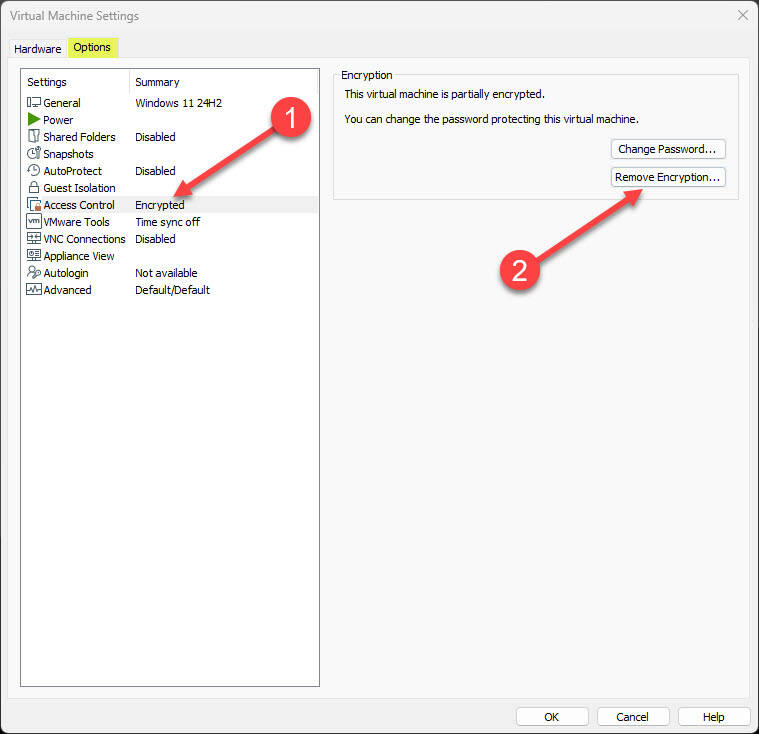
Next, we need to remove encryption. To do this, click Options under the virtual machine settings > Access Control > Remove Encryption.
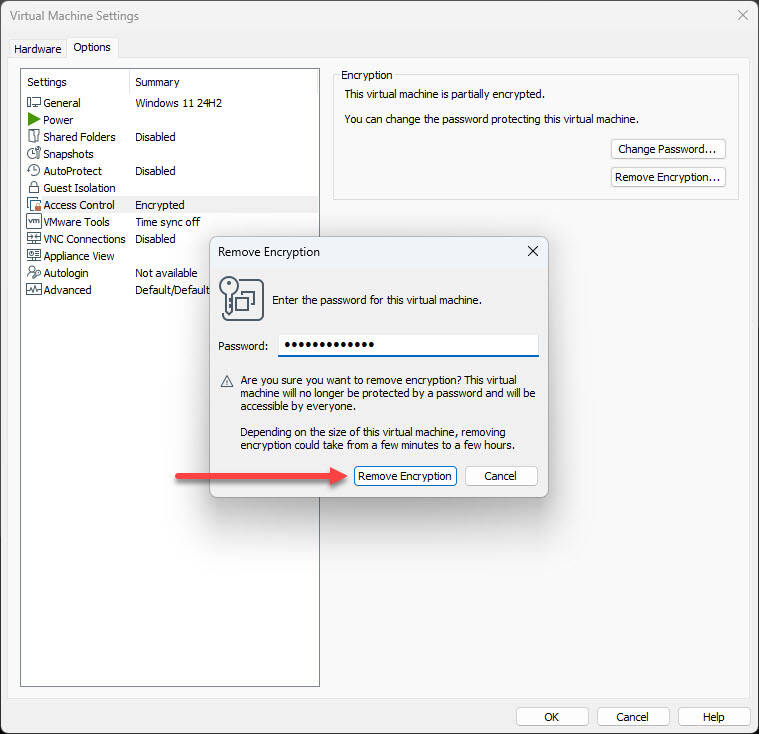
Next, you will be prompted to enter the encryption passphrase.
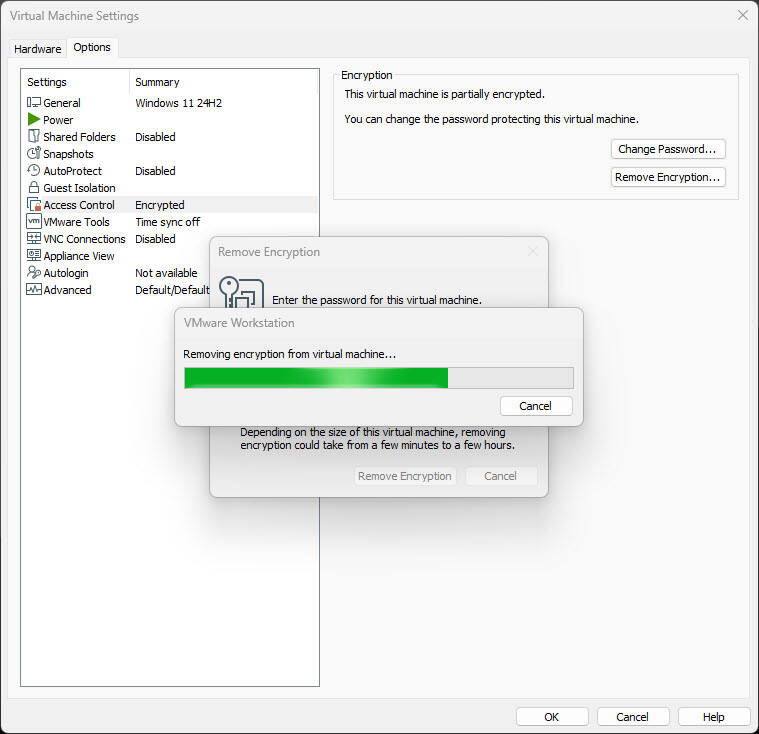
You will see removing encryption from virtual machine progress.
Now once the process is complete, the Access control section will show Not encrypted.
