




To me, they don't make this intuitive. If you have a set of drives in your Supermicro server. You may want to have multiple virtual drives backed by ALL of your hard drives you have installed.
Let's say you want to have a "boot" virtual drive, and a "data" virtual drive on the same array. There are a few steps you need to be aware of. Note below, the example virtual drives are on the same array.
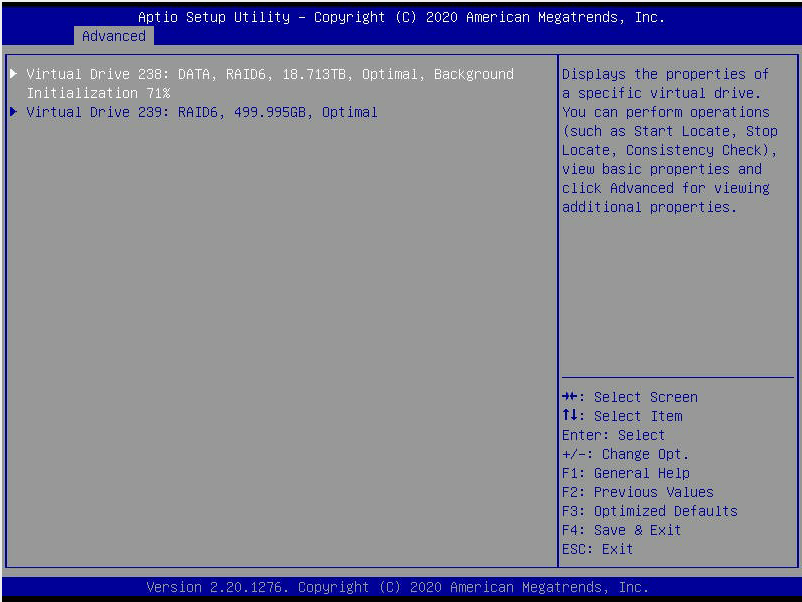
To do this, you need to first create your first virtual drive from your available drives (add all your drives after selecting your RAID level, RAID 0, 1, 5, 6, etc). Then create the virtual drive using the smaller of the two sizes.
Then, save your changes and go back out to the screen to create your virtual drive again. Create a new virtual drive. This time, select "unused capacity" and then it should give you an option to select the disk group. This is the key setting. Once you ENTER into the disk group, you can ENABLE your existing disk group that you want to use the free space in. Then, it will let you create the second, third, or more virtual disks on the same RAID array.
This is not very intuitive in the RAID BIOS, so keep these steps in mind. Hopefully this will help someone else struggling to find how to add multiple virtual disks to their existing RAID array they create.