Many organizations are looking at moving from VMware over to a different hypervisor. For many, they have settled on Proxmox as their target. However, if you have been running with a SAN or NAS in your home lab or even production environment and you are looking for the best configuration for your SAN moving to Proxmox, you will note some limitations on the Proxmox side. On paper Proxmox supports iSCSI. But once you start actually configuring it along with the limitations of various configurations it can become a challenge. However, I stumbled on a freely available solution that changes the game for Proxmox iSCSI that is definitely worth checking out.
The documented limitations of Proxmox iSCSI storage
The relationship with Proxmox and iSCSI is an interesting and complicated one. On paper Proxmox definitely supports iSCSI and I have played around with it many times in the past with iSCSI LUNs from my Synology and other devices. But the features of Proxmox iSCSI may not feel so natural coming from VMware and has limitations.
I have said this many times before. VMware still has an edge on Proxmox for sure in the area of storage and the features that it supports. VMFS is a cluster-aware file system that opens up a lot of capabilities for running your workloads on a vSphere platform.
First, with Proxmox, if you use standard LVM on top of iSCSI (the supported way to run iSCSI), you lose thin provisioning. This is a big one. If you are coming from a storage environment with VMware where you were able to thin provision all your workloads, you have just lost tons of capacity with LVM thick over iSCSI on Proxmox.
Second, if you try to use LVM-thin which is the way to get thin provisioning and snapshots, you are immediately hit with another problem. LVM-thin is not designed for shared access across multiple hosts. That means it does not work as shared storage in a cluster environment the way you would want it to be able to.
Third, the native iSCSI integration in Proxmox feels clunky at best when you are trying to build something that behaves like true shared storage in a cluster the way you would expect.
So, long story short, you end up in this weird situation where you have shared storage but thick provisioned and limited. Or, you can have thin provisioning and snapshots, but only on a single node. This is not what most of us are looking for in a scaled out Proxmox cluster in the home lab or production.
Why not just use Ceph?
At this point, the obvious answer for most is just to use Ceph HCI storage. And just to level set. I think Ceph is awesome sauce. I run it in my home lab as you know. My recent mini cluster build out is based on Proxmox with Ceph running all my VMs and container hosts. I also run CephFS for file storage on top of Ceph. But, Ceph is not always the right answer for every situation.
If you already have a SAN or NAS, you want to be able to use that hardware. With Ceph, the storage is logically made up of locally attached drives in each cluster node that are aggregated into a logical pool of storage.
Also, Ceph is super write heavy. It will wear normal consumer-grade drives out in no time due to the write amplification of the solution. You will definitely want to go enterprise class drives for a Ceph storage pool. But even then, some enterprise drives are mainly geared for “reads” or “mixed workloads” and not “write intensive” applications.
So, is there a way to run Proxmox with iSCSI storage, making use of your existing SAN and also having a simpler, more traditional deployment that allows you to do thin provisioning and snapshots?
The free storage plugin for Proxmox iSCSI
What blows my mind is there is a free plugin that I have recently heard of, didn’t know about it, until just a couple of days ago that is not vendor-specific, that adds all of the missing shortcomings from the native Proxmox iSCSI storage functionality. Things like multi-host cluster access to “thin provisioned” iSCSI storage.
You may not know (I didn’t) but StarWind, the company behind their own home grown storage solution for vSAN that is actually really popular in certain circles actually has released a vendor agnostic Proxmox iSCSI storage “integration” plugin. It is called the StarWind x Proxmox VE SAN Integration Services. Also, note that you don’t have to run the StarWind vSAN VSAs. This is a plugin only.
This plugin is designed to add the missing features for Proxmox iSCSI connections and gives you the native features like thin provisioning, snapshots, and multi-host access to iSCSI LUNs. Interested? I certainly was. And it blew my mind to find out this plugin is actually free to download and install. Let me show you all the steps, step by step that you need to do to install the plugin and use it to provision and connect your iSCSI LUN in Proxmox to your cluster hosts.
You may wonder if this is in the data plane path as I did? The StarWind plugin is NOT in the data path in a heavy way. It mainly:
- Helps Proxmox discover/manage storage
- Orchestrates how the storage is presented
- Does NOT sit inline like a full storage proxy
What I am using for this test
I have my existing 5 node Proxmox cluster that is also a Ceph cluster that has been my primary storage. I wanted to integrate iSCSI storage into the cluster to have both storage types for testing and home labbing.
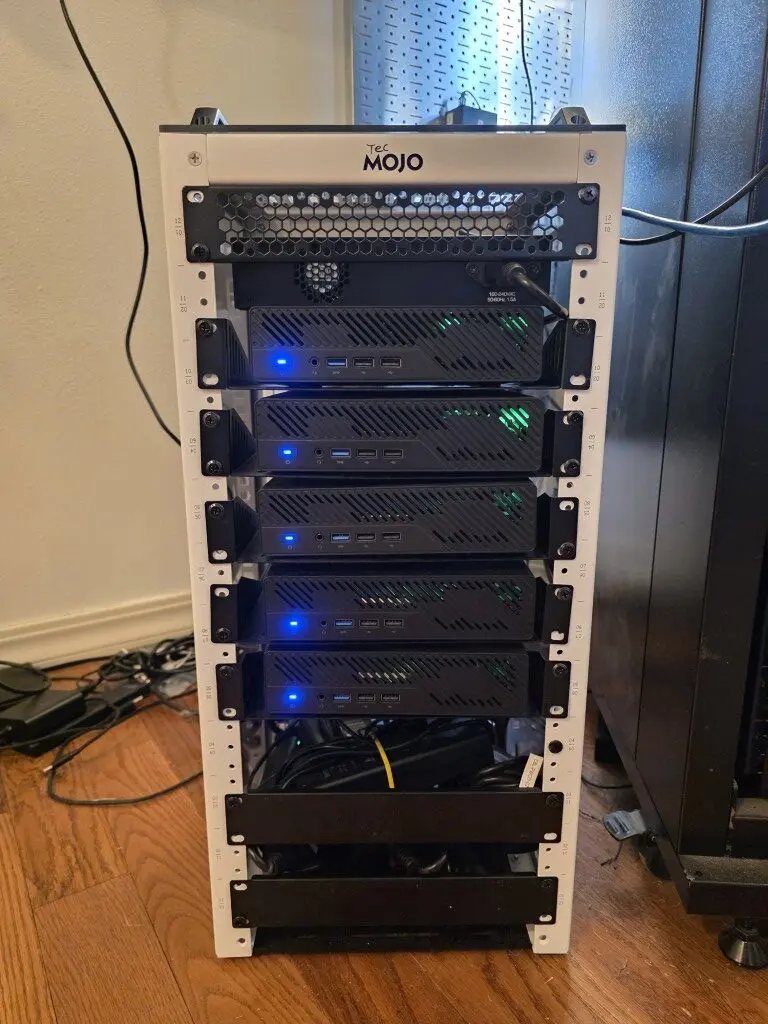
Which NAS/SAN am I using? Since tearing down my VMware vSphere cluster, I was able to reclaim my Terramaster F8SSD Plus NAS capable of running 8 NVMe drives at PCI-e 3.0. You can see my review of this unit here: Terramaster F8 SSD Plus Review: All Flash NAS with NVMe. Plus it only draws aroun 15-25 watts in normal operation.
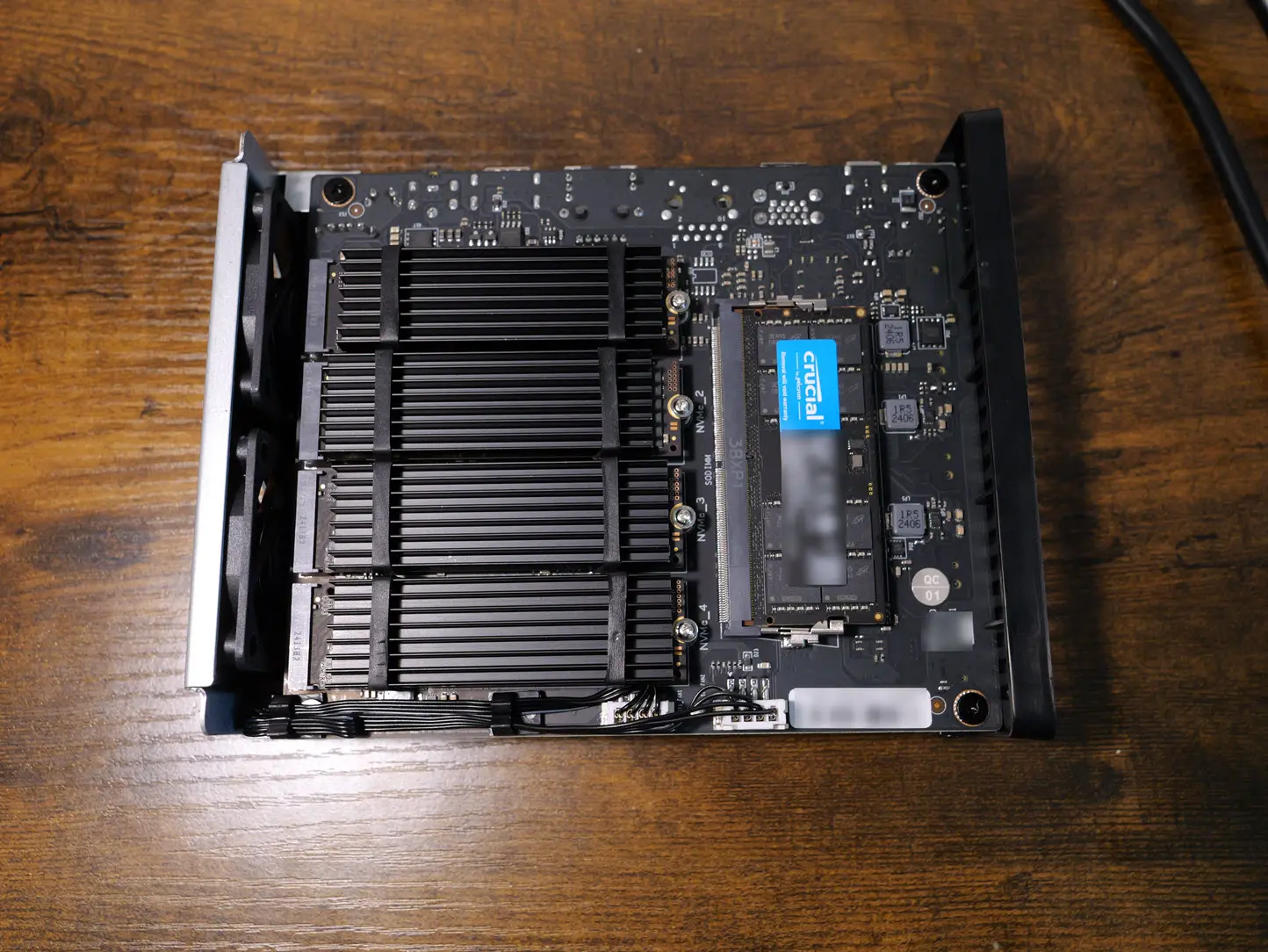
With the cover installed and standing up vertically:

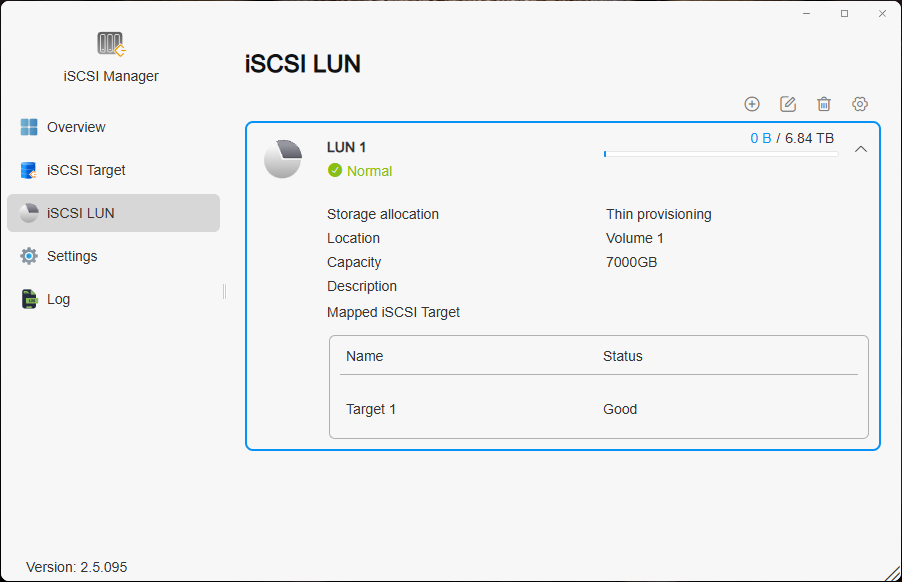
Once I loaded my NVMe drives up and configured the terramaster, I installed the iSCSI tool from the App Center and then created the iSCSI LUN as you can see here. I also enabled multiple connections and jumbo frames.
Installing the StarWind x Proxmox VE SAN Integration Services
This is the part I wish I had found documented clearly when I first started working through this. These are the exact steps I used to get the StarWind integration working with shared iSCSI storage in a Proxmox cluster.
Prerequisites
Before we install the plugin, let’s install the prerequisites that we need for the overall installation and configuration of iSCSI. Here we are installing the open iSCSI package and the multipath tools.
apt update
apt install -y open-iscsi multipath-tools
systemctl enable --now iscsid
systemctl enable --now multipathd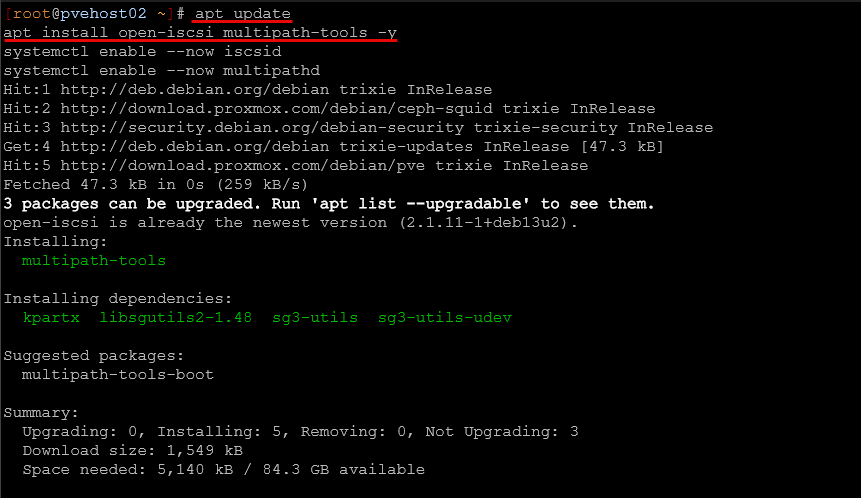
All nodes: Install the StarWind plugin
curl -fsSL -o install-starwind-proxmox-plugin-pve9.sh \
  http://repo.starwind.com/san-and-nas/scripts/install-starwind-proxmox-plugin-pve9.shchmod +x install-starwind-proxmox-plugin-pve9.sh./install-starwind-proxmox-plugin-pve9.sh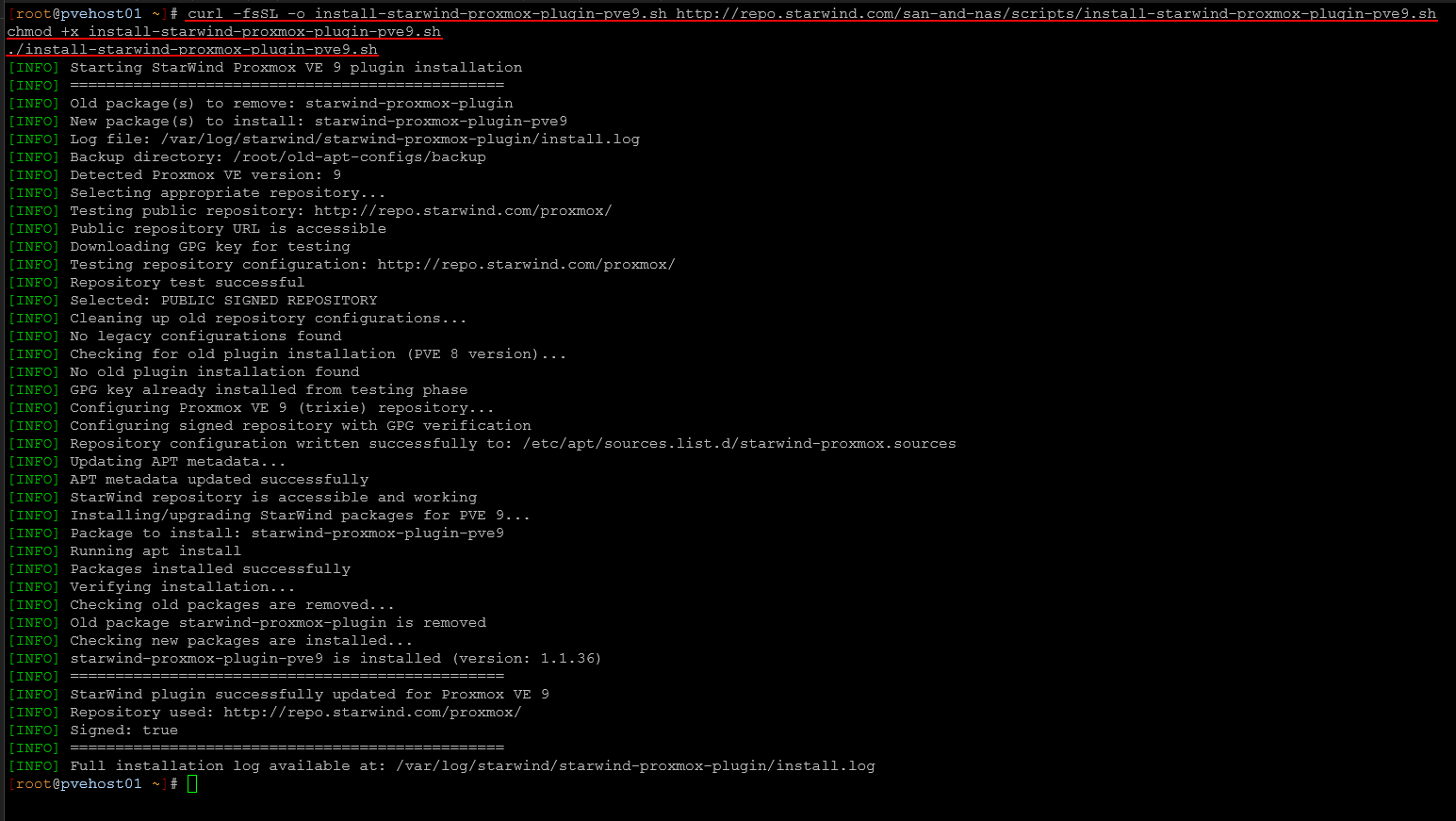
This installs the integration layer that allows Proxmox to properly work with the backend storage. Then, we discover and log into the iSCSI target:
iscsiadm -m discovery -t sendtargets -p 10.3.37.50iscsiadm -m node -T iqn.tnas.terramaster.26409104350 -p 10.3.37.50 --login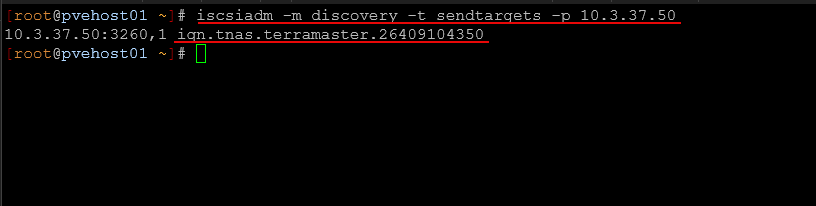
Here is logging in:

Make the connection persistent across reboots:
iscsiadm -m node -T iqn.tnas.terramaster.26409104350 -p 10.3.37.50 \
  --op update -n node.startup -v automatic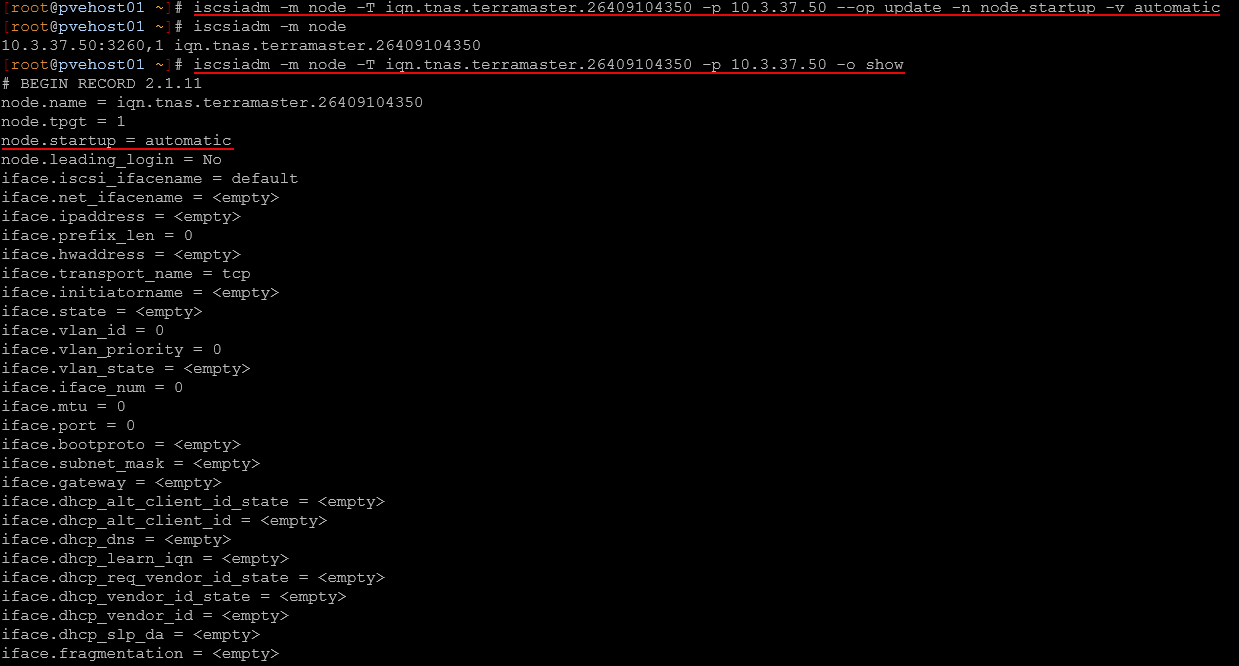
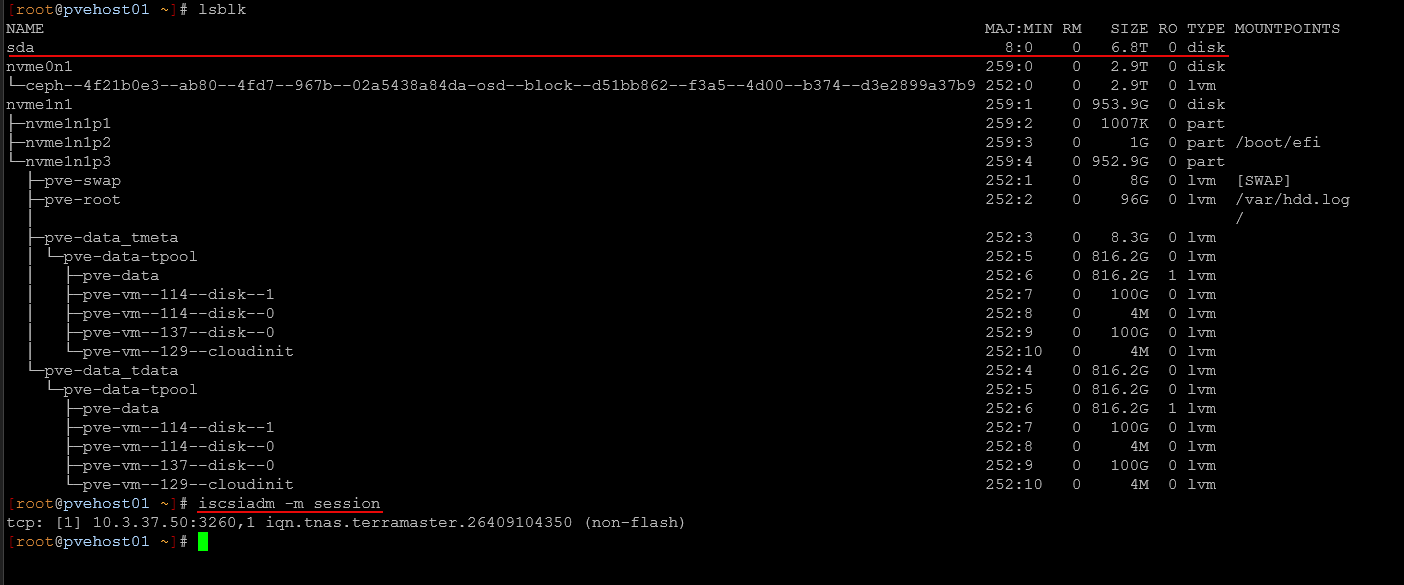
At this point, you should see the device available using:
lsblkHere you can see for me it is sda.
All nodes: Configure multipath
This is a critical step for shared storage. Without multipath, you may run into pathing or failover issues. First we need to get the WWID. Run the command below to get that:
ls /dev/disk/by-id/ | grep scsi
# Output like scsi-26530336564356239
# The WWID is everything after "scsi-"
Add the device WWID. So, then we take this and add to multipath:
multipath -a 26530336564356239Create the multipath configuration:
cat > /etc/multipath.conf << 'EOF'
defaults {
    user_friendly_names yes
    find_multipaths yes
}blacklist_exceptions {
    wwid "26530336564356239"
}
EOF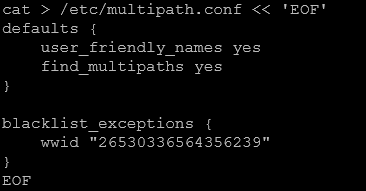
Enable and start the multipath service:
systemctl enable multipathd --now
systemctl reload multipathd
Verify that the multipath device is active:
multipath -ll
You should see a device like mpatha.
On the first node only
Register the storage with Proxmox. Note the “starlvm” is not an arbitrary name, this invokes the StarWind integration plugin for mounting the storage so we receive all the benefits.
pvesm add starlvm pve-lun-01 \
  -vgname f8ssd-vg \
  -content images,rootdir \
  -shared 1
Something to call out, I saw an unsupported storage warning that I thought was a “show stopper” but as it turns out it is just a warning. I am not exactly sure what StarWind is checking here on the vendor side or hardware side to throw this warning.
unsupported storage of vg ‘f8ssd-vg’

In my case, I think it is due to the underlying storage reporting a different vendor string. This warning appears to be cosmetic and does not affect functionality as the storage did go ahead and mount, etc.
On the remaining nodes
Now move to each of the remaining nodes in the cluster. Activate the shared volume group
pvscan --cachepvesm status | grep pve-lun-01
You should see the storage show up as starlvm and active. Verify from any node in your cluster. Finally, confirm everything is working cluster-wide:
pvesm status | grep pve-lun-01
My impressions using it
So far the impressions using the iSCSI functionality with the StarWind plugin is quite good. I haven’t seen any quirkiness with the plugin.
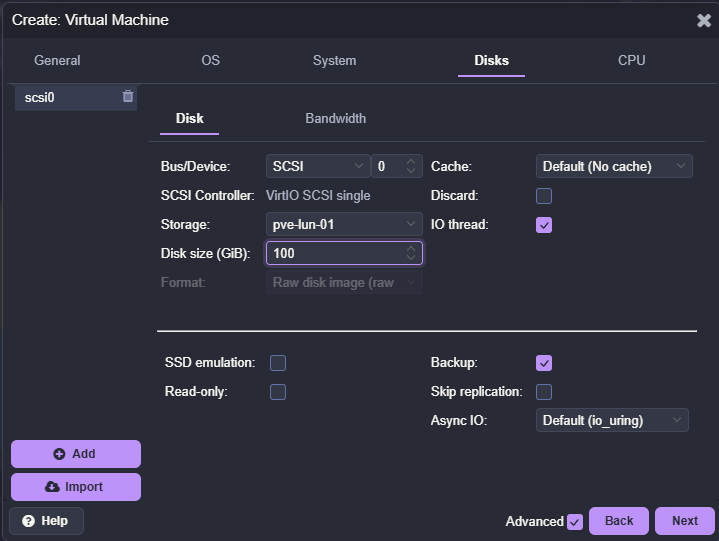
Below is me creating the virtual disk on the new iSCSI LUN that was created with the StarWind x Proxmox VE plugin. Notice it is RAW.
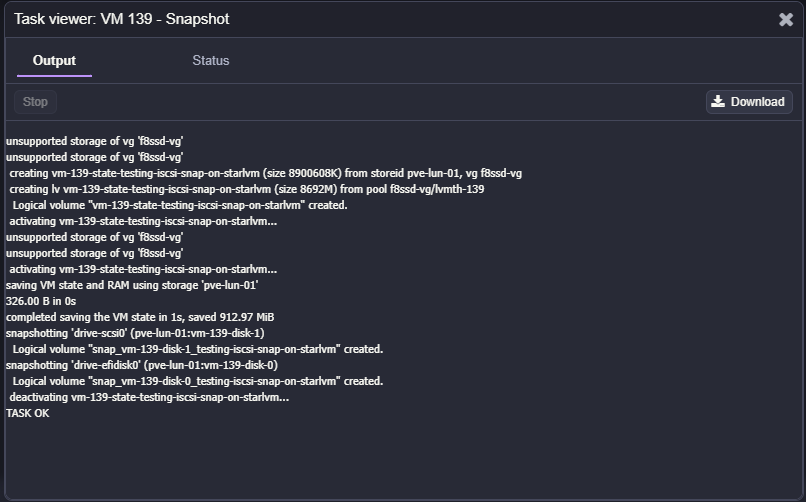
One of the things that I wanted to see if I could do was create a snapshot on the virtual machine after getting it installed up with Ubuntu Server and running Docker on. And, snapshots work just fine.
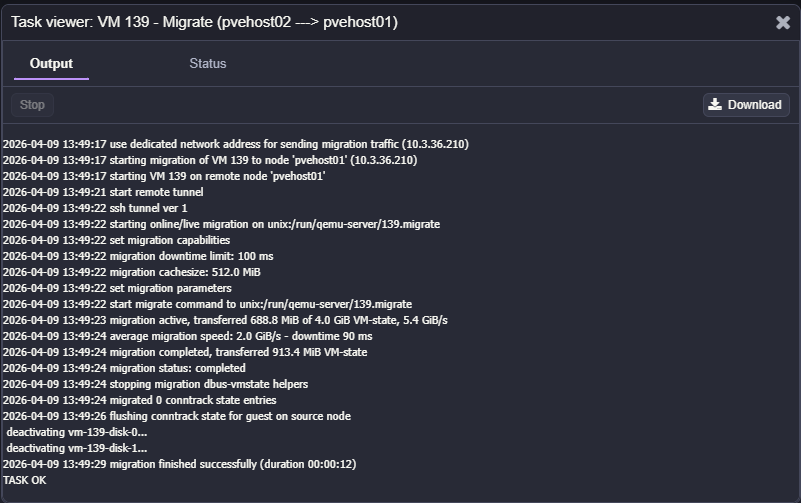
Also, migrating the virtual machine to another node in the cluster and back worked fine as well:
Why I think more people should know about this
What has surprised me with this plugin is just how few know about it. You will see many Reddit threads about migrating data that is currently running on a VMware SAN and the best approaches, and this is just not widely known about.
I think StarWind has filled a real need with the release of the plugin that is vendor agnostic and gives us the ability to have thin provisioned iSCSI LUNs in Proxmox as shared storage that definitely closes the gap in many ways on using existing SAN and NAS storage in the enterprise and home lab environment.
There are also a lot of people who try iSCSI with Proxmox and hit the same limitations I did, and either settle for less functionality or jump straight to Ceph. We are always better off and not worse off by having more options. This gives you another option.
Wrapping up
I have long been a bit disappointed with the lack of these core features natively with the Proxmox iSCSI storage functionality. I think many have the same reservations when they start looking at Proxmox as a replacement and trying to figure out how their storage configuration fits in. With this new StarWind plugin, it allows you to keep using your existing storage and avoid unnecessary complexity or getting rid of hardware and jumping to Ceph if that isn’t necessary. If you need thin provisioning, multi-host access, linked clones, and snapshots, this is the way to go. How about you? Have you tried this as of yet in your home lab?

Google is updating how articles are shown. Don’t miss our leading home lab and tech content, written by humans, by setting Virtualization Howto as a preferred source.
About The Author