


I have been through quite a transition with my home lab moving into 2026. Not just hardware. There has been a lot of changes on the hardware front, but in addition to the hardware changes for me, there have definitely been changes on the software and services side. There are many great tools, software, and services that run my home lab every day in 2026. Let me share what my lab is built on top of this year and why I chose them.
Proxmox VE Server is the foundation
This is the first year in my home lab that I have moved away from running VMware for my production services. Proxmox VE Server seems to be on fire with the community and gaining massive momentum in the enterprise. I decided to go all in this year on Proxmox VE Server since the writing is on the wall that many more businesses will be running Proxmox as we go through 2026 and beyond.
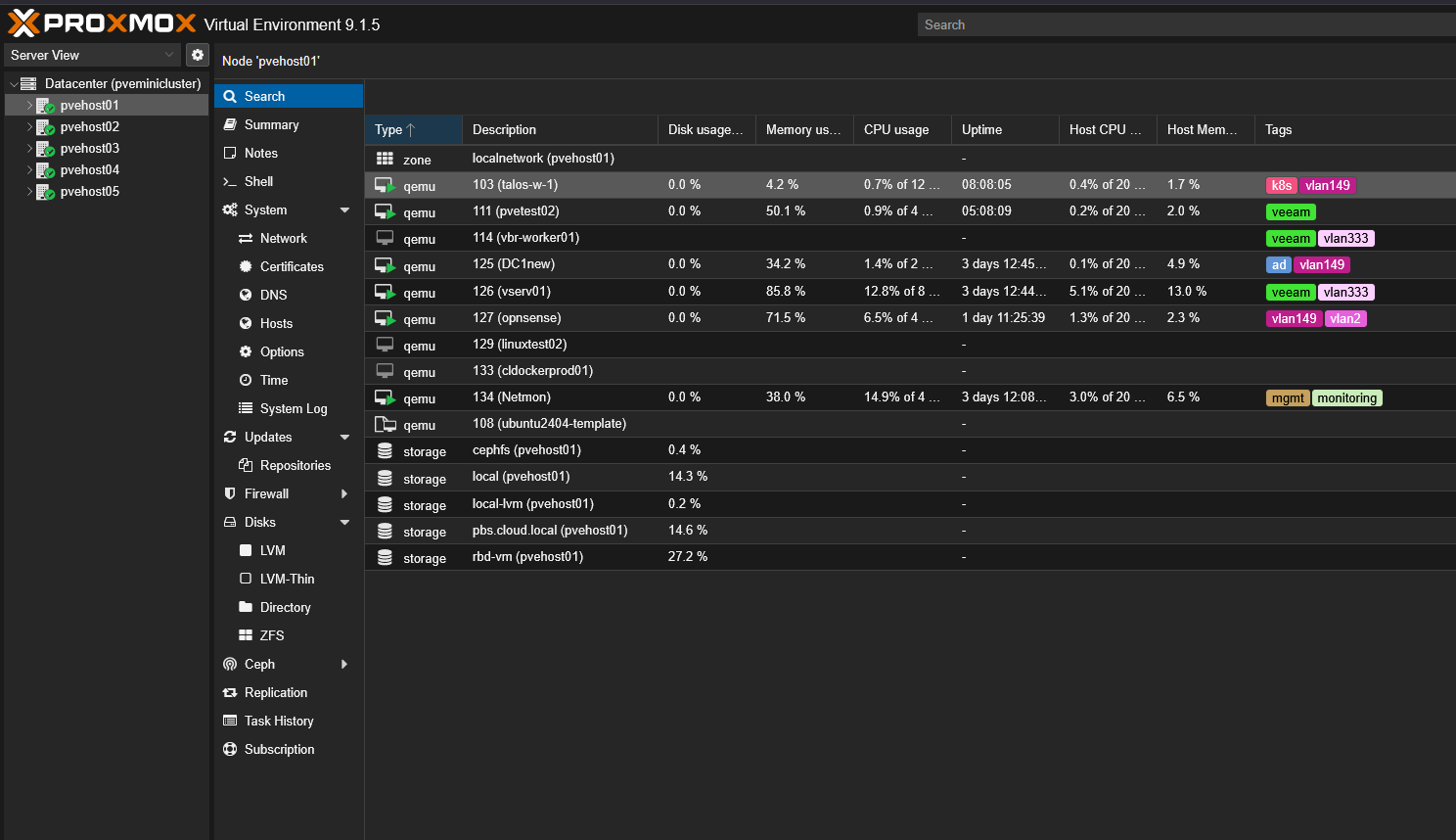
I run Proxmox VE for all my workloads, including virtual machines, containers (both LXC and Docker via Docker hosts), and every test workload. Proxmox gives you all the components you need to build an enterprise ready cluster aware platform. You have clustering, high availability, DRS with projects like ProxLB or Pegaprox, Live migration, and even software-defined networking.
I rely on it daily for:
- Managing VMs and containers
- Migrating workloads during maintenance
- Handling rolling updates across nodes
- Integrating with software defined storage
- Monitoring node level metrics
The cluster design that I have currently allows me to take down a node for updates without interrupting my services. Proxmox is getting more and more powerful with each new release and I think we are on the cusp of the major shift among not just the community but in the enterprise.
Proxmox management tools
There are a couple of tools that I have added recently to the home lab that have definitely been a welcomed addition. Those are PegaProx and ProxCenter. These are very similar in their intent. Their goal is to provide a much more modern Proxmox management experience compared to the experience you get with the arguably dated interface that Proxmox provides by default.
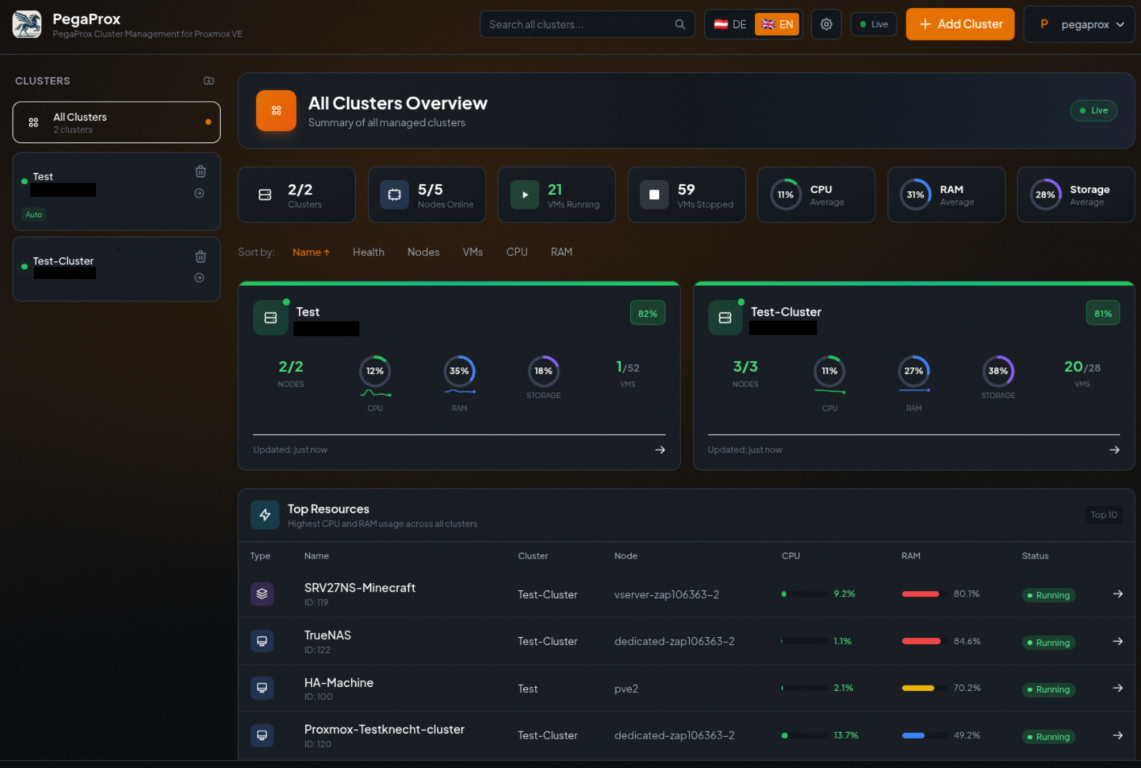
PegaProx is completely free and has DRS built into it via the ProxLB project. It is sleek and modern and I have found the DRS feature enabled by ProxLB to be rock solid and very reliable.
Check out my full post on it here: Managing Multiple Proxmox Clusters Gets Messy When You Want Smarter Placement.
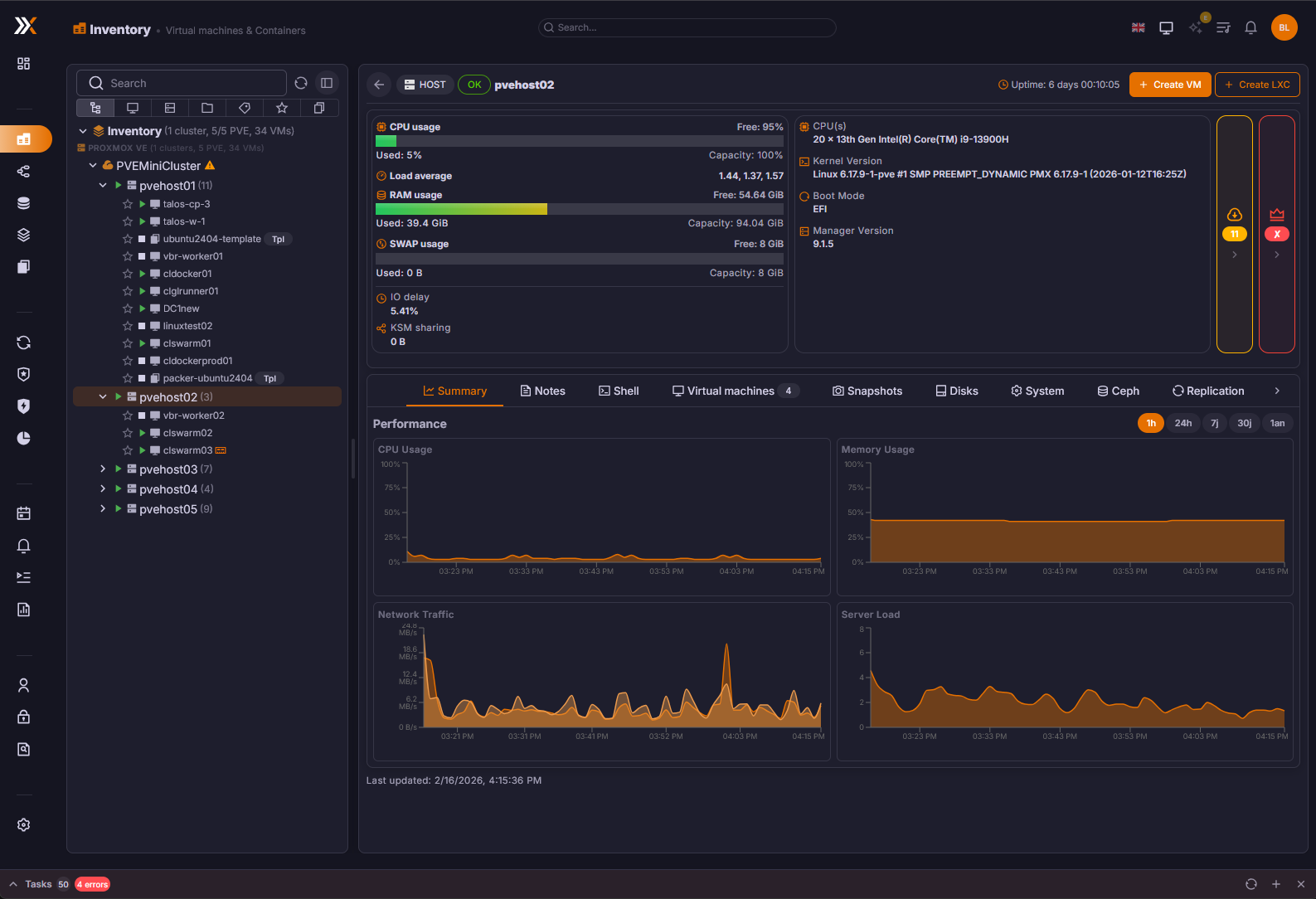
Proxcenter is another tool I have recently gotten into the lab. It provides the most vCenter like experience of any tool that I have tried for management. However, it is still a little rough around the edges as of yet, but definitely worth trying.
Check out my full post on Proxcenter here: Is This the vCenter Experience Proxmox Has Been Missing? Meet ProxCenter.
Ceph and CephFS for distributed storage
I had the itch to get back into distributed storage this year. Since the writing was on the wall that Broadcom was pricing vSAN out of the water, I pivoted to traditional storage a couple of years ago as this was the trend I was seeing in the production environments I mage.
But with Proxmox, you have native integration with Ceph storage. It is an open source software-defined storage solution that is tightly integrated and has a lot of nice features.
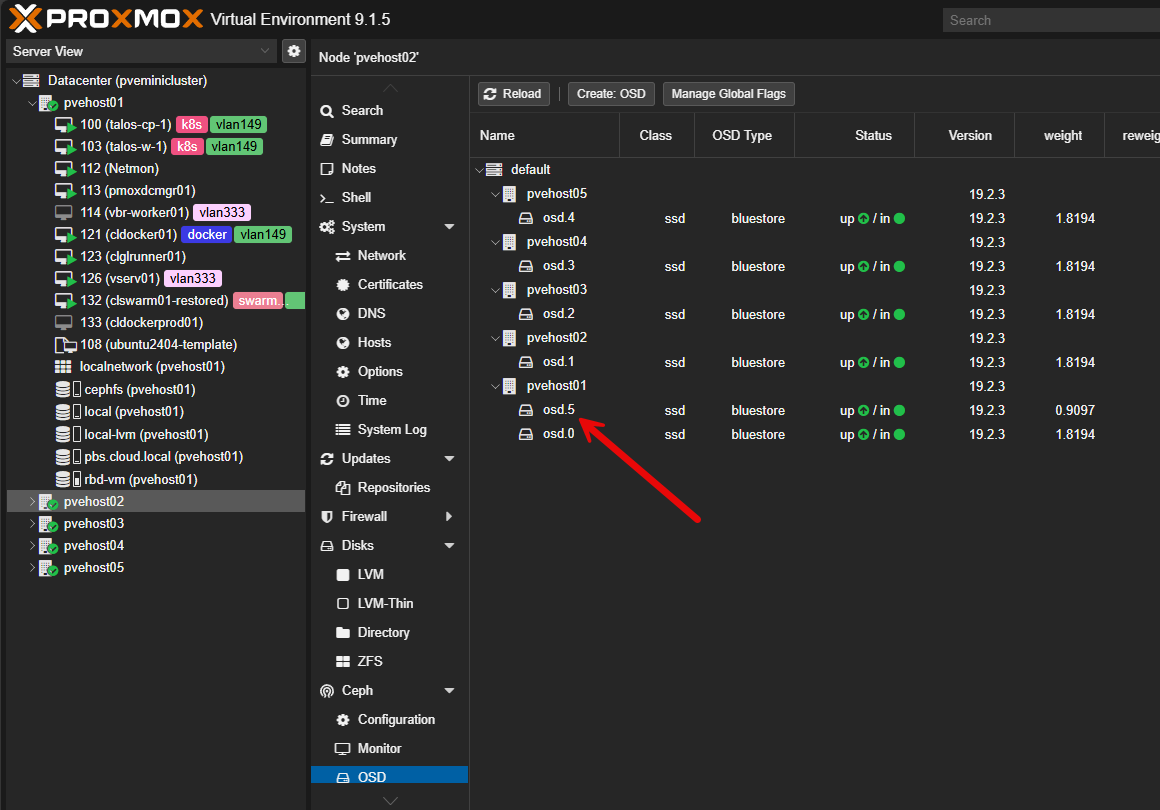
It provides the following for me:
- Distributed storage across nodes
- Automatic data replication
- Self healing when a disk or node fails
- Flexibility between block and file storage
Ceph is very dependent on the network, so you need to make sure you have a healthy network that is running at least 10 GbE I think realistically. But when you have all the components in place, it is super reliable, and performs great.
CephFS gives me a file system on top of Ceph that is great for storing various file types. One of the simple things I like is that I can store my ISO files in CephFS and this is available to all nodes in the cluster. Outside of that, I use CephFS for storage for my Talos Linux Kubernetes solution I have running in the lab.
I am running a 5 node Proxmox and Ceph cluster with erasure coding for CephFS and Ceph RBD for virtual machines with 2 replicas for a good balance between availability and performance.
Proxmox Backup Server for backups and recovery
I do also have Veeam in my environment as it is just rock solid and the standard for enterprise backups. But I have also been experimenting with Proxmox Backup Server as well.
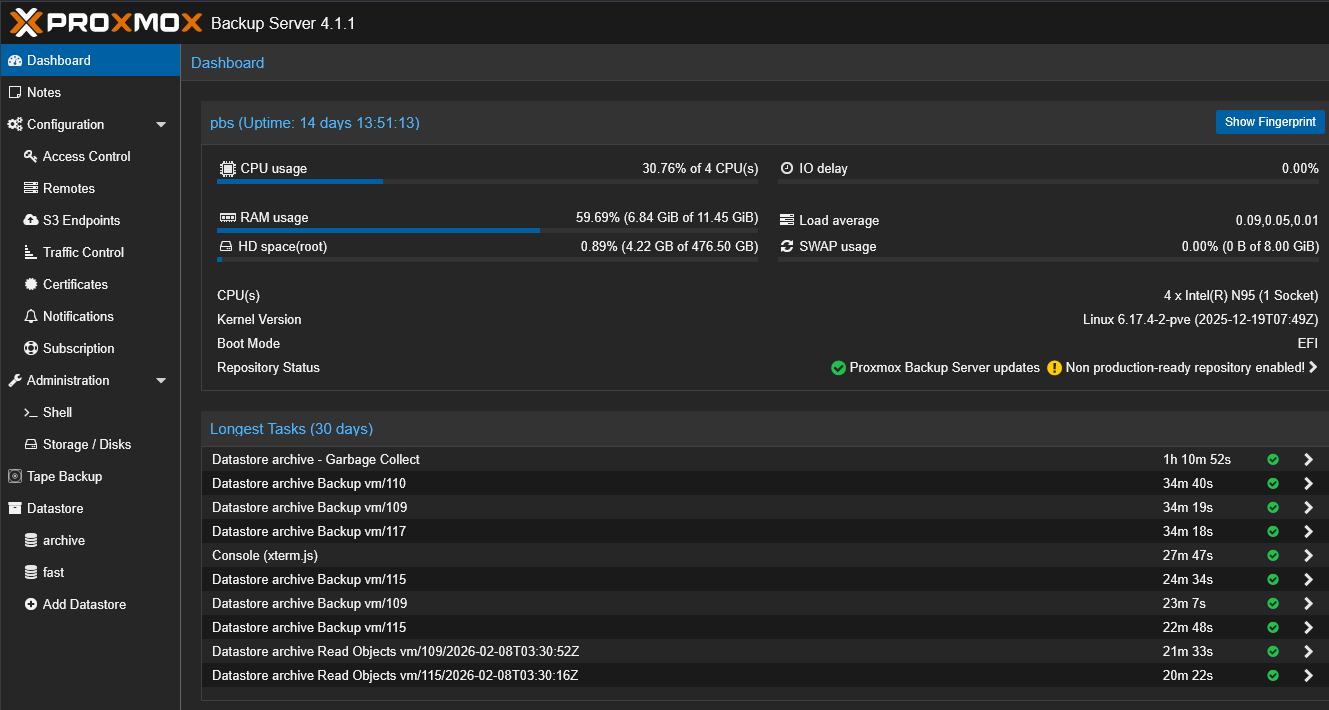
Proxmox Backup Server handles the following for me in the home lab:
- Scheduled VM backups
- Deduplicated storage
- Incremental backup chains
- Retention policies
- Restore testing
Backups are only valuable if they are tested. One of the most important habits I developed is periodically restoring a VM into a test environment just to confirm everything works as expected.
Proxmox Backup Server runs on its own schedule and creates restore points like you see from commercial products. It also has an agent-based solution that is not as well known that can be used for backing up files “inside” your virtual machine.
Netdata, Pulse and ProxMenuX
There are really three solutions that round out my monitoring of the home lab and home lab services across the board. These are Netdata, Pulse, and ProxMenux. Netdata has a home lab license that I think is a great deal for $90 a year. It is my more “general” monitoring solution that helps monitor things to a very detailed level like containers, Docker hosts, Kubernetes clusters, etc. It is also a “cloud” monitoring solution so it can tell me if everything goes dark, I have visibility into that.
Netdata gives me:
- CPU and memory trends
- Disk latency and throughput
- Network utilization
- Per container and per process visibility
- Alerting hooks
ProxMenux has established itself as a great monitoring solution in addition to being my tool of choice after turning up a Proxmox host for customizations. It provides top notch hardware monitoring as well, so I can see temperatures of my NVMe drives, and system in general.
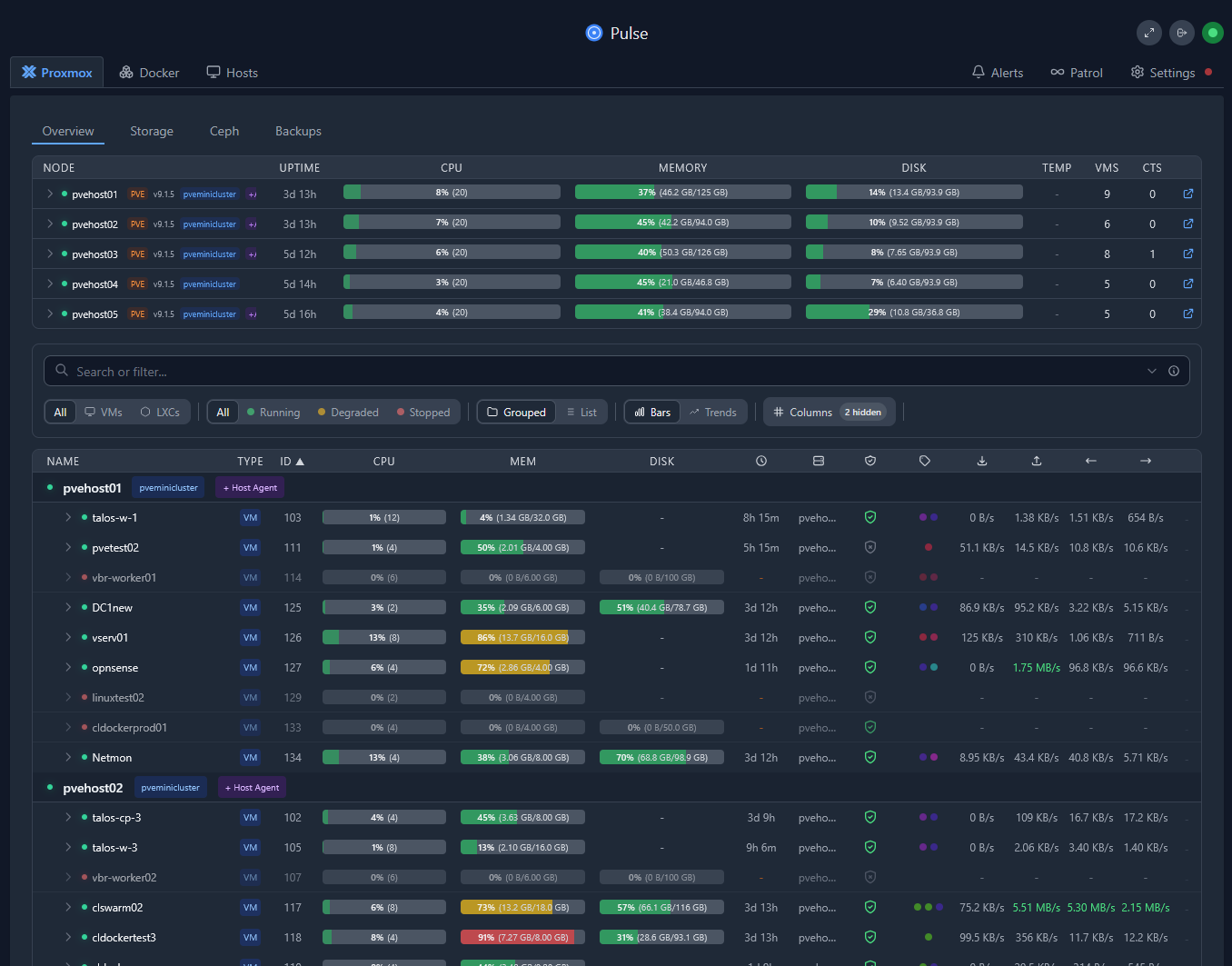
Pulse is what I think is the best Proxmox specific and home lab specific monitoring tool out there. It provides a great view of your Proxmox environment but also Docker, Proxmox Backup Server, and Ceph storage. So, with this one tool, you get a very holistic view of the platforms that everything runs on.
Git and Infrastructure as Code
I think every home labber that is serious about modernizing, learning cloud-native skills, and moving their labs forward in 2026 should be learning git and infrastructure as code. Start small, getting your Docker compose files and documentation in git. Then move on to other things.
I self-host a GitLab instance. I love GitLab and all the features it provides. But there are many other solutions out there that are great like Gitea, Forejo, or just using Github.
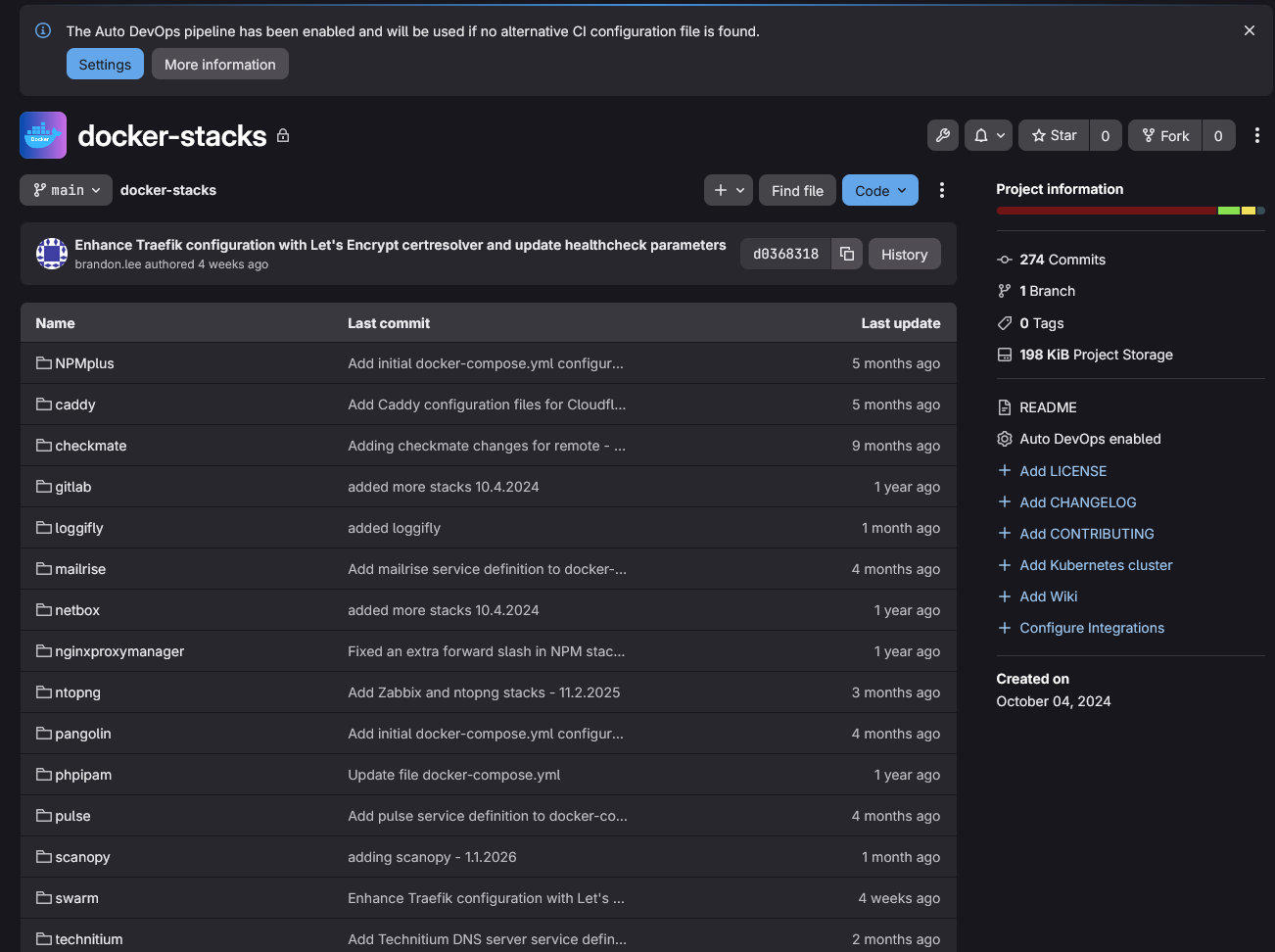
Check out some of the things I track and keep in git:
- Terraform configurations
- Docker Compose stacks
- Kubernetes manifests
- Configuration snippets
- Automation scripts
This approach does two things. First, it gives me version control. Second, it gives me reproducibility. If a node fails or I need to redeploy something, I am not relying on memory. I am pulling known good configurations from source control. I have added my Proxmox network configurations as of recently to a git repo and other configurations that I want to be recorded and version controlled.
Automation and CI/CD pipelines
After you accomplish the step of getting things in Git, the next progression is to start using CI/CD pipelines to do things. As my environment matured, I stopped manually doing certain things like building virtual machine templates, running one off scripts, and deploying machines by hand.
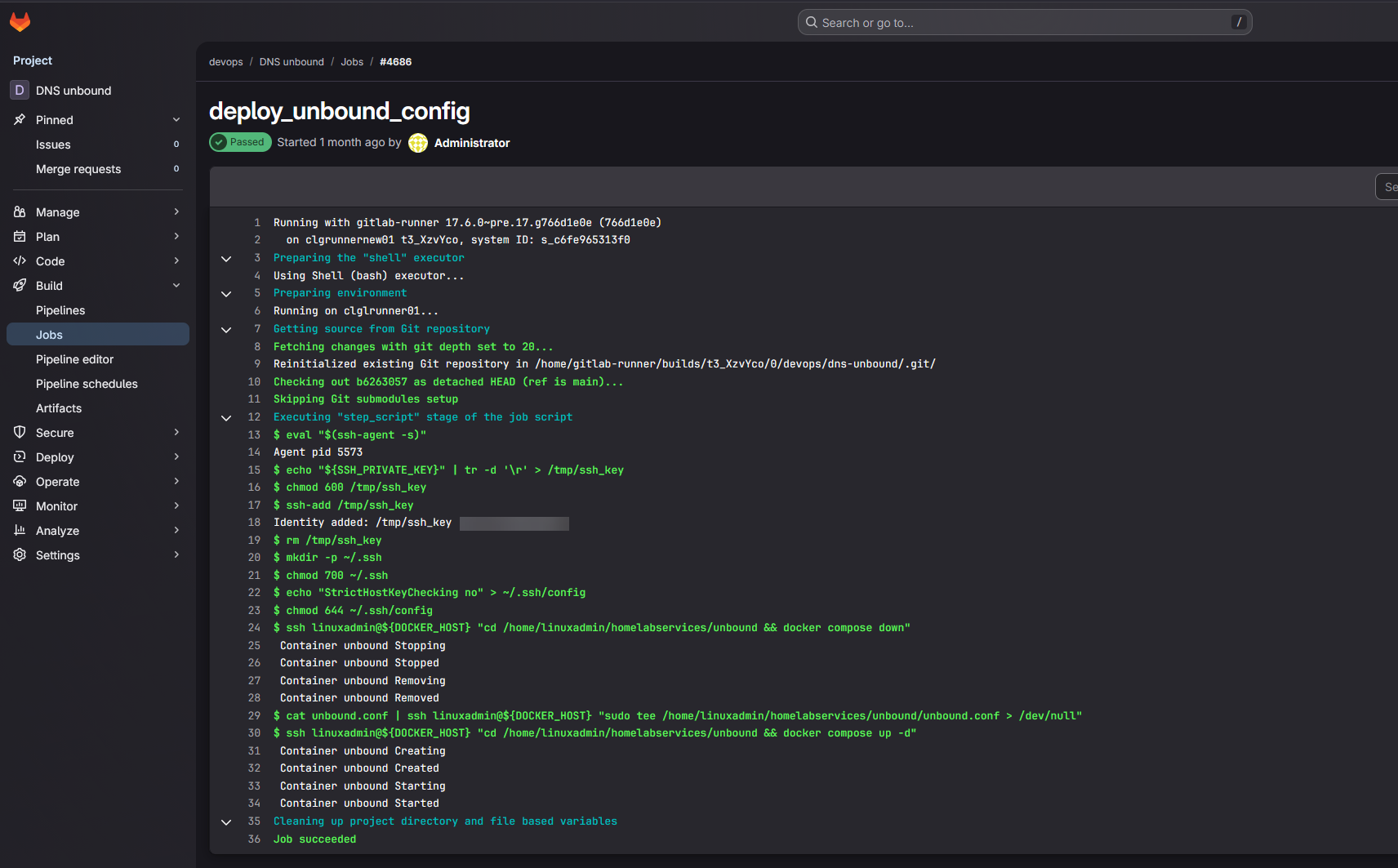
Now I let my CI/CD pipelines that I have built in Gitlab do that heavy lifting for me. CI and CD systems handle the following fopr me:
- Container image builds – Built as part of weekly refreshes of images
- Configuration validation (security scans and code validation)
- Automated deployments (Packer template builds, Terraform VM deployments)
- Scheduled tasks (Running scripts and other processes that I used to have in random CRON jobs or scheduled tasks)
Using GitLab and GitLab CI/CD in my home lab has helped to keep things consistent and reproducible and stable.
Reverse Proxy and DNS
I have recently moved everything from Nginx Proxy Manager (which I really like) over to Traefik. Traefik is just a much more infrastructure as code friendly platform. But, I think all should start out with Nginx Proxy Manager that are beginning to get their toes into reverse proxies. It is a great place to start. However, as you get more into infrastructure as code and as your needs evolve, Traefik is an excellent choice.
My reverse proxy handles:
- TLS termination
- Routing between services
- Certificate management
- Clean service URLs
I also run a variety of DNS services. I have long had a Windows Server DNS server running in the home lab which is also on my domain controller. This provides Windows domain functionality and name resolution services. I long had a couple of Pi-Hole servers synced by Gravity Sync and then Nebula Sync.
However, recently I moved over to Technitium, since they introduced native clustering in their solution. Technitium is one of those well kept secrets that has just been overshadowed by other solutions out there without as much fanfare. But in many ways I think it is a superior DNS server, especially with the new clustering feature.
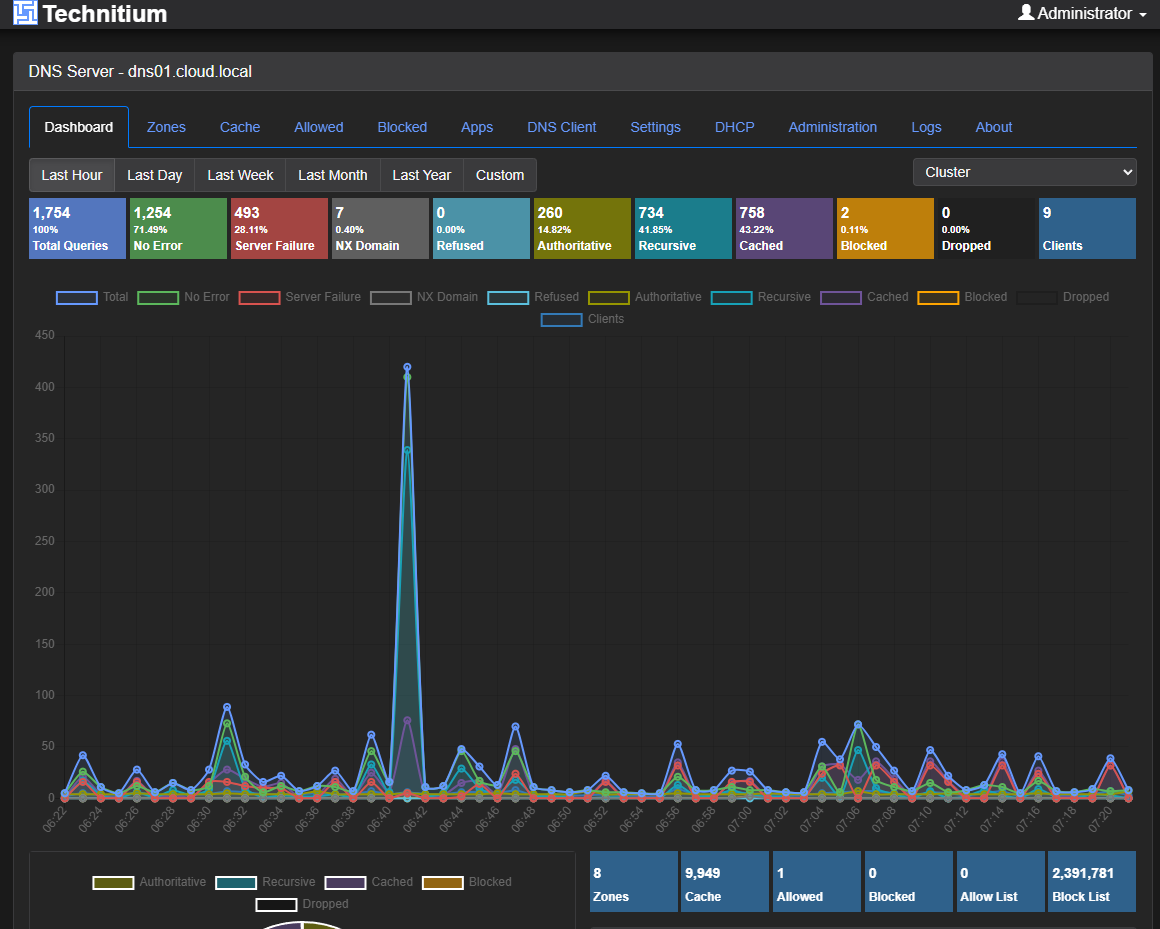
I also run an Unbound server that runs a split horizon zone for me that I use as a conditional forwarder from my Windows Server DNS server. I am likely going to combine this as part of my Technitium server cluster though as it is setup as an HA pair and more resilient than my current Unbound configuration.
DNS provides the following for me:
- Internal name resolution
- Service discovery
- Split horizon resolution
Intel vPro and out of band access
This is one that I recently introduced into the lab. I have long ran enterprise servers with iDRAC, iLO, and IPMI interfaces. That is one of the main things that I really missed once I started to go the direction of mini PCs.
However, on reexploring Intel vPro, i was pleasantly surprised at the functionality that it offers. I also was able to get past several of the challenges I had before when I tried it a couple of years ago. Now, with vPro and out of band management, i ahve the following:
- Remote power control
- Console access when the OS is down
- BIOS level troubleshooting
- Recovery from misconfigurations
Check out my full blog on that topic, configuration, and how it works: This Made My Mini PC Home Lab Feel Enterprise Grade: Intel vPro with AMT.
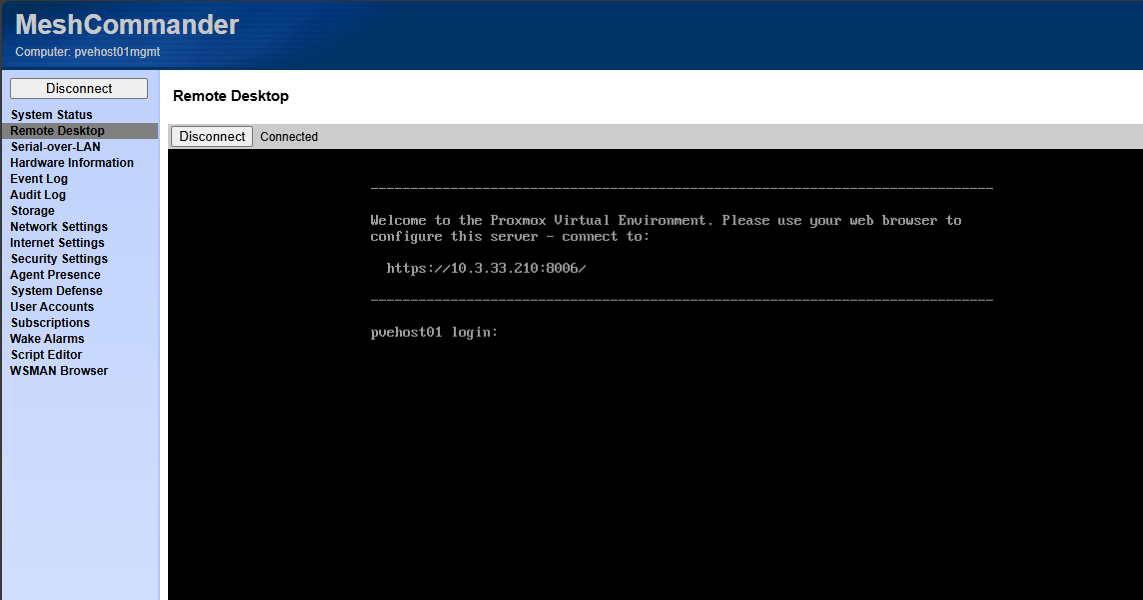
I think running a home lab is almost unbearable not having some type of out of band management to get into a crashed node, or otherwise unreachable through the installed operating system. It is a tool you don’t need often, but when you do, it is a life saver.
Documentation tools
There are a couple of documentation tools that I have started using recently and brought into my tool belt. One I have written about recently is RackPeek. This one is super interesting and turns traditional documentation on its head. It gives you a really slick way to document your rack as code.
Check out my blog on that here: I’m Documenting My Entire Home Lab as Code with RackPeek.
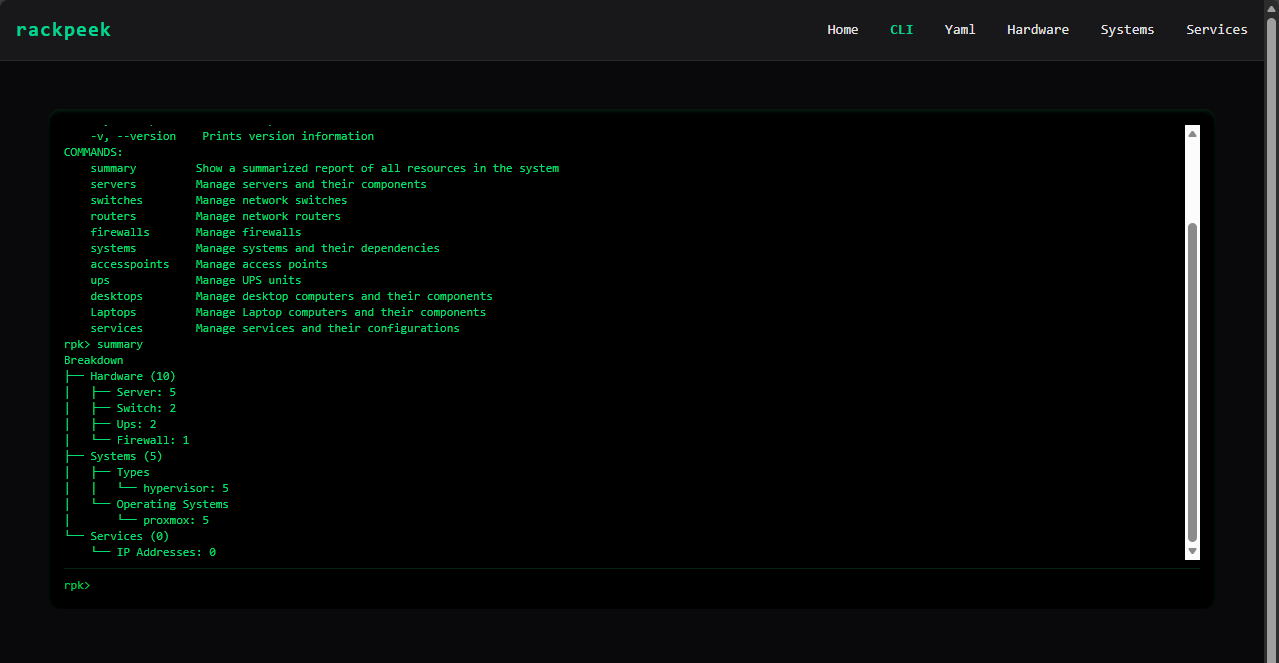
I think documentation tools and disciplines should include the following:
- Network diagrams
- VLAN mappings
- Storage layouts
- Backup strategies
- Recovery steps
- Firmware versions
When something breaks or I need to expand the cluster, documentation shortens troubleshooting time dramatically. It also reduces the risk of mistakes in my opinion. In many ways, documentation is the glue that ties all other tools together.
Container management tools
I have a long list of container management tools (below is not all of them). These are ones that I am usually trying as new ones come along. But I have a staple of ones that I use in the home lab that help me run things. What are those?
- Portainer
- Komodo
- Sidero Omni
- Dockge
- Lens
- Aptakube
Wrapping up
The are some of the most critical tools that I am running in my environment that helps me keep things running smoothly, monitoring resources, and providing the services and infrastructure to “keep the cabs running” so to speak. I am always looking for new tools that makes life easier or provides services and capabilities that I don’t have currently. What about you? What are some of the tools that run your home lab every day? What have I missed here? Do you have a tool that I need to try out?

Google is updating how articles are shown. Don’t miss our leading home lab and tech content, written by humans, by setting Virtualization Howto as a preferred source.
About The Author



Nice post again Brandon!
Just throwing this out there, interested in people’s opinions.
Just like the ProxmoxVE scripts, I’ve always shyed away from using proxmenux as it seems like a complicated black box of scripts which I don’t feel comfortable with. It’s a shame as it looks like there are some nice components but I’d prefer to install those components directly.
Michael,
Great thoughts here. I think that is one of the double-edged swords with open-source software and integrations. It is awesome to have all the nice features and functionality that are part of these projects, but the security dilemma is real. I am usually ok installing some of these tools in the home lab, but would definitely take pause in production environments. The good thing is with the repos one thing I have done is pull them down and have Claude or another agent take a look at the files from a security perspective to hopefully flesh out any critical finds there.
Brandon