
If you are running a Proxmox cluster, and likely you are if you are running more than one host, there are certain tasks that you quietly hope you don’t have to do. These are not the everyday operations that we carry out each day like creating VMs, migrating workloads, applying updates, or checking normal health status. These are operations that happen with maintenance windows. They are tasks that you don’t want to have to perform, but that come up from time to time. These can be things like completely shutting down your Proxmox cluster, disabling HA across the cluster, or, even more dreaded, shutting down and powering off a Ceph-backed HCI Proxmox cluster.
When you might need to do these
There are some operations that you may have to do during maintenance windows. Or, you may have things like hardware failures, power outages, or moments when something is going really wrong in the cluster or in the environment.
Most of the time, we don’t practice these types of operations or steps involved and we figure that we will know what we are doing if the time comes. However, that assumption can get us into trouble if we haven’t thought through how to carry out certain operations.
Cluster operations are different than when you have a single host
Most hypervisor hosts are ok when they are single hypervisor hosts operating on their own. A standalone Proxmox host is pretty forgiving. You can reboot it, power it off, and experiment without worry too much about quorum, fencing, or anything related to distributed storage.
However, when you introduce clustering, this changes. Every action you take can have ripple effects across your cluster. Note the following things that react to node availability:
- Cluster membership
- HA state
- Quorum votes
- Ceph monitors
- OSDs
- Metadata servers
If you do things in the wrong order, it can cause things to failover or require a lot of recovery time inadvertently. You could even in worst case scenarios have data loss. Most of what we are going to look at are things that require intentional sequencing. Most of the problems that happen during maintenance are a result of not really the actions themselves, but doing them in the wrong order.
Properly shutdown a Proxmox cluster with traditional storage
If you look, shutting down a Proxmox cluster is arguably one of the most misunderstood operations. Most of us in daily type operations are used to shutting down a single host or rebooting a single host in a cluster since the rest of the cluster has quorum. Reboots and shutdowns can be pretty routine for that single host in apply updates, or troubleshooting a hardware component.
However, shutting down an entire cluster is a bit different. The goal is simple. You want to shut down all your hosts without triggering HA restarts, fencing events, or quorum loss panic. Before you touch power buttons or issuing shutdown commands, you need to prepare the cluster to be ready for a shutdown
Here is a general overview of the steps for a non-Ceph enabled cluster:
Pre-Shutdown:
- Stop HA services on all nodes
- Gracefully shut down all VMs and containers
- Verify nothing running
Optional tasks to reduce log clutter:
- You can stop cluster services on all nodes
Shutdown Sequence:
- Shut down all nodes in any order
Pre shutdown tasks
First, stop HA services cleanly. This does not mean deleting HA configuration. It means stopping the HA managers so they do not react to nodes going offline.
On each node, or from one node targeting all (see my post on using ClusterShell with clush command to do that), stop the HA services. Note below, we are only stopping the services and not disabling them. For non-Ceph clusters with traditional shared storage existing on a SAN/NAS (i.e. iSCSI, NFS), HA auto-starting is fine after you bring the cluster back up. These services will start automatically when the nodes are powered back on.
systemctl stop pve-ha-lrm
systemctl stop pve-ha-crm
This step prevents most surprise VM restarts during shutdown for HA-enabled virtual machines.
Second, make sure all of your workloads are stopped or migrated off the cluster (VMs and LXCs). You can do this with the bulk shutdown option if you want for your Proxmox hosts. Or, if you have another standalone host or cluster in your environment, you can use something like Proxmox Datacenter Manager to migrate your workloads off.
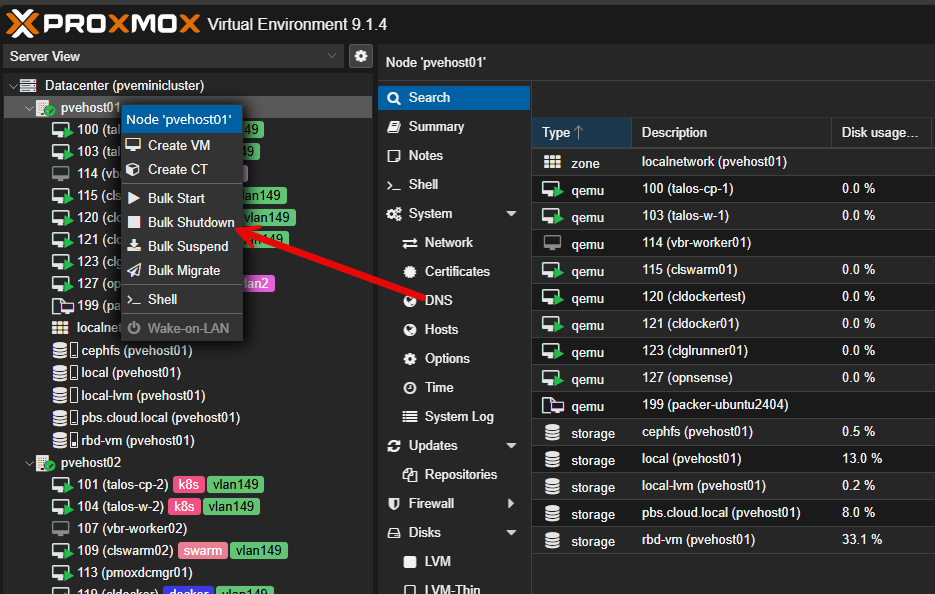
You can easily make sure you have nothing running with:
# Get VMs and Containers that are running still

qm list | grep running
pct list | grep runningThird, verify your cluster health. Run the following command:
pvecm status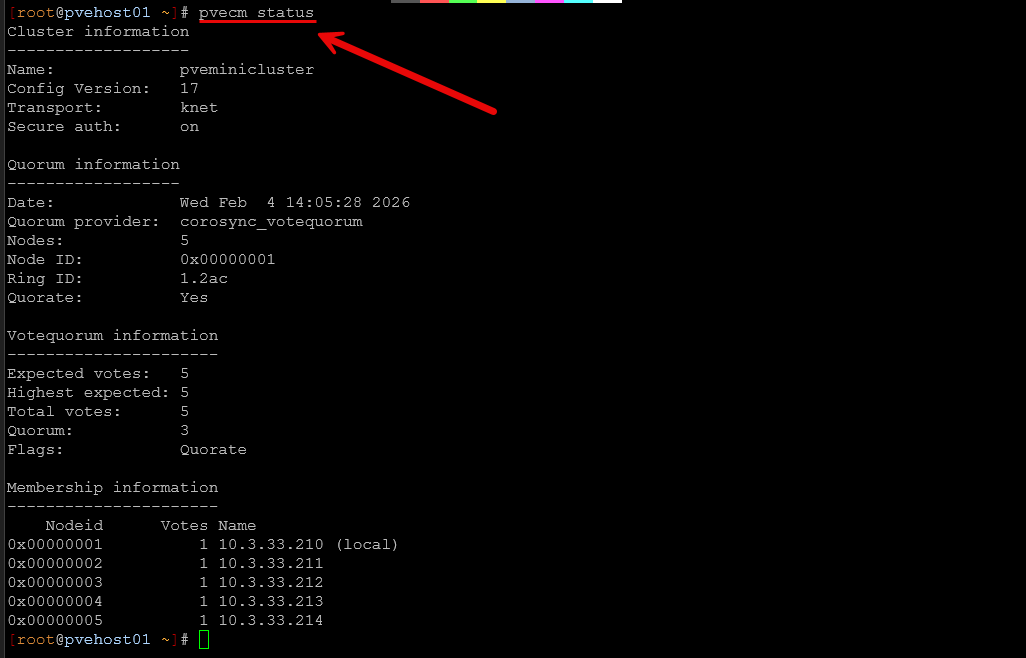
Confirm the cluster quorum is healthy. If you already have any quorum issues, don’t carry on trying to shut things down before resolving these.
Optional
As an optional step that is mainly for keeping your logs tidy without a lot of “bleeding” from the impending shutdown, you can also stop cluster services and corosync:
systemctl stop pve-cluster
systemctl stop corosync
Below is just a look at checking the status of Corosync service with systemctl.
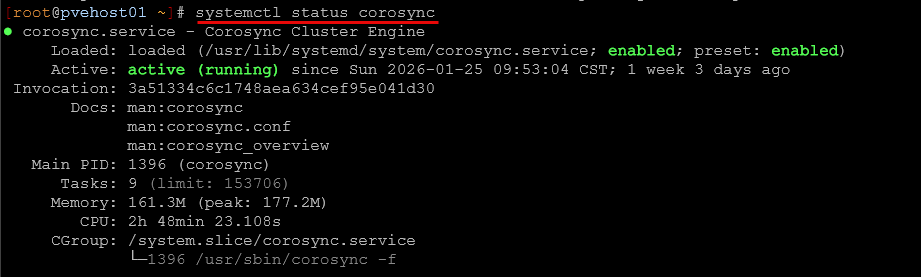
Once you have HA services stopped and optionally corosync and cluster services, you can begin shutting down all nodes in really any order at this point, even simultaneously with ClusterShell if you want.
Bring back up a Proxmox cluster with traditional storage
With a traditional cluster, the process to bring things back online is fairly easy. You simply just need to start powering on your hosts. Since we just stopped the HA service, optionally stopped Corosync and clustering, these should start automatically when your nodes power back on.
Give the cluster a few minutes to settle down after starting all the nodes and make sure your HA enabled VMs come back online and power up. You can make a final check of the status of the cluster with:
pvecm statusHow to shut down a Ceph HCI Proxmox cluster
Ok next, let’s move on to shutting down a Ceph HCI backed Proxmox cluster. This adds another layer of complexity on top of the traditional Proxmox Cluster shutdown procedure. But, it is extremely important to follow the guidance to shut down Ceph correctly. If you don’t it might start trying to do things like recover data, rebalance placement groups, or reassign roles at the wrong time.
Ceph is a very resilient storage technology, but it is also reactive to things going on in the cluster. So, we want to control the way things go down as much as possible. The primary goal during a planned shutdown is to tell Ceph to stay calm!
Pre-Shutdown tasks:
- Stop and disable HA services on all nodes
- Gracefully shut down all VMs and containers and verify
- Set Ceph protective flags
- Stop Ceph services
Stop and disable HA services
We are going to take an additional step past what we did with a traditional non-Ceph cluster and actually disable HA services. The reason for this is that after power on, we want to make sure Ceph is healthy before we power on VMs and containers. We don’t want them trying to start if we have a problem with Ceph after the power on.
So to stop and disable services:
systemctl stop pve-ha-lrm
systemctl stop pve-ha-crm
systemctl disable pve-ha-lrm
systemctl disable pve-ha-crm
Shutdown all VMs and LXCs and verify
After you have disabled HA across your cluster, you can safely shut down your VMs and LXC containers. Make sure you have nothing still running. You can make sure you have nothing running with:
# Get VMs and Containers that are running still

qm list | grep running
pct list | grep running
Ceph protective flags
Next, before shutting down any Ceph node, place the cluster into a noout state along with the other flags shown here. Basically, these flags tell Ceph not to “do anything” if it sees things go down or not to try to do normal maintenance activities like rebalancing, etc. Make a note that the last flag is only set after you are sure everything is stopped on your Ceph storage. This prevents I/O from happening.
ceph osd set noout
ceph osd set nobackfill
ceph osd set norecover
ceph osd set norebalance
ceph osd set nodown

***Important*** only set this after workloads are stopped
ceph osd set pause
Next, you will want to make sure that the Ceph health in the cluster is clean:
ceph status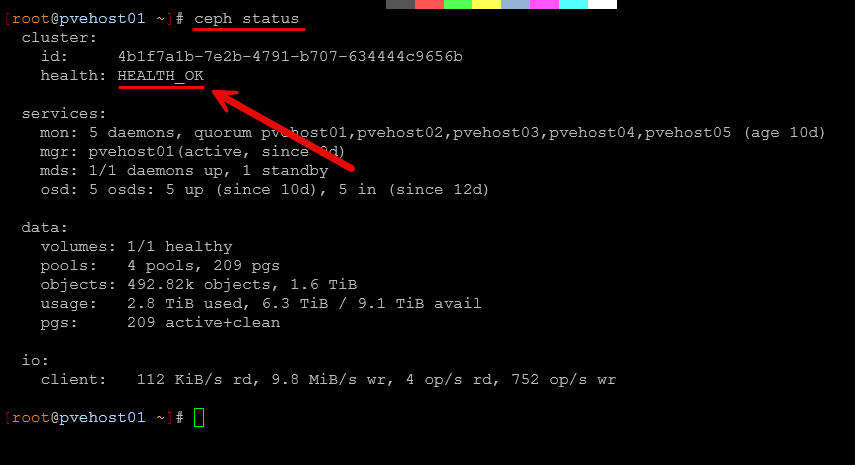
If the cluster is already degraded, address those issues first. Shutting things down when the cluster is already in an unhealthy state is only going to make things worse.
Stopping Ceph services on all nodes
There is a command you can run on your Ceph nodes that stops all services, whether these are running OSDs, mons, mgrs, or whatever is installed. Also, these are set to start when the server starts so should automatically start back up.
systemctl stop ceph.target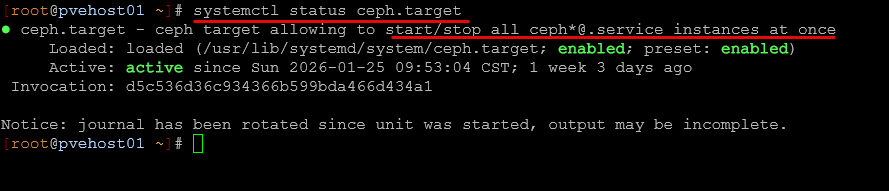
Once the Ceph protective flags are set, and you have used the ceph.target to stop all services you can begin shutting down nodes. Once services are all stopped and no workloads running, it shouldn’t matter what order the hosts are shutdown in.
Bringing a Ceph HCI Proxmox Cluster Back Online
Boot all nodes. Ceph will handle getting back to quorum and peering automatically. Monitor the output of ceph status until all PGs are active+clean. Once all nodes are online and Ceph reports healthy, unset the noout and other flags that were set before shutting things down:
ceph osd unset noout
ceph osd unset nobackfill
ceph osd unset norecover
ceph osd unset norebalance
ceph osd unset nodown
ceph osd unset pause
Then monitor Ceph health closely. You will see minor peering activity that is normal, but large recovery operations probably mean that something was not cleanly shut down. Only after Ceph is healthy should you re-enable HA services on the Proxmox side.
You can reenable HA services with the following:
systemctl enable pve-ha-lrm
systemctl enable pve-ha-crm
systemctl start pve-ha-lrm
systemctl start pve-ha-crm
This sequence prevents Ceph recovery storms and avoids HA attempting to restart workloads while storage is still stabilizing.
As a final verification that both the Proxmox clustering and Ceph cluster are back online and healthy, you can run the following:
# Verify Proxmox cluster is healthy
pvecm status

# Verify all PGs are active+clean
ceph status
Why quorum is so important in a Proxmox cluster
If there is one word that is the backbone of a Proxmox cluster, it is quorum. Quorum means the cluster still has node majority (enough votes) between them to agree on your data. Losing quorum means that your cluster can’t really function. It doesn’t necessarily mean your data is going to be destroyed, but usually things start shutting down at that point.
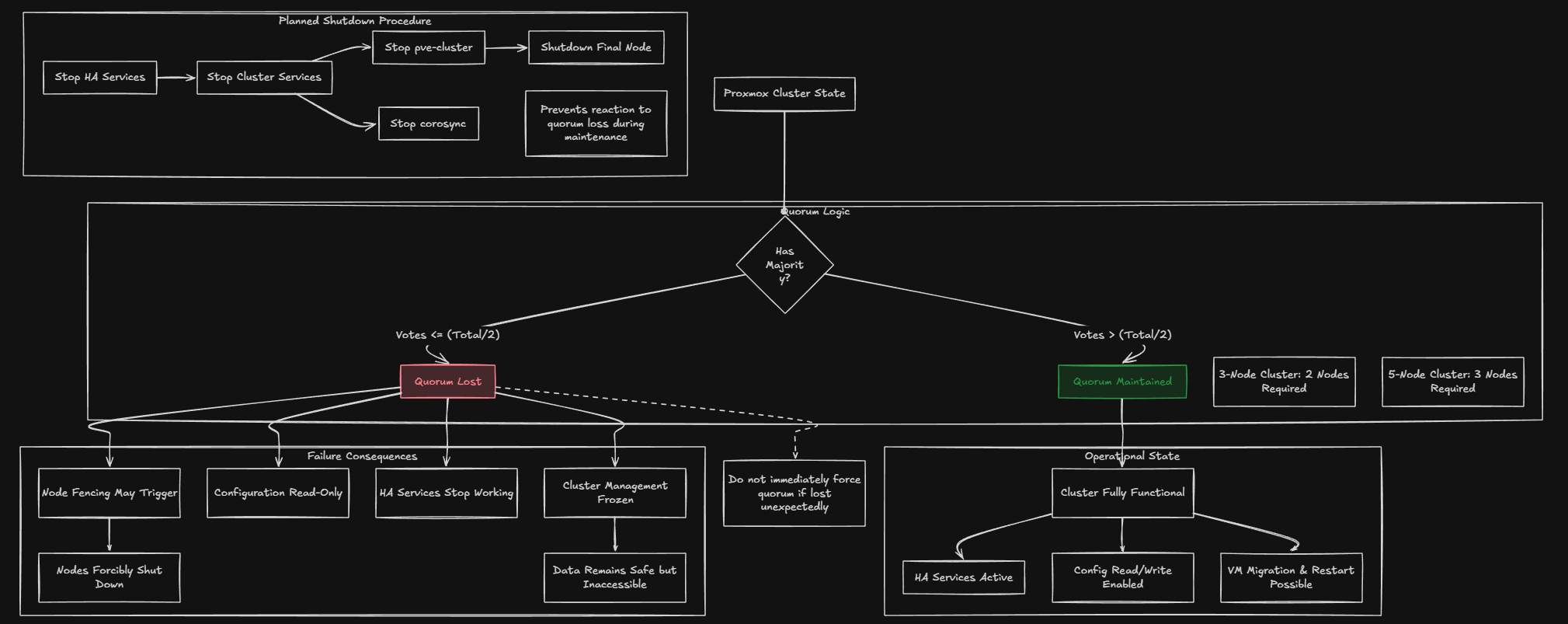
How quorum works:
- In a 3-node cluster, you need 2 nodes online (majority) to have quorum
- In a 5-node cluster, you need 3 nodes online to have quorum
- The formula is: more than half of total votes
What happens when you lose quorum:
- HA services stop working – no VMs will migrate or restart
- Fencing may trigger – nodes might be forcibly shut down to protect data
- Cluster configuration becomes read-only – you can’t make changes
- Your data is safe, but cluster management is frozen
During a planned shutdown quorum rules apply until either:
- You stop cluster services (pve-cluster, corosync)
- The final node shuts down
This is why we stop HA services first. This means they don’t react to quorum loss as nodes go offline. If you lose quorum unexpectedly (not during a planned shutdown), do not immediately force quorum. Forcing quorum should only be done when you’re certain the other nodes are truly offline and won’t come back. Forcing quorum on multiple nodes simultaneously can cause split-brain and data corruption.
Practice these operations
The best time to learn these operations is when nothing is broken. Pick a maintenance window in your home lab. Practice disabling HA. Practice shutting down a single node. Practice setting and unsetting Ceph flags.
If you don’t want to do this on your live cluster, build up a virtual cluster with nested Proxmox instances to learn on. This way you don’t have to worry at all about anything bad happening with your environment. This way, these sometimes scary operations will be old hat as it is a process you have been through before and gained confidence with.
Wrapping up
Proxmox really does a great job of abstracting a lot of the complexity away from what the admin has to do in terms of management. However, these operations when it comes to performing a full shutdown can be scary and lead to mistakes being made. Run through them and understand what happens when you do certain things so that you are well-rehearsed if you have to do it for real, have a power outage, or some type of failure where you need to bring everything down.

Google is updating how articles are shown. Don’t miss our leading home lab and tech content, written by humans, by setting Virtualization Howto as a preferred source.
About The Author