



Most have been following my journey of testing and making changes in the home lab. Recently I have been spinning up a minilab running on Proxmox. For years, I have ran my home lab entirely on VMware vSphere along with vCenter server as the natural management solution with vSphere. If you would have asked me a few years back if you thought you could run a successful or serious home lab without it, I would have set probably not. However, fast forward to today and after running Proxmox as a primary platform for home lab self-hosting and learning, I don’t miss vCenter in my home lab at all. If you are debating a migration, move, etc, and you are simply curious about whether life without vCenter is realistic in a serious home lab, this is the perspective I wish I had earlier thinking about Proxmox vs vCenter home lab.
Setting expectations with Proxmox vs vCenter home lab
It doesn’t mean that VMware vCenter is a bad piece of software, as it isn’t. It doesn’t mean also that Proxmox is perfect, as it is not. What is does mean for me is that priorities of a modern home lab have shifted and Proxmox lines up with those priorities much better than I expected. In fact, catch up on reading my recent post after running VMware and Proxmox side-by-side for a year, this is my takeaway:
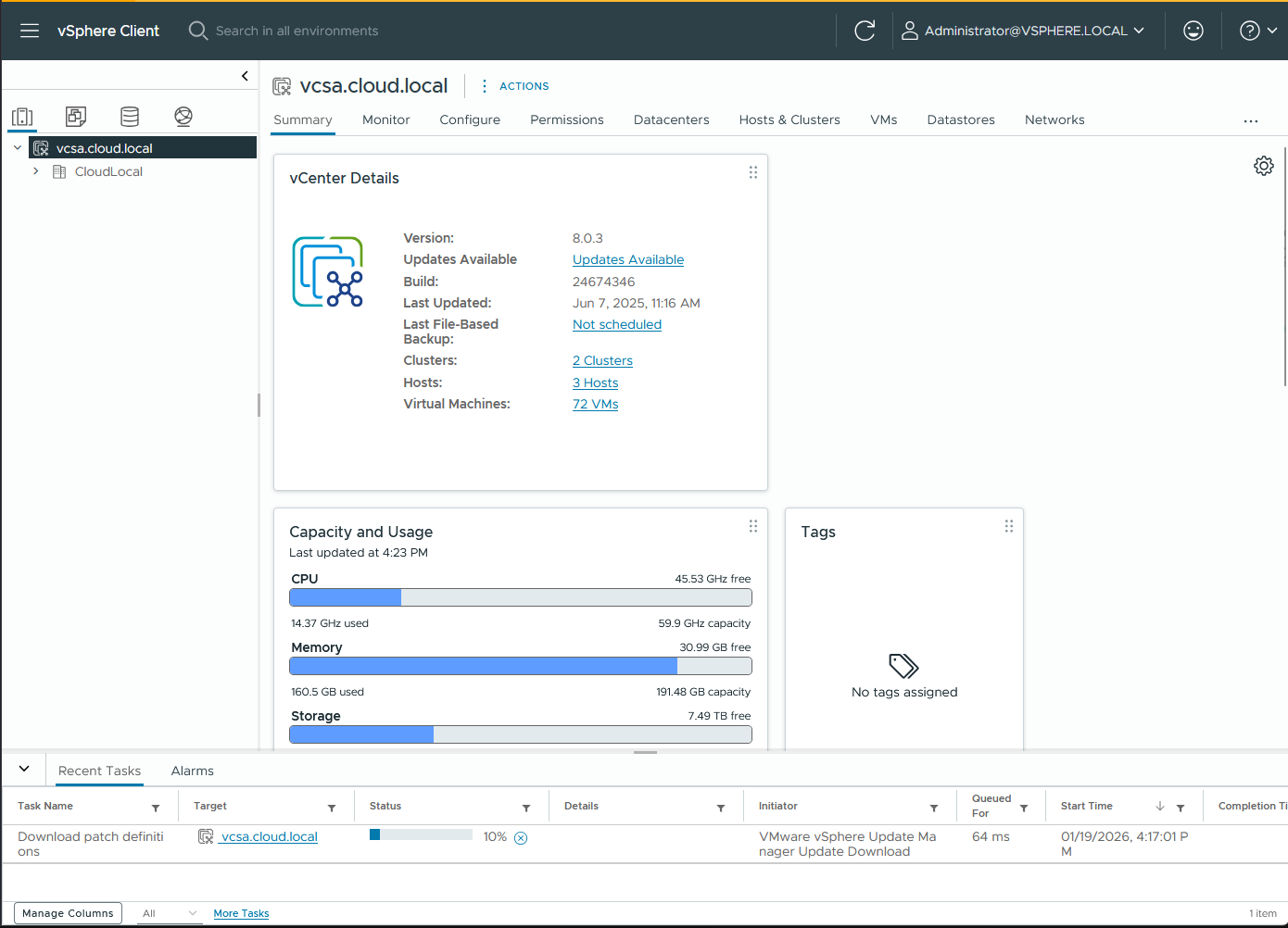
This is not a piece about dunking on VMware. But, it is about lived real-world experience and the tradeoffs of various platforms and why my day to day lab work has become much simpler and more enjoyable after the switch over to Proxmox
What I expected I would miss about VMware vCenter Server
We all do this before we adopt a particular technology or think about moving over to a different platform. We have a clear list of things that we think we may miss, especially if we are going away from a very familiar solution that we have used a long time.
When I thought about VMware vCenter Server, centralized management was the big one that I really thought would be the feature I would miss the most. vCenter allows you to do everything in a single interface and makes even small environments feel like a business-type environment. You can manage clusters, hosts, storage, networking, permissions, alarms, and lifecycle management all in one place.
I also thought I would miss the polish of vCenter. VMware has spent literally decades now refining what vCenter Server looks like and the workflows you get in the UI. There is confidence that comes from clicking through something that has been battle tested at massive scale.
The last thing I thought I would miss is the ecosystem and the depth that it has. vCenter integrates nicely with a LOT of different solutions. These range from backup tools, monitoring, automation, and other frameworks and tools. It worried me that stepping away from that would feel like a downgrade.
As it turned out, these mattered less than I thought.
What actually changed when I moved to Proxmox
I think the biggest change that I had with Proxmox was not necessarily technical, but mental. Proxmox, being open-source, makes you think more about the infrastructure as infrastructure you own and control rather than a product that you are allowed to operate. And, that is an awesome feeling and changes how you design and troubleshoot.
Below is a look at my 5 node Proxmox cluster running in the minirack.
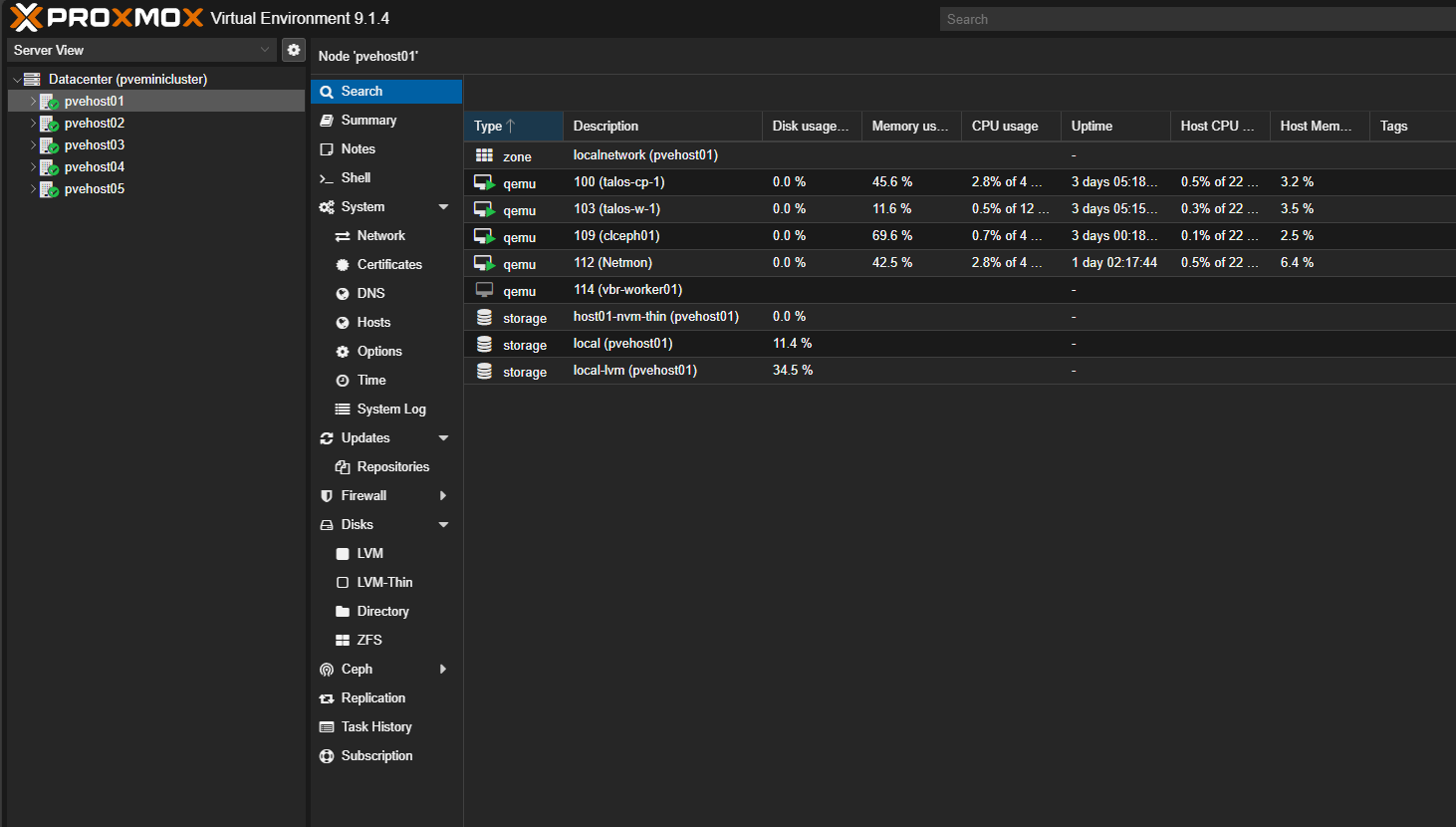
Another thing I can say that has changed since I moved to Proxmox is, well, nothing. You always have this dread of running something new or missing things that you may not be thinking about at the time. However, I can honestly say, Proxmox allows me to run the same infrastructure I was running with VMware and I don’t miss pieces like VMware vCenter Server. Since I have been hyper-focused on running containers the 3-4 years or so, Proxmox has actually served this purpose even better.
Centralized management without the weight and complexity
Whether I liked to admit it at the time or not, VMware vCenter Server carries a lot of weight in the environment and complexity. Basically you have to treat that one appliance with a white glove and make sure it is healthy, happy, and everything is working as expected. When you think about it, all the vSphere functionality and features for the enterprise are basically enabled by vCenter Server. That is why it is so important to protect your vCenter Server as part of your disaster recovery plan.
The major difference that I like about Proxmox is the “cluster” and other enterprise features are part of the Proxmox nodes themselves. You don’t have to have a special appliance running to enable this. It just works out of the box. Proxmox clustering gives you host visibility, VM management, migration, and high availability without needing a vCenter-like appliance on its side.
This brings about several nice features and side benefits for the home lab. Note the following:
- You don’t have a weighty vCenter Server VCSA appliance you have to support and maintain and take up CPU, network, disk, etc. And you get back all the resources you had to dedicate to vCenter (which as of last few releases isn’t insignificant and having those resources back is great for now RAM-constrained home labs).
- You don’t have the lifecycle management of vCenter Server that is so important
- We now have the lightweight Proxmox Datacenter Manager that DOES give us a lot of vCenter-like functionality and single pane of glass management, but I think in a better way since it isn’t absolutely critical to the infrastructure itself
Below is a look at the Proxmox Datacenter Manager (PDM) interface. You can download Proxmox Datacenter Manager here for free: Downloads – Proxmox Datacenter Manager.
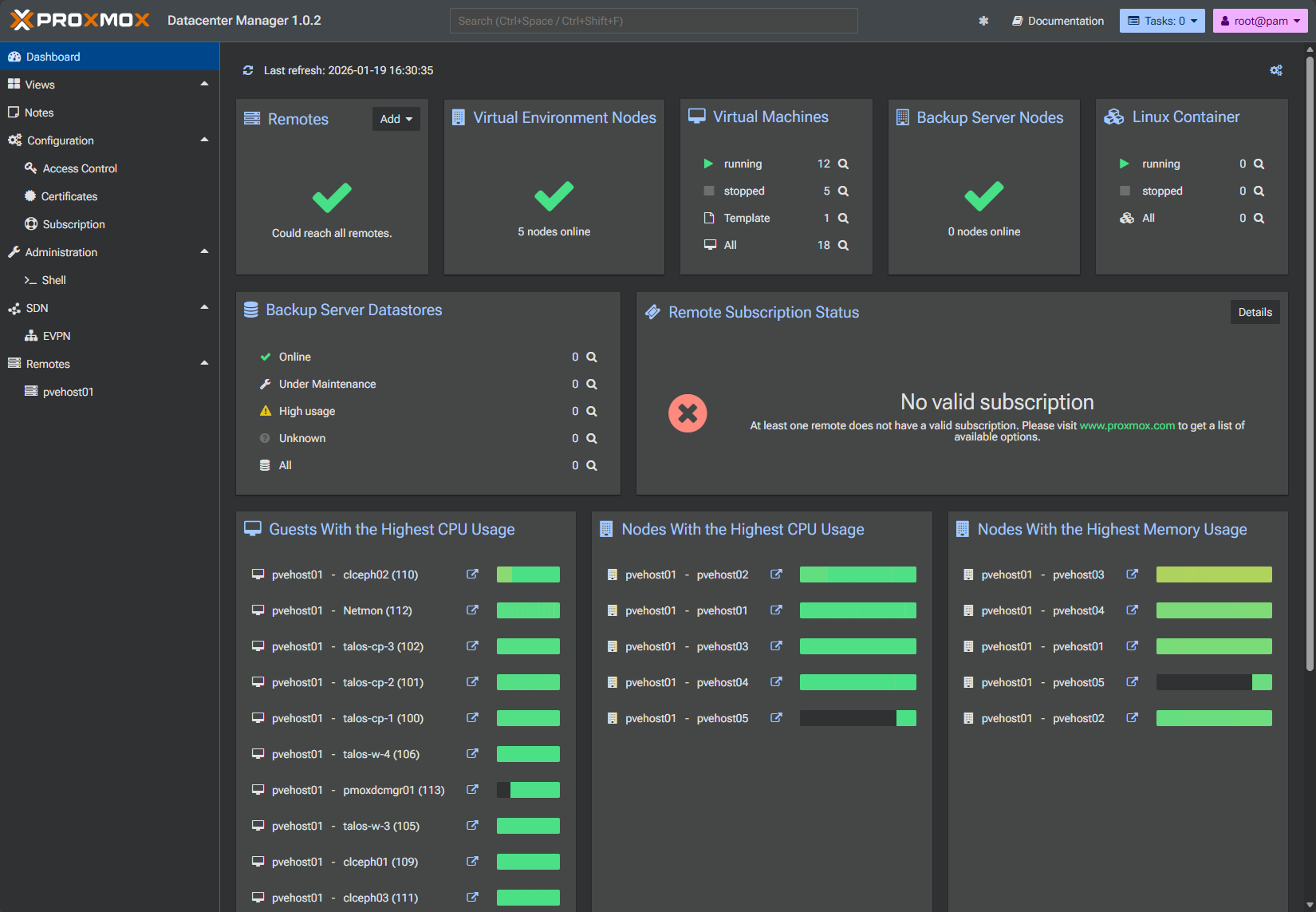
So, all in all, I really like this management model better to be honest than vCenter Server since it isn’t critical to cluster management and administration tasks. VMware has built a lot of autonomy into a cluster so it can keep on working without vCenter necessarily being up and running, but it is still a critical component to vSphere. I just like how Proxmox has approached this better to be honest.
Containers can change the equation as well
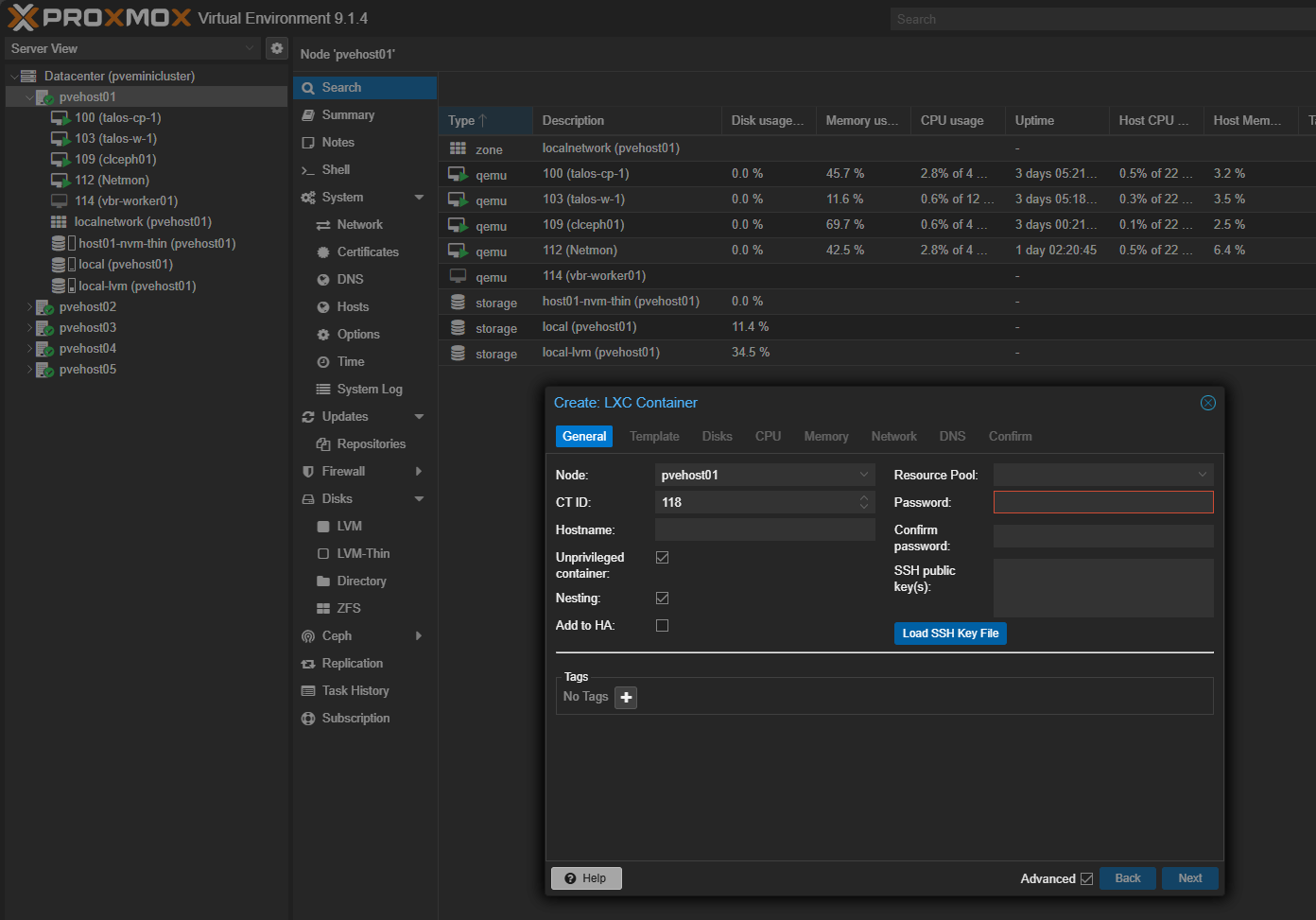
Proxmox has proven itself to be a container monster in terms of flexibility and other features it gives us. It has long had LXC container support and it has new functionality for OCI container images. It allows you to have infrastructure services run as either containers or virtual machines.
If you need something lighter weight, you can run those as LXC containers. If you need something beefier, you can run those as virtual machines. Kubernetes cluster can easily be spun up running as virtual nodes. I am running Talos Linux Kubernetes and am really happy with the install with how that has worked out.
To be honest with vCenter Server, containers have always felt like a bolt-on piece with VMware Tanzu and it is super heavy in the amount of infrastructure that you have to run to spin up containers running in the Tanzu orchestrated environment.
Containers help to reduce friction in our home lab environments and everything is now running and released and made available as Docker images. With the new OCI support coming on strong with Proxmox, it will be great to see how this develops and in my opinion this is just a better solution.
Fewer moving parts and pieces to your infrastructure environment
Another thing I did not expect was how much calmer my lab feels without the added management layer. vCenter actually introduces an additional failure point as most of us with vSphere management experience realize. If vCenter is down, many management operations stop even if hosts are healthy, like backups, etc. You have to work frantically to get it back up and running if you want things to pick up and start running again and you want configured backups to be protecting your data.
With Proxmox, the blast radius is smaller. If a node has an issue, you deal with that node. The rest of the cluster continues to operate. Management of Proxmox does not hinge on a single appliance being healthy.
I think this simplicity is valuable in a home lab where uptime is important. When you have an hour in the evening to work on something, the last thing you want is to debug your management plane before you can start playing around with new services you want to learn or run.
Updates are less stressful
When you think also about updating your infrastructure, keeping your vSphere environment updated, involves updating your vCenter Server appliance and then all of your ESXi hosts in a very vanilla environment or VVF type footprint.
Upgrading vCenter Server is part of your updates and there are always it seems like critical vulnerabilities related to vCenter Server. If you think about it, if an attacker can compromise vCenter Server, they can compromise the entire environment. So you have to upgrade it and keep those lifecycle operations. Granted I will say that the last few vCenter Server upgrades I have done in the home lab and professionally have been fairly bullet proof. It is though just overall another failure point.
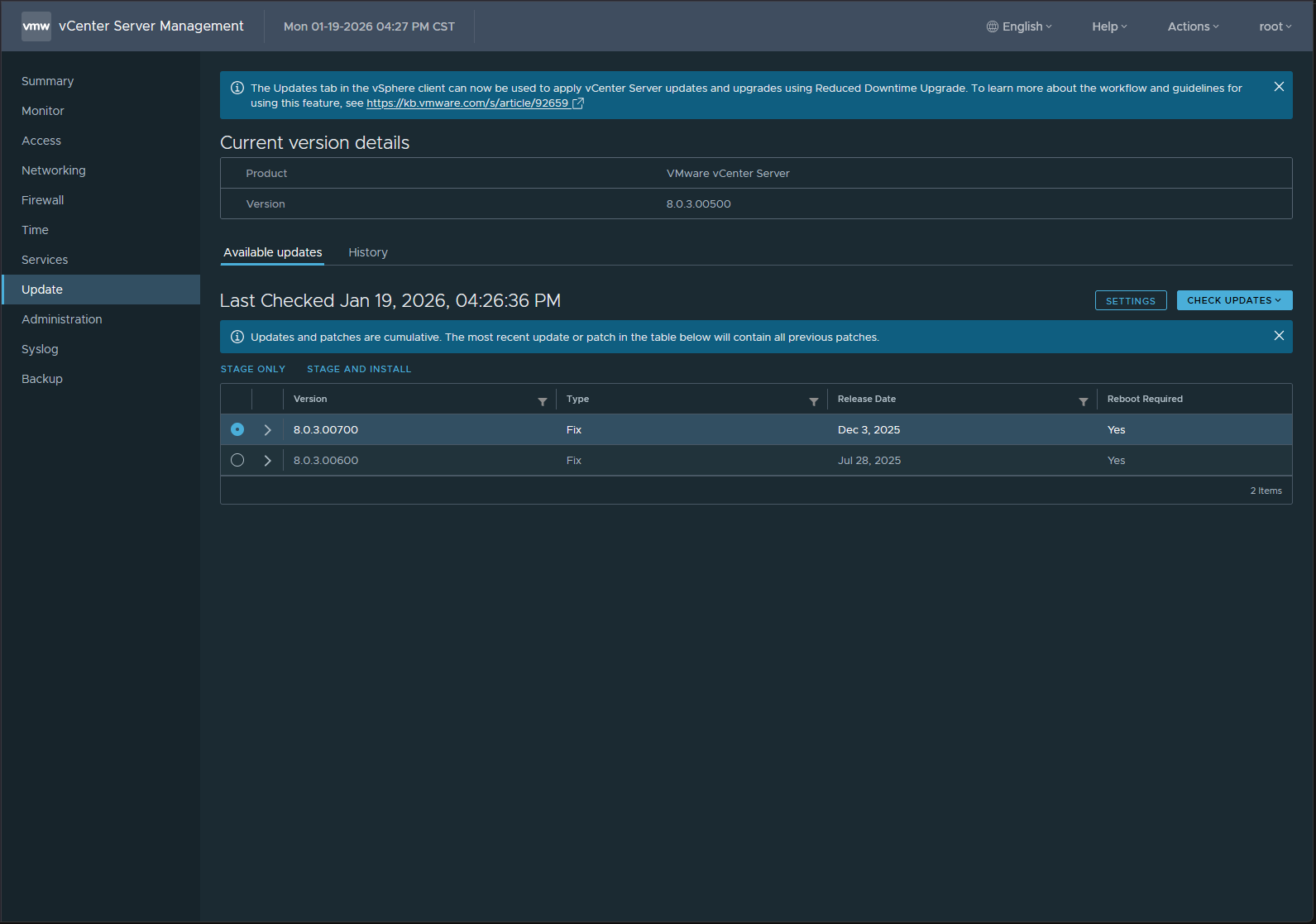
Proxmox updates feel more like maintaining a Linux system than upgrading a one off ecosystem. That is not a knock against VMware. It is simply how the infrastructure is designed differently. I update Proxmox nodes incrementally. I know what I am changing. If something goes wrong, I have multiple recovery paths.
The UI matters less than you might think
I have learned that despite the polish and shine of the vSphere Client, the Proxmox UI is clean and functional and that is overall what I need. Nothing flashy but functional. I see many who try to migrate away from VMware and see the interface and they are like “oh wow I just can’t go to this” type thing. I admit I felt similarly. But after giving it a chance, it has grown on me. Proxmox 8 and Proxmox 9 have pushed the UI to a new level. It is still not as polished as VMware but again I don’t mind it, especially with the dark mode default.
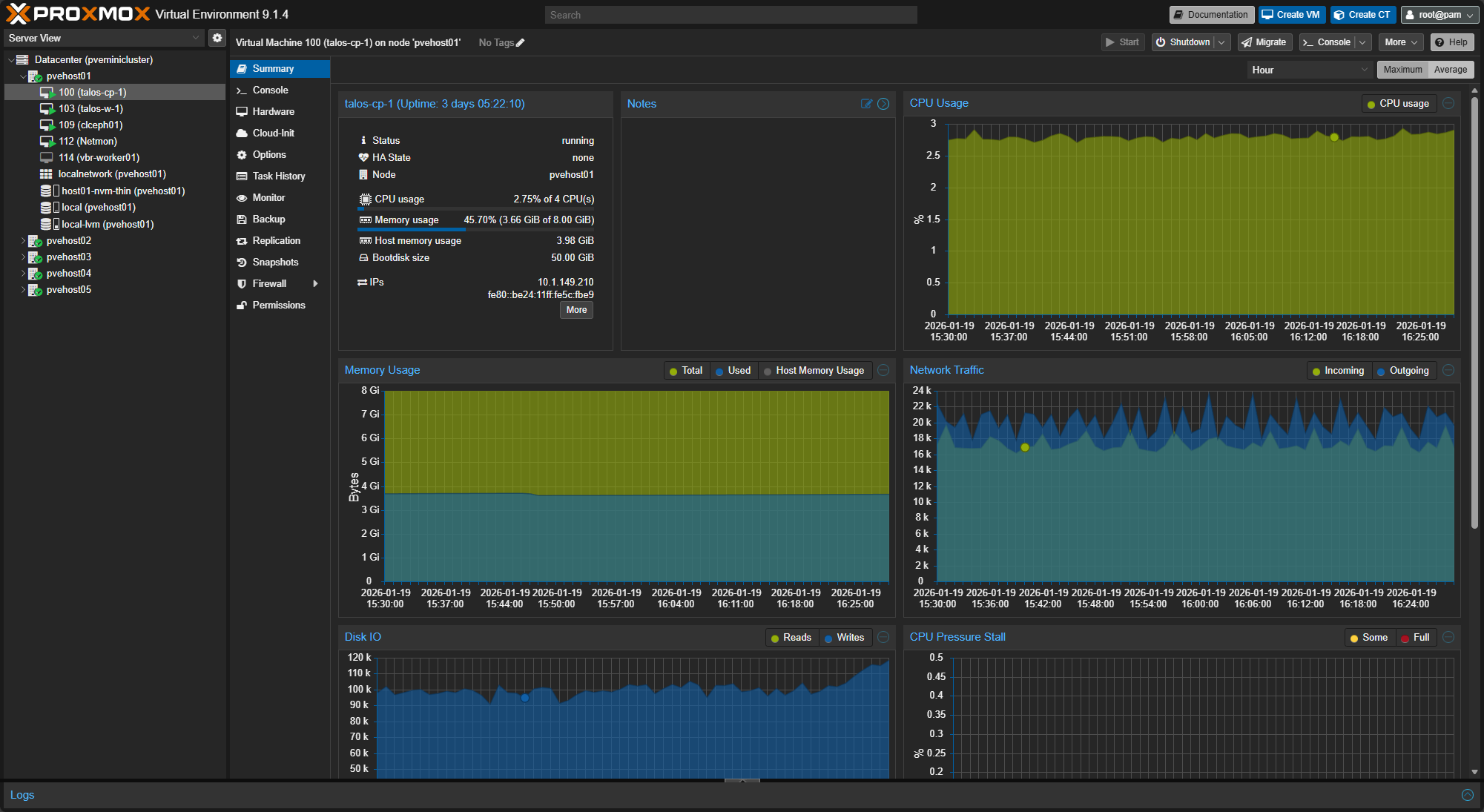
This has made me realize something important. I was spending less time in the UI overall and concentrating more on my containerized solutions which is where I wanted to be any way. A tool does not need to be beautiful if it stays out of your way. Proxmox does exactly that.
What I still respect about vCenter Server
I still have a lot of respect for VMware and vCenter Server. In enterprise environments, vCenter Server does what it is designed to do very well. It is the cornerstone of enterprise VMware and has many features like role-based access control, built-in lifecycle management, etc.
If you want to keep pace with VMware vSphere environments that you may be running in production or you are keeping up with VMware certifications, I totally get wanting to continue to run a vSphere environment with vCenter Server in the mix.
My point with the post is that vCenter Server is not obsolete, it is just the features that it offers are now obsolete for what most home labs need moving forward with something like Proxmox.
Who Proxmox is perfect for
If your home lab is about learning broadly instead of specializing on a specific technology, Proxmox shines. If you enjoy understanding how systems fit together, Proxmox helps with that curiosity.
It is ideal for:
- Home labbers running mixed workloads
- Mini PC and small form factor clusters
- Container heavy environments
- Self hosted services and automation projects
- People who don’t want the friction of certifications and license gotchas to impact their lab
A Proxmox vs vCenter home lab lets your lab grow without forcing enterprise complexity if it isn’t really needed day-to-day.
Wrapping up
At the end of the day, I do not miss vCenter. This is because Proxmox vs vCenter home lab matches how I actually use my home lab. It is lightweight where it should be and it now provides a centralized management tool (Proxmox Datacenter Manager PDM) for centralized management tasks.
I spend more time building, testing, and learning and then spend less time maintaining the platform itself. If you are on the fence, my advice is simple. Try Proxmox seriously. Not for an afternoon. Not as a side experiment. Run it as your primary platform for a while. Let your workflows adapt. Let your assumptions be challenged. You might be surprised, like I was, by what you do not miss once it is gone. What about you? Are you gearing up for a VMware to Proxmox migration? Let me know in the comments what your plans are this year in 2026, would be curious to know!

Google is updating how articles are shown. Don’t miss our leading home lab and tech content, written by humans, by setting Virtualization Howto as a preferred source.
About The Author


I’ve gone from running a few containers on my elderly Synology NAS, to going for a well specced Mini PC and Proxmox. I’m currently only running a couple of dozen containers. I’ve spun up a few VM’s but, to be honest, I’m finding that containers by and large do all I need. Many of my containers run inside an LXC container, with the remainder running on a debian VM where things like VPNs don’t play terribly well with LXC. I’m transitioning getting to grips with git-ops and like you have found that containers give me a fairly effortless way to perform disposable experiments. OCI containers are somewhere on my to do list, just in terms of trying to avoid as many virtualisation layers as I can.
Richard, very nice! I think most of us are leaning heavily into containers at this point. The global RAM shortage also is helping most of us I think to shy away from anything “heavy” in the home lab and containers definitely are helping on that front too. Thank you for sharing what you are into currently with your lab! Are you looking at getting into Swarm or Kubernetes in the future? Just curious where this is also on everyone’s radar.
Brandon
I have no firm plans either way as regards docker/swarm. With only a single host there’s limited scope for orchestration, although of course multiple VM’s on the proxmox server could be used. So far I’v only ventured as far as a media stack, gluetun vpn, Cloudflare tunnel, pihole and tailscale, long with portainer and arcane (thnks for the steer on that one a couple of weeks ago). Next up is beefing up the recoverability factor, automating backups of my docker state. There’s some choices on the Proxmox install that I wish I’d done differently, and I’m hoping in a couple of weeks to start from scratch again, and have my existing container topology back up within 1-2 hours. I’d like to introduce automate network security scanning (using nmap or similar) of my home network too so if there are any nice docker stacks out there that you’d recommend I’d be interested in hearing them. Would also be interested in any views as to the positives/negatives of various linux distros to use as docker hosts.