


For a long while, especially when I first started with a home lab and self-hosting services, my answer to everything was to self-host it. This mindset I think can serve ones well, even if it doesn’t necessarily make sense for all services since it can teach you a lot about networking, storage, virtualization, firewalls, backups, containers, and the list goes on. However, for me, somewhere along the way, I realized something important. That is that not everything should be self-hosted at home. This is not a rejection of self-hosting, but rather, I realized that some services don’t really add value to your stack by self-hosting them. Let’s look at what services I stopped self-hosting and why cloud hosted services made more sense for these.
1. Email
A decade or more ago, self-hosting email was one of those core services that felt like it was a rite of passage to self-host and gave you total control over messaging. However, fast forward to 2025, and email has become absolutely asinine with the requirements that must be met to make sure your email is delivered.

Now, due to how bad SPAM emails have gotten, you have to worry about DKIM, SPF records, reverse DNS, and IP reputation. Many ISPs will not allow you to pass port 25 traffic unless you have a “business” grade circuit. So consumer or residential Internet connections are filtered. Also, some domains that you try to deliver to may even have more requirements than the ones we have already listed.
With all these requirements, restrictions, and limitations, the cost-benefit for me broke down. Email is not just another service. It is a constantly moving target that can quietly break delivery without obvious errors.
This may not be the case for everyone, but for me moving email to a managed provider that email is all they do was worth it. No more troubleshooting sessions on deliverability or why certain emails get tarpitted vs ones that don’t. For me, it was one of the best decisions on a service to no longer self-host.
This is an oldie but still a goodie post I did a few years ago on how to install SMTP on your Windows IIS server and run an internal SMTP relay: Add SMTP Windows Server 2016.
2. Public DNS
I thinking running your own DNS services is an awesome learning experience. DNS is and has always been facinating to me. I definitely think self-hosters should always self-host their own internal DNS as it allows you to do so many neat things you can’t do otherwise. But public DNS is a different story.
You can run your own public DNS servers for externally facing services. However, this comes with its own set of challenges. DNS for externally facing services is what things like certificates rely on, APIs, monitoring, etc. Even if your services are healthy, if DNS is down, they might as well be down as external services won’t be able to find those resources.
I eventually moved my public DNS to a managed provider like Cloudflare. This was not because I couldn’t run it myself, but because I didn’t want a power outage at home or ISP issue which does usually happen a couple of times a year to take down my public services.
My internal DNS for my home lab continues to be self-hosted. For internal clients, I use a split horizon zone to resolve even public records for certain services locally instead of sending those queries to the public DNS zone. This allows me to have even more control over name resolution.
Check out my recent DNS related posts here on internal DNS solutions that are awesome:
- Stop Using Pi-Hole Sync Tools and Use Technitium DNS Clustering Instead
- I Now Manage My DNS Server from Git (and It Changed Everything)
3. Remote Access Gateways
I think most of us when we first established a home lab got excited about running our own remote access gateway solutions. These include things like WireGuard gateways, OpenVPN, multiple entry points, etc. Running your own firewall rules and failover logic between them.
However, after not a lot of time had passed and I had a couple of machines in the DMZ that I was running that got popped, I realized that it didn’t really make a lot of sense for these types of services to be self-hosted as the security risks and other vulnerabilities were just not worth it. Also, today, I think the zero-trust landscape has evolved to a point where we have so many great solutions out there for zero-trust access, this is absolutely the way to do it with modern home labs.
The benefits to this type of approach are endless. When you use a zero-trust solution these typically require no firewall ports to be opened. So, you are not having to open up a hole in your armor so to speak. Also, honestly, the experience with these types of solutions is better as well. I love services like Twingate and also self-hosted solutions that work very similarly like Pangolin.
Read my posts here:
- Why Pangolin is the one reverse proxy I’d pick if I was starting my home lab today
- Stop Exposing Your Home Lab – Do This Instead
4. Push Notifications
Push notifications is another service that I no longer try to self-host. I love notifications when they work and are useful. I hate them when they are fragile and down most of the time.
Self-hosting your own push notification stacks can be extremely complicated. These require certificates, mobile platforms change their requirements. Gateways can silently break. Apps can then stop receiving messages without any errors that are obvious.
At a certain point, I realized that I was maintaining the notification system itself more than the services it was meant to notify me about. That I thought was backwards to what I wanted. I needed notification services that were reliable and that simply work. Alerts need to arrive when they should. If they fail, I don’t want to have to be debugging this at midnight, etc.
I now use something called Mailrise along with pushing notifications to my Pushover client. Check out my full blog post on that here:
5. Password Managers
This is one that I may get some flak for listing and that is self-hosted password managers. Don’t get me wrong. I think self-hosting your own password manager is extremely cool and there are some great projects out there that can do this very effectively. However, for me, the risk in doing this was just too great.
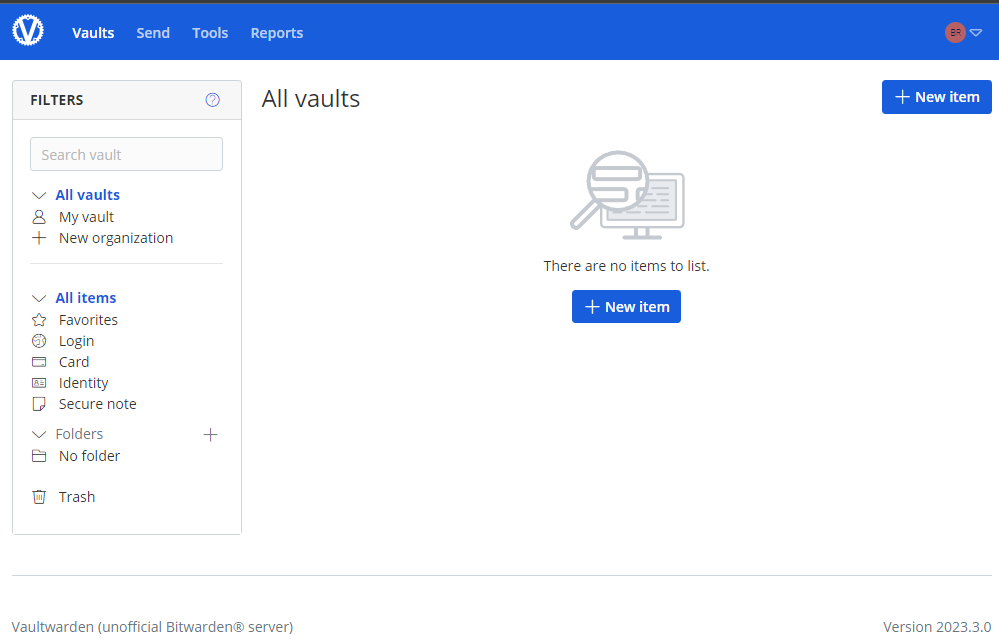
I have TONs of accounts that are part of my current password manager that span all types of services, apps, and other resources. Having the possibility of losing all of these entries by something catastrophic happening in the home lab was just a risk that was too great for me to take on for self-hosting. It is just next to impossible as a self-hoster to have the resiliency and high availability of cloud password managers.
I also like the thought of splitting out lab specific and home specific resources and having these only hosted in your home lab and having a cloud password manager for your other resources. You just have to make sure that you don’t paint yourself in the corner with a “chicken and egg” scenario of having passwords you need to get your home lab back up and and running after a failure, but you can’t get them back up and running because your password manager is down as a result.
Stress and time are the metrics to pay attention to
This may seem a little abstract as a statement to make, but if a service takes away more time (troubleshooting, things break, etc) than it really gives back in terms of value add to the home lab, this is a signal to me that it might not be the best fit for self-hosting as a solution that I want to take care of and management.
Also, if a service makes you uneasy every time you leave town, that matters. If you dread to update it because it might break and you know you will have hours of time invested to get things back up and running, that is also a signal.
I stopped self-hosting anything that caused more stress than the value add in learning or enjoyment or value add that it can bring to the table. The line here is different for everyone. For me though, it is the most telling metric I have when it comes to deciding whether or not a particular service is worth self-hosting.
The services that I happily self-host
Even though I have let go of the services mentioned in the post, it doesn’t mean I am no longer serious about self-hosting. I am running more solutions now than ever before in my home lab. I love to self-host core infrastructure, storage, internal DNS, identity services, reverse proxies, logging, AI tooling, and DevOps platforms. You guys see a lot of the services, apps, solutions, and other things I write about.
These are areas where for me, the learning, control, and flexibility still far outweigh the operational and time cost of self-hosting them.
Video
Wrapping up
The great thing about self-hosting is that it is kind of like how we describe home labs in general. These are not a “one size fits all” solution. Self-hosting can be tailored to your individual needs and what works for you. Knowing when not to use a tool in a self-hosted environment is just as important as knowing when to self-host a solution or app.
Giving up control to the cloud or a SaaS solution in my home lab in a few strategic places made my home lab more reliable, more enjoyable, and less stressful over time. It also has freed up time for me to focus on the parts of the home lab that excite me, such as trying new projects and solutions. Long story short, your home lab should work for you, not the other way around. Hopefully this list of things i stopped self hosting might get you to thinking as well about some services that might be worth giving up in the home lab. What about you? Have you recently stopped self-hosting a service? Which one? Please share your thoughts in the comments.

Google is updating how articles are shown. Don’t miss our leading home lab and tech content, written by humans, by setting Virtualization Howto as a preferred source.
About The Author


another great article.. spot on!
Thank you David! I was hoping this one would resonate with many in the community.
Brandon
Don’t get me wrong, how come this is a great article when he is recommending not to host a password manager just because he is not capable securing it enough???
What the heck is wrong with today’s professionals??? Where are they?
DarkMac,
Thanks for the comment! As mentioned, I know this isn’t necessarily a popular opinion with choosing not to self-host a password manager in the home lab. For me, it is about spreading out the blast radius from my home lab with a critical tool across many verticals for me with passwords that span a lot of different things. I don’t have the resources to create the level of HA for my password manager to trust this currently. I do keep an offline copy of my password DB in Keepass which gives me a failsafe from a cloud failure, but again not a choice that others make. Hopefully my reasons are understandable. The main point really of the post is to think about certain services and whether these are right for you to host in the home lab. It could be ones on my list or others.
Brandon
You really don’t need anything fancy to keep a password manager going.
For the record, every device you install a client to and login to will keep a full copy of your password database. If you really have to go with convenience, over security, you can even replace the password requirement with a pin.
My passwords remain fully accessible on my phone and every PC I installed the Bitwarden client on, regardless of whether Vaultwarden is up.
With all of that said, I dedicate a PC to critical infrastructure and have backups, should anything important go down. I’d have to lose pretty much my entire home lab, every PC and every smart phone, all at once and with the storage being completely destroyed, for me to actually lose access to my passwords permanently. If such a nightmare scenario plays out, my passwords will be the least of my losses.
Zelgadis,
Good points here on the database for clients being housed locally. I would probably feel best to keep something offline that would only sync from time to time in case the DB gets corrupted. However, I am doing something similar in the reverse and bringing a copy locally. But overall, good tips here on how you are doing it and feeling confident about your password resiliency.
Brandon
I completely agree besides password managers…. I have seen enough cloud providers doing errors and while this is human, the attack scenario for a cloud provider where an attacker will get millions of sensitive data is far more intriguing then hacking that one personal home network and server (as long as you have a secure home setup…)… Passwords as with finances, do not trust them to everyone else as no one cares that much about them as you do…
Sascha,
No worries at all. I knew this one would probably be one that would be a bit controversial on my list. I have been on the fence for so long with this one. But, for me, I just decided to “eat the dogfood” with cloud password managers, as I can’t beat their uptime and resiliency in my home network. But this may not be what works best for others. Just wanted to put it out there for good discussions.
Brandon
Self-hosting email is fine if you use an outbound SMTP relay. Storage of the emails is the most interesting part to self-host, and that part is relatively straightforward with something like Mailcow (which can also configure the outbound SMTP proxy).
Daniel15,
Nice comment and good points here. I agree on storage of emails being the more interesting aspect of this. I used to run Exchange in my home lab mainly because I was an email admin at my then current role so wanted to have a mirror of the infrastructure at home as I had at work. Learned a lot from this setup.
Brandon
Email self-hosting is more important than ever. Email services like gmail, outlook, etc. Is utterly crap with no care for your privacy.
Using mailInABox or similar, makes it dead simple to run your own with everything for spam, webmail, etc configured.
Kim,
thanks for the comment here and great mention for mailinabox. I am still wondering with using this tool in a self-hosted way how you would get around ip reputation checks and reverse DNS checks? I worked with a company recently, where a major email provider wanted all kinds of documentation and even screenshots of mail setup before they would allow delivery to their domain. Things seem to be getting crazy on the requirements side due to SPAM.
Thanks again,
Brandon
You still use email for anything other then signing up for a service?
You may add code hosting tools and CI/CD services to this list. With GitHub and GitHub Actions being free even for private projects (thanks, Microsoft!), I see very few reasons to host Gitea or GitLab at home. Bonus: instant code backup in the cloud.
F.D.Castel,
Great shout on this one for CI/CD services. I think you are hitting on something here that is starting to strike a chord with me as well for CI/CD tools. There are tons of options as you mention now that just make this drop dead simple and easy and no headache involved with self-hosted them.
Brandon
Funny, I actually self host all all these services, though mostly not in my “homelab.” Instead, i use a couple of inexpensive VPS servers for most of this stuff, as it tends to be more reliable than my home Internet used to be when I had cable (I’m now on fiber and it’s been very reliable).
Email is the biggest pain and not something I’d recomend for anyone who doesn’t know what they’re doing. VPN can also be a security challenge if you don’t have the right experience.
I’m using Gotify for push notifications and it was literally “set and forget.” Aside from installing updates, i never have to touch it.
For DNS, I’m running PowerDNS with MariaDB replication between east coast and west coast VPSes. There was a learning curve to set it up, but now that it works, it’s been flawless.
With VaultWaden (which does run on my home network and is only reachable through Wireguard), i have a tested backup solution in place, so I’m not too worried.
I’m not opposed to using a cloud solution for any of this, but i enjoy the challenges. Of course, i also have 25 years of software engineering/Linux admin experience, so YMMV.
Kodiak,
Very nice! I am definitely glad you second email as being a pain. It is #1 on my list. No longer an Exchange admin as part of my professional career, so I lost interest in self-hosting. AND, the biggest reason being the pain that you have to go through to make email deliverable to large domain hosts. Are you making use of a tunnel connection for Gotify?
Brandon
What about not hosting Quantum computing or Tetris Game Server?
Yap, I like this! 😁
Hi,
About email hosting, i am now about year or 2 into self hosting from home own email and it works great. I had up and downs and blocked ip and Chinese trojan, but I locked down that VM and its just working….my isp allows my to use port 25 with static IP.
Works with liek 95% emails (that I can sent into).
Ziga,
What are you using for hosting your email, just curious on that front.
Brandon
I self host all of these, the hole point is control not convenient.
Stop trying to convince people they need another monthly subscription.
Honestly a great article on striking a balance between personal control and convenience. While it might be possible to self host all of these, the time commitment, expertise required, and constant troubleshooting some of these will bring should definitely be weighed.
I disagree about password managers, but I’ve been “self hosting” that since before the term really existed. I think centralized password management as inherently flawed and instead prefer to think of it as a file sharing problem. I use a keepass file encrypted with a strong password and synced to nearly every one of my devices. Previously via Dropbox and now sync thing. Every device has its own keepass client and decrypts locally only. Zero publicly exposed interfaces I have to worry about the security of. With my phone one of the synced devices I always have instant access to my passwords, so no disadvantage vs web-accessible solutions. Zero reliance on the security promises I can’t verify from a proprietary vendor.
Carl,
Very balanced thoughts here. I appreciate your thoughts on password managers as well. I still have a Keepass file that I maintain myself as well. There is always a part of me that will keep this “offline” copy I think and don’t see myself giving that up. Nice to see how you are keeping your file in sync across devices as well.
Brandon
I feel this. After surviving a few power outages, RAID failures, and other hardware headaches, I also gave up self-hosting Vaultwarden on my NAS. The amount of effort I was spending on maintenance, designing backup/DR strategies, and worrying about when it might crash… it just seemed to outweigh the cost of subscription to a cloud service. Plus, ‘keeping data at home’ may be not as secure as we imagine.
So I chose to… move it to Cloudflare.
The thing is, if you’re willing to give up device management and push notifications, a password manager doesn’t actually need a traditional server; it can be somehow stateless. I actually customized a project to do this: https://github.com/qaz741wsd856/warden-worker
It’s a minimalist Bitwarden server that runs entirely on Cloudflare Workers. The data lives in D1, and it automatically backs up to S3 daily by github actions. I don’t really have to worry about server downtime or drive failures anymore. And most importantly, it’s pretty cool, isn’t it?
I think it’s already a step towards professionalism if you realize that a cloud provider can provide a more reliable service than self hosting certain applications. I personally use Bitwarden in the cloud because I’m more confident in it’s reliability. Having a local copy is a good idea too. But of course, with both approaches there are pros and cons. We just have to decide for ourselves where we place our trust.
Kyle,
I totally agree with you and great insights here.
Brandon