



An aspect of maintaining a production environment or home lab environment that I have personally never really enjoyed is patching. However, it is one of those necessary evils when you are in infrastructure IT that must be done. Patching Windows systems gets lots of attention. However, keeping your Linux systems updated is also extremely important. Once you go beyond a few Linux machines, it becomes difficult to really answer questions like which hosts are missing security updates, what updates they are missing, etc. PatchMon is an open source Linux update GUI that hopes to change that. I gave it a spin in my home lab and the tool is pretty interesting. Let’s take a look
What is PatchMon?
PatchMon is an open-source patch monitoring and Linux update GUI that gives you a powerful tool to view your Linux system estate and which servers have which updates missing. But the cool thing is it goes beyond that in detail in that it shows you the nitty gritty details on the patches missing, whether these are security updates or not, which repos are used on your servers, which packages are installed and of those packages which are up to date and not, and which hosts need reboots.
In addition, you can even monitor the updates for your Docker containers AND Proxmox LXCs (more details in the sections below).
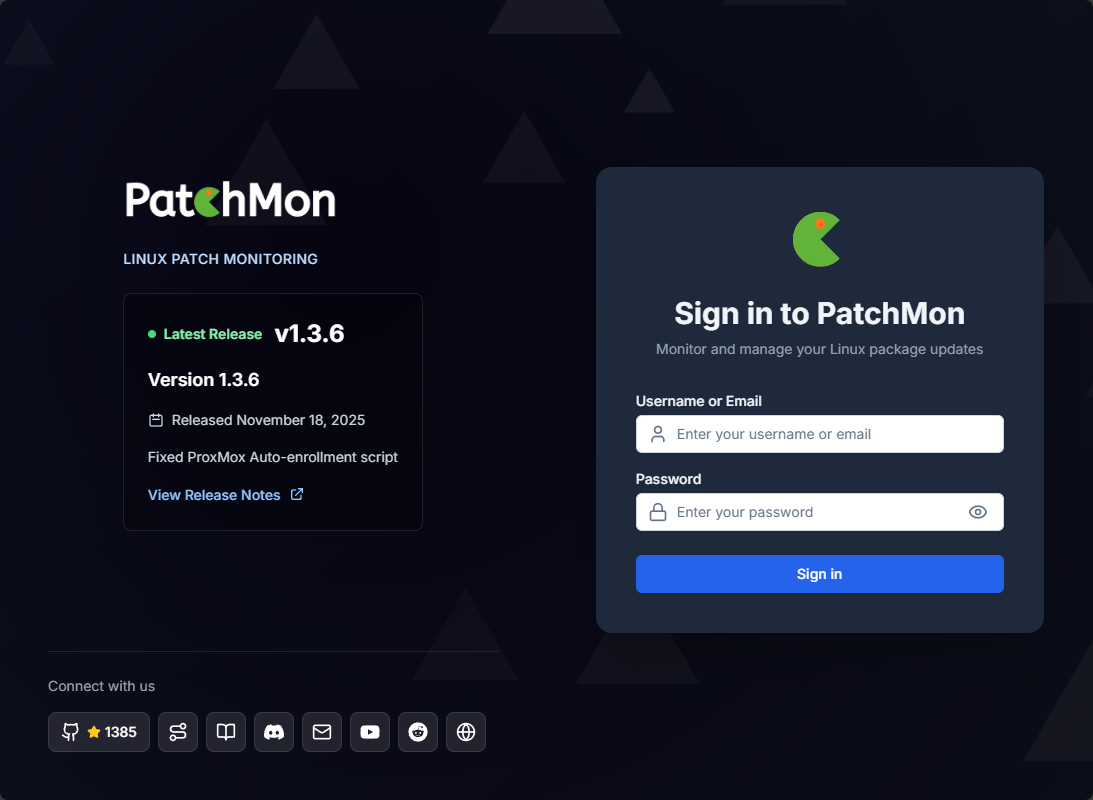
The tool looks fantastic from an interface perspective, super intuitive, and there are a lot of items in the interface that show “soon” next to them. One of the major capabilities that this tool doesn’t have currently is to actually perform the updates on your Linux hosts, but this is also coming soon, along with alerting. So, this tool I think is one to watch very closely as it quickly develops. Regardless, it has a lot of nice features to note.
It also has a “Beta” feature that allows it also to have integration with Docker. So, with this, you can pull docker containers running on the hosts you add. Will this possibly be a “Watchtower killer” as an all in one solution to patch your Linux hosts AND update your Docker container images?
Patchmon agent
Agent communication back to the PatchMon server is outbound only. This eliminates the need for opening up inbound firewall ports on systems being monitored, which is great from a security perspective. It also keeps you from having to jump through hoops on the networking side.
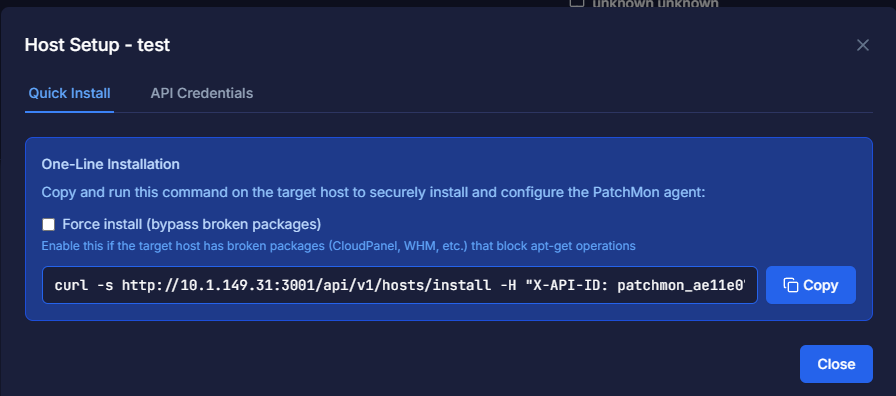
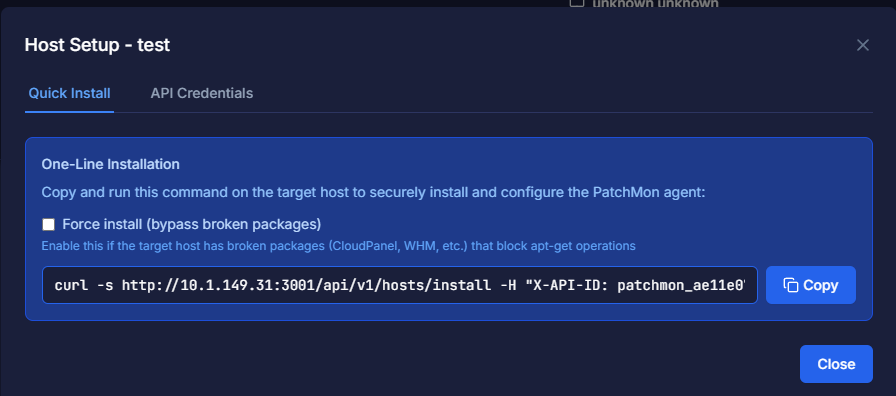
The agent also does something that I think solves a massive pain point with agent-based solutions, and that is updates. The agents themselves check for updates to the agent and you can have these automatically updated. I like too that the agents are installed with a simple CURL command that targets your PatchMon server. We will explain this more below, but this is what that command looks like:
Running PatchMon in Docker
The PatchMon LInux update GUI is easily run in Docker as a container and this is the preferred way on the GitHub documentation. For me, I like to create a directory for each Docker compose project, so something like this:
mkdir patchmon
cd patchmon
Inside this directory, you will create your docker-compose.yml file. The Docker process when you bring up the stack will create the relevant directories as you define in the bind mounts. Notice how I have the volumes defined as a bind mount in the same “patchmon” directory. This keeps everything tidy. You of course would change the directories to something that matches your own environment.
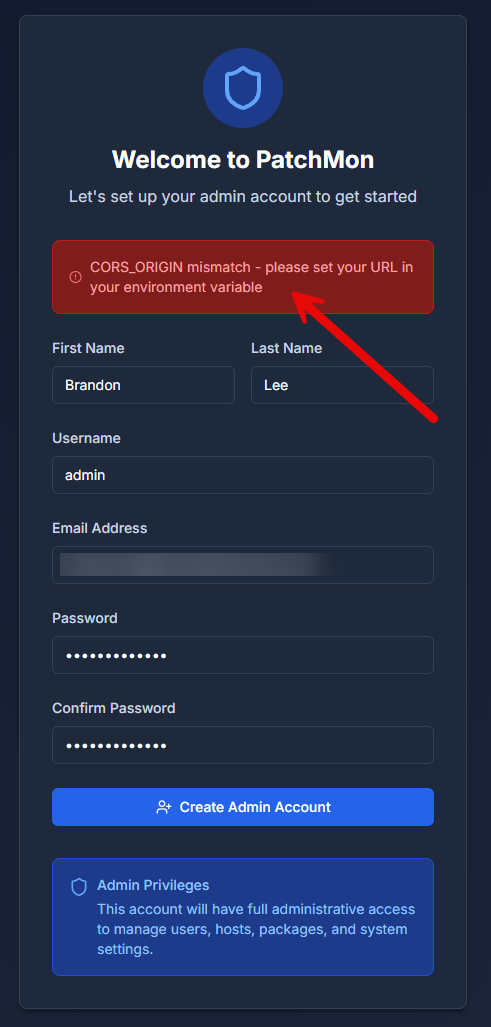
Also, take note of the CORS_ORIGIN directive in the Docker Compose. I found that you need to add the “public” IP or IP that you are connecting to from a client as allowed CORS origin or you will receive an error when first creating your account.
Also, I have just created placeholder sensitive values. Keep in mind that ultimately sensitive values such as passwords and JWT secrets should be changed before you deploy. Using strong, unique secrets here is important because they protect authentication and stored data. Also, I would recommend using something like Doppler to hide your sensitive values altogether, or if using Docker Swarm or Kubernetes, this functionality is built-in.
Below is my docker-compose.yml file.
services:
  database:
    image: postgres:17-alpine
    container_name: patchmon-postgres
    restart: unless-stopped
    environment:
      POSTGRES_DB: patchmon_db
      POSTGRES_USER: patchmon_user
      POSTGRES_PASSWORD: strong-postgres-password
    volumes:
      - /home/linuxadmin/homelabservices/patchmon/postgres_data:/var/lib/postgresql/data
    healthcheck:
      test: ["CMD-SHELL", "pg_isready -U patchmon_user -d patchmon_db"]
      interval: 5s
      timeout: 5s
      retries: 12

  redis:
    image: redis:7-alpine
    container_name: patchmon-redis
    restart: unless-stopped
    command: ["redis-server", "--requirepass", "strong-redis-password", "--appendonly", "yes"]
    volumes:
      - /home/linuxadmin/homelabservices/patchmon/redis_data:/data
    healthcheck:
      test: ["CMD", "redis-cli", "--no-auth-warning", "-a", "strong-redis-password", "ping"]
      interval: 5s
      timeout: 5s
      retries: 12

  backend:
    image: ghcr.io/patchmon/patchmon-backend:latest
    container_name: patchmon-backend
    restart: unless-stopped
    user: "1000:1000"
    depends_on:
      database:
        condition: service_healthy
      redis:
        condition: service_healthy
    environment:
      LOG_LEVEL: info
      DATABASE_URL: postgresql://patchmon_user:strong-postgres-password@database:5432/patchmon_db
      JWT_SECRET: very-long-random-jwt-secret

      # Backend listens on 3001 inside the container
      SERVER_PORT: 3001

      # IMPORTANT: set this to what your browser origin actually is
      # Examples:
      #   http://10.1.149.134:3000
      #   http://patchmon.local:3000
      # If PatchMon supports comma-separated origins, this allows both local + LAN access.
      CORS_ORIGIN: "http://localhost:3000,http://10.1.149.134:3000"

      REDIS_HOST: redis
      REDIS_PORT: 6379
      REDIS_PASSWORD: strong-redis-password
      REDIS_DB: 0
    volumes:
      - /home/linuxadmin/homelabservices/patchmon/agent_files:/app/agents
    ports:
      - "3001:3001"

  frontend:
    image: ghcr.io/patchmon/patchmon-frontend:latest
    container_name: patchmon-frontend
    restart: unless-stopped
    depends_on:
      - backend
    environment:
      BACKEND_HOST: backend
      BACKEND_PORT: 3001
    ports:
      - "3000:3000"
This stack runs PostgreSQL for persistent data, Redis for queueing and caching, a backend API service, and a frontend web UI.
Starting PatchMon
Once your compose file is in place, start the stack.
docker compose up -d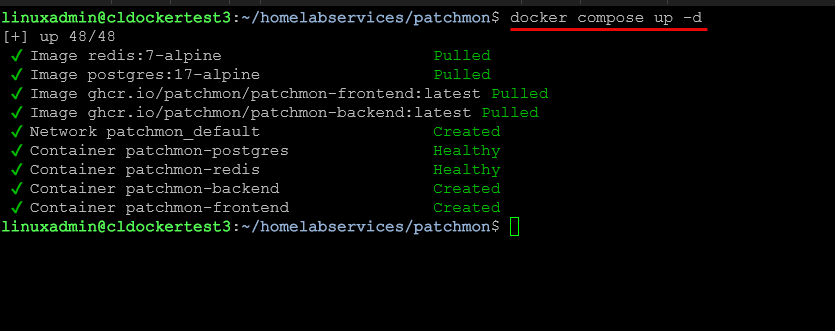
After the containers start, open your browser and navigate to the frontend service on port 3000. You should see the PatchMon interface load, ready for initial configuration.
At this point, PatchMon is running, but it does not yet have any hosts reporting data.
Creating your first admin account
When you first browse out to the address of your PatchMon server and port 3000, you will be prompted to create your admin account.
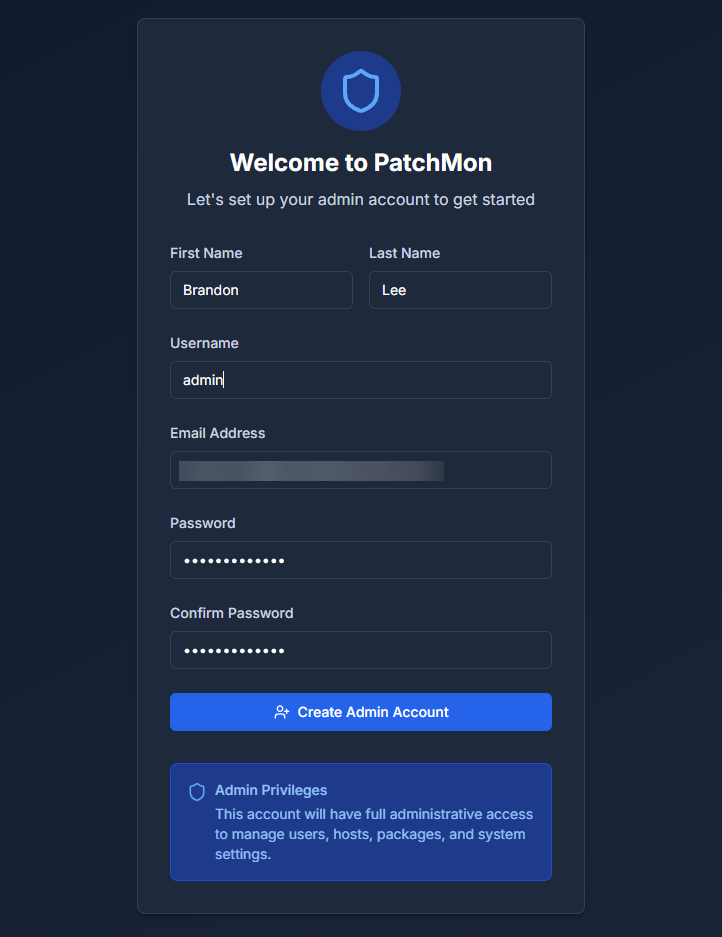
If you get the following error, go back up and revisit my notes on the Docker Compose file and things you need to change/add:
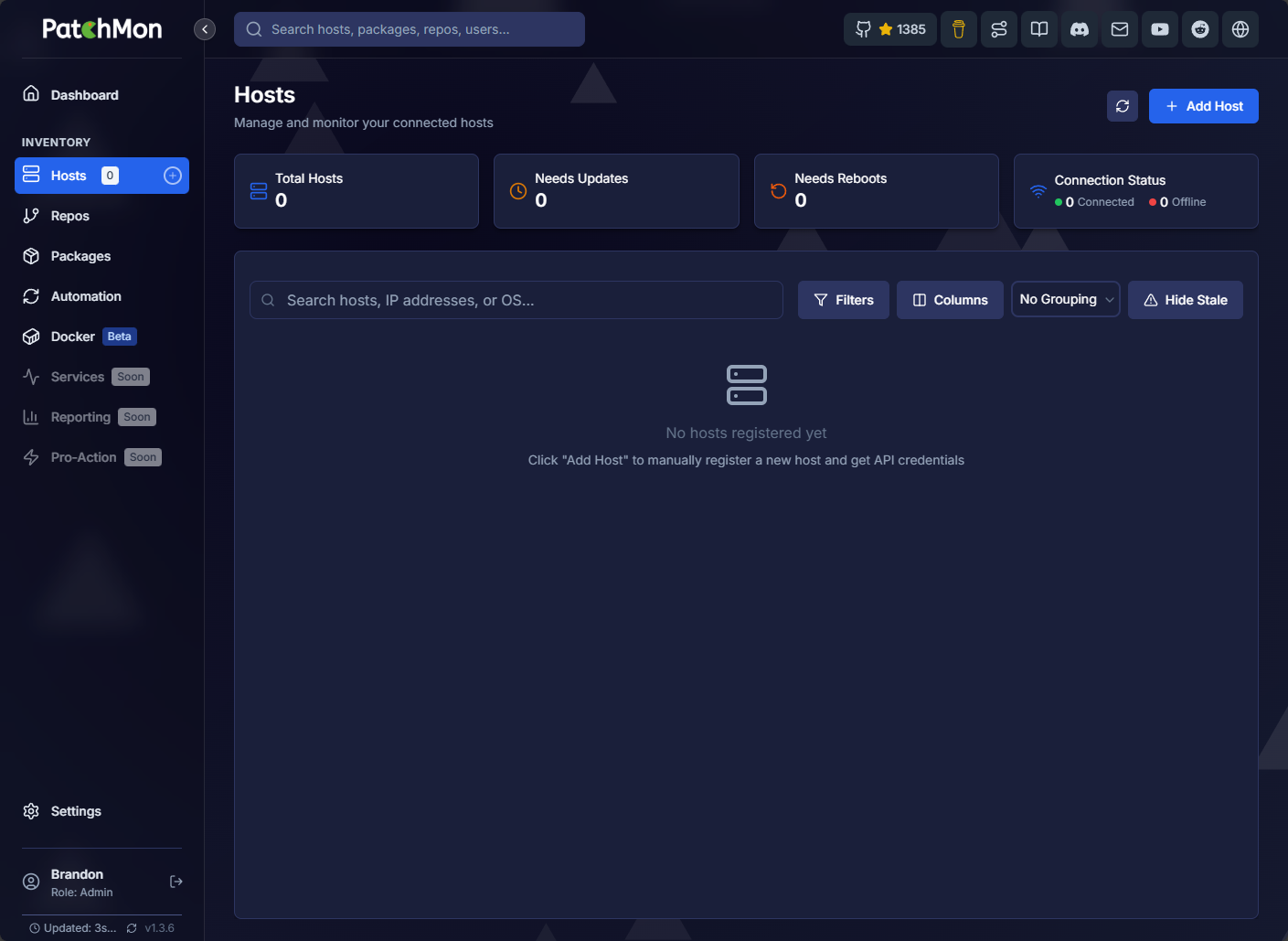
After you get your first admin account created, you will be taken to the dashboard in PatchMon.
Change the server URL
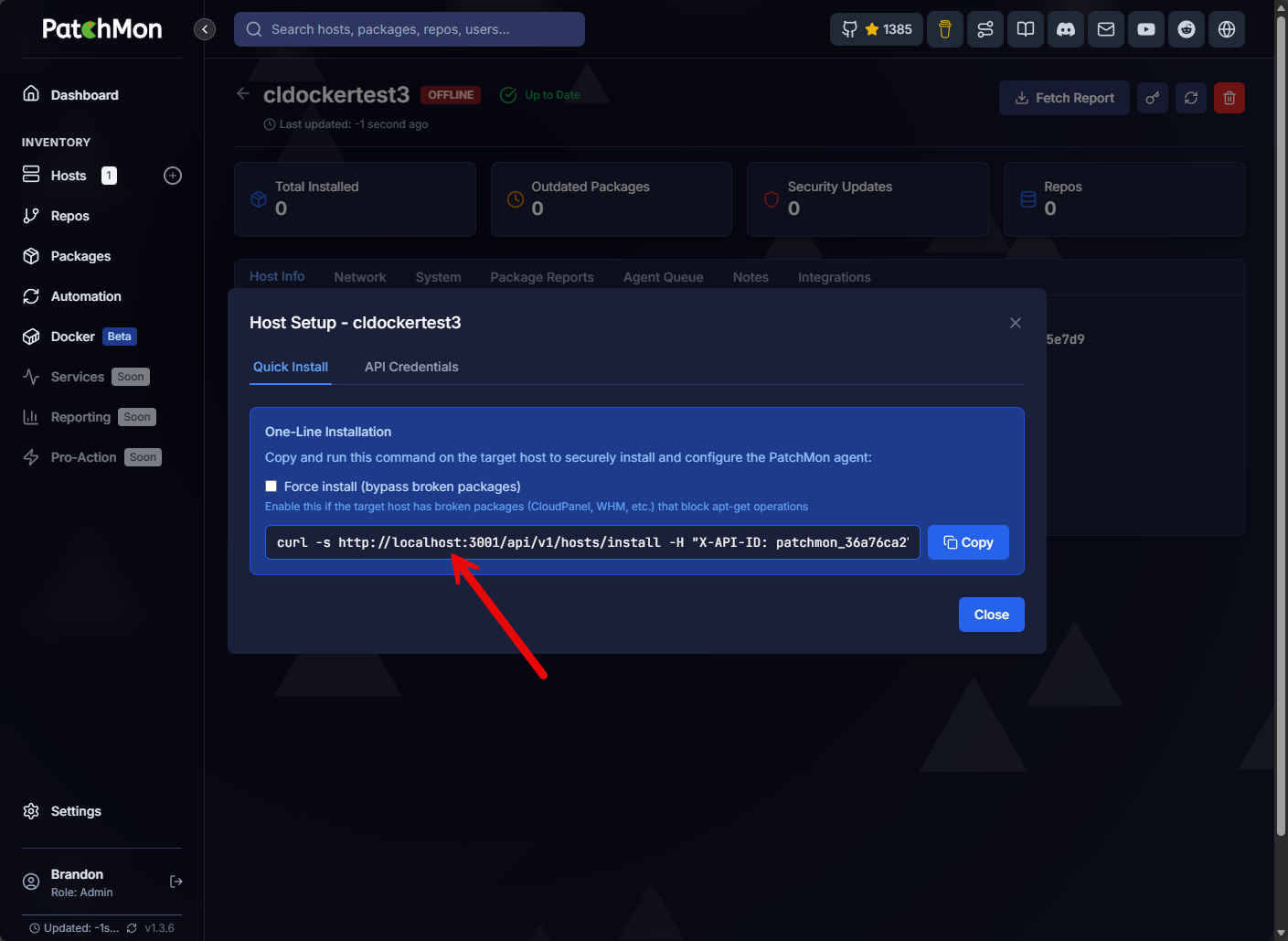
One of the things that I learned I needed to do is change the server URL. If you don’t, the default URL that is used for your hosts in the custom command it generates is localhost. So, when you run the script, the Linux hosts of course will think they are connecting to localhost instead of the IP of the PatchMon server.
You can see what that looks like below:
Below are the steps to get to the Server configuration where you can change the host. Here I have typed the IP of my PatchMon server.
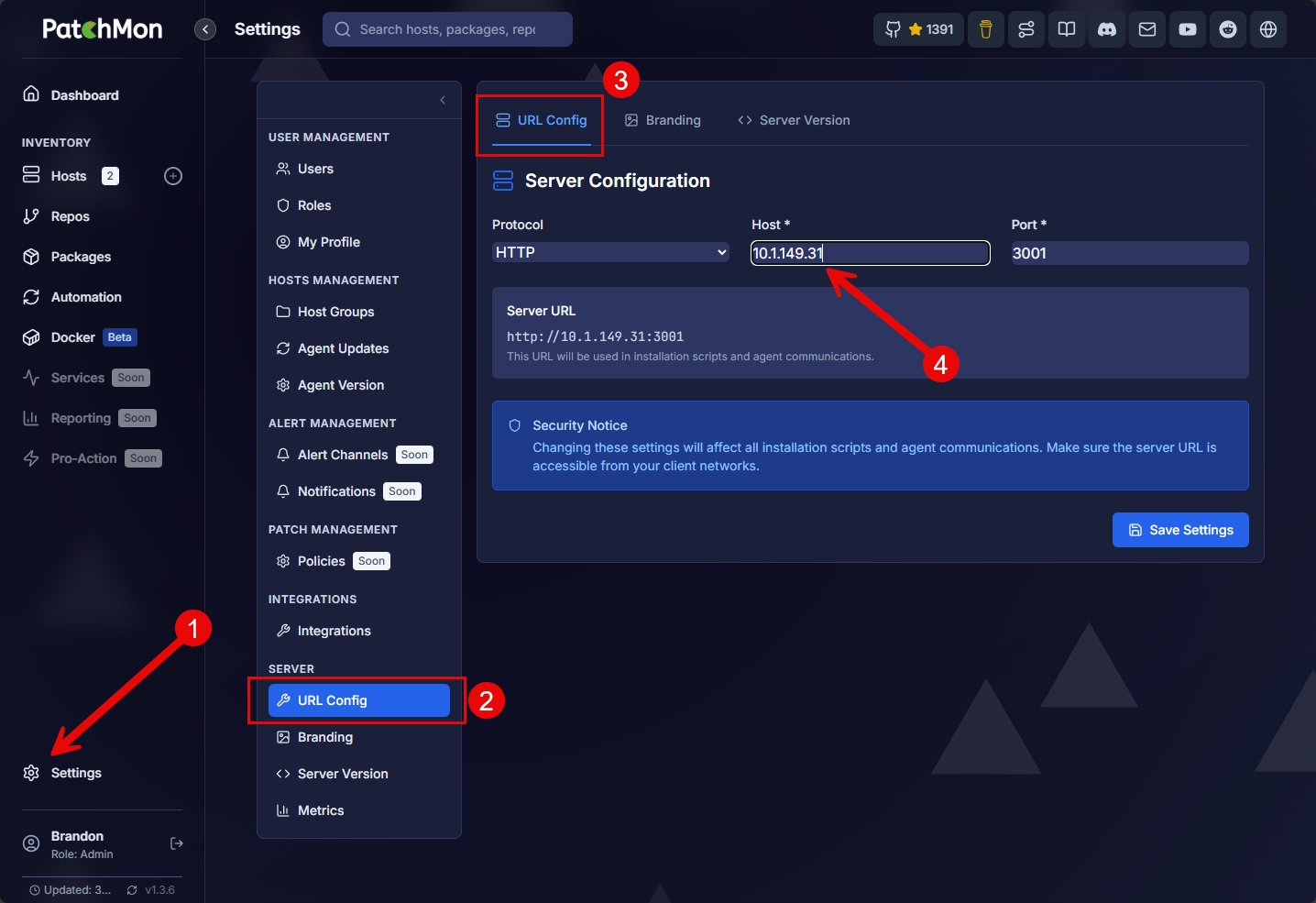
We will see the URL generated in the section below on adding Linux hosts to your PatchMon monitoring.
Adding Linux hosts to your Patchmon monitoring
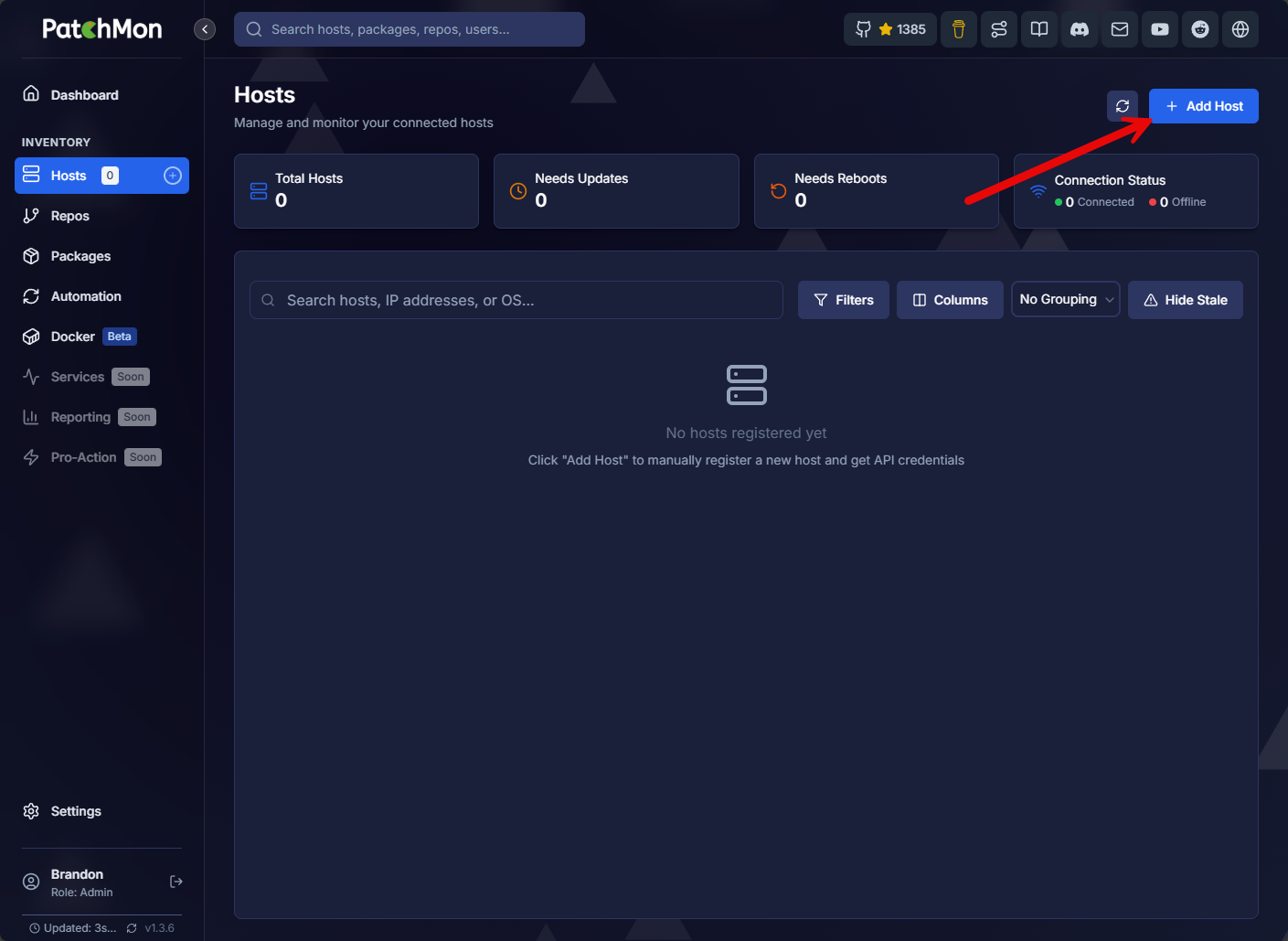
So, there are two steps to adding your Linux hosts to PatchMon Linux update GUI. First, we need to navigate to the Hosts menu and click the + Add Host button in the upper right-hand corner.
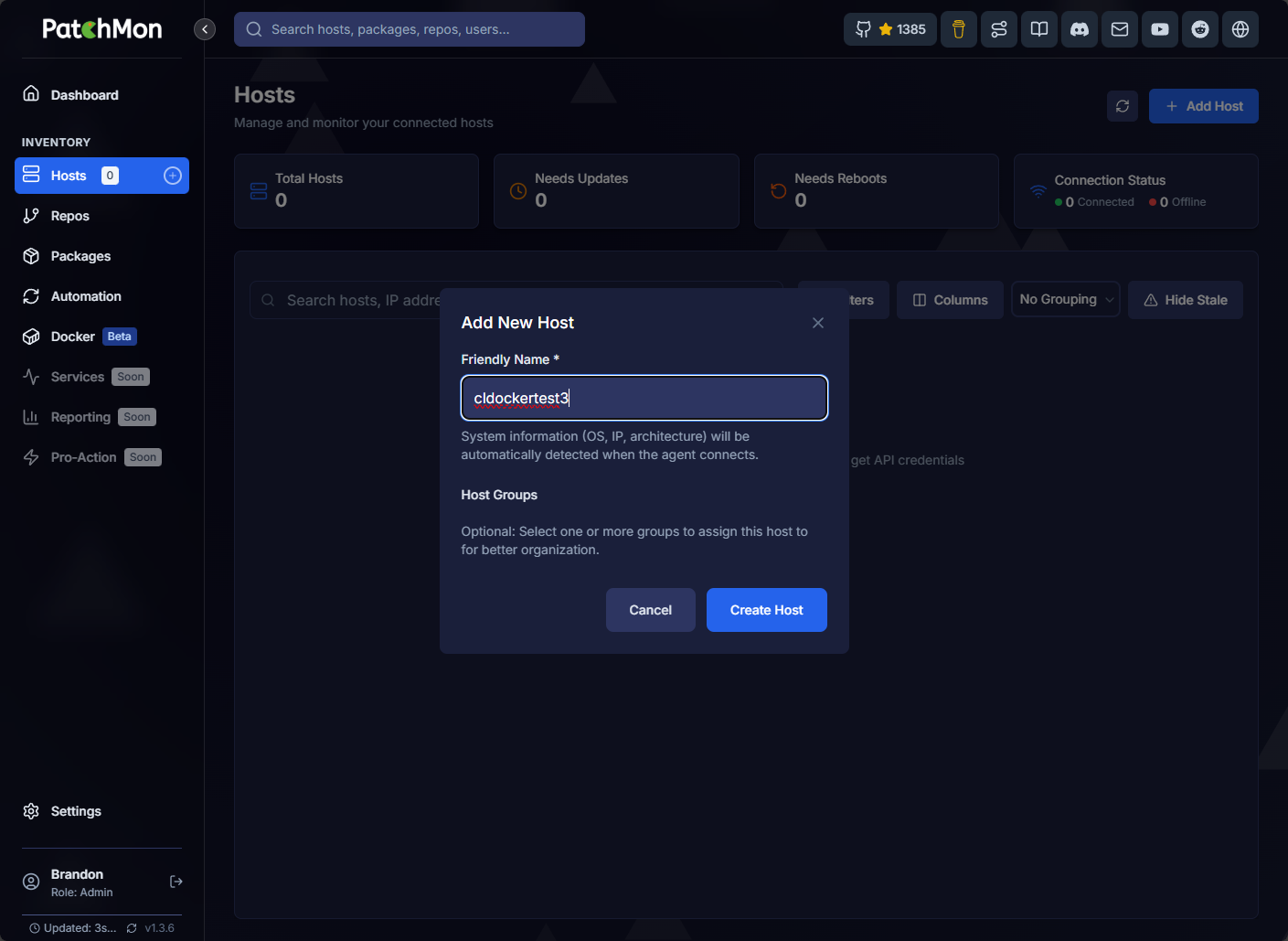
Enter a friendly name for the server you are adding, then click the Create Host button.
Notice the URL below is the IP address that I changed to in the server configuration. The URL that is generated has a specific API token for each server that is unique. The monitored server uses this to authenticate to the PatchMon instance.
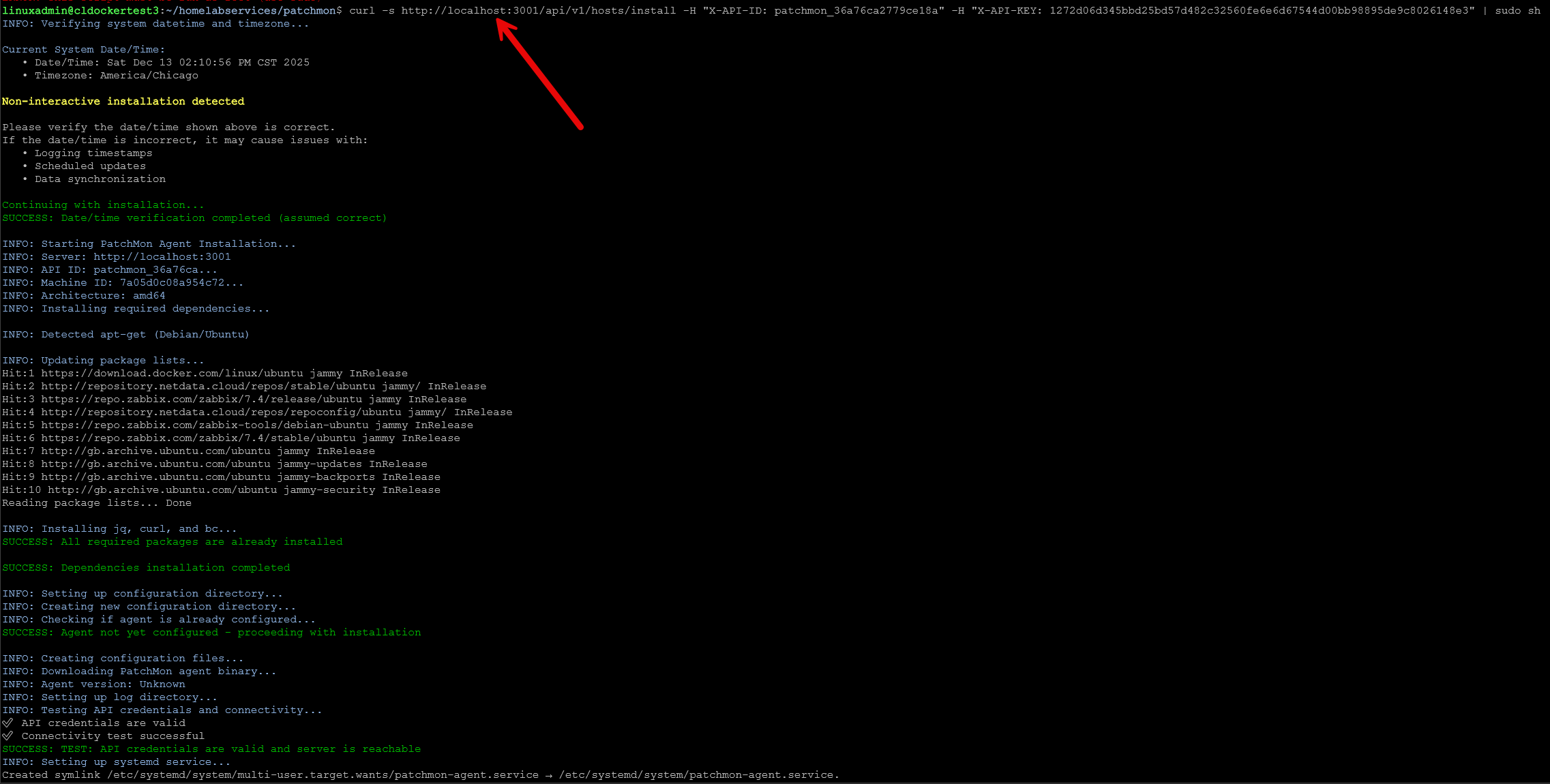
Now, we just need to run this command on the target server we have added. Also, it may be confusing that I have localhost in the command below, but the first server I added was the same server that I was running PatchMonon, so I left it as localhost in the command.
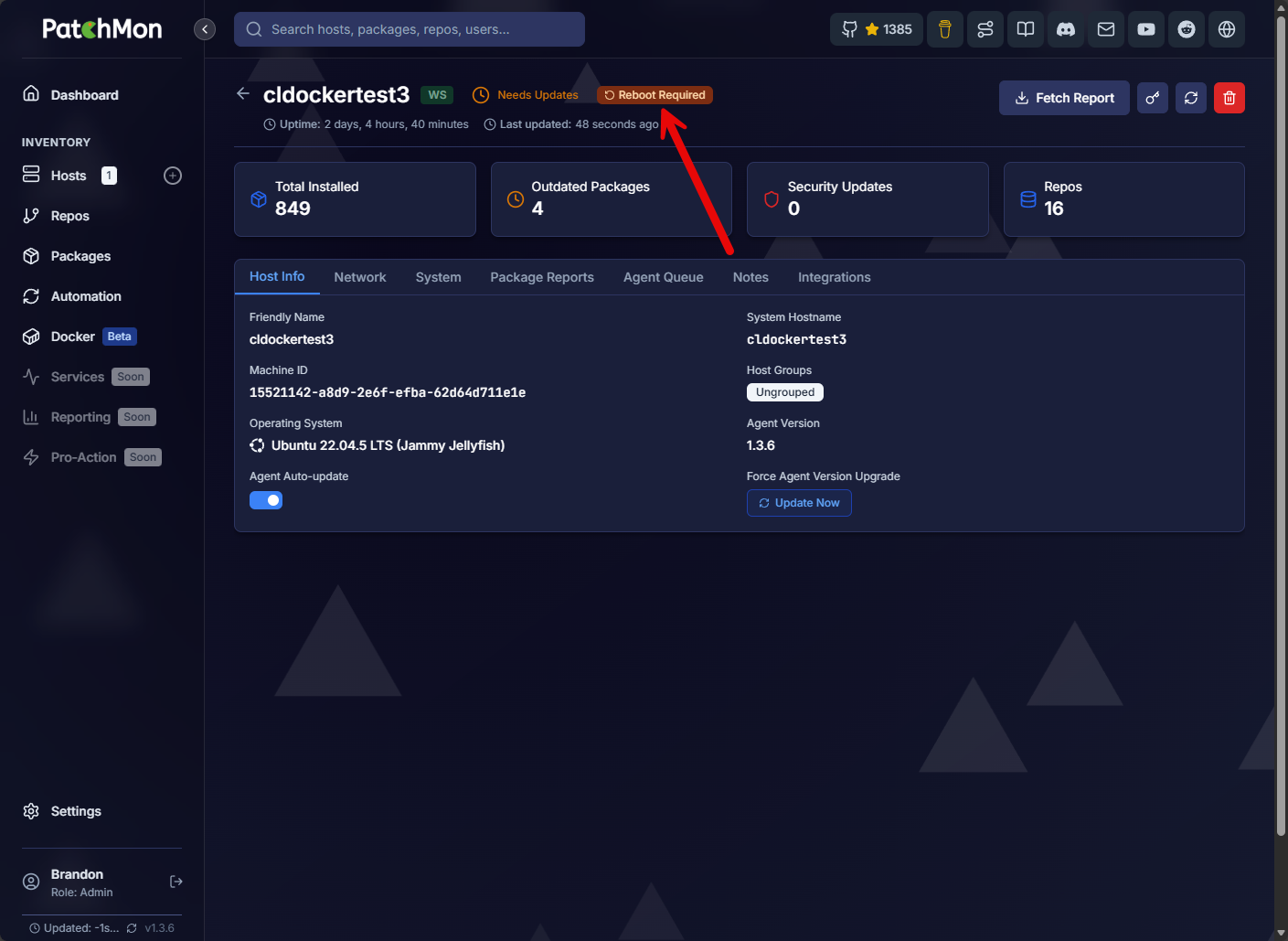
PatchMon sees the total number of packages installed, outdated packages, security updates, repos that the server is using for packages and it shows we have a reboot needed on the server as well. Great information already from PatchMon.
PatchMon also monitors Docker images
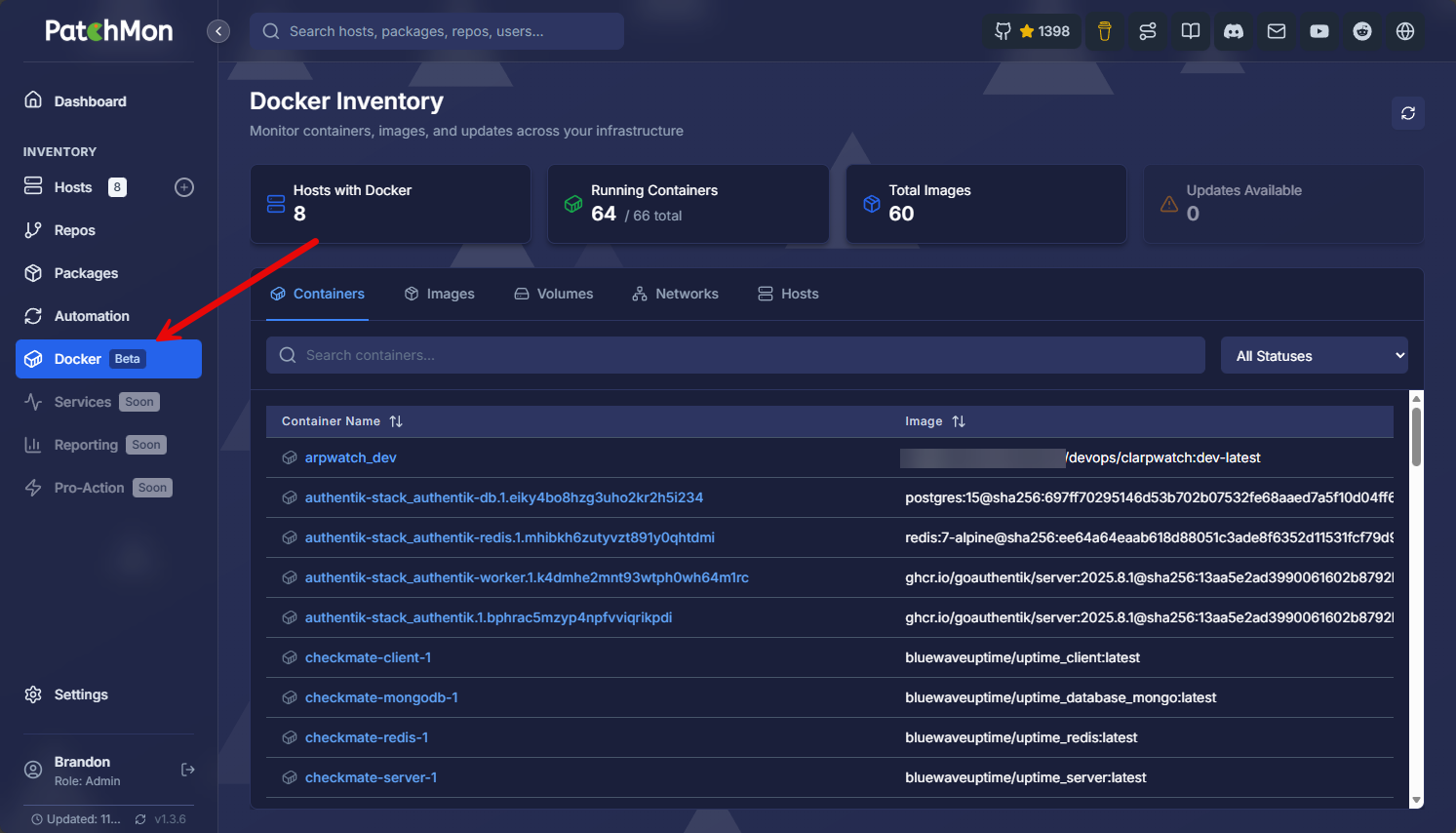
One of the really cool things that I didn’t realize PatchMon does that is currently in beta is Docker monitoring. I think this is great as this could potentially be an all in one solution, not only as a Linux update GUI, but also the underlying containers they are running.
Below, you can see the containers that Patchmon is pulling from the environment after the Docker integration is turned on.
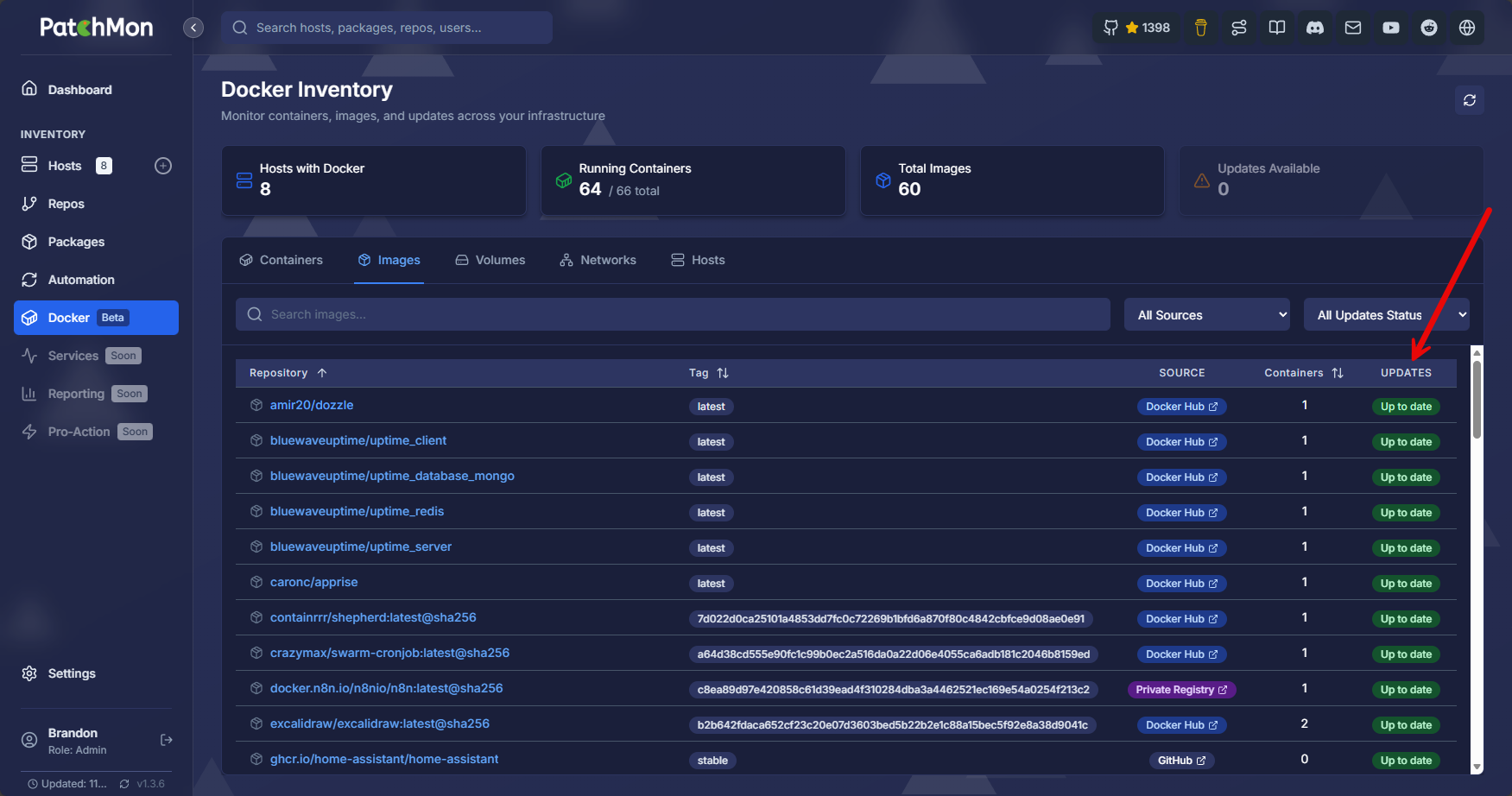
Now, what you get is also visibility on the images and whether or not these are up to date, along with volumes, networks, hosts, and other information.
Turning on the Docker integration
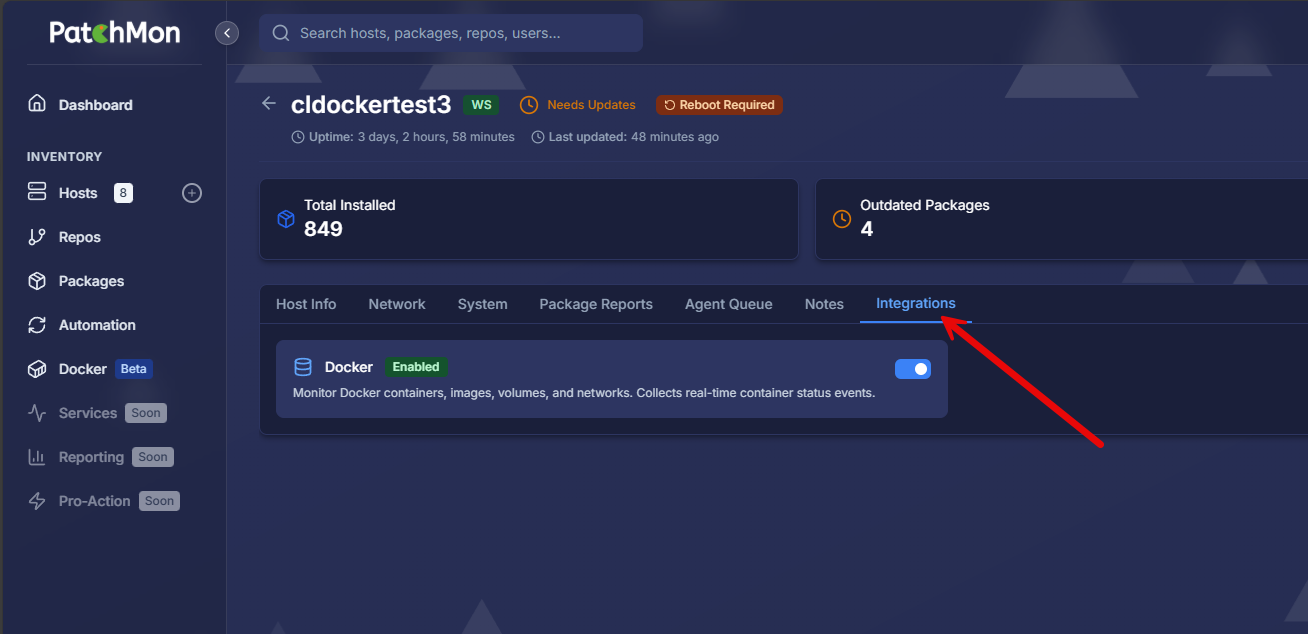
How do you turn this on? I didn’t really find anything in the official documentation, so had to hunt around for it. This is located under the properties of your Linux hosts. So if you click your hosts tab, then click on one of your hosts, there is an Integrations tab.
Here you will see the toggle switch for Docker to enable this. Then, once this toggle is enabled, you will start seeing the information above with the containers, images, updates, etc.
Proxmox LXC autoenrollment
One of the other very cool features of PatchMon is that it has a Proxmox VE server auto-enrollment feature that allows you to automatically discover and enroll LXC containers from your Proxmox hosts into PatchMon. This keeps you from having to manually enroll your Proxmox LXC containers. What does this do?
Note the following:
- The autoenrollment automatically discovers running LXC containers on Proxmox hosts
- It can enroll LXC containers into PatchMon in bulk without manual steps
- The PatchMon agent is installed inside each container automatically
- They are assigned to host groups based on token configuration
- Enrollments are tracked so you have a full audit trail
You can read about this functionality here: Proxmox LXC Auto.
Updating Patchmon server and agents
Running PatchMon in Docker makes updates super easy. So to update the server side components, all you need to do is pull new images and recreate the containers. You can do this with the docker compose commands below:
docker compose pull
docker compose up -d
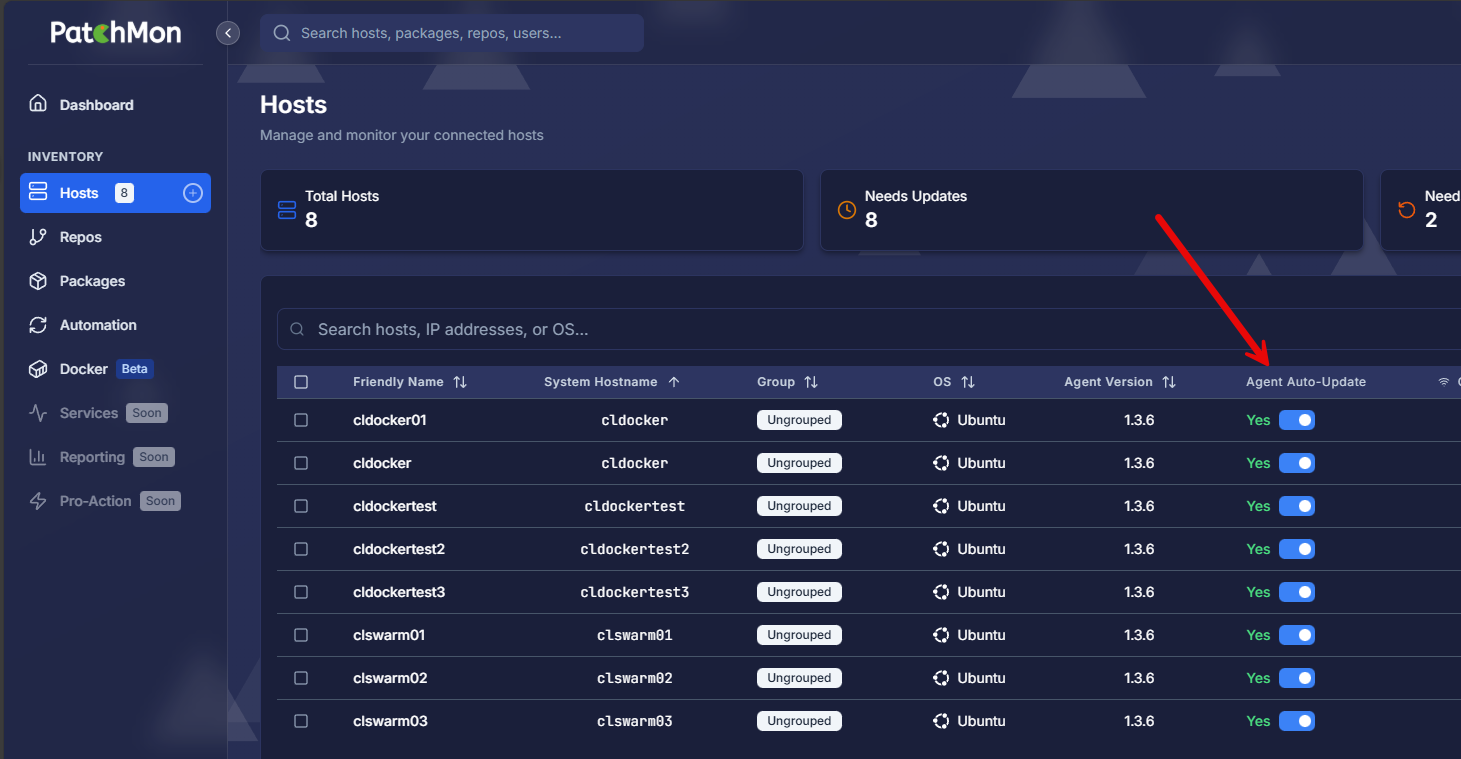
On the agent side, this is already built into the solution which I think is great! Agent-based solutions are normally a nightmare to have to manage at scale since you have to also worry about the lifecycle maintenance of keeping the agents updated. However, by default as you see below, the Agent Auto-Update functionality is already there and turned on.
Thoughts on this solution for home labs
I think the PatchMon solution is great Linux update GUI for having a central location to keep an eye on your Linux updates. I find myself running more and more Linux servers as these form the basis of my containerized infrastructure and other services I run. Windows is typically relegated to Microsoft specific solutions, Active Directory, etc.
To see what I recommend for a starter stack in 2026, take a look at my post here: Ultimate Home Lab Starter Stack for 2026 (Key Recommendations).
Up until now, I haven’t really had a great way to visually see the patch status across all my servers. I have used Semaphore to keep my Linux servers updated, but this is just the updates side, not really seeing or visualizing what is needed or what packages specifically are out of date.
Now, keep in mind the PatchMon solution doesn’t as of yet have the actual updating capability. However, this is coming. I think once this lands, it will be THE tool for Linux updates across the home lab and even possibly production environments as it matures.
I do see references to “Pro” in the “soon” menus so I am not sure what the plans are for a possible paid tool? Hopefully there might be a great low-cost option for home labs as I think this will certainly only make the adoption grow more as home labbers (who are enterprise Linux admins in their day jobs) will become familiar with it at home and bring this into the enterprise.
Wrapping up
If you have been looking for a Linux update GUI that you can use to see all the updates required across your Linux servers, Patchmon is a great solution. It is still very early on in development but looks to have a lot of potential as the go to tool for Linux updates. But, not only Linux updates, also Docker updates, and even Proxmox LXC containers. Let me know in the comments, what do you think about Patchmon? Are you using it already or think you are going to try it out? Let me know in the comments.

Google is updating how articles are shown. Don’t miss our leading home lab and tech content, written by humans, by setting Virtualization Howto as a preferred source.
About The Author


wow very cool tool….going to try this out. I am using Semaphore too.
apt-listchanges + unattended-upgrades, why bother with some overcomplicated potentially paid tool?
Jan,
Great insights here. I don’t think this will be for everyone, but I do like the possibilities here of having everything centralized along with maybe even Docker container updates. I have been pivoting between different images for Watchtower to keep support for the latest versions of Docker. We will see where this project goes. I am wondering too on the possibility of “pro” version that may paywall some of the better features.
Brandon
Patchmon Agent 1.3.6 doesn’t allow you to uninstall the agent. I created an issue on the Github repo.
IcarusXI,
Very interesting and thanks for catching this, will take a look at this as well in my lab.
Brandon
Yeah let me know what you find out. I’ve seen that some others have noticed this too.
Other than that. I really like Patchmon.
Definitely looking like a great tool so far, still more testing to do, but liking it.
Brandon