




So, in my Proxmox mini cluster, I have gone through the process of moving critical traffic off the main "management" network that the Proxmox hosts are on to their own dedicated VLANs. Let's look at how to move each of these to a dedicated network.
Networks used for segmented traffic
MTU 1500 (Client-facing/Management):
- vmbr0 (10.3.33.0/24) - Management/API/SSH
- bond0.335 (10.3.35.0/24) - Proxmox Cluster (Corosync ring1)
- All VM VLANs (2, 10, 149, 222)
MTU 9000 (Backend Infrastructure):
- bond0.334 (10.3.34.0/24) - Ceph OSD cluster traffic
- bond0.336 (10.3.36.0/24) - VM live migration
- bond0 and physical interfaces (must stay 9000)
Moving Ceph OSD traffic
Storage traffic benefits from being on its own dedicated network and VLAN. This way you can cleanly set jumbo frames and dedicate links to this network if you want as well. For me I am using bonded LACP 10 gig connections for all my traffic. So, I am using VLANs to segment and carve the traffic up.
Step 1: Verify Connectivity
# On each host, verify new network is configured and reachable
ping -c 2 10.3.34.210  # From any host to pvehost01
ping -c 2 10.3.34.211  # pvehost02
ping -c 2 10.3.34.212  # pvehost03
ping -c 2 10.3.34.213  # pvehost04
ping -c 2 10.3.34.214  # pvehost05
Step 2: Update Ceph Configuration
# On any one node (config replicates automatically):
nano /etc/pve/ceph.conf

# Change ONLY the cluster_network line:
cluster_network = 10.3.34.0/24

# Leave public_network and all monitor addresses on old network
public_network = 10.3.33.0/24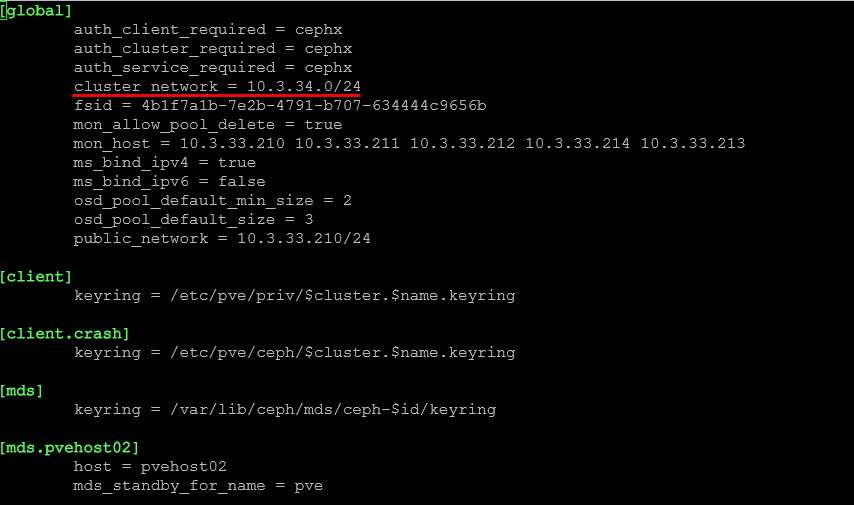
Step 3: Set noout Flag
ceph osd set nooutStep 4: Rolling OSD Restart
After setting the noout flag, we roll through all the hosts and restart the OSD service. It is important after each host to check the status of Ceph with the ceph -s command and wait for any backfilling that might happen to complete.
# On each node, one at a time:
systemctl restart ceph-osd.target
sleep 10
ceph -s  # Verify cluster health before next node

# Wait for any backfilling to complete between nodes
# Continue to next node when ceph -s shows all PGs active+clean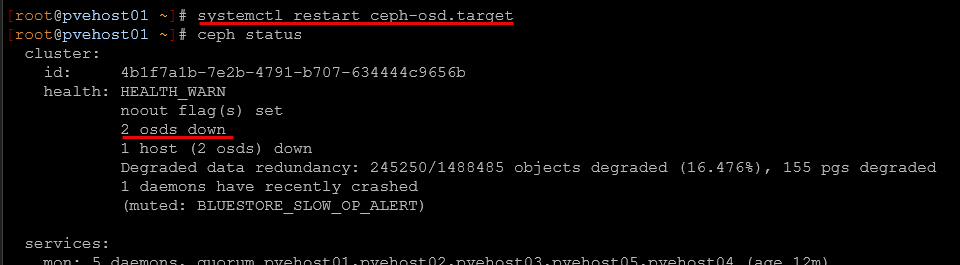
Step 5: Verify Migration
# Check OSDs are using new network:
ceph osd dump | head -30

# Should see cluster addresses like:
# [v2:10.3.33.210:...] [v2:10.3.34.210:...]
#      ^public           ^cluster (new!)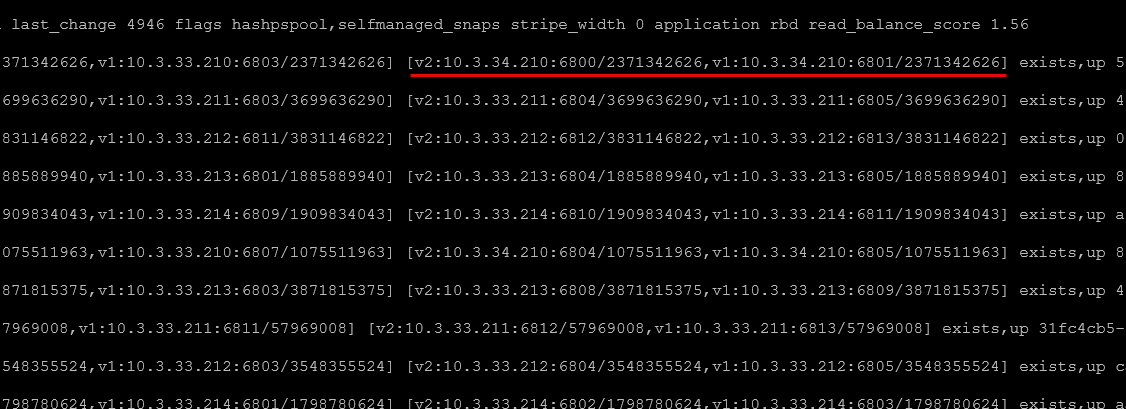
Step 6: Unset noout
ceph osd unset nooutResult: Ceph cluster replication traffic now on dedicated 10.3.34.0/24 network with MTU 9000
Move your Proxmox Cluster Ring (Corosync)
Instead of totally moving my cluster network, what I am doing below is "adding" another network to the Corosync networks. This way I have two networks that can be used for cluster traffic. If something happens to one VLAN, the other network/VLAN should be unaffected.
Step 1: Edit Corosync Configuration
# On any one node (config replicates automatically):
nano /etc/pve/corosync.conf

# Add ring1_addr to each node in nodelist:
node {
  name: pvehost01
  nodeid: 1
  quorum_votes: 1
  ring0_addr: 10.3.33.210
  ring1_addr: 10.3.35.210  # ADD THIS
}
# Repeat for all nodes with their respective .211, .212, .213, .214 addresses

# Add second interface to totem section:
totem {
  ...
  config_version: 20  # INCREMENT THIS
  interface {
    linknumber: 0
  }
  interface {          # ADD THIS
    linknumber: 1
  }
  ...
}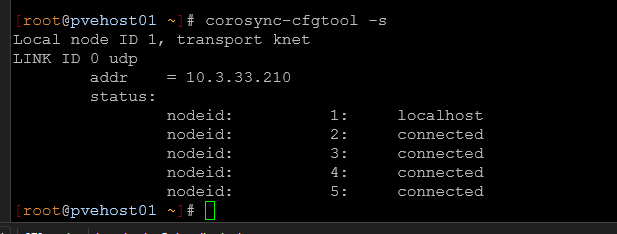
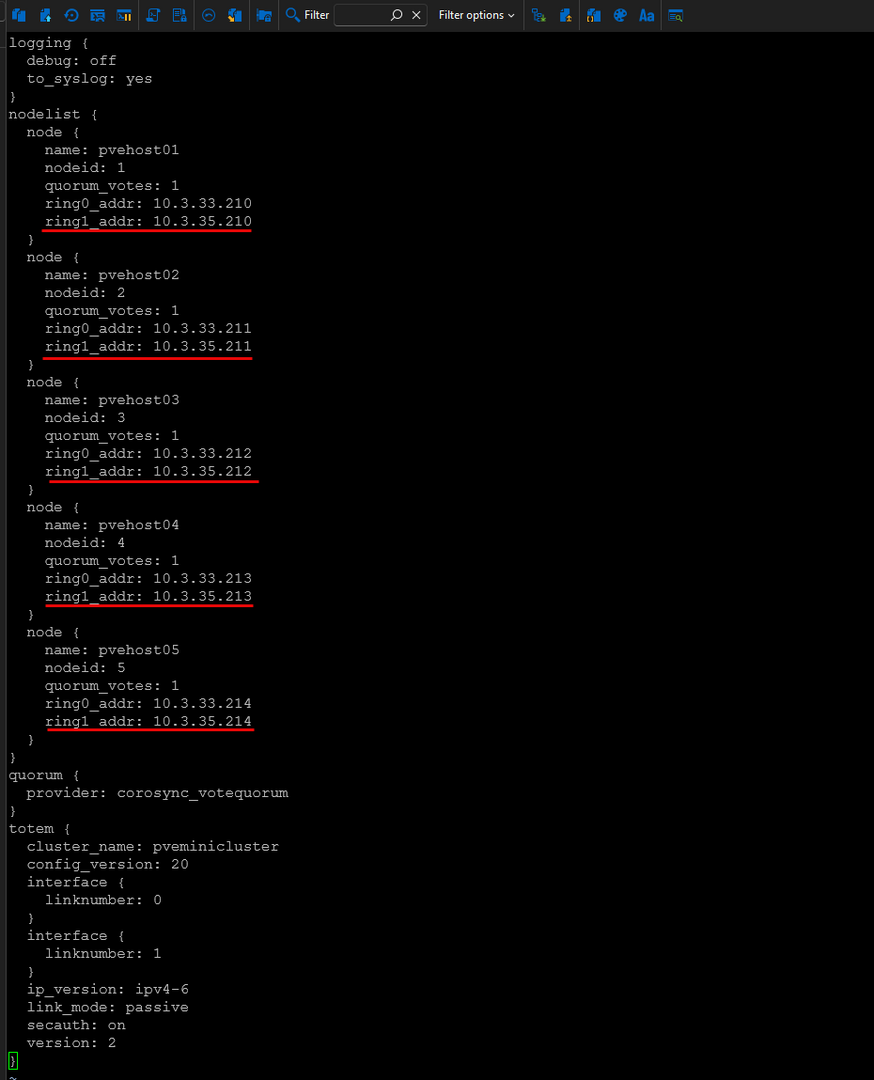
Below you can see the additional network added for the corosync configuration.
Step 2: Restart Corosync
You may not technically HAVE to restart the corosync service across all your hosts as they may automatically pick up the changes, but it is a "cover the bases" type operation.
# Modern Proxmox with knet may apply automatically
# Check if both rings are active:
corosync-cfgtool -s

# If not showing both rings, restart on each node:
systemctl restart corosync
pvecm status  # Verify cluster stays quorate
Step 3: Verify Dual-Ring Operation
# On each node:
corosync-cfgtool -s

# Should show:
# LINK ID 0 udp - addr = 10.3.33.X (all nodes connected)
# LINK ID 1 udp - addr = 10.3.35.X (all nodes connected)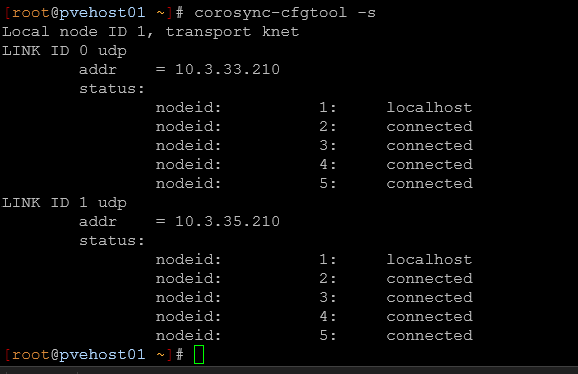
Result: Proxmox cluster has redundant communication paths with ring1 on dedicated 10.3.35.0/24 network
Move the VM Migration Network
Finally, we will move the VM migration network so that it uses its own dedicated network for migration traffic.
Step 1: Configure Migration Network
# Via GUI:
# Datacenter → Options → Migration Settings → Edit
# Type: secure
# Network: 10.3.36.0/24

# Or via CLI:
nano /etc/pve/datacenter.cfg
# Add:
migration: secure,network=10.3.36.0/24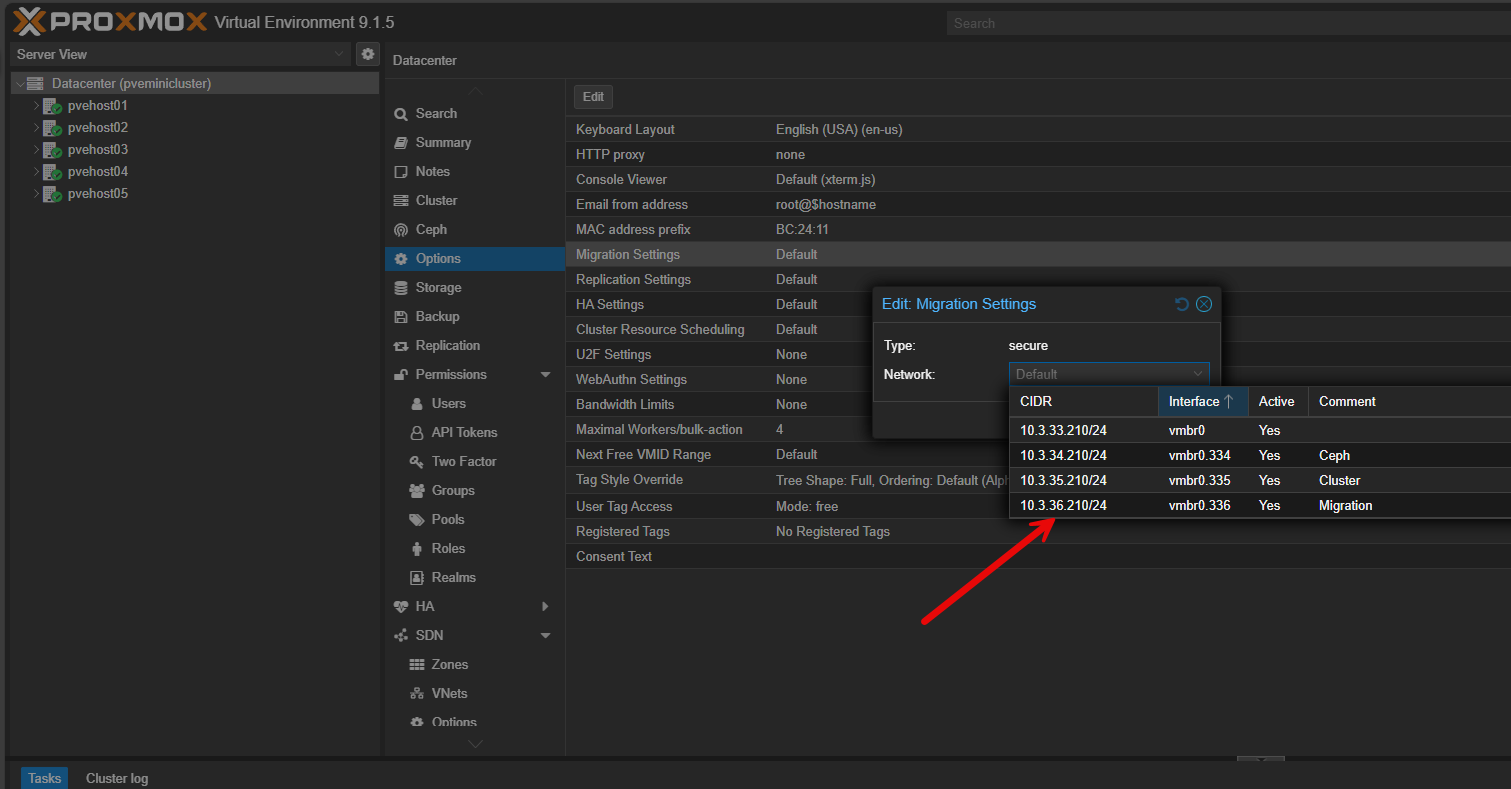
The new network has been selected and confirmed.
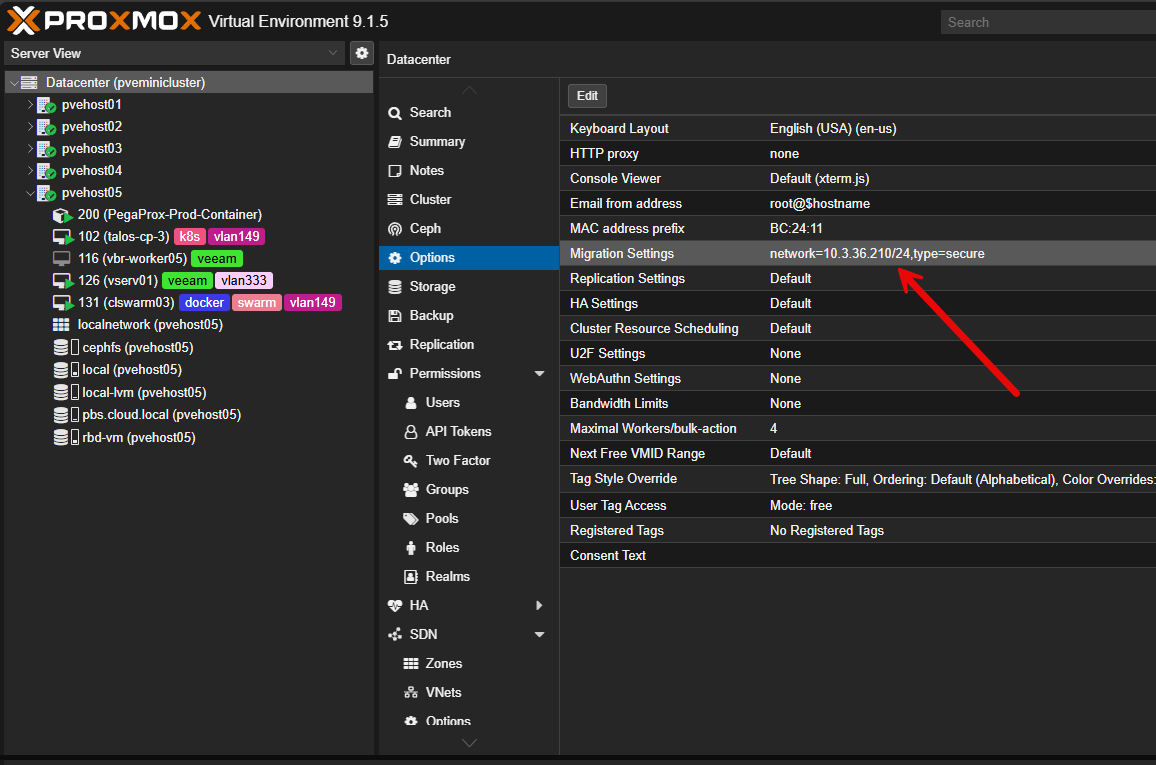
Result: VM live migrations now use dedicated 10.3.36.0/24 network with MTU 9000