Greetings all!
Bear with me—I’m terrible at showing off, and I tend to stay humble mostly because very few people around me really understand my particular flavor of nerdiness.
Current State
Hardware
-

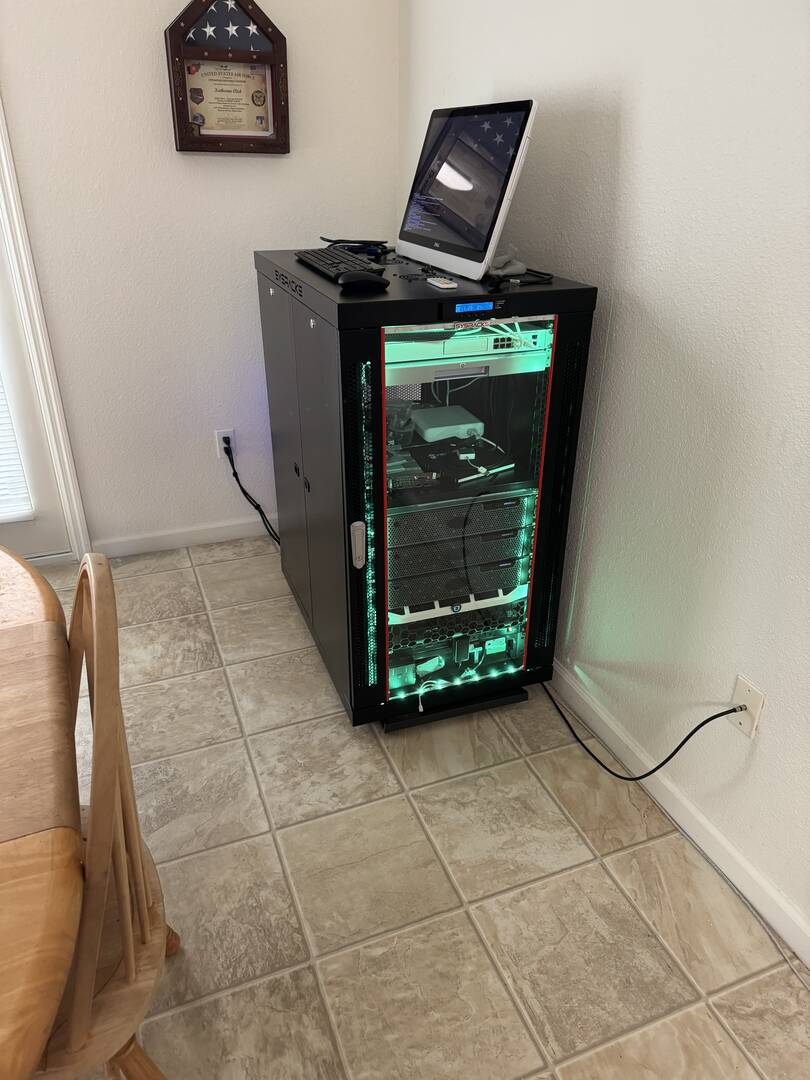
24U SysRacks rack
-
Modem
-
Ubiquiti Dream Machine Pro
-
HP 1U 17" Console
-
Ubiquiti 16-port Lite PoE switch
-
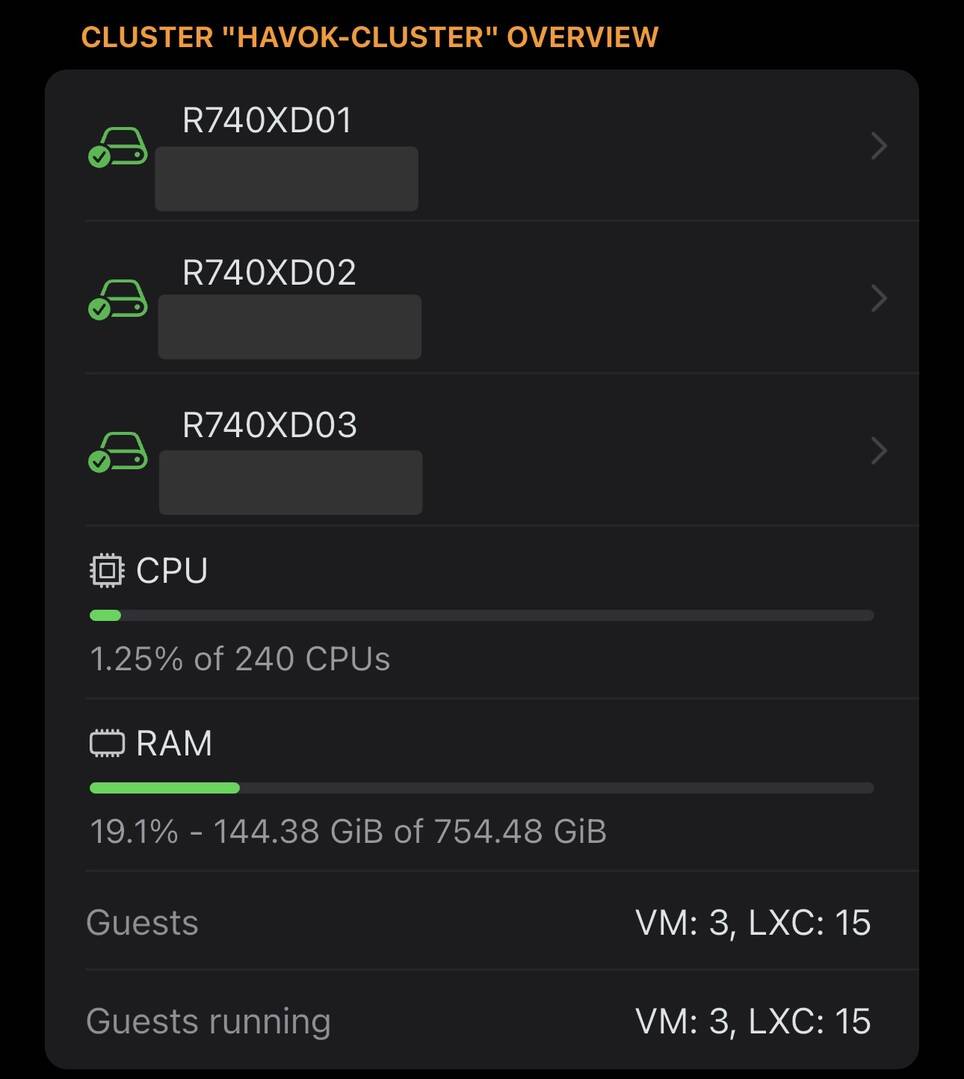
3× Dell R740XD
-
Node 1 includes an NVIDIA Tesla M10
-
-
Dell R630 (offline)
-
Dell R720 (offline)
-
Mojo Power Distribution
-
APC UPS (offline, dead batteries)
Software
All three R740XDs are running Proxmox VE 9.
Node 1
-
Homarr
-
Ollama
-
CubeCoders AMP
-
Tdarr
-
Prometheus / Grafana
-
Windows 11 VM
Node 2
-
Servarr stack
-
iVentoy (testing)
-
Obico
-
RomM
Node 3
-
Cockpit
-
Proxmox Backup Server (yes, I know it’s not recommended—oh well)
-
CasaOS
-
Nginx Proxy Manager
-
Custom proxy hub
This setup is basically my “mistress,” according to my wife. I’ve been building and upgrading it for about 15 years now. It started with my first Minecraft server on an HP DL380 G5 and slowly evolved into what it is today. Because my job requires moving every few years, nothing has ever stayed truly permanent, but that’s just been part of the journey.
I have no formal education in IT or systems administration—this has been a genuine labor of love. Between YouTube, documentation, and a lot of trial and error, I’ve managed to get by just fine. I genuinely enjoy the challenge of making non-standard things work.
My biggest challenge so far has been Ceph. Across the three nodes I have roughly 45 TiB of usable storage. It runs over an internal 10G DAC loop. Performance isn’t amazing, mostly because the storage pool consists of a m
ix of 1 TB and 500 GB 2.5" HDDs I’ve accumulated over time—but it works, and
it works reliably enough.
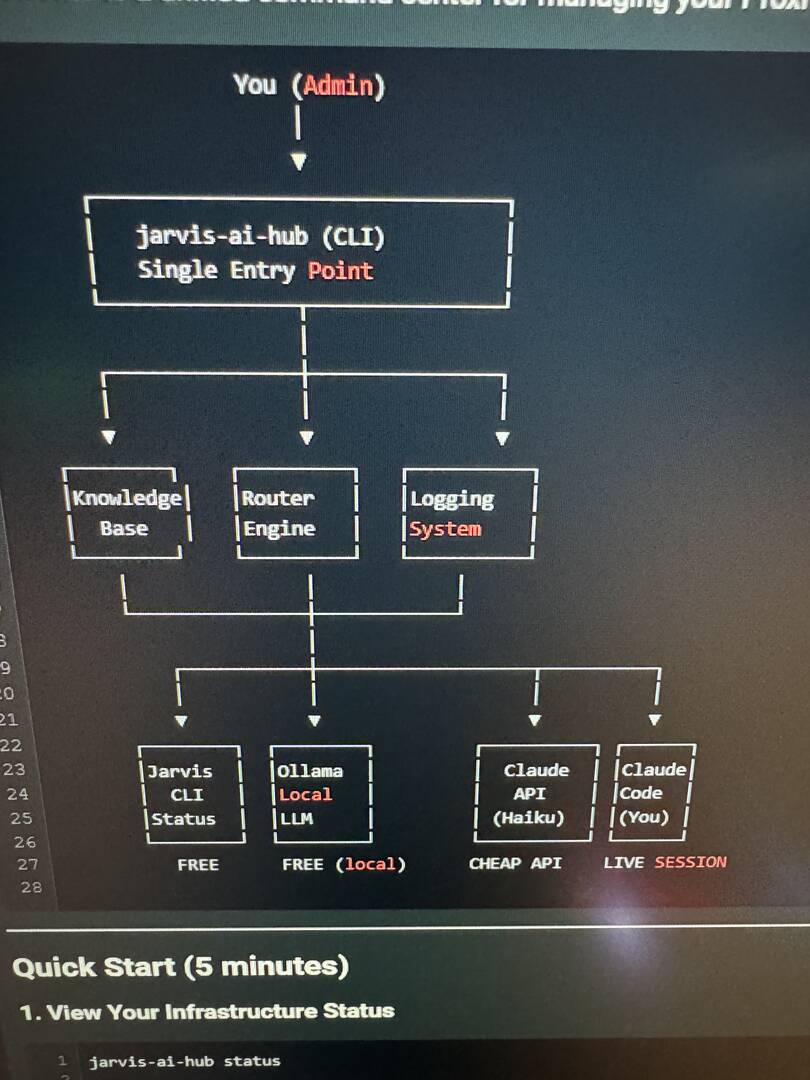
My current main project is an internal “Jarvis.” Right now it’s CLI-based and leverages Ollama locally along with Claude (Anthropic) and Gemini. The goal is to eventually have something visually appealing and genuinely useful—an AI assistant that integrates into my daily life and helps manage the cluster. Progress has been steady, and YouTube has once again been a huge help.
Future Plans
Hardware
-
KVM for the console
-
3U drawer
-
Working UPS(s)
-
Either additional/better Tesla cards or a dedicated GPU server
-
Patch panel
-
CPU upgrades for higher clock speeds
-
Rebuild Ceph with at least 1 TB drives across the board
-
Centralized gaming server (either a PVE VM or new hardware)
This is an ever-growing hobby, and free time competes with my other interests (3D printing, cars, and sleep). Most of my planned improvements are hardware-focused, as I’m starting to hit the limits of my current set
up.
Because the rack often lives in shared or visible spaces (it’s currently in my dining room), aesthetics matter to me. I want it to look clean and intentional, not like a science experiment gone wrong. My wife has been incredibly supportive, and I’m extremely grateful for that.
My next big goal is solid remote gaming. Not necessarily AAA titles—I’m really into modded Minecraft. My first server hosted some of the early Direwolf20 packs back in the day, so this is a bit of a full-circle moment. Being able to play modded Minecraft on an iPad mounted on my nightstand would be amazing.
Alongside that, I want a more capable AI assistant that can help me manage the cluster, especially in areas where my knowledge has gaps.
2026 is shaping up to be a big year for the Havok Cluster, and I’m genuinely excited for the challenges ahead.
ADHD dopamine, here I come.

My current settup:
Hardware:
- Intel NUC don't know the exact moddle currently, but it is an I7 with 16GB of ram and 500GB of storage
- Mikrotik router
- D-link switch
- Battery supply for energy failures
Software:
- ESXI 8
- VM:
- Ubuntu with a website and an API key
- Ubuntu with portainer with (NGINX, twingate and Cloudflare connectors, and pihole)
Future projects
- Adding a raspberrypi for dedicated NGINX and connectors
- Putting more ram into the server so I can experiment with things like CASM, Jellyfin...
- Creating a subnetwork for the server with router
- Adding a firewall
Story:
I started this home lab because of school, am studying a 4-year curse in it and I got the pc mid-way through the first year so I could experiment with what I was learning, used it as my 1-year end project.
Image:
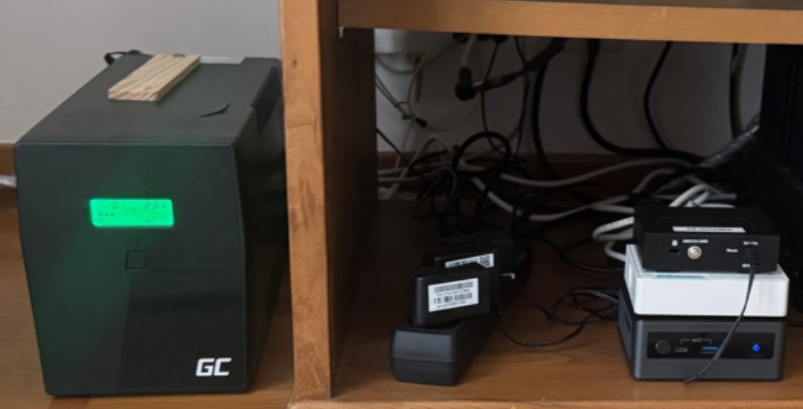

My homelab has gone through MANY stages since 2007/2008 when it was a basic NAS. 3 1/2 years ago, I DOVE IN to Home Assistant when we moved into our own house. My goal with HAOS is to stay in the home as long as I can.
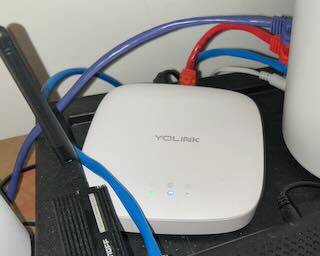
I was running EVERYTHING on a Synology DS1821+ with 64GB RAM [2x32gb... overkill, I know, but my great-grandfather was buying and the RAM was only $130 back then]. I stupidly RAM HAOS from a VM on Synology. Well, Synology failed in July. 1st thing, Home Assistant, It is on dedicated overkill hardware now. That is a ZigBee dongle. I also switched from ZHA to Z2M. I also had a HomePid Mini for Thread controlling 1 lock (It CAN do WiFi, but the battery life is TERRIBLE). Aside from my Zigbee devices, which are spread out and concentrated in the main bedroom and bathroom (Still at least 1 light as back-up). ALMOST everything fell back to the cloud. I had to use a manual garage door opener after digging it out. I learned a lot. I have that stupid YoLink box because they promised local integration on THAT hardware (I refuse to buy a $200 local hub). I use Plex and was migrating to Jellfin when my datapocalypse happened.
I lost one 14TB WD HDD and that was easy with dual RAID (Synology equivalent of RAID-Z2). I know, RAID is not a backup, but my backup server requires me to empty HDD that have files on them, so I can't do anything. I even have a 12 drive (13 w/boot) 1U [long] server that it's driving me crazy not to use.
I didn't realize it had a lifetime warranty on RAM until September. G Skill agreed to replace the RAM when both sticks failed in both slots. I sent them in mid October... crickets on what is NOW $300 RAM. So, that one photo is my Synology.
My DREAM is to have a nice linux distort at my desk (maybe dual boot Windows) and ALL network hardware (except a passive switch on my desktop and APs, wiring then for 2.5Gbps if I can with 14 y.o. CAT5e) in the basement.
So sick of having the rack with a place for everything, not everything shoved somewhere.
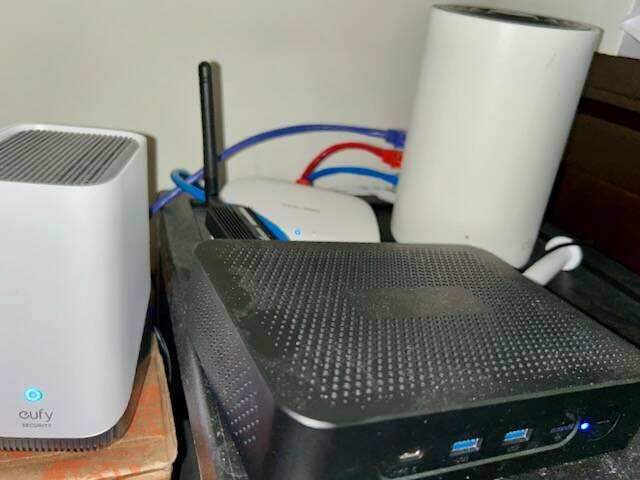
The eufy is off to the side because it's wired and wireless as a Homebase 3 NVR
Very hodgepodge system, broken into parts, holding together, like me (brain cancer, relearned to walk over 4 years, seizures, chronic pain, EDS, etc), or IPv4. Great for HAOS and EVERYTHING rarely fails at once. Sadly, SSI doesn't leave a large budget for homelabbing.
Oh, Tailscale is a dream. Also, my family, daughter, complains about the homelab, she asked me when it's going to be working again!!!!
I hope this meets the minimum needed.


I began my enterprise I.T. career in 1998, but took an 8ish year hiatus to do electrical engineering/wiring design in the autonomous world beginning in 2016. In October of 2024 I was unceremoniously laid-off from Daimler Trucks North America because they decided they no longer wanted remote employees and I found myself at a crossroads. I decided to re-enter the I.T. game, but had enough of a lapse that I needed to really put effort into re-learning a lot of stuff. The problem was I had to take a massive paycut to get employment again which meant I had very little funds to put into my home lab. What you see is 12 months of scraping pennies together, finding deals on used stuff, and enlisting the help of friends to be able to make happen.
As of today, my lab consists of:
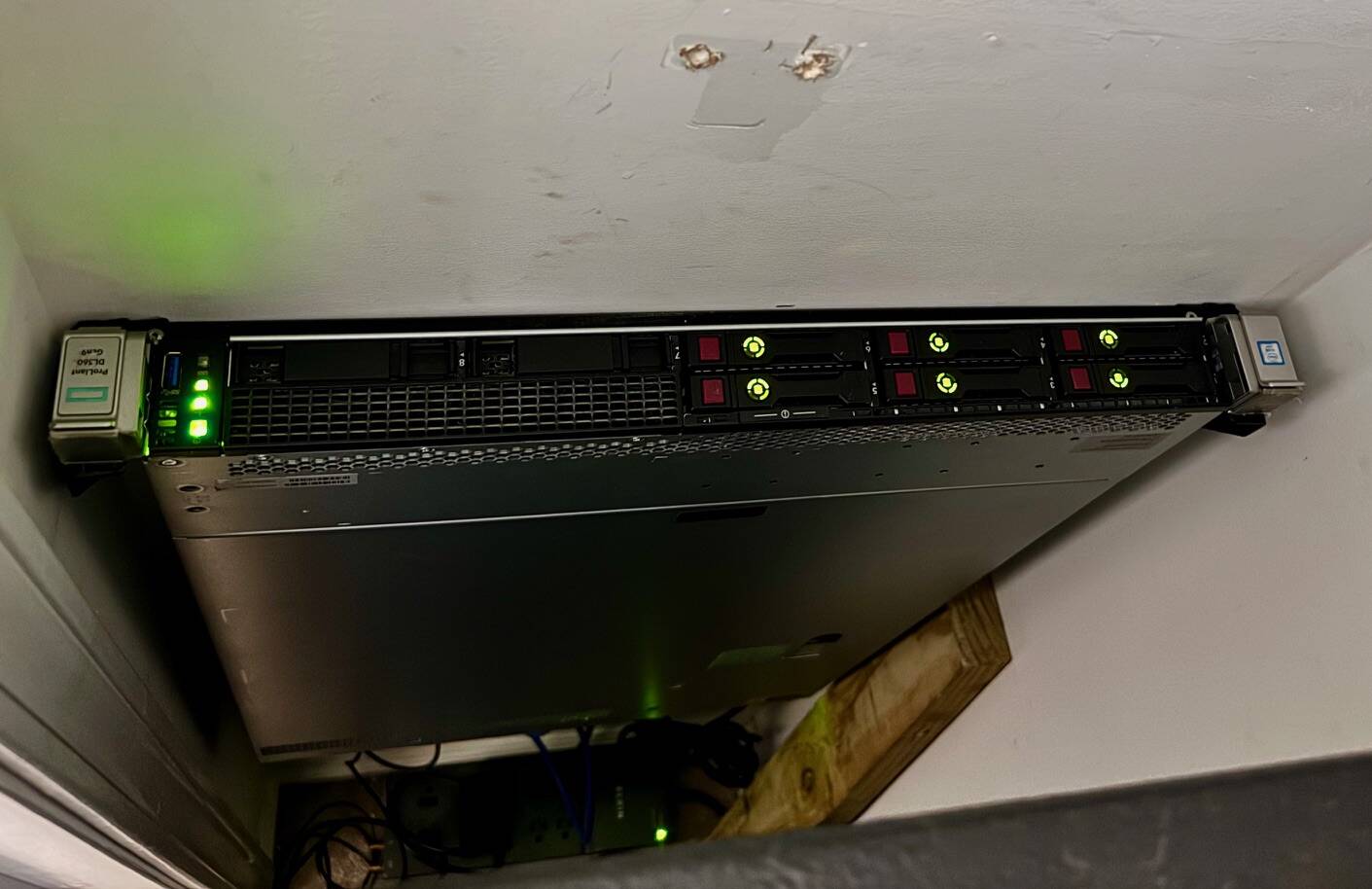
- HP Proliant DL360 G9
- 2 Xeon( CPU E5-2660 v3 @ 2.60GHz - 10 cores each
- 192GB RAM
- 6x 600GB 10K SAS in RAID5 - 3TB total
- Running VMware ESXI8 and VSphere
Secondary ESXi Server - Stores all replicas from primary ESXi server
- Dell OptiPlex 7050 Micro
- i5-6500T @ 2.5GHz
- 32GB RAM
- 120GB SATA SSD
- 1TB NVMe SSD
- Running VMware ESXI8
- OptiPlex 3040 Micro
- i5-6500T @ 2.5GHz
- 8GB RAM
- 250GB SATA SSD
- External 4GB USB RAID1 drive
- Running Windows 11 Pro and Veeam Community Edition
- PVE1
- DellOptiplex 3040 Micro w/7040 mobo
- i5-6500T @ 2.5GHz
- 16GB RAM
- 128GB NVMe SSD system
- 1TB SATA SSD
- Running Proxmox VE 9.1.2
- PVE 2
- DellOptiplex 3040 Micro w/7040 mobo
- i5-6500T @ 2.5GHz
- 16GB RAM
- 128GB NVMe SSD system
- 1TB SATA SSD
- Running Proxmox VE 9.1.2
- PVE Backup
- DellOptiplex 3040 Micro w/7040 mobo
- i5-6500T @ 2.5GHz
- 16GB RAM
- 128GB NVMe SSD system
- 1TB SATA SSD
- Running Proxmox Backup Server 4.1.0
- VMware Virtual Machines
- Windows 2019 Server AD Controller/DNS/DHCP
- Unifi 10.0 Controller running on Ubuntu Server 24.04 LTS
- Windows 2025 Server File and Print Server
- Vsphere Appliance
- Kali 2025
- CheckMK running on Ubuntu Server 24.04 LTS
- Proxmox LXCs
- Ngnix Proxy Manager
- Wazuh XDR/SIEM
- Technitium DNS (Not yet in service)
- Adguard (Running for my IoT VLAN)
- Homepage Dashboard
- Virtual Machines
- Home Assistant
- Lenovo IdeaPad 3
- Kali 2025 setup for pen-testing
- 4TB RAID1 NAS
- 1TB allocated to Proxmox Backup Server
- 1TB allocated to Proxmox VE
- 2TB allocated to general file storage
- Hardware
- Unifi UXG-MAX Gateway
- Unifi US 8 PoE Switch
- Unifi USW Lite 8 PoE Switch
- Unifi USW 24 Switch
- Unifi AP AC Pro x2
- Unifi AP AC LR
- Unifi AP U6+
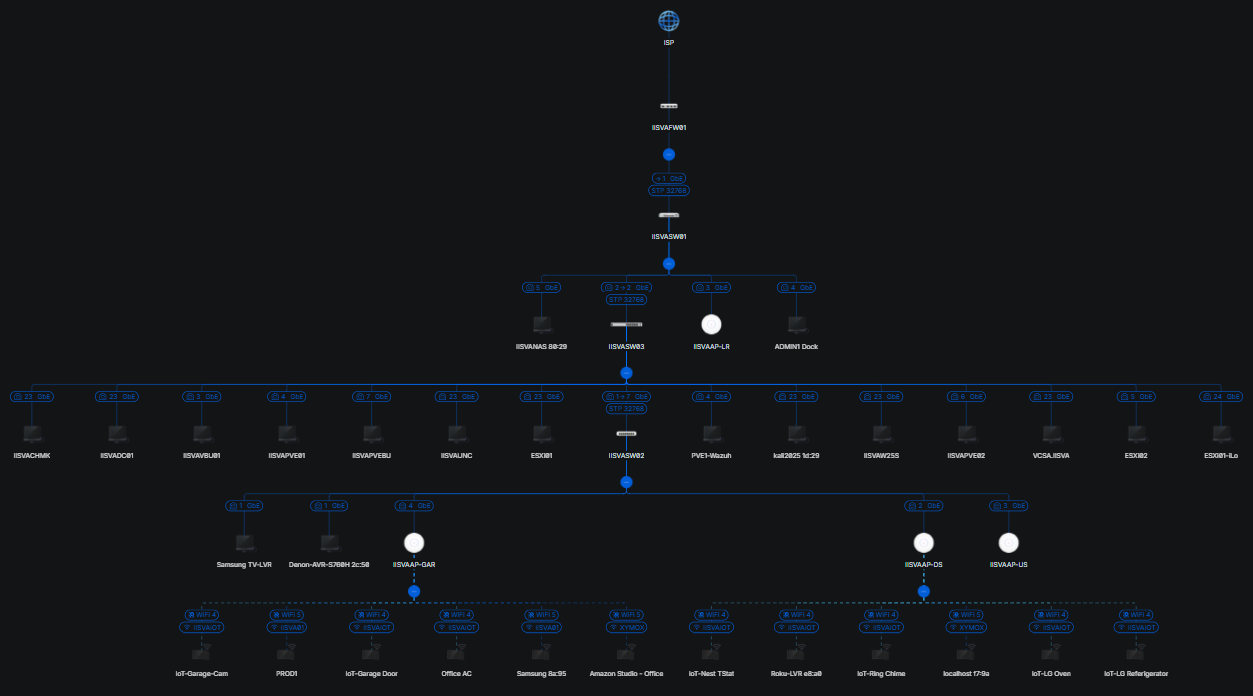
- Topology
- 3 wireless networks
- 4 VLANs
- Isolated IoT and Guest networks
- Separate management VLAN
- Build a media server and play around with some of that stuff
- Expand the Proxmox VE cluster
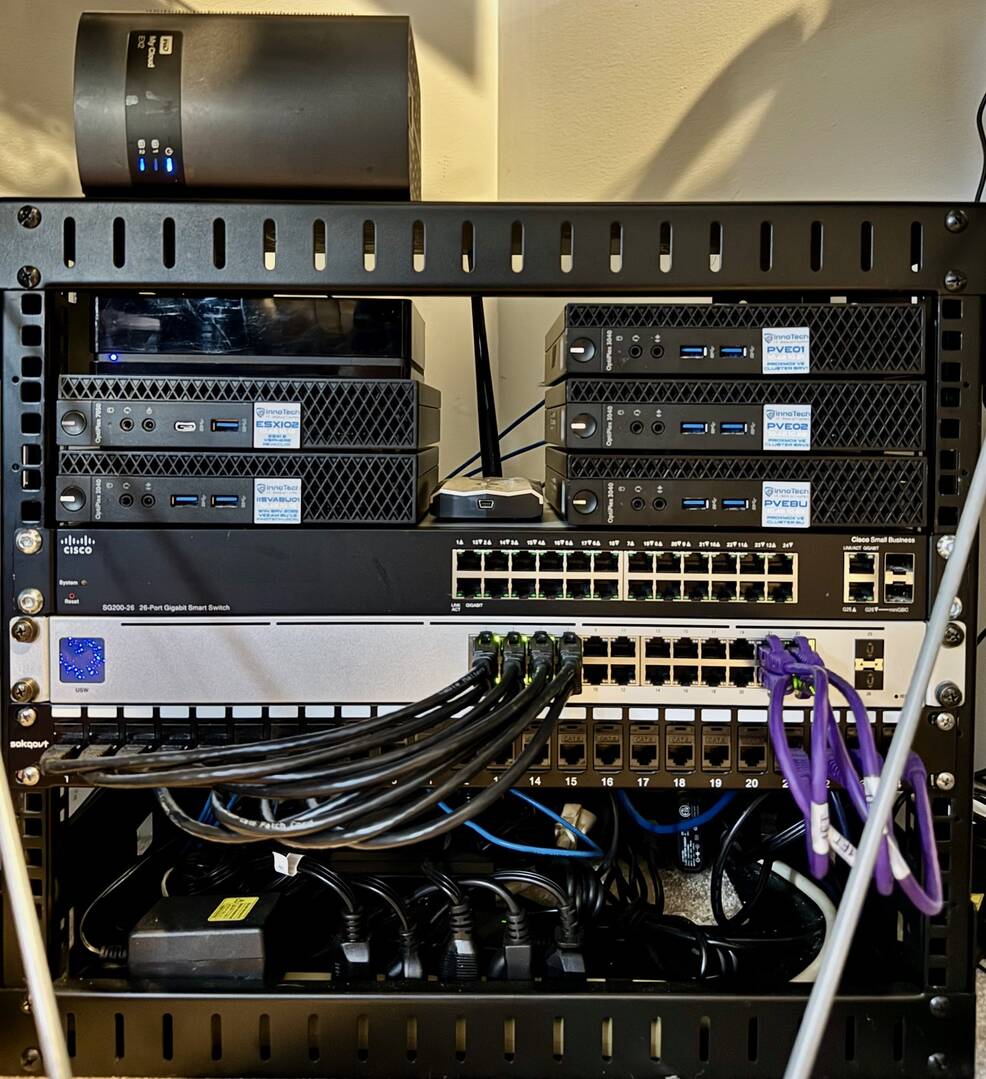

I'm at the beginning of my home lab journey so here is my humble setup.
Network:
Tp-Link BE9300
Cisco 2960X-48P
Cisco 1921
Cisco 3560CX
Gl.inet PEO KVM
2 x Cisco 9120E APs (One running as an embedded WLC)
Server (if you can call it that):
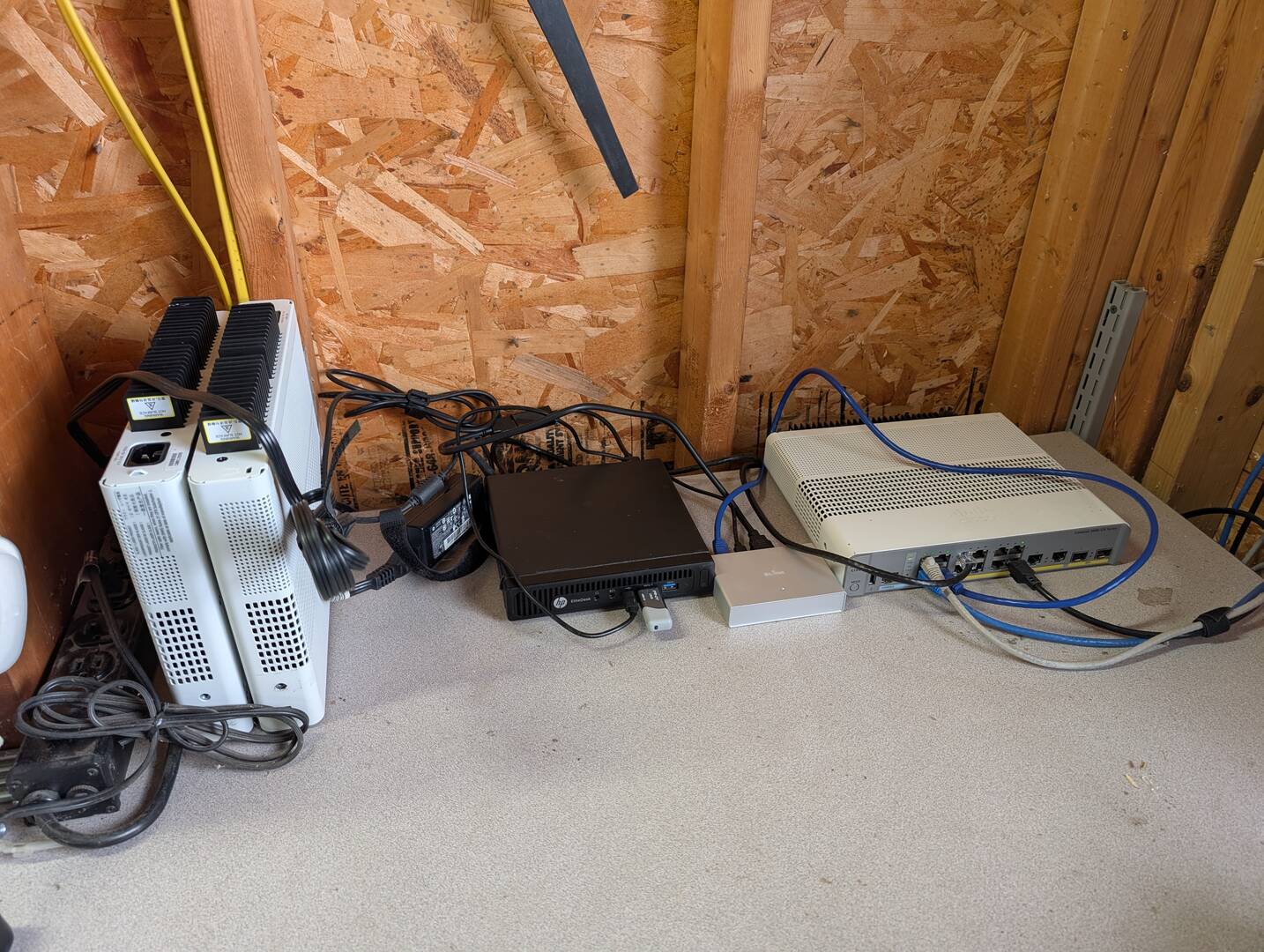
HP EliteDesk running Proxmox and a single Debian VM to host Technitium for DHCP and DNS across three subnets
This all started as a way to add a couple of Reolink camera in the house. That gave me an excuse to run Cat6a through out my whole house and add in the 2960X to run it all. Then I figured I had a good setup to keep building on so I added an old 1921 router from our scrap pile at work to bridge my home network and my tiny lab. From there I cleared some space in the garage with the intention to move most of my lab gear to. I'm running an Omada wireless bridge between my house and garage which connects down to my 3560CX. This is also where I have my proxmox "server" and my AP's for testing. I really just wanted a place to play that was similar enough to my work environment that I could break stuff and not be worried about it. I still have a long way to go but its already proving to be very useful.
Upgrade plans for 2026 will be to secure a older Dell tower server to replace my current "server" and then have the ability to host several other VMs for Cisco CML, some IPAM service and some form of network storage.