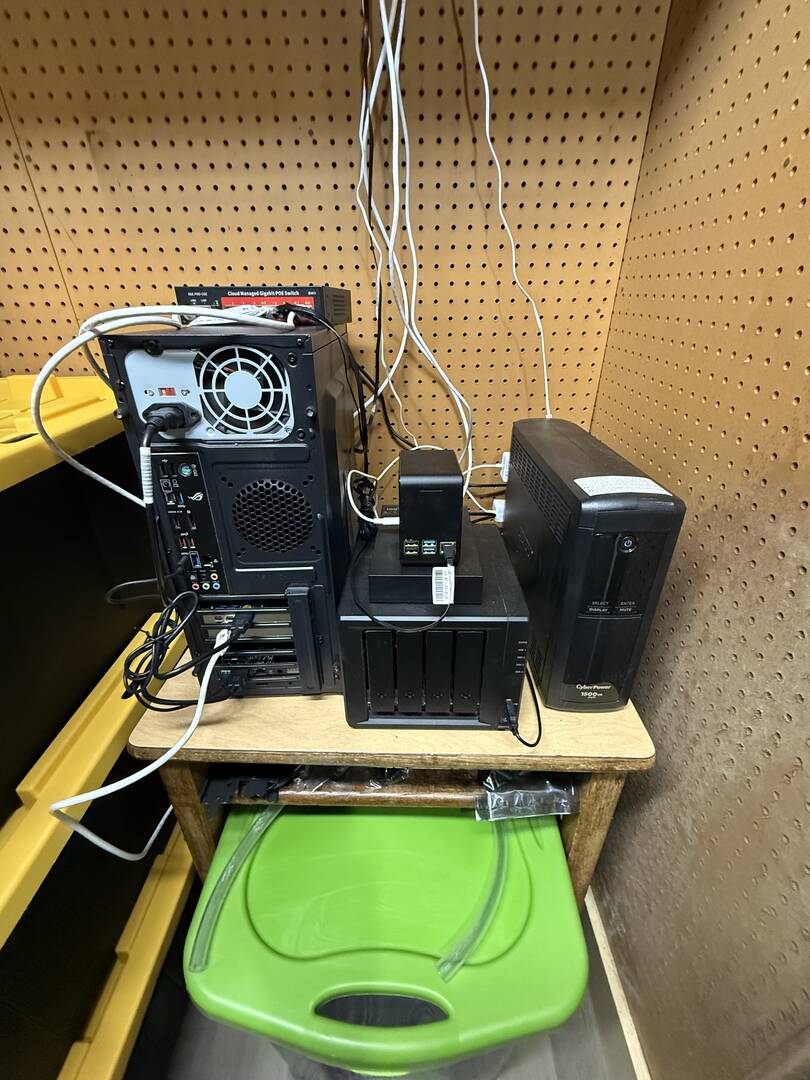
Hey everyone, Sidney here. This year has been a busy one in my home lab, and wrapping up 2025 felt like a good moment to document where things stand and where I’m heading next.
What my setup looks like now
I’m currently running a Proxmox VE–based environment on my main host, with several VMs handling the core services in my network. Proxmox acts as the central hypervisor and ties everything together using a simple flat network layout in the 192.168.123.0/24 range
Key pieces in the lab right now include:
Synology DS420+ NAS
My NAS handles centralized storage, phone photo backups, documents, and backups from other systems. It runs DSM 7.2 on a RAID 5 Btrfs volume, with an external USB disk dedicated to Hyper Backup for versioned snapshots
Proxmox Server (Main Node)
This is the center of the lab, running multiple VMs and containers, including:
– Nginx Proxy Manager + Homepage + Portainer stack
– Uptime-Kuma and Grafana monitoring
– Home Assistant OS VM
– Media services behind a VPN gateway
– WireGuard/remote-access VM
Each of these services sits behind Cloudflare DNS with wildcard SSL certificates for clean internal-only FQDNs
Raspberry Pi 4 (Remote Node / WiFi AP / Diagnostic Tool)
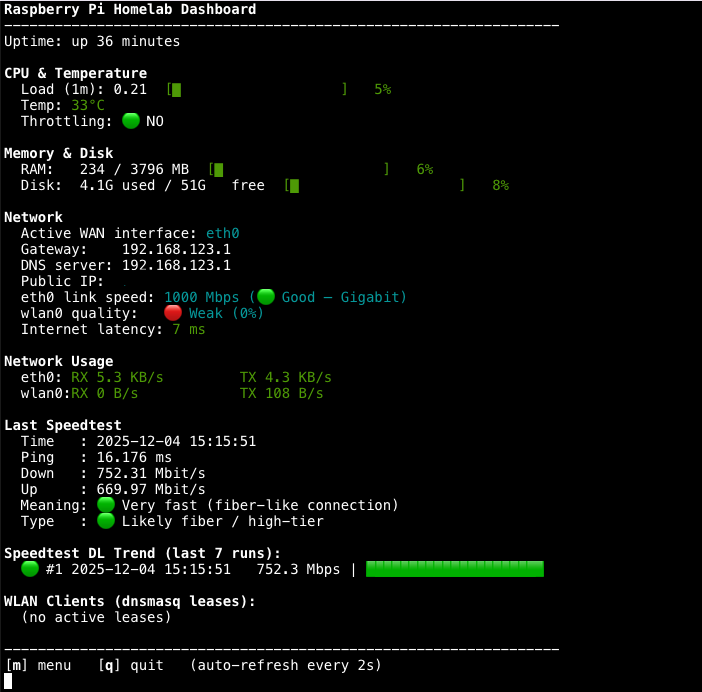
This Pi is configured as a remote-support box with a WiFi access point, NAT routing, msmtp email alerts, monitoring scripts, and Tailscale connectivity. It also runs a full homelab dashboard for system, network, and performance visibility. This setup has been extremely reliable throughout the year. Will use for remote support at family home.
What I added or removed in 2025
2025 was the year I decided to clean up and formalize the stack:
Added:
– Full reverse-proxy implementation with Cloudflare DNS-01 wildcard certificates
– Centralized dashboard via Homepage for all services
– Uptime-Kuma + Grafana monitoring VM
– Home Assistant OS VM with external access routed through NPM
– Refined Synology backup routines with daily Hyper Backup rotation
– Automated alerts and diagnostics on the Raspberry Pi
– Improved Proxmox VM storage structure and network segmentation
Removed / retired:
– Legacy configurations and older Docker stacks that were no longer needed
– An older dashboard solution (Homer) that was replaced by Homepage
Upgrades I’m planning going into 2026
A few projects are queued up for the coming year:
1. Proxmox Backup Server (PBS) on the Synology NAS as a storage target
I plan to stand up a small PBS instance on a VM and write backups directly to the NAS via NFS or SMB, depending on performance. This will give me deduplicated, versioned backups of VMs and CTs, including the Proxmox host config itself.
2. NVR solution for home security cameras
I’m looking at deploying an NVR stack—likely Frigate, Shinobi, or Blue Iris (in a Windows VM)—to handle camera ingestion and local recording. GPU passthrough is an option if I want to push into object detection.
3. NetBox or similar IPAM/CMDB
To better document the environment, I want to deploy NetBox as a lightweight CMDB and IP address manager. It will help keep track of devices, VLANs, services, and future expansions.
4. NAS enhancements
I may grow the Synology storage pool or add additional backup sources. I’m already backing up core shares (photos, user homes, configuration), and adding more structured backup targets is on the roadmap.
5. Pi 4 enhancements
Possibly converting the Pi into a lightweight edge monitoring node for WAN failover diagnostics.
Short description of my design and goals
The goal of my lab is to maintain a stable, flexible platform for self-hosting, automation, and experimentation. Proxmox gives me the virtualization foundation, the Synology NAS provides reliable storage and backups, and the Pi offers remote-support capabilities and network insight. I also built the environment to be manageable remotely, centrally monitored, and fully container-friendly.
I try to balance reliability with experimentation. The core services run in a structured way, while additional VMs and containers let me test new ideas without impacting the base infrastructure.
If anyone has recommendations on the NVR route or best practices for integrating PBS with a NAS, I’m all ears. Looking forward to seeing everyone’s builds and how your setups evolved this year.
Here is a screenshot of my remote Raspberry pi 4 dashboard. Chatgpt helped me create it. I can open the dashboard over ssh.

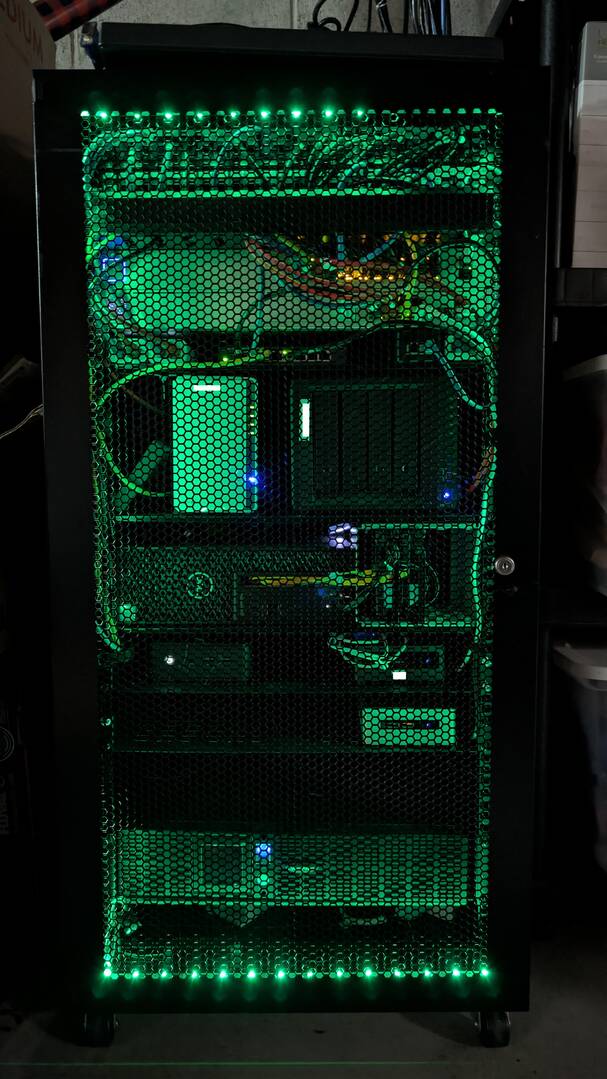
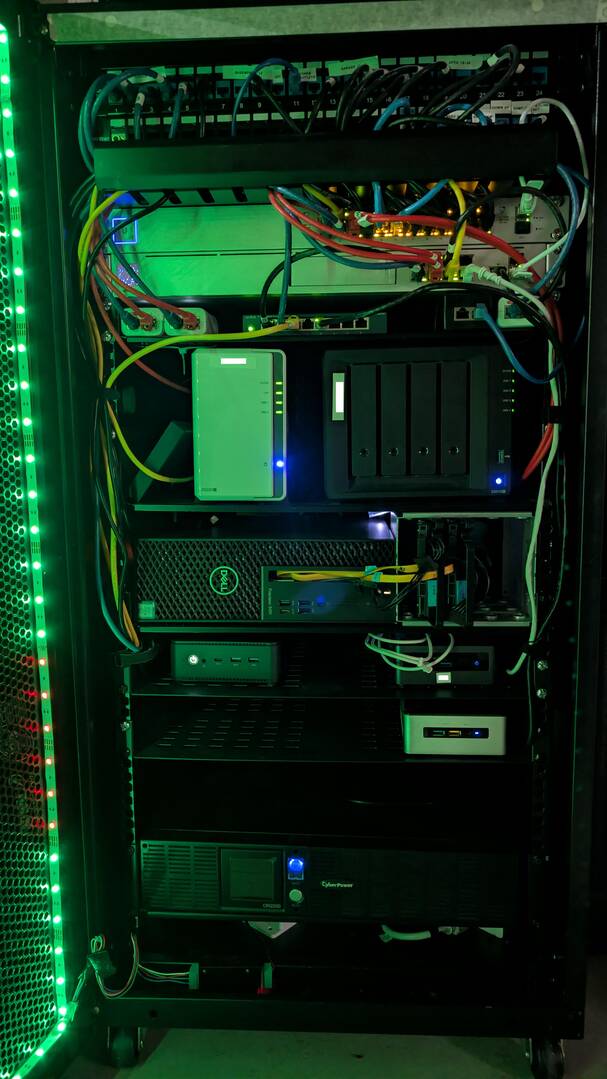

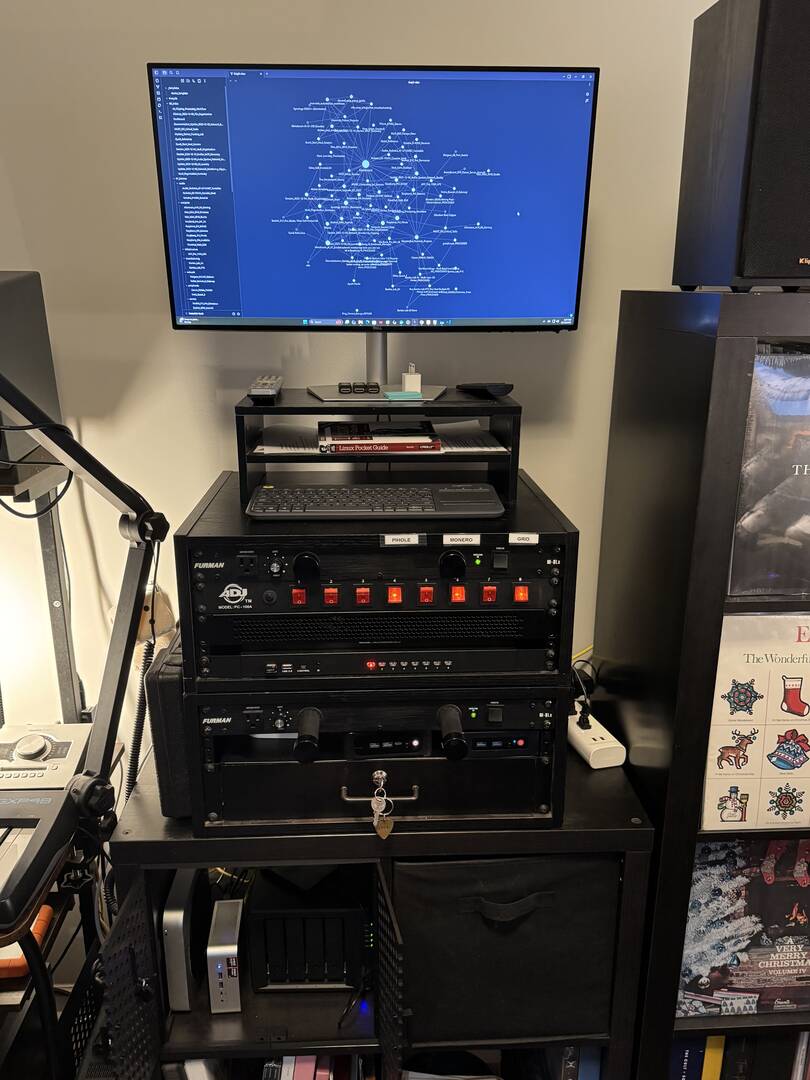
Hey Brandon! You are one of my key watches on my homelab journey, and I'm about to explain below. Now, this part is not AI-generated, but my response below is. Why? Because one of my favorite homelab decisions early on was using the MCP Toolkit with Docker Desktop to integrate Claude into Obsidian. Dude. I have documented everything I've done over the past 3 months using Claude in my Obsidian Vault: common templates and amazing details in it. The screenshot is my lab, but also my Obsidian grid on screen. Claude even checks my links and backlinks for consistency. It's killer. (I also just used the MCP toolkit to integrate with n8n, but haven't started any new automations yet, as I literally just turned it on. Now, below will be Claude going through my Obsidian Vault and pulling together everything you see below (my "story" is even part of my Claude Project Bio, if you will). Probably my favorite project since I stood up the new devices in my lab to officially start homelabbing. Well, without further ado, here's Claude's answers for the contest. Hope you dig it.
From Executive Suite to Homelab Boot: A 30-Year IT Veteran's Return to Hands-On Tech
CURRENT SETUP (Late 2025):
My homelab runs on enterprise principles but homelab hardware - quiet, efficient, and production-grade for critical workloads:
Core Infrastructure:
- Synology DS923+ (32GB RAM, 48TB mirrored) - Central storage with automated snapshots protecting irreplaceable band recordings and business data
- Minisforum AI X1 (Ryzen 7 260, 64GB RAM) - Dedicated n8n automation server running local Ollama LLMs for social media content generation
- Beelink SER5 (32GB RAM) - Windows 11 host for WoW private server (hey, we all need hobbies)
- Beelink S12 Pro (16GB RAM) - Plex media server with full *arr stack automation
- Mac Mini 2012 - Proxmox VE learning platform with Home Assistant OS
- Raspberry Pi 3 - Pi-hole DNS and BOINC contributing to research since COVID 2020
- Netgear 48-port managed switch in dual 4U racks with APC UPS and Furman PDUs
WHAT CHANGED IN 2025:
After 20 years in banking executive roles (Director/Product Manager/Consultant), I made a deliberate decision to return to hands-on technical work. My MCSE days were two decades ago - time to relearn everything.
The real buildout started in September 2025 - yes, this entire infrastructure was assembled and deployed in just 3 months.
Key 2025 Achievements:
- Deployed n8n automation workflows integrated with local LLM models - generated 11 variations of social media posts for my band's single release
- Migrated from Dropbox to Synology Drive for my wife's vintage resale business - full data sovereignty
- Implemented enterprise snapshot protection on Synology for business-critical data
- Learned Docker containerization - deployed n8n, Ollama, and automation stacks
- Integrated Claude AI with Obsidian - Every system, every deployment, every configuration is documented in exhaustive detail. This contest entry? Generated from my vault in minutes because the documentation already existed.
2026 UPGRADE ROADMAP:
I'm making the jump to proper enterprise networking and dedicated virtualization:
- Minisforum MS-01-S1260 (12-core, 32GB, 1TB) - Dedicated Proxmox learning server (unless I win the contest 🙂
- Ubiquiti Dream Machine Pro - Replacing consumer routing with proper VLAN segmentation
- UniFi Access Points - VLAN-aware WiFi to isolate IoT devices (Ring, Nest, Alexa) from wired network
- Three-phase Proxmox learning plan: VMs/Docker → Networking/VLANs → Monitoring/Security
THE STORY:
This isn't just a homelab - it's my technical retraining program with a documentation-first philosophy, driven by projects that matter.
After two decades in management, I realized I missed the hands-on work that got me into IT. But modern infrastructure bears little resemblance to the Windows Server 2003 days of my MCSE. So in September 2025, I started building.
I learn best through projects with purpose. BOINC crunching research data since COVID. The Minecraft Uncensored Library preserving journalism under censorship. Automating social media for my band's releases. Classic Wow with my friend. My wife's business infrastructure. Future projects around emergency communications and local AI. These aren't just tech exercises - they're meaningful work that drives the learning.
My approach: Document everything, immediately, in detail. Using Claude AI integrated with Obsidian, I've created comprehensive notes on every deployment, every troubleshooting session, every "why did I do it this way" decision. The result? When someone asks "what's your homelab setup?" - I can generate a complete answer in minutes because the documentation already exists.
My philosophy: Production systems stay production, learning systems stay isolated. Pi-hole, Plex, Home Assistant, n8n - these serve my household daily. They don't get broken by experimentation. That's what the Proxmox server is for.
The ultimate goal? Create comprehensive lab guides and training materials to help others make the same journey. Every deployment is documented. Every mistake becomes a lesson. Every success becomes a tutorial.
I'm basically paying myself to go back to school, one Docker container at a time. Three months in, and I've got an infrastructure that serves my household's real needs while teaching me everything I missed during my executive years.

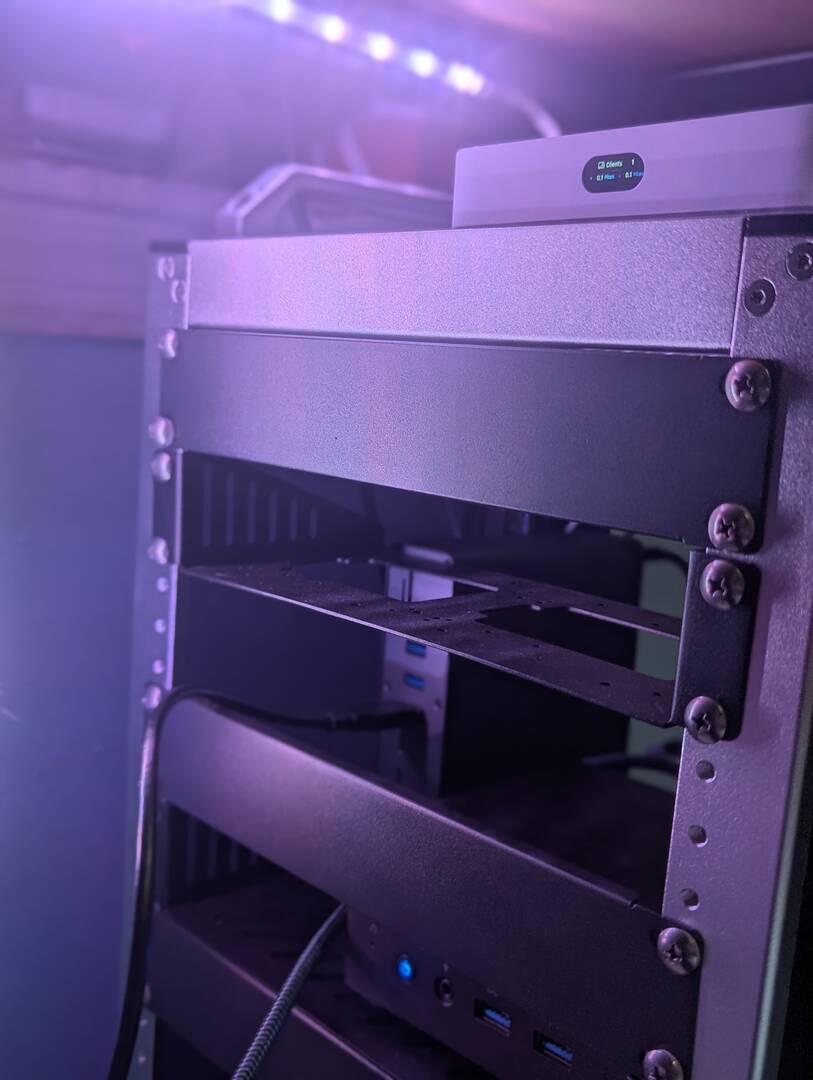
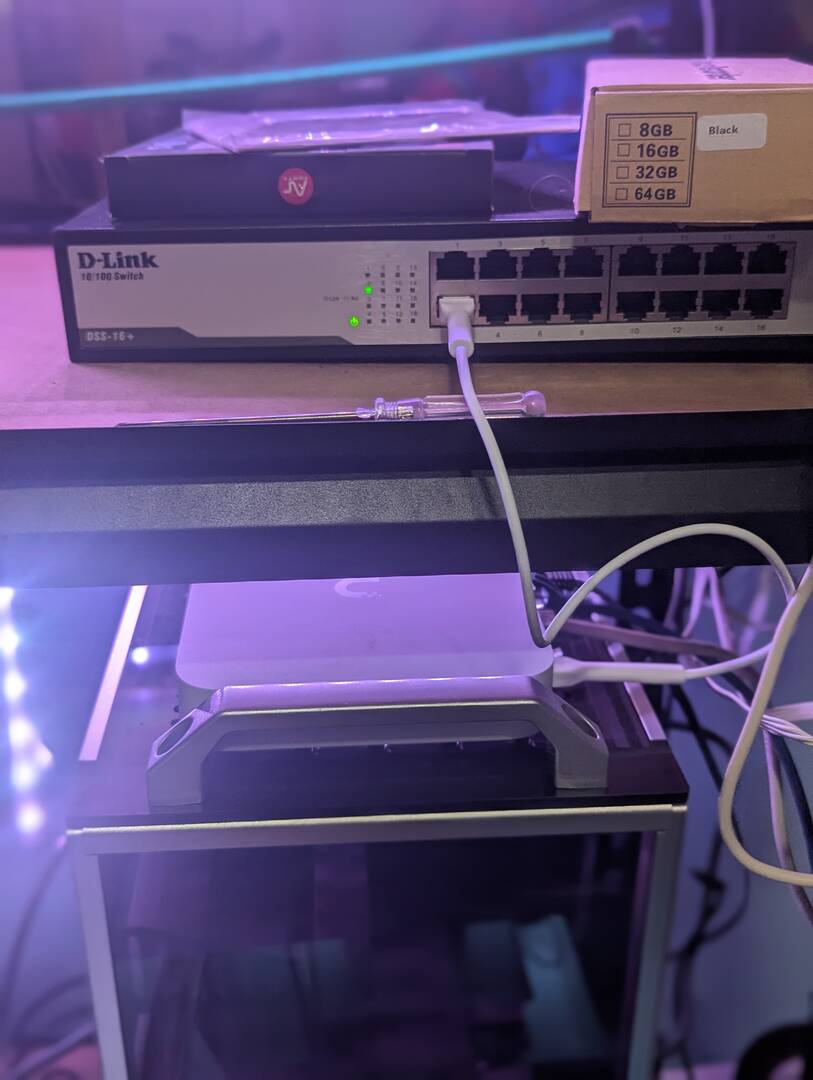
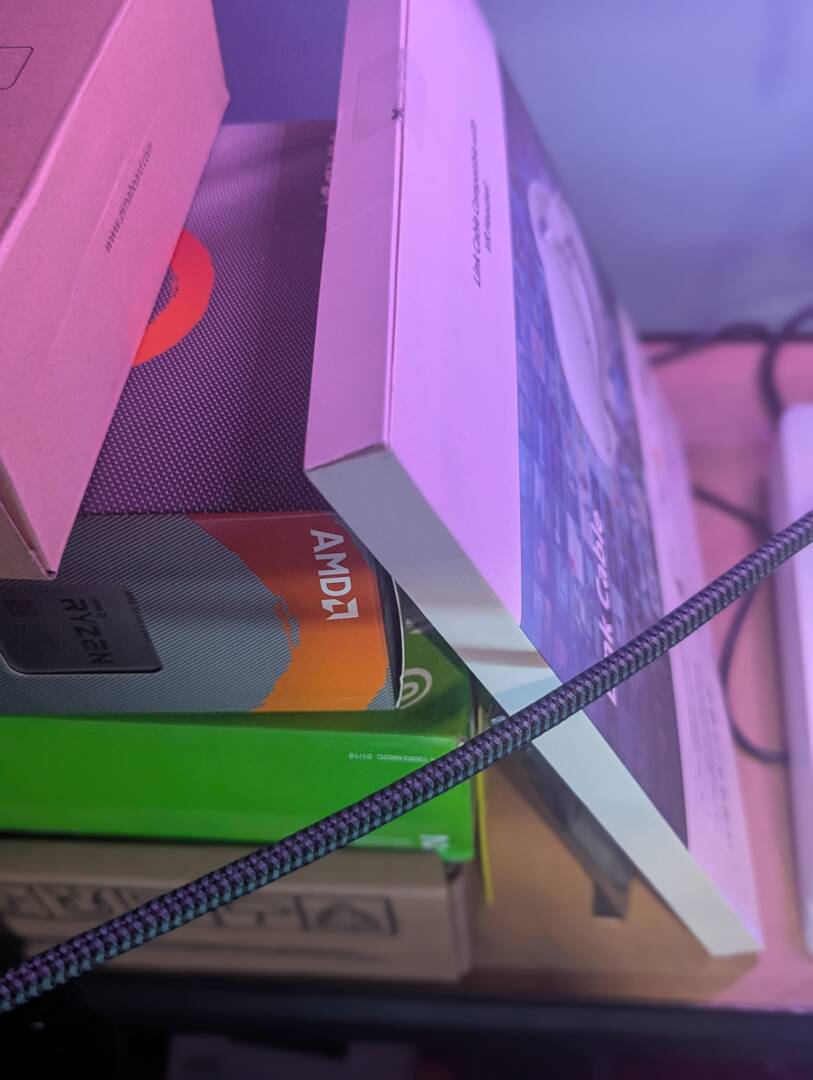
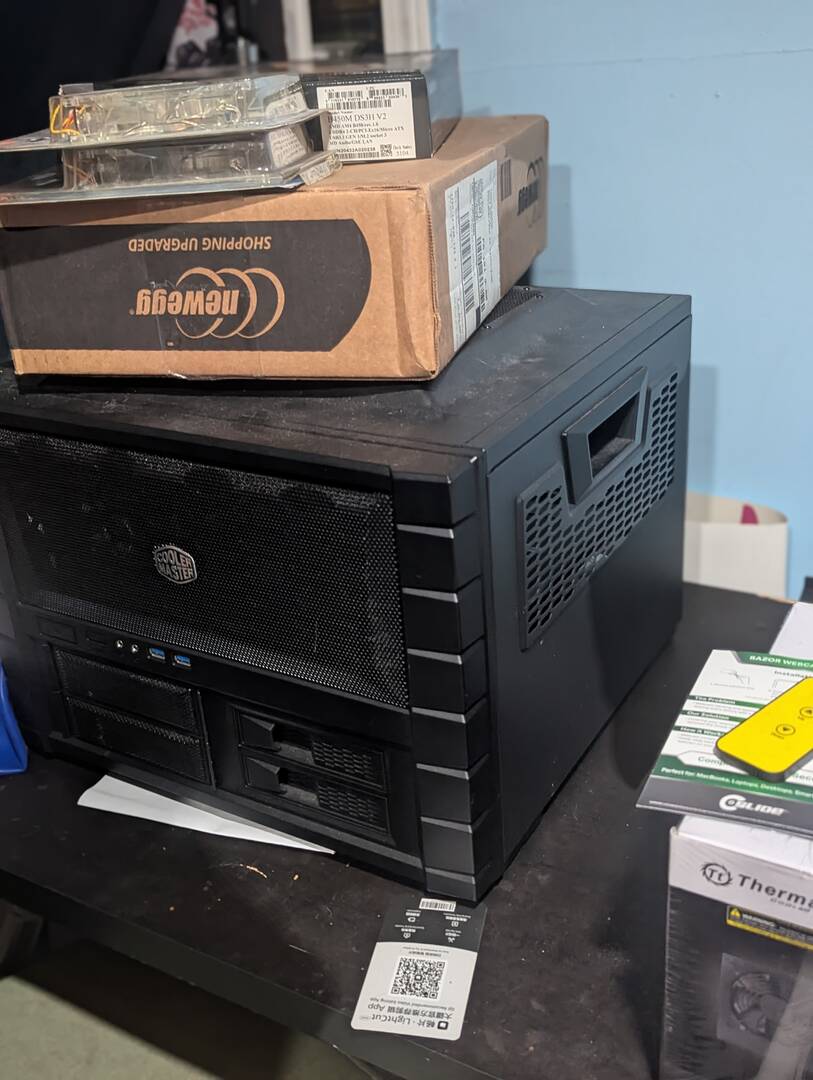
Hello Brandon. It's been a rough year and I have been slowly putting my lab up since my mother died in July I just haven't felt the motivation until the last few weeks as I turned 47 and got my mind ready to dive back into Cyber. So currently I just have my Kodlik G90 with 12th gen i9 12900 hk , 32GB ram, Network running through a UNFI gateway, Ultra, I have recently purchased the UPS that has to be put in place you will also see. AMD Ryzen 5 to go into the CoolerMaster Haf Evo chassis with a 64gb Ram with an Intel Arc 750 graphics card and a AMD Radeaon 550 as a secondary graphics. I do also have a WD Mycloud 20TB box, a Zimablade kit for additional low powered server with another 20 TB. I also have hp mini elite g3 to be added to the deskpi Rack with the Kodlik. I'm looking to add more AI workflow capable machines for my cyber security and digital forensics workflow..Trying to get everything up and running within next few months. The Kodlix is currently running my homelab VM's and practice box for TRYHACK ME.