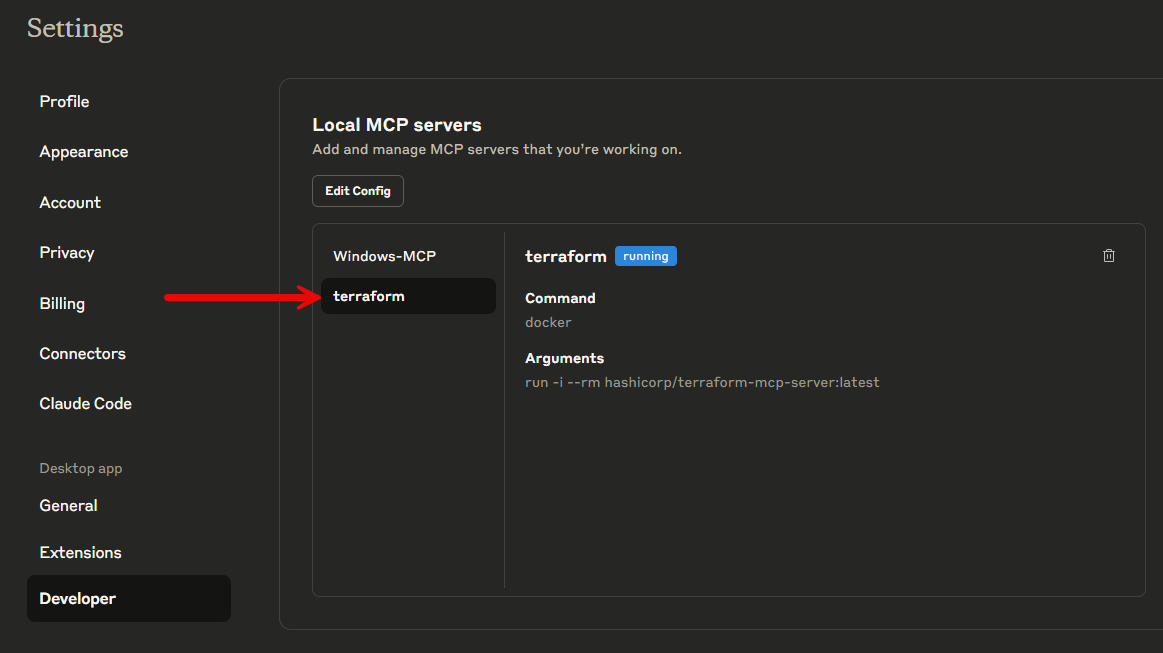
I have been experimenting with a lot of MCP servers lately. How about you? One of the interesting ones I wanted to add was the Terraform MCP server since I work with a lot of Terraform code. You can easily add this to your Claude Desktop environment with just a simple file edit.
However, you will need to have Docker installed and running locally. In Windows I am using Docker Desktop to spin up the local Docker container. Just make sure you have Docker running and healthy before working with the Terraform MCP server.
In Windows, navigate to "c:\users\<your user>\AppData\Roaming\Claude\claude_desktop_config.json" and edit this file. Add the following code to the file and save it.
{
  "mcpServers": {
    "terraform": {
      "command": "docker",
      "args": [
        "run",
        "-i",
        "--rm",
        "hashicorp/terraform-mcp-server:latest"
      ]
    }
  }
}
Exit out of Claude desktop and make sure you exit out in the task tray as well as it will keep running in the background by default. Now, relaunch Claude Desktop.
In Docker Desktop, you should see the following container launch:
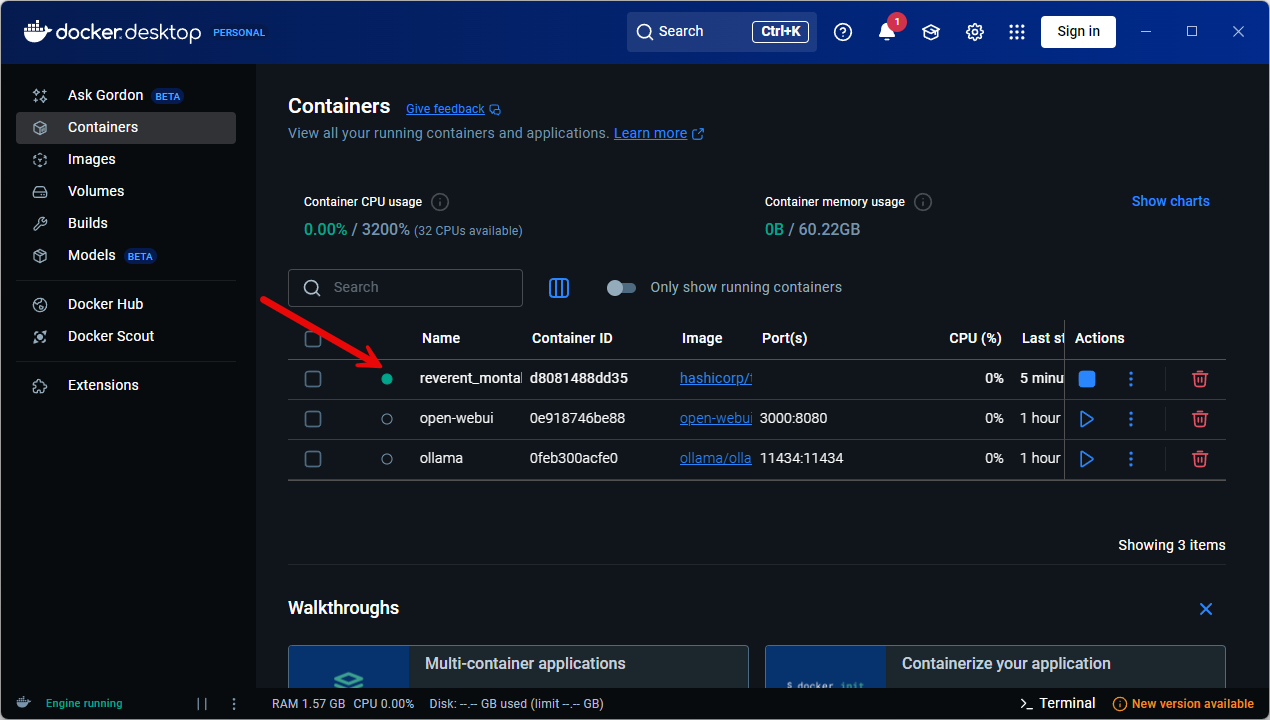
Also, if you navigate to Claude > File > Settings > Developer you will see the following: