Skip to content
  • YouTube
  • Twitter
  • LinkedIn
  • GitHub
  • Facebook
  • Discord
  • Pinterest
  • Google Profile
  • BlueSky
Vht logo redesign 2025 2

Virtualization Howto

Virtualization, Cloud, DevOps, Reviews

Search
Subscribe Subscribe
  • Forum
  • Home Lab Kits
  • DevOps
  • Virtualization
    • Proxmox
    • VMware
    • Hyper-V
    • XCP-ng
  • Containers
    • Kubernetes
  • Mini PC & Server
  • Home Lab
    • My Home Lab
    • Nested ESXi Lab
    • Proxmox Build 2025
  • About
    • Contact
    • Disclaimer
    • E-books
    • Podcast
    • Privacy
  • Newsletter
  • Sign In
  • Premium
Random

Category: vSphere 6.5

VMware vSphere 6.5 Configure Encrypted VMs
vSphere 6.5

VMware vSphere 6.5 Configure Encrypted VMs

One of the new exciting features that was introduced with vSphere 6.5 is the encrypted VMs feature.  Security these days is on everyone’s mind and encryption provides a solution to…

by Brandon LeeNovember 3, 2016January 11, 2021
vCenter 6.5 new HTML5 VAMI UI interface
vSphere 6.5

vCenter 6.5 new HTML5 VAMI UI interface

Actually, to be correct, the new HTML5 administrative interface for the new vCenter 6.5 appliance is no longer called VAMI but rather the vCenter Server Appliance Management or VSAM UI.…

by Brandon LeeOctober 28, 2016January 11, 2021
VMware vSphere 6.5 announced download
vSphere 6.5

VMware vSphere 6.5 announced download

Recently, at VMware World Barcelona 2016, the much anticipated announcement of the next version of vSphere was released.  Excitement certainly builds for the availability of this new version of vSphere…

by Brandon LeeOctober 21, 2016January 11, 2021

Posts navigation

Newer posts

Keep exploring

  • What’s New With VMware vSphere 6.5 update 3 Features
  • Configure VMware vSphere Encryption Key Management Server Cluster
  • Hytrust VMware Virtual Machine Encryption
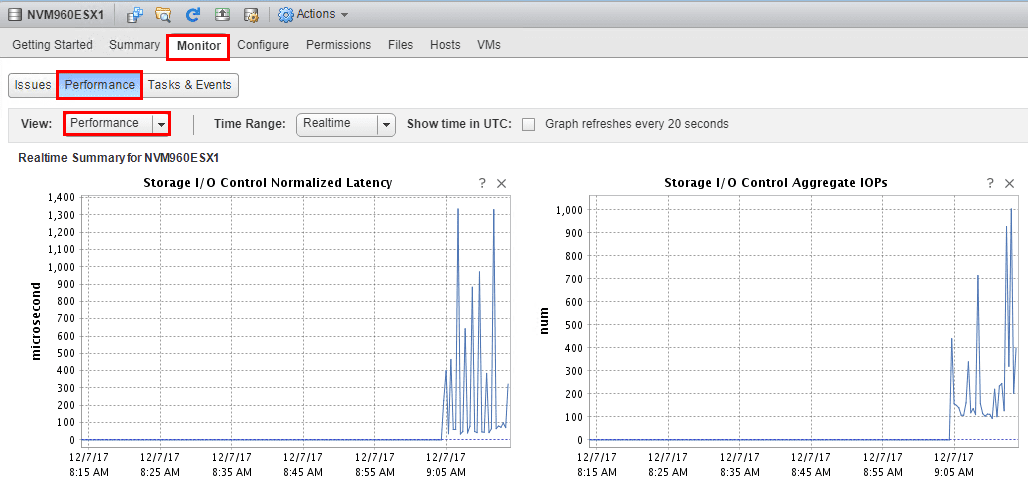
  • Setup and Configure VMware vSphere 6.5 Storage I/O Control
NAKIVO

Copyright © 2026 Virtualization Howto

Sign in or create an account

Continue with Google
Continue with Discord

or use email

New or returning — enter your email to sign in or create an account.

Create a password

At least 8 characters.

Your account has been registered. We've sent you a welcome email — please check your inbox and spam folders.

Stay in the loop

Pick where you want updates. You can change this later.

Go Premium

If Go Premium is on, Continue goes to secure checkout. Between the Clouds opens in a new tab only when Premium is off. Site updates are saved to your account.