


It has taken me quite a long time to get my home lab where it is today. You struggle, you learn, you struggle, and then you learn more. This is the mountain all of us are trying to climb. I have wanted to get my home lab to a gitops approach for my self-hosted apps for quite some time and have been working that direction with various infrastructure pieces. However, it wasn’t until this point in 2026 I am finally able to say that I am getting there. So much legacy technical debt I had to change the way I was doing things. For a long time the core of my hom elab was built around Docker. I have had a mix of standalone Docker hosts and also a core Docker Swarm cluster. Honestly it has worked really well. However, in my quest for GitOps Kubernetes was inevitable. So, I moved my homelab to Kubernetes finally. Here is my story and journey getting there looking at docker vs kubernetes home lab.
What pushed me to Kubernetes?
You may wonder, “why inflict that level of pain on yourself”, lol, and you are right for the most part. Kubernetes is not known for being easy and never has been. The biggest driver for me was consistency and automation that we have with Kubernetes that has just not ever worked as well with Docker.
With a lot of pods spread across multiple Docker hosts, I found myself managing a lot of things manually or semi-manually. Even with swarm and plain Docker compose, drift can creep in over time. I did have CI/CD pipelines that were running and pushing things to Docker hosts. But, I couldn’t really say that I “knew” 100% that the app configs I had running were what I had in source.
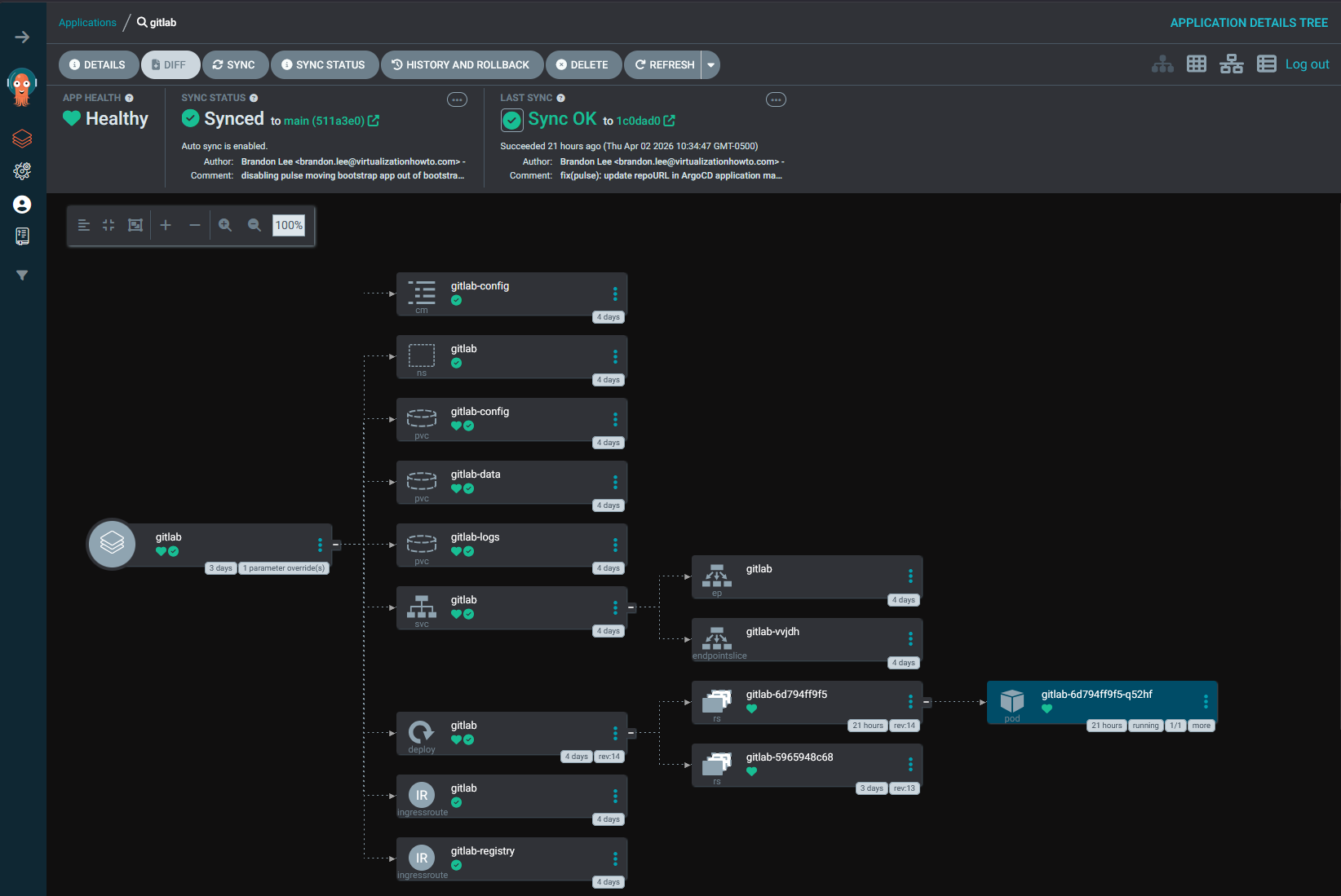
So GitOps was a big factor in running Kubernetes. I had already started experimenting with tools like Argo CD, and Kubernetes really shines in this area. The idea of defining everything declaratively and letting the cluster reconcile state is a completely different mindset compared to traditional Docker management.
And finally for me, there was the learning aspect. Kubernetes is everywhere. If I am going to be building and testing things in the home lab, it makes sense to line the lab up with what is being used in modern production environments.
What I expected going in
Going into this, I had a pretty clear expectation of what I thought Kubernetes would do for me. What were some of those things? I was hoping for the following:
- simplify deployments (yes but)
- improve reliability
- make scaling easier
- reducing the amount of manual work I was doing
And to be fair, it does all of those things. But, I know that (and I always do this), I underestimated the complexity that comes along with those benefits. There is a reason why this type of technology is used to run hyperscale solutions. Kubernetes is a platform that can be used to run things like ChatGPT and other massive scale out systems. So, understanding that going in helps you to level set on expectations. It takes a LOT more work on the frontend to get things working in a way that achieves the benefits that Kubernetes advertises.
Docker is simple by design. Kubernetes is not. That difference shows up immediately when you are just simply trying to deploy a “container”. Where many things are done easily in Docker or for you in a simple Docker Compose file of 20-25 lines, in Kubernetes you have to think about things like:
- Namespaces
- Deployments
- Ingresses
- Serviuces
- Persistent Volume Claims for storage
- Replicasets
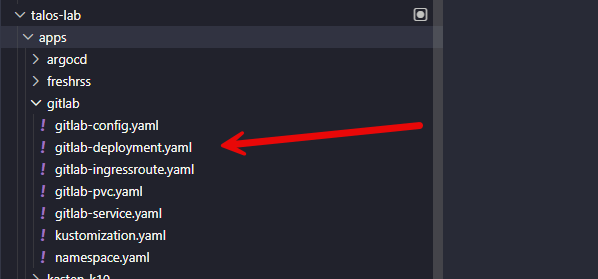
There are others depending on the type of app you are deploying.
Which Kubernetes distribution did I choose?
One of the hurdles with a Docker vs Kubernetes home lab is settling on the right Kubernetes distribution. I decided on Talos, but not until I had gone through testing a few others. Running Talos has drastically simplified things in a sense. I simply treat my nodes as “cattle” because you can’t even SSH to your Talos nodes. Everything is API driven. While this does create some challenges, it is a mindset change that is beneficial which keeps all your nodes identical.
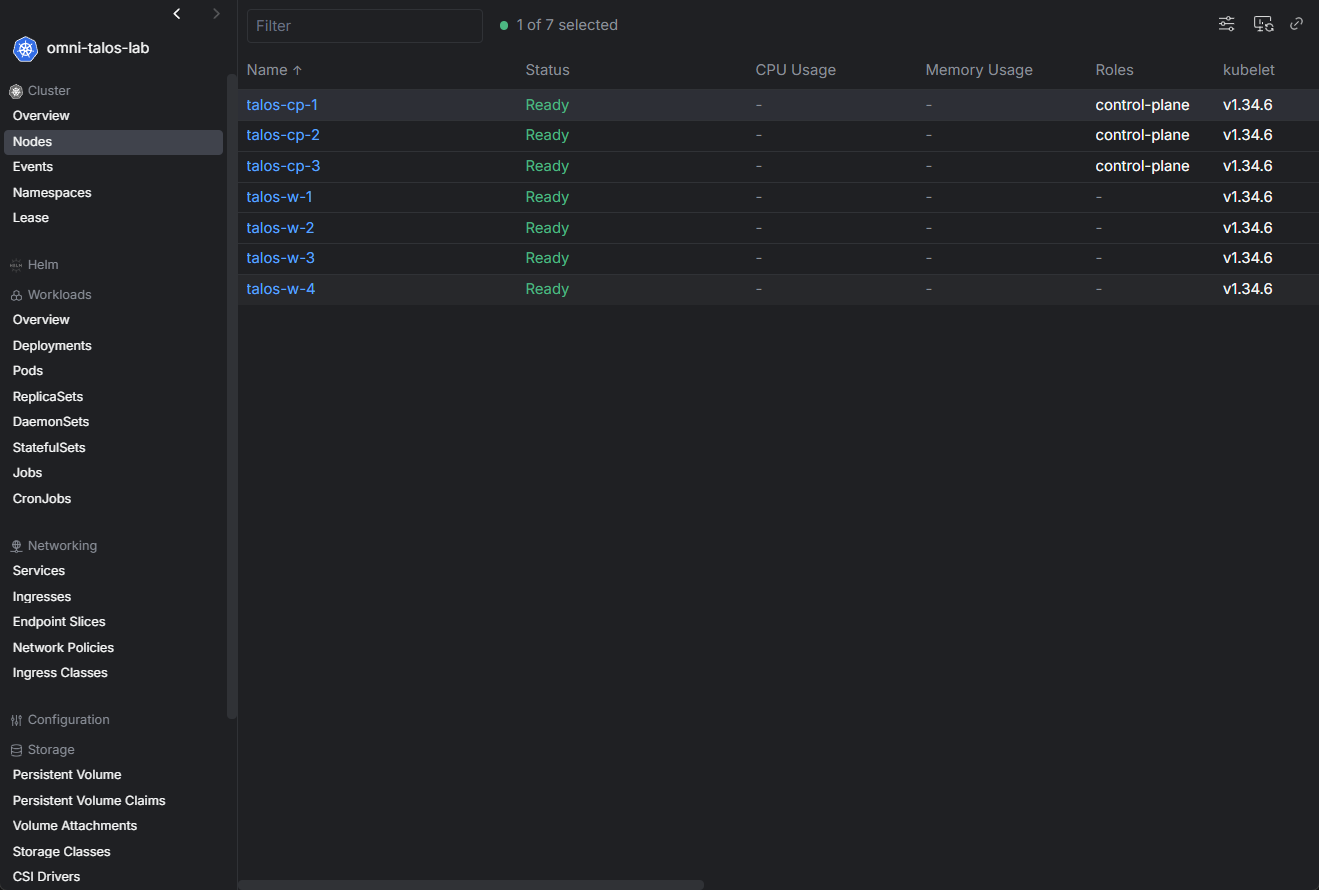
By putting Sidero Omni in the mix (which you can do for free in the home lab) I have full GUI management of my cluster, including lifecycle maintenance operations.
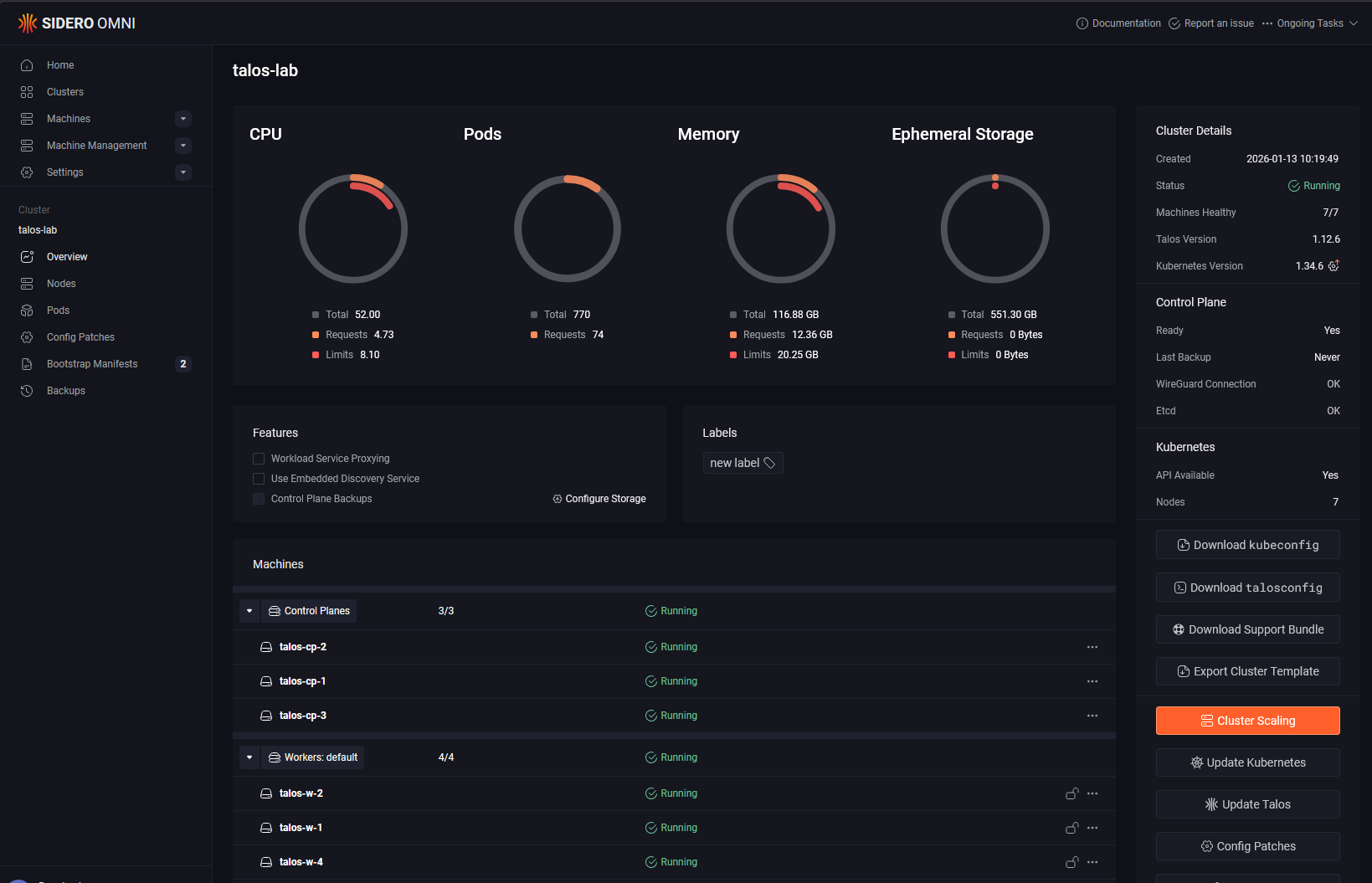
To upgrade all of my Talos Linux “machines” as they call them, I click a single button. To upgrade Kubernetes, I click a single button. Pretty amazing when you think about it.
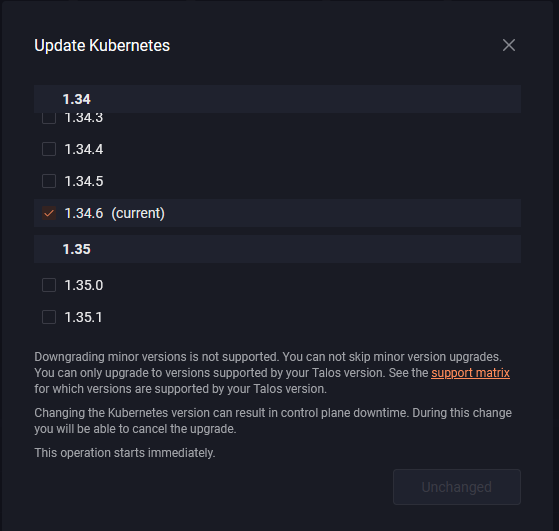
It makes it a no brainer. I highly recommend Talos, but whichever Kubernetes you go with, understand its quirks and how it works before running your production workloads there.
How did I migrate Data from Docker Swarm over to Kubernetes?
This is an interesting one that took some time honestly. I understood my path forward with CephFS. With CephFS you can “see” your files and work with them just like you would with any files on a file system. So migrating from CephFS that I had used with Docker Swarm to CephFS that I had mounted on top of my Proxmox Ceph cluster was easy. It is literally a file copy.
However, if you use native Ceph RBD storage to back your PVCs which you will want to do with workloads like PostgreSQL, this is “block” storage so you can’t just browse the file system like you do with CephFS.
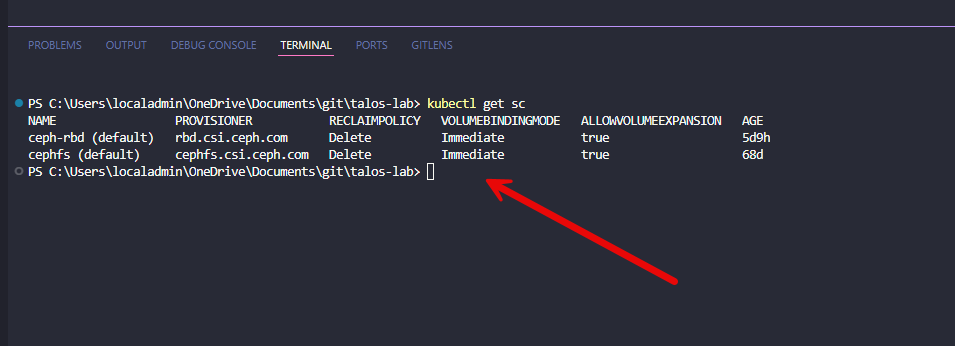
So what I did was created a “migration” pod where I mounted the destination PVC of the pod that I was hydrating over from Swarm. Then just simply SCP’ed the files from the source file system from one of my Swarm hosts. So not too hard.

Do keep in mind that it will depend what type of workload you want to run to choose the type of storage. Some storage types are ReadWriteOnce, while others are ReadWriteMany. CephFS is ReadWriteMany, while Ceph RBD is ReadWriteOnce. This also comes into the picture.
There are some things that are overwhelming at first
There are definitely things when looking at a Docker vs Kubernetes home lab that are overwhelming, just trying to get your “bearings” about where to look and what is what. With Docker, if something breaks, you usually know where to look. Logs are straightforward, networking is pretty simple, and the mental model I think is easy to understand.
With Kubernetes, there are WAY more layers to go through. You are dealing with pods, deployments, services, ingress, storage classes, and controllers. When something does not work, the issue could be in any one of those layers. That does not mean it is worse, but it does mean you need a different troubleshooting approach overall in the lab.
In Docker, networking is usually very predictable. In Kubernetes, especially with different CNI plugins, there are more moving parts. Understanding how traffic flows between pods, services, and external endpoints takes time. But, managing Docker Swarm will at least get you familiar with this idea since some of the concepts like overlay networks are implemented here as well.
Storage was probably the biggest shift. In my environment, I am using Ceph for storage. With Docker, I could mount volumes directly and be done. With Kubernetes, everything goes through persistent volume claims, storage classes, and the CSI driver. So, WAY more complexity there.
Comparing what got easier vs harder
Here’s the simplest way I can break down a Docker vs Kubernetes home lab and what actually improved and what got more complicated after moving to Kubernetes:
| Area | What got easier | What got harder |
|---|---|---|
| Consistency | Declarative configs and GitOps workflows | More abstraction layers to understand |
| High availability | Automatic rescheduling of workloads when nodes fail with no manual intervention | Requires proper configuration and you need to understand scheduling behavior |
| Scaling | Easy to scale applications by adjusting replica counts | Scaling introduces more components to monitor and manage |
| Ecosystem | Huge ecosystem of tools for monitoring, ingress, automation, and other things | Tooling choices can be overwhelming and add complexity |
| Complexity | More standardized way to define and manage applications once learned | More moving parts like pods, services, controllers, and storage layers |
| Troubleshooting | Better visibility with tools like kubectl and events once you know where to look | Issues take longer to diagnose due to multiple layers and components |
| Resource usage | More efficient workload distribution across nodes | Higher overhead from control plane and supporting services but still very efficient |
| Workload fit | Great for distributed and scalable applications | Not all applications benefit, some are simpler and better suited for Docker |
What would I do differently?
Of course, just about the same with any project I have tackled, I can always find things that I would do differently. So far I am very pleased with how my cluster has turned out and things are running very smoothly.
One of the first things I would change is making sure I had my storage lined out from the start before I dove into running workloads in my Kubernetes cluster. From my recent blogs you know that I had used consumer NVMe drives from the start of building my Proxmox cluster with Ceph. This changed when I went to enterprise drives.
By doing things this way, I caused myself a lot of pain that I wouldn’t have had otherwise. So, do yourself a favor and take your time. Get your storage configured like you want it before starting to run workloads for “production” home lab on there until you do.
Comparing Docker and Kubernetes for home lab
There will always be comparisons out there comparing Docker with Kubernetes in general. I think for a home lab, there are a lot of benefits, but these come with tradeoffs that you’ll want to understand going in. Here are just a few I have noted when comparing the two.
| Scenario | Kubernetes is a good fit | Docker is a better fit |
|---|---|---|
| Learning goals | You want to build skills that will absolutely be useable for cloud native and modern workloads | Still great to learn and is a stepping stone to learning Kubernetes |
| Environment size | You are running multiple services across multiple nodes | You are running a small number of services on one or a few hosts |
| Deployment style | You want GitOps and declarative workflows | You prefer simple, manual or Compose-based deployments |
| Availability needs | You care about high availability and automatic failover | You are okay with manually restarting or managing services |
| Automation | You want built-in automation and self-healing behavior | You prefer lightweight control with minimal automation |
| Complexity tolerance | You are comfortable managing a more complex platform | You want something simple and easy to manage |
| Flexibility vs simplicity | You want maximum flexibility and scalability | You value speed and simplicity over flexibility |
Wrapping up
Moving from Docker to Kubernetes in the home lab is not the easiest thing you will do. It definitely can be filled with many frustrating hours of time and tinkering where things just don’t work. But it seems like once I got the issues ironed out, it has been amazing. Kubernetes brings a lot of power in its capabilities. It allows you to have consistency, scalability, and a platform that is ran for most modern workloads on-premises or in the cloud. But do know that it comes with a lot of complexity. You don’t be able to just run a docker compose up -d and expect everything to just start running. There are many more parts and pieces. So don’t think you will ever choose Kubernetes because it makes everything easier. But, you choose it because it will level up your ability to run infrastructure in a modern GitOps way. What about you? What do you think about a docker vs kubernetes home lab?

Google is updating how articles are shown. Don’t miss our leading home lab and tech content, written by humans, by setting Virtualization Howto as a preferred source.
About The Author



I appreciate the article and the detail. Its especially good how you approach this from a pros/cons perspective. Often people either love or hate kubernetes. It really is more of a story of trade-offs – what benefit at what cost. It’s good to understand your why before embarking on a journey like this. Having said that, your why confuses me. You moved from Docker to Kubernetes for GitOps. Docker has the same ability so I’m struggling to understand why you switched to Kubernetes primarily for GitOps. Is there some particular benefit to kubernetes and is it worth the learning curve versus learning to apply GitOps to Docker?