All of us use Docker compose extensively in our home labs to run containers and self-host services. I love it. It is THE way to deploy your containers when you are running Docker and it works with Swarm (albeit with a few tweaks) for Swarm services. Infrastructure as Code is also the way to get into storing your configurations in code. However, when you want to get into GitOps, the direction is always Kubernetes for that. Then I came across doco-cd. Could this be the Docker compose GitOps tools we have been waiting for? Check this out.
The problem that most Docker Compose setups have
Docker Compose is simple, and that is exactly why it is so popular. We all know the drill. We define our services in a YAML file, run a command, and everything comes up, even multiple containers. No need to load an entire operating system. It is fast, easy to understand, and perfect for home labs. But with this being simple, there is a downside. There isn’t anything in place to enforce the “state” of your Docker Compose file that should be your source of truth.
There isn’t a proactive checking of whether what is running on your Docker container host matches what is in your compose file. Nothing is watching your Git repo and applying those changes automatically. Everything depends on you remembering to run the right commands at the right time.
Now we can drive things from a CI/CD pipeline, but once the pipeline runs and deploys the Docker Compose, again, there is no proactive check later to make sure someone hasn’t changed something locally and this be automatically remediated and aligned back with the repo.
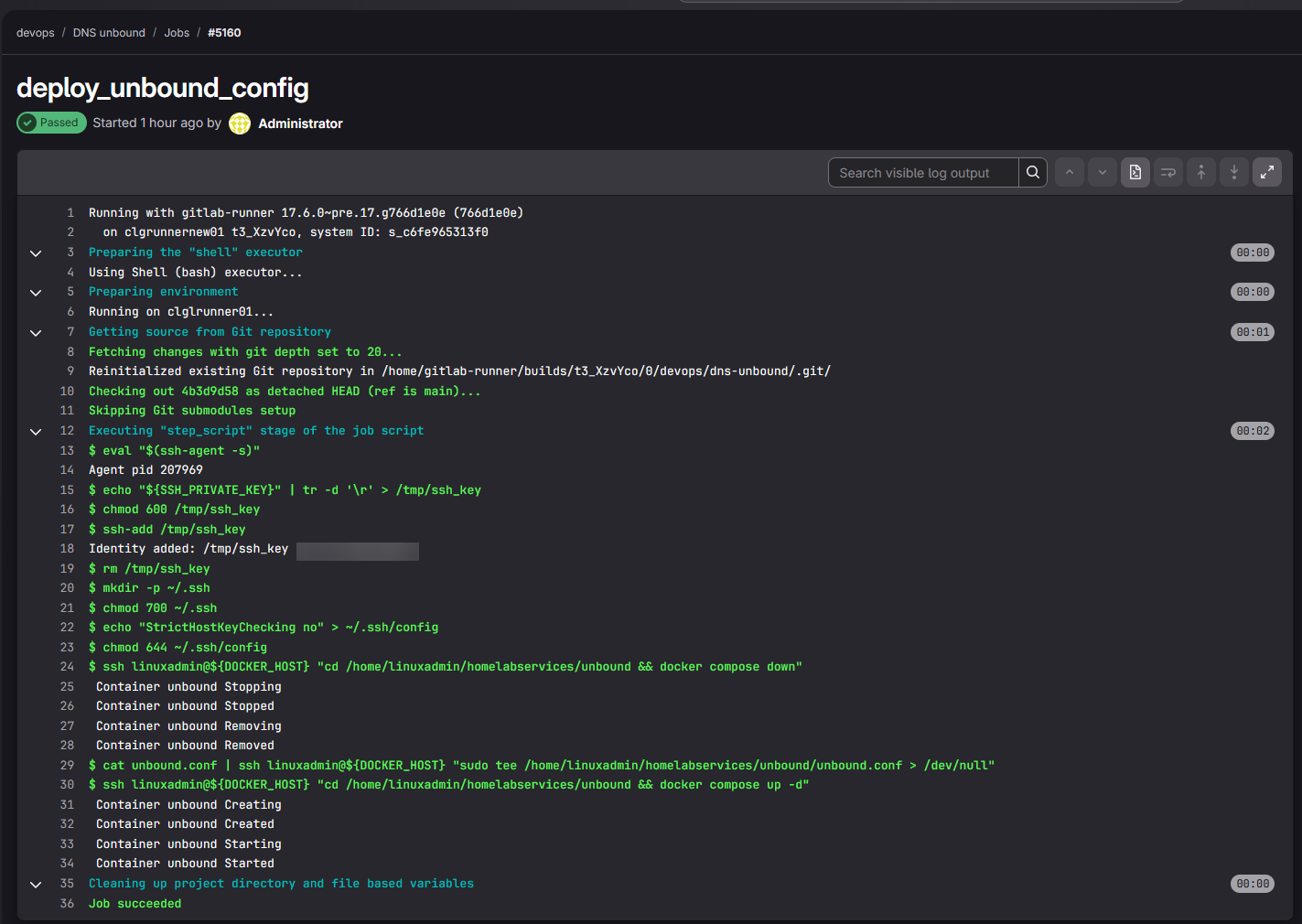
That leads to several issues like:
- Config can drift between what is running and what is in Git
- Manual updates to the containers are not tracked
- Inconsistent environments across hosts
- There isn’t a clear deployment history
Many work around this by having good discipline in their labs, scripts that run, or tools like Komodo or Portainer, but it still tends to be a manual process in some ways. This is where doco-cd comes in.
What is doco-cd for Docker Compose?
At the core of the project, doco-cd is a very lightweight deployment engine for Docker Compose and Docker Swarm that makes it where your Compose is driven by Git. Instead of you manually pulling changes and running commands, doco-cd watches your repo and deploys updates automatically if something changes.
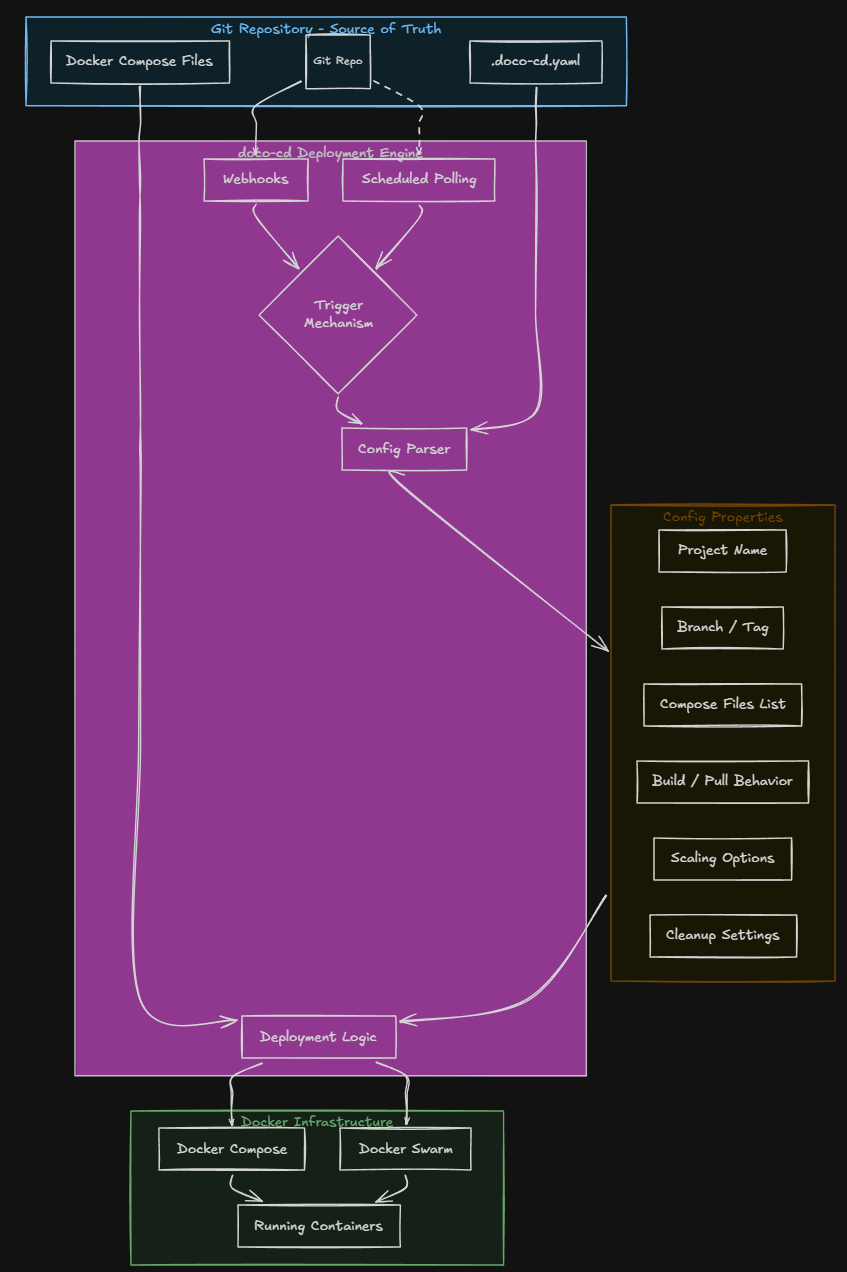
That can happen in two ways:
- Webhooks from your Git provider
- Polling the repository on a schedule
But the benefit that doco-cd brings is that it enforces your Git repo becoming the source of truth for the Docker Compose environment. Also, what is pretty cool is how it handles deployments in your environment.
First, you define a .doco-cd.yaml file in the repo. This is the file that controls how your application is deployed. What is contained in this file? It contains the following configuration and information:
- Which compose files are used
- The project name
- The branch or tag to deploy
- Build and pull behavior
- Scaling options
- Cleanup and destroy settings
An example of what a doco-cd.yaml file might look like below:
name: test-deploy
reference: refs/heads/main
working_dir: test
compose_files:
  - test.compose.yaml
As you can see with the functionality built into doco-cd, it brings your basic Docker Compose setup into something that is much closer to a true declarative system. You are no longer just running containers after introducing doco-cd. You are defining how they should be deployed and maintained.
How does it actually work?
The workflow of doco-cd is pretty simple. As you would expect, you make a change in your git repo. This could be anything like updating an image version, changing environment variables, adding or removing services, or changing volumes or networking.
When you push one of these changes, doco-cd detects it. Then, if you are using the webhook configuration, it reacts almost immediately. If you are using polling, it picks up the changes during its next check, which is configurable in the Docker Compose file for doco-cd.
x-poll-config: &poll-config
  POLL_CONFIG: |
    - url: <your URL>
      reference: main
      interval: 60 #defaults to 180 if you don't set this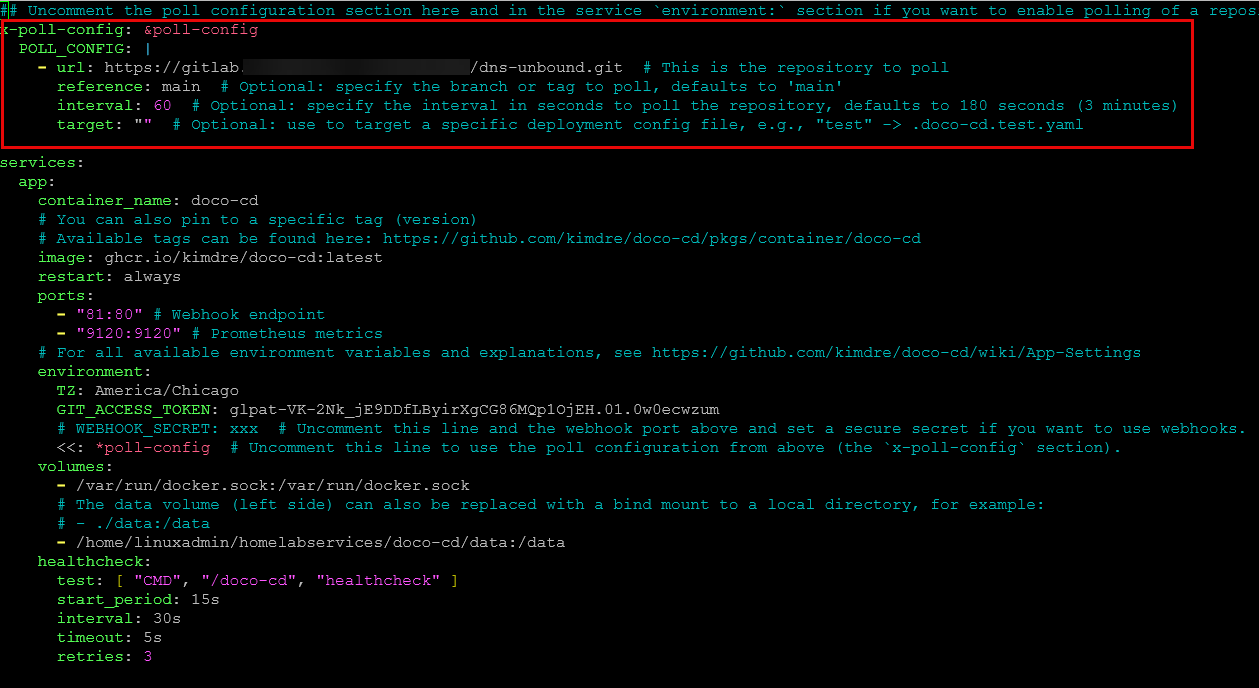
Once the webhook or poll fires, it does the following:
- Pulls the repository
- Reads the .doco-cd.yaml configuration
- Then applies the changes using Docker Compose or Swarm
What I like about this is that it keeps everything in a familiar workflow. You don’t have to scrap Docker Compose. You are still using it with its familiar YAML format. But now your deployments are tied to Git commits instead of manual commands. This gets you much closer to a GitOps approach if you are using simple Docker provisioning for your applications in the home lab or production.
Doco-cd can manage multiple apps at once
One of the things that impressed me about the tool is the support for auto discovery of your applications. If you organize your home lab with one folder per application, doco-cd can scan the subdirectories and automatically manage your multiple Compose projects.
That means you can have a single repository structured like this:
- app1/compose.yaml
- app2/compose.yaml
- app3/compose.yaml
And doco-cd can deploy all of the apps and manage them. This takes a lot of the heavy lifting away if you have a well structured home lab services type folder where you have all your apps stored in a hierarchical layout. This also means, you don’t have to create separate repos for each app, and you do not need to wire up deployments individually for each app stack. It just works based on how your repository is structured.
Installing doco-cd
The official GitHub repo shares the following sample docker compose as a starting point for most deployments. In the top section of the docker compose file, you will see the poll configuration where you can uncomment these and set the values to what you want them to be. Take note this is config at the top of the config file and under the environment section.
## Uncomment the poll configuration section here and in the service `environment:` section if you want to enable polling of a repository.
#x-poll-config: &poll-config
#  POLL_CONFIG: |
#    - url: https://github.com/kimdre/doco-cd.git  # This is the repository to poll
#      reference: main  # Optional: specify the branch or tag to poll, defaults to 'main'
#      interval: 180  # Optional: specify the interval in seconds to poll the repository, defaults to 180 seconds (3 minutes)
#      target: ""  # Optional: use to target a specific deployment config file, e.g., "test" -> .doco-cd.test.yaml

services:
  app:
    container_name: doco-cd
    # You can also pin to a specific tag (version)
    # Available tags can be found here: https://github.com/kimdre/doco-cd/pkgs/container/doco-cd
    image: ghcr.io/kimdre/doco-cd:latest
    restart: unless-stopped
    ports:
      - "80:80" # Webhook endpoint
      - "9120:9120" # Prometheus metrics
    # For all available environment variables and explanations, see https://github.com/kimdre/doco-cd/wiki/App-Settings
    environment:
      TZ: Europe/Berlin
      GIT_ACCESS_TOKEN: xxx
      # WEBHOOK_SECRET: xxx  # Uncomment this line and the webhook port above and set a secure secret if you want to use webhooks.
      # <<: *poll-config  # Uncomment this line to use the poll configuration from above (the `x-poll-config` section).
    volumes:
      - /var/run/docker.sock:/var/run/docker.sock
      # The data volume (left side) can also be replaced with a bind mount to a local directory, for example:
      # - ./data:/data
      - data:/data
    healthcheck:
      test: [ "CMD", "/doco-cd", "healthcheck" ]
      start_period: 15s
      interval: 30s
      timeout: 5s
      retries: 3

volumes:
  data:
Then bring the stack up with the usual docker compose command:
docker compose up -d
After you bring it up and running, you can check the logs using the following:
docker logs <container name>
So did it work?
Yes it did! Here is what I did. I had my unbound container defined on another host that is the target of a CI CD pipeline. I wanted to test on another host with doco-cd whether it would look at the repo and automatically deploy the unbound container and its configuration.
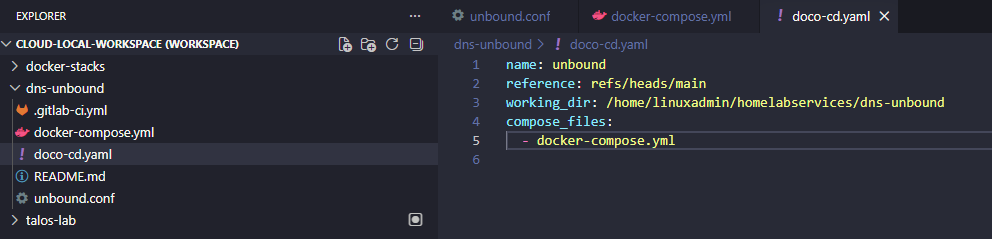
So, what I did was create the doco-cd.yaml file in the root of the repo with the relevant configuration where I wanted everything with the project. You give it the branch, working directory, and compose file (also in your repo) as the basics:
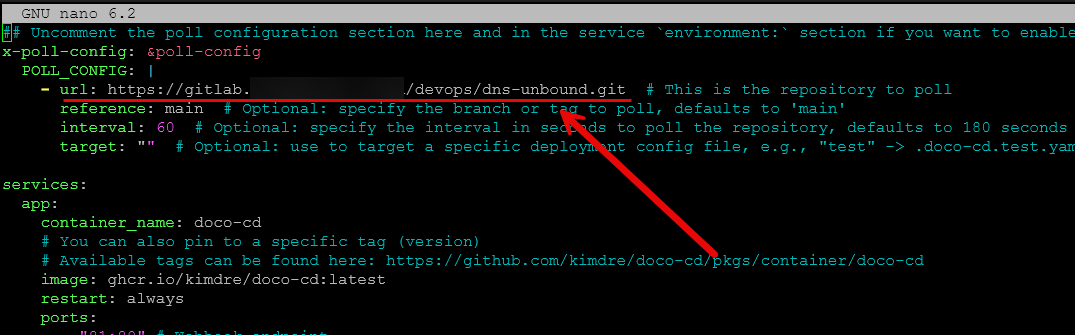
Then, in my doco-cd docker-compose.yml file configuration, I pointed it to my repo, gave it the reference branch, specified the interval, and the target (just uncommented this one).
When I brought the doco-cd container up and running, it successfully deployed the unbound container! Very cool. Viewing the logs I saw it deploy the unbound container:
{"time":"2026-04-08T11:10:11.140655535-05:00","level":"info","msg":"deploying stack","deploy":{"need_signal":null,"recreate":{"forced_services":[],"mode":"diverged"},"reference":"main","repository":"gitlab.mydomain.cloud/devops/dns-unbound","stack":"dns-unbound","stage":"deploy"},"job_id":"019d6ddb-be9d-70bd-9987-9ef4d548d0f4","repository":"gitlab.mydomain.cloud/devops/dns-unbound"}
{"time":"2026-04-08T11:10:16.140417955-05:00","level":"info","msg":"deployment in progress","deploy":{"reference":"main","repository":"gitlab.mydomain.cloud/devops/dns-unbound","stack":"dns-unbound","stage":"deploy"},"job_id":"019d6ddb-be9d-70bd-9987-9ef4d548d0f4","repository":"gitlab.mydomain.cloud/devops/dns-unbound"}
{"time":"2026-04-08T11:10:16.885427056-05:00","level":"info","msg":"job completed successfully","elapsed_time":"5.912s","job_id":"019d6ddb-be9d-70bd-9987-9ef4d548d0f4","next_run":"2026-04-08T11:11:16-05:00","repository":"gitlab.mydomain.cloud/devops/dns-unbound"}
Then, afterwards every 60 seconds it is polling the repo:
{"time":"2026-04-08T11:35:20.003005742-05:00","level":"info","msg":"polling repository","job_id":"019d6df2-c53a-77c0-b4f8-97288a02ff89","repository":"gitlab.mydomain.cloud/devops/dns-unbound","trigger":{"config":{"deployments":[],"interval":60,"reference":"main","run_once":false,"target":"","url":"https://gitlab.mydomain.cloud/devops/dns-unbound.git"},"event":"poll"}}
{"time":"2026-04-08T11:35:20.146725777-05:00","level":"info","msg":"job completed successfully","elapsed_time":"152ms","job_id":"019d6df2-c53a-77c0-b4f8-97288a02ff89","next_run":"2026-04-08T11:36:20-05:00","repository":"gitlab.mydomain.cloud/devops/dns-unbound"}
Features that add to what it can do
Outside of just purely automating things from a git repo, there are other features that add to what it can offer. It has a REST API that lets you do things like list, restart, and remove projects. So, you can integrate it into other automation workflows if you want to do that.
It also has a health endpoint and Prometheus metrics support if you want to scrape those for monitoring purposes and display in something like Grafana. It also does notifications through the Apprise framework. And another point that I think is very nice is that it has support for encrypted secrets with SOPS built in as well as external secret management. This is really good since it allows you to keep secrets out of your repos and not have to depend on storing them insecurely.
It also supports Docker Swarm as well so if you are running a Docker Swarm cluster in your home lab, you will have the ability to use doco-cd with Swarm if you want to further extend what you are doing with Swarm today.
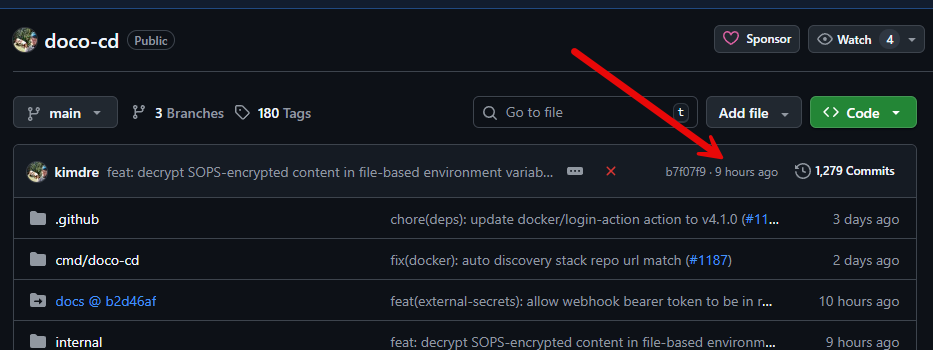
Also, I think this is worth noting. I have gotten excited about projects before and what they can do only to look and find out the last update was 3 years ago. It looks like doco-cd is being actively developed with commits just a few hours ago. So, this looks great for the longevity of the project.
Why this can change how we think about Docker Compose
Before I looked into doco-cd, I saw Docker Compose and Kubernetes as two different worlds apart in terms of GitOps. Docker Compose is simple and easy to spin up apps, while Kubernetes is structured and easy to automate for GitOps.
I think what doco-cd brings to the table is a “middle ground” of sorts. You can keep the simplicity of Docker Compose and then just layer a Git driven repo on top of it. Most of us are probaby already using Git to store Docker Compose files already.
So, this solves the problem of having to introduce a lot of complexity (Kubernetes) if we are simply wanting to have automated deployments that deploy what is found in a Git repo. Without the complexity of K8s you get:
- Version controlled deployments
- Consistent environments
- Reduced manual work
- A clearer source of truth
Where this still does not replace Kubernetes
Like anything, there is always downsides to any solution or tool. I don’t think doco-cd is a full replacement for Kubernetes. If you need advanced scheduling, networking, multi-cluster management, or a deep ecosystem of integrations, Kubernetes still has a tremendous advantage here.
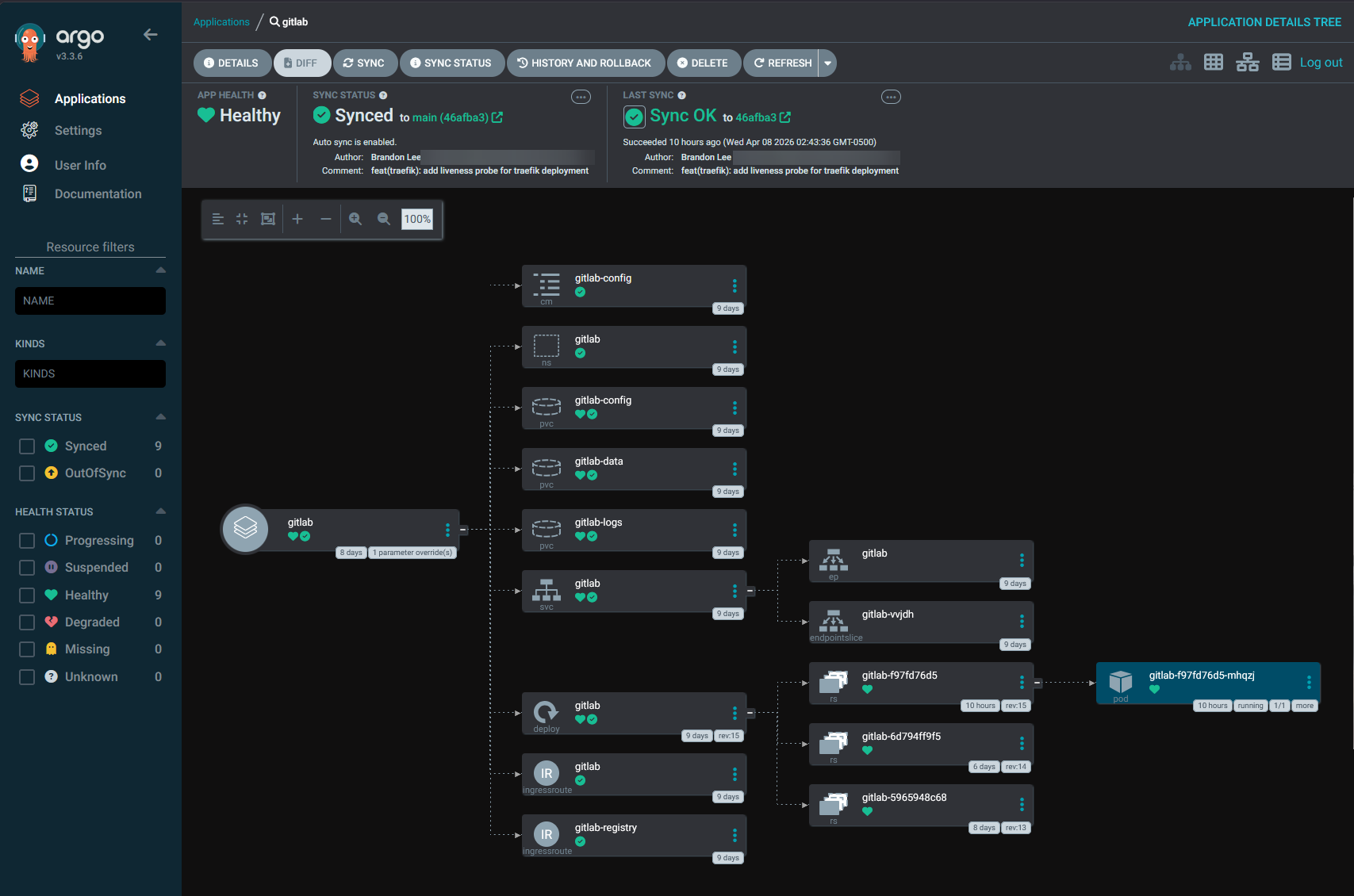
It’s also much more mature from a GitOps perspective with tools like Argo CD and FluxCD. The doco-cd tool is focused on Docker Compose and Swarm and if you are targeting these types of environments, this is definitely where it shines.
One of the limitations to note is that it does not allow arbitrary shell scripts to run inside the doco-cd container for pre or post deployment actions. If you need this, those actions will need to be handled inside your app container.
Wrapping up
It is an exciting time for DevOps, GitOps, and home labs in general. We have so many great community driven tools that give us what we all want, and that is options. If you have been waiting for a Docker compose gitops tool and have shyed away from that approach simply because you thought you had to have Kubernetes, this gives you a real option that is powerful. There is now a clear path I think that doesn’t involve migrating everything to Kubernetes. Also, it doesn’t replace Docker Compose, it just makes it better. What about you? Are you migrating towards a GitOps approach in your home lab? Let me know in the comments.

Google is updating how articles are shown. Don’t miss our leading home lab and tech content, written by humans, by setting Virtualization Howto as a preferred source.
About The Author