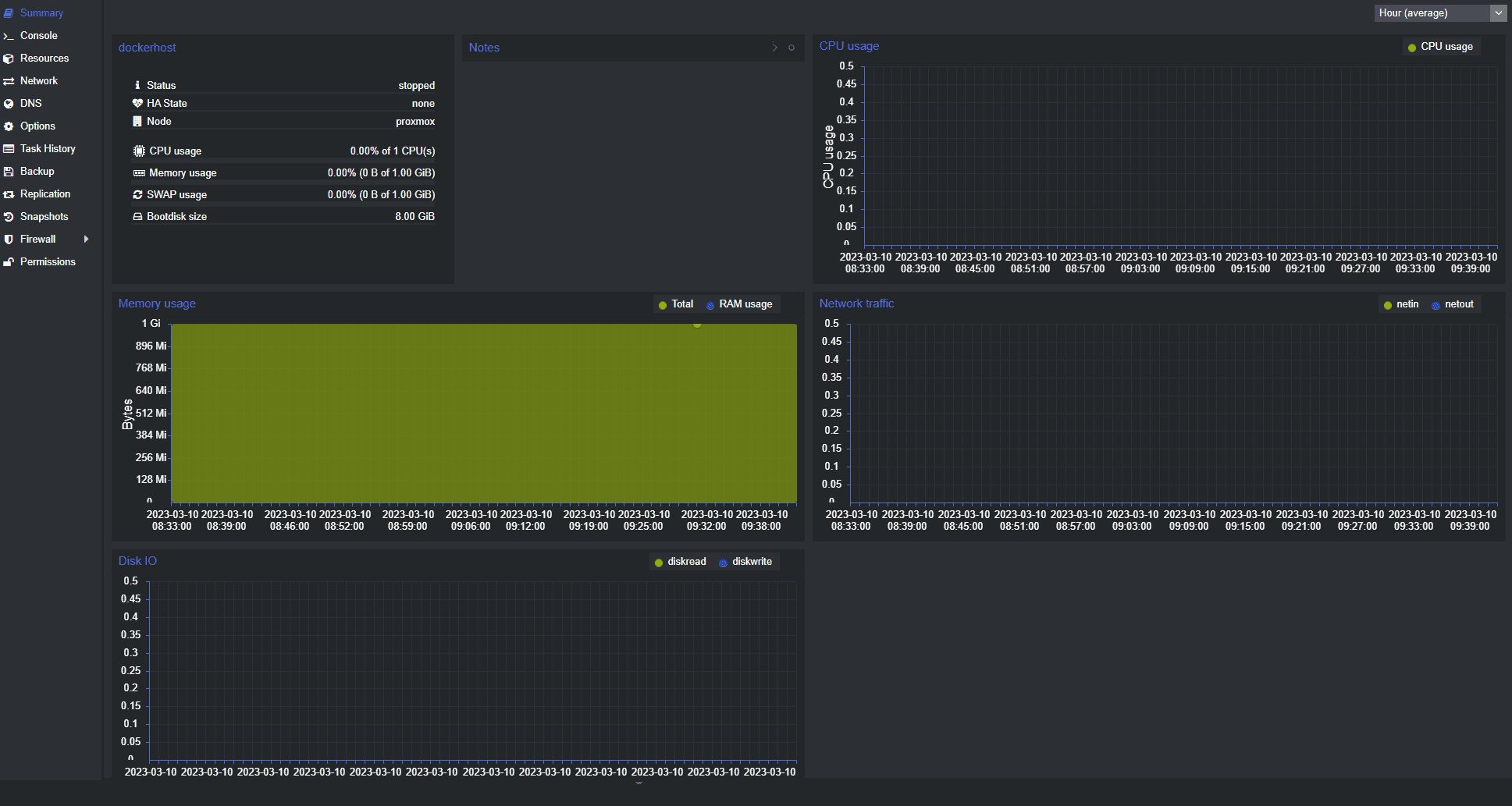
If you seem to remember that I wrote about a similar topic, you are correct! I had previously written about a particular tool in the cv4pve toolkit that reminded me of RVTools. The developer of the solution reached out and said that he was working on an even more “similar to RVTools” tool that has Excel export, etc, which is one of the features that RVTools had over the cv4pve-diag tool that I had written about previously. Now there is another tool called cv4pve-report that is NOW the closest things to an RVTools-style experience for Proxmox. Let’s take a look at this new tool, what it does, why it matters, and how you can start using it.
What cv4pve-report is (an RVTools for Proxmox?)
The cv4pve-report is a new tool from the cv4pve line of solutions from Corinvest that allows you to export information from your Proxmox VE Server or PVE cluster. It gathers information from your environment and outputs the information in formats that are super easy to work with like Excel (think RVTools for Proxmox).
So the great thing about the new tool, cv4pve-report, it focuses on producing reports in a modern XLSX format. It creates the Excel spreadsheet with multiple tabs and each tab has the relevant information pertaining to that part of your Proxmox infrastructure. For instance: Overall summary, cluster, storage, nodes, VMs, etc.

With it, you can:
- Export to CSV or spreadsheet formats
- Use for documentation
- Hand off to teammates or business stakeholders
- Feed into other tools
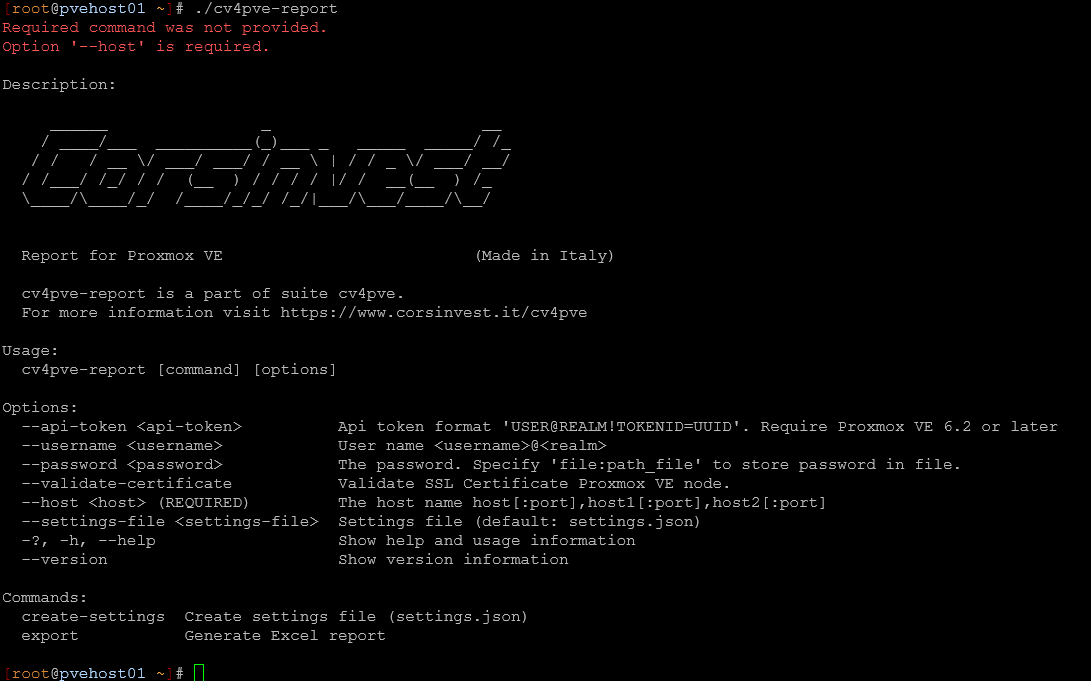
If you have ever used RVTools, this concept and information gathering will be familiar. You are basically taking a snapshot of your environment from an information standpoint and turning it into something that you can use for documentation or troubleshooting.
Why this matters for Proxmox admins and home lab
I really like these types of tools as they are lifesavers when it comes to gathering information from your virtualization environment in the home lab. RVTools was that tool that I always turned to with vSphere and now the Corinvest toolset is the one that has filled that gap.
The Proxmox has many great APIs that can be queried and used to export a full inventory of your environment. Up until now, Proxmox really hasn’t had a true equivalent to RVTools from an inventory perspective.
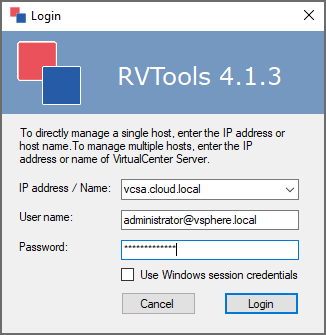
With the cv4pve-report tool, we now have a powerful tool that can be used for many different things and various use cases, including documentation. When you have a home lab or even a production environment, you need a way to capture the current state of your infrastructure. Manually writing this down is overwhelming to say the least and really not feasible.
Also, it allows for effective auditing of your environment. It allows you to check for unused resources, look at configurations, or prepare for a migration. It gives you a full export of your environment and its configuration that is current and easy to see your baseline.
How this compares to cv4pve-diag
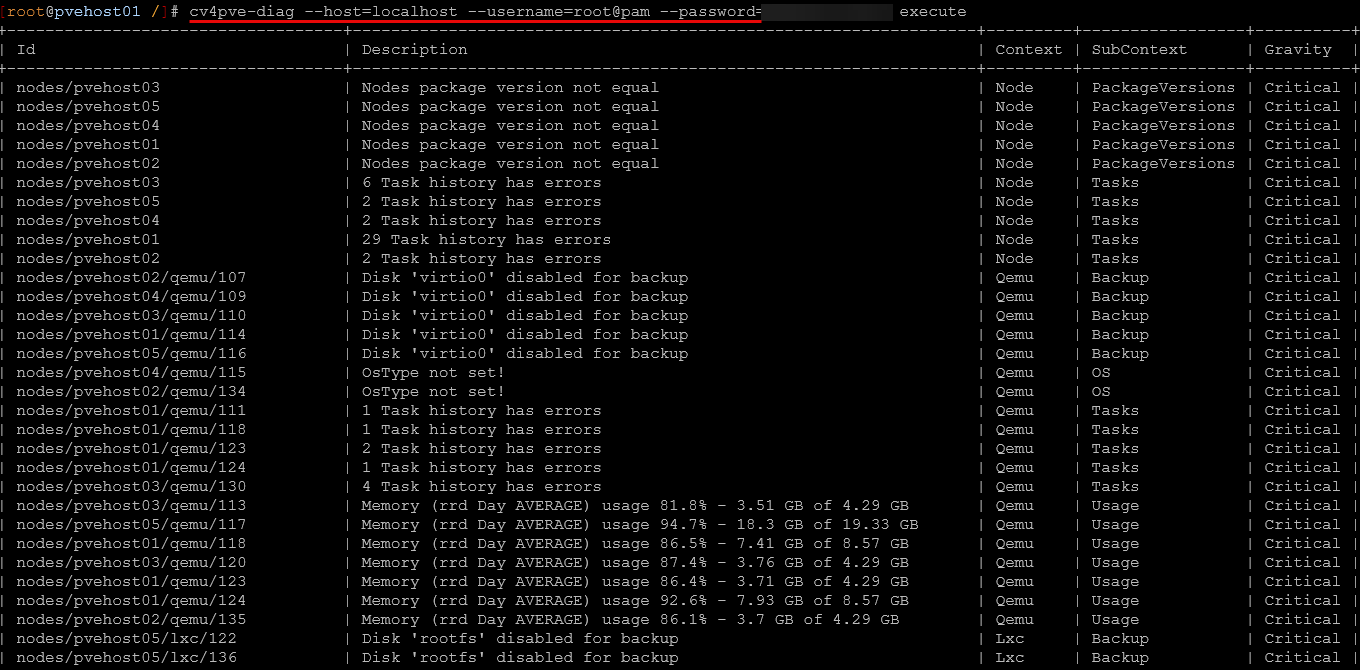
As you may have already seen, I covered the cv4pve-diag tool not long ago as a great RVTools-like solution. However, I think cv4pve-report complements the “diag” solution with functionality that it doesn’t contain like exporting things to an Excel spreadsheet.
Below is a table comparison of features, between the two and what they are designed to do.
| Feature / Focus | cv4pve-diag | cv4pve-report |
|---|---|---|
| Primary purpose | Diagnostics and troubleshooting | Reporting and environment export |
| Core use case | Investigating issues | Documenting and auditing |
| Output style | CLI output | Excel or spreadsheet reports |
| Data format | Human-readable terminal data | Structured, shareable data |
| Best for | Debugging and deep inspection | Inventory, reporting, and analysis |
| Ease of sharing | Limited | Very easy (CSV or Excel) |
| Workflow fit | During troubleshooting | Before changes, audits, or documentation |
| Level of detail | Deep and technical | Broad and structured |
| Automation use | Scripts and CLI workflows | Scheduled reporting and exports |
| Learning curve | Higher (CLI-focused) | Lower (familiar spreadsheet output) |
| RVTools comparison | Similar insight, different experience | Closest equivalent to RVTools |
| When to use | When something is wrong | When you need visibility of everything |
With these two tools though, I have to say that I would LOVE to see them possibly combined into one tool. I always loved how RVTools had the tab called vHealth. It had information like the following:
- VMs with snapshots
- VMs with mounted ISOs
- Orphaned VMDKs
- Powered off VMs
- Tools not installed or outdated
- CPU or memory overcommit situations
- Configuration inconsistencies
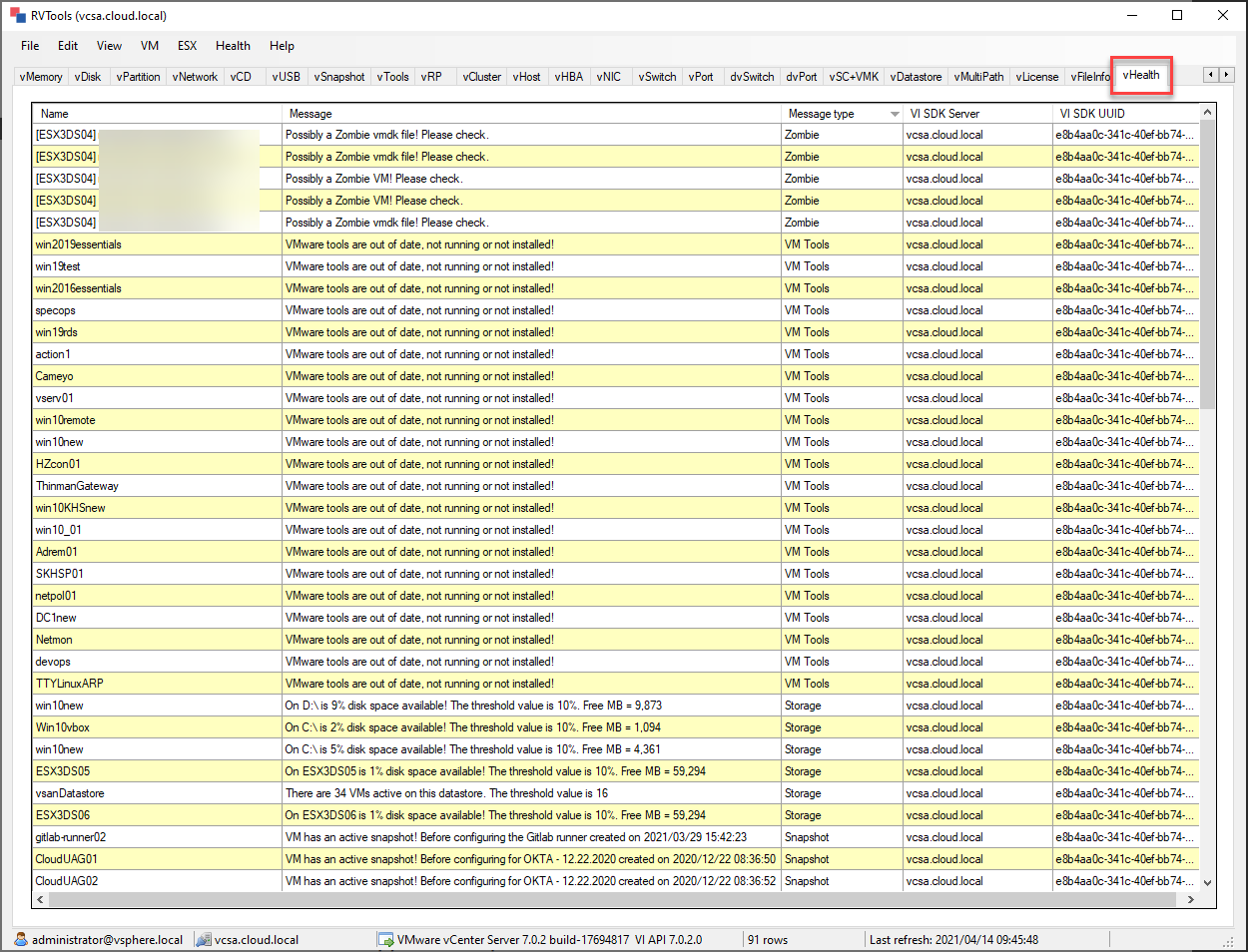
The cv4pve-diag has very similar “vHealth” features with it, but if it was combined with the cv4pve-reports tool and ALSO had the reporting features, I think this would be a great combination if that were on the roadmap.
Installing cv4pve-report
The process to install the cv4pve-report tool is super simple and follows in line with the other tools in the Corinvest toolset. You can install it with the simple commands below:
wget https://github.com/Corsinvest/cv4pve-report/releases/download/VERSION/cv4pve-report-linux-x64.zip
unzip cv4pve-report-linux-x64.zip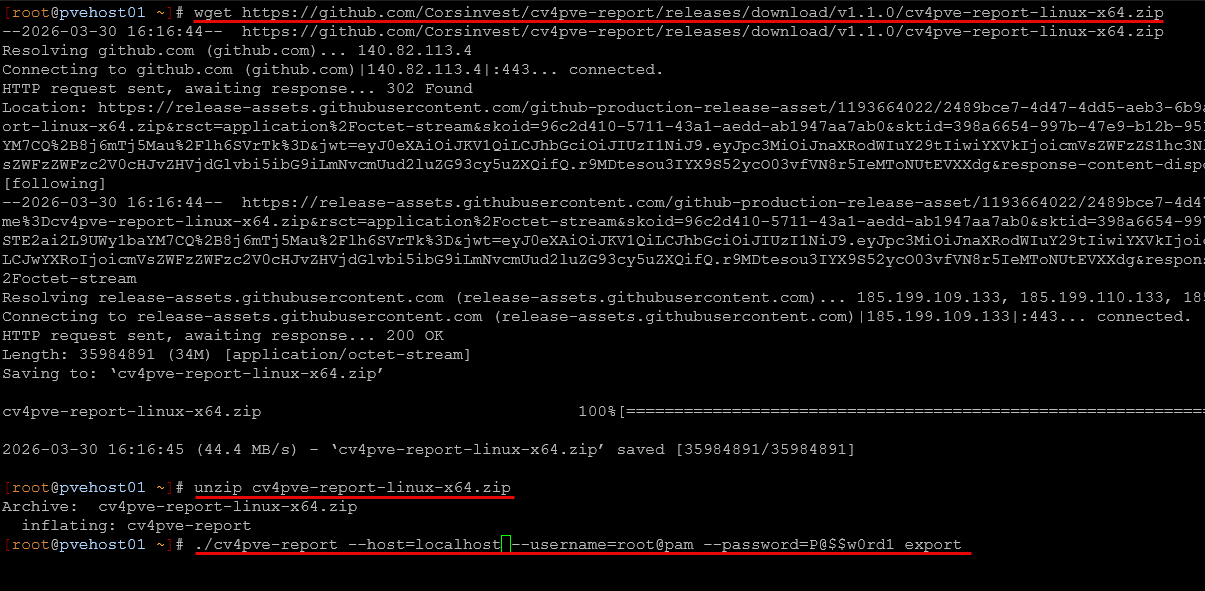
Running the cv4pve-report tool
Then after you download and unzip the files, you can easily run it with a default export using the following:
./cv4pve-report --host=YOUR_HOST --username=root@pam --password=YOUR_PASSWORD exportAs you can see below, once you run the command with the export parameter, it will create the XLSX file in the same directory from which you run the tool.

What does the resulting Excel spreadsheet look like?
So, what does the spreadsheet look like and what does the information contain? I really like how the spreadsheet is organized. It has tabs at the bottom for the various specific areas of your Proxmox environment, like storage as an example.
As you can see below, you get a lot of really great detailed and granular information. You can see the time the report was generated and throughout the spreadsheet, you will see hyperlinks that are clickable to various sections of the spreadsheet. This makes it really easy to jump around to the various sections of exported information.
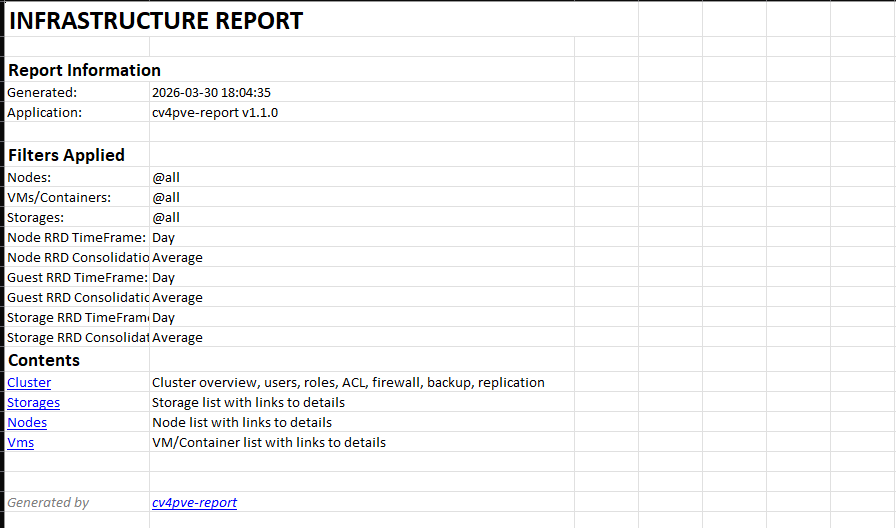
You can see just how detailed the information is and what sections it covers of the Proxmox infrastructure, which is pretty extensive. Again, clicking the hyperlinks takes you directly to the section you click on in the spreadsheet.
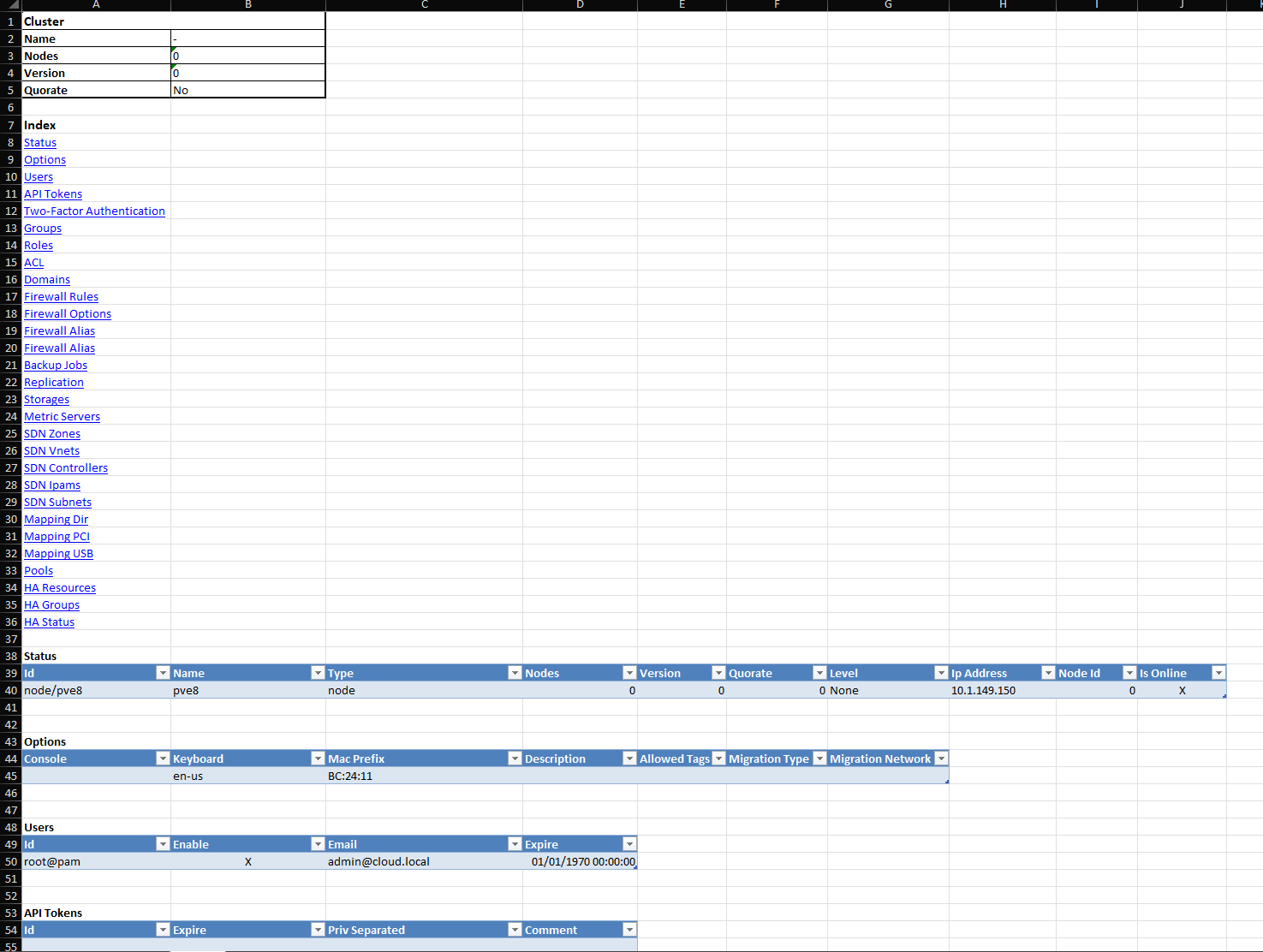
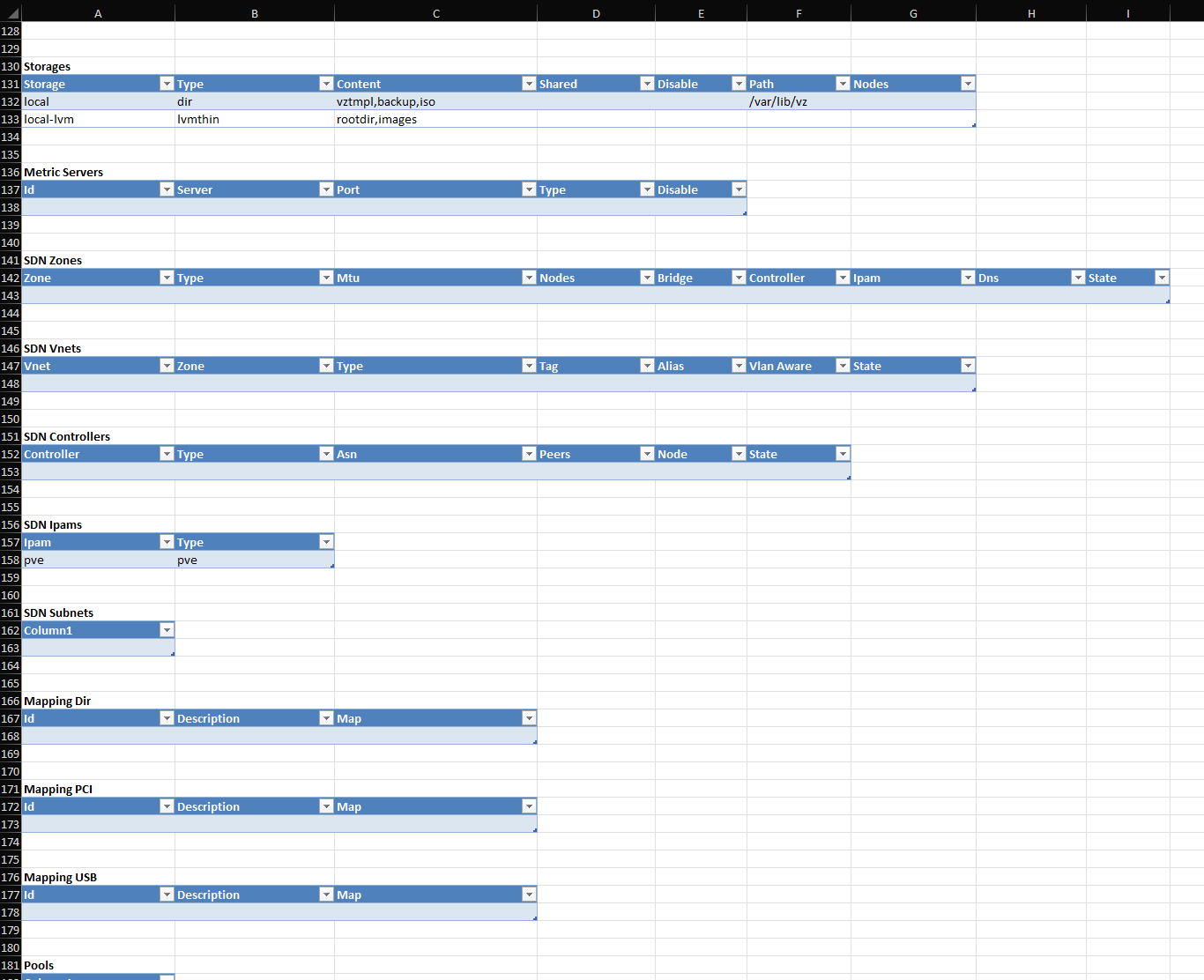
Below is an example of even more information included in the spreadsheet, including SDN configurations, storage, etc.
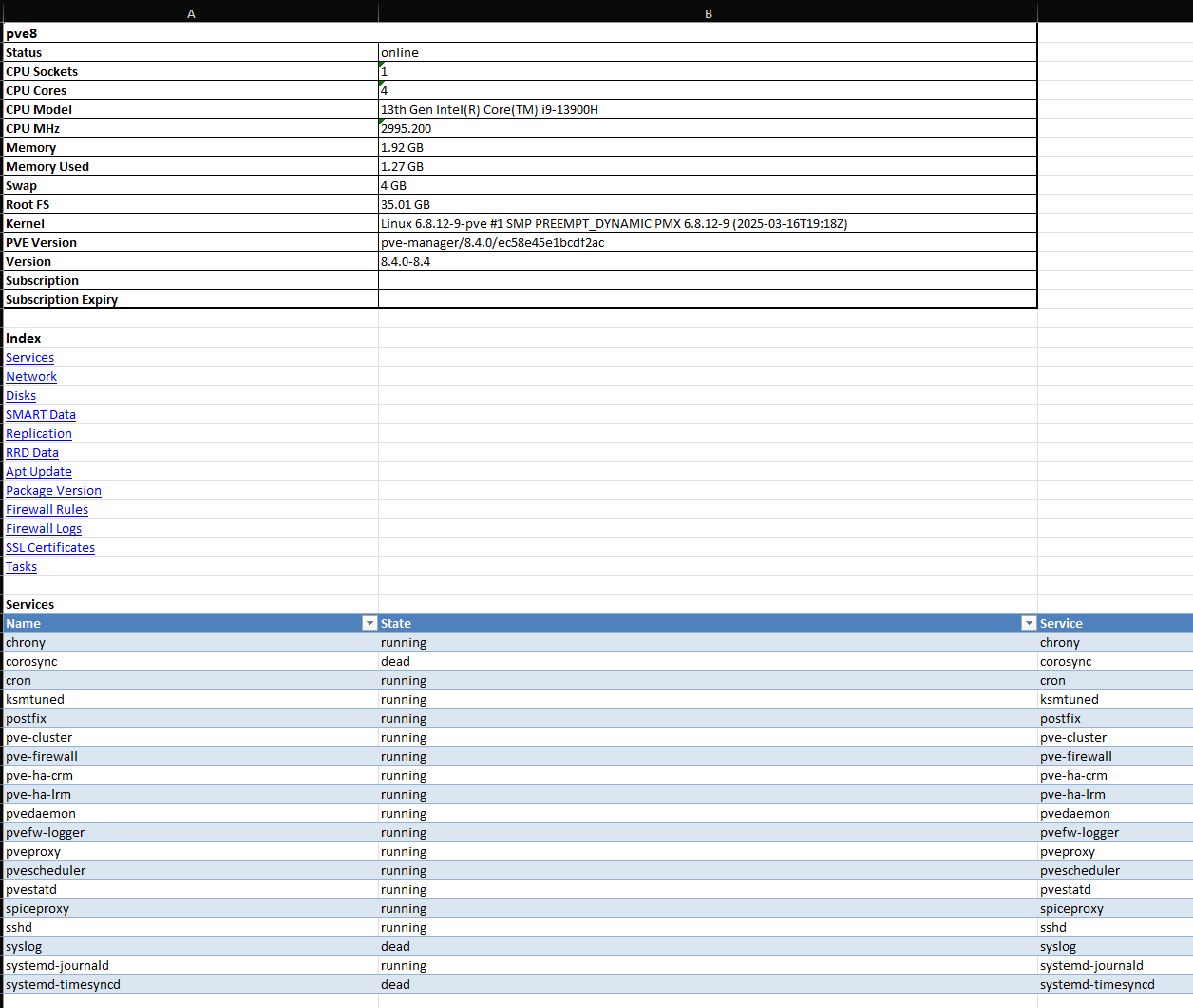
Below you can see the services audit as part of the cv4pve-report audit.
Where I think this will be useful in the home lab
In a home lab environment, I think this will be something that will be extremely useful. It might sound like overkill at first. But this type of tool becomes really useful in your home lab. One of the biggest challenges I think in a home lab environment is keeping track of everything.
The more nodes you add, the more VMs you run, and especially the more containers you add, it can get to be much harder to keep track of it all and have a clear mental picture of your environment. With the cv4pve-report tool, you can generate a report and immediately see things in the environment like:
- Where you have things running
- Storage configurations
- VMs and VM configurations
- Which storage is allocated
- SDN networks and configuration there
- Detailed node information
Another great use case is using this as a sort of “documentation snapshot” before you make changes. If you are going to reconfigure storage or upgrade some of your nodes, having a snapshot of your curent environment configuration is a great way to document how things are configured “before” new changes are introduced.
It is also really useful for cleanup. Sometimes, seeing a list of things in a spreadsheet makes it easier to see things like old VMs, forgotten snapshots, test environments that were never cleaned up.
How I think this fits into a modern Proxmox workflow
I think as Proxmox continues to gain traction with those who are moving away from VMware, one of the common questions I think many will have is “what tool does X, Y, or Z in Proxmox, like I did in VMware?”. I know I was thinking that way as I came across just trying to get familiar with the ecosystem and understand what is the equivalent to what I was used to. An RVTools solution for Proxmox I think will be an extremely popular use case for the Corinvest suite of tools. Between the cv4pve-diag and cv4pve-report tools, Proxmox admins will have a ready-made replacement for RVTools moving over. Kudos to the Corinvest developers for their work in the Proxmox ecosystem.
Shortcomings of cv4pve-report?
As I alluded to earlier, I would REALLY love to see these tools come together between cv4pve-diag and cv4pve-report. Both I think are needed to really replace both aspects of RVTools when it comes to troubleshooting and finding best practice recommendations and then just general reporting and auditing of an environment.
I am thinking of a “cv4pve-tools” or something like that, that would be an all in one solution to see potential problems, like the “vHealth” tab in RVTools, and then have the cv4pve-reports functionality that exports to a spreadsheet like the rest of the RVTools functionality.
But, keep in mind that RVTools has had years to mature and refine its feature set while cv4pve-report is still relatively new. This means there is a lot of potential for additional features and improvements.
Some areas that I think could improve over time include the following:
- More granular reporting options, maybe picking and choosing what you want in the export
- Additional export formats – maybe including CSV, PDF, etc
- Deeper integration with other tools with the export functionality
- Enhanced filtering and customization
Given how active the Proxmox community is and how quickly tools in this space usually evolve, I would expect this to continue improving at a very steady pace.
Current PVE 9 error
I have reached out to the developer as well about a PVE 9 issue with the tool. It looks like it has issues with the new way that PVE 9 handles HA groups. I have raised a bug on the official Github repo for the tool and I figured this will be squashed soon. But if you are trying this out, keep this in mind. Currently, I wasn’t able to find a workaround for this one.

Wrapping up
The Corinvest toolset is really a Proxmox admin goldmine when it comes to simple and easy tools that are practical and just do that “thing or things” that is extremely important and filling a need for gaps in the web UI or native command line functionality. With the massive influx of users from VMware over to Proxmox, the new cv4pve-report tool will help to fill a gap for ones coming over for an RVTools for Proxmox. Also, when you combine it with the cv4pve-diag tool, it covers the gamut of features that I think are really useful and powerful in a PVE environment. How about you? Have you tried out the cv4pve-report tool as of yet?

Google is updating how articles are shown. Don’t miss our leading home lab and tech content, written by humans, by setting Virtualization Howto as a preferred source.
About The Author