For a LONG time, my home lab has looked like what I imagine most other people’s labs look like. I had a mix of Docker Compose files and a few standalone container hosts, but also a Docker Swarm Cluster. For deploying apps, I would have to remember to check and make sure containers were updated across my environment, or I would tweak something locally that no longer matched my Git repo. None of these were catastrophic, but they created small issues. The bigger issue though is that your lab doesn’t have a single source of truth. What I had in production wasn’t always what was in code. Now though, I have stopped manually deploying containers in my home lab and use a GitOps approach. Let me show you how and why.
What GitOps actually means in a home lab
GitOps can sound like one of those buzzwords that only is needed for ones that are in large enterprise environments. But when you break it down, it is actually a pretty simple idea. What does it mean? Instead of manually deploying applications, you define everything in Git. That includes:
- Kubernetes manifests
- Helm charts
- App configs
- Even infrastructure definitions
Once you do this, your Git repository becomes the source of truth. If something is not in Git, it should not exist in your environment. I had already been doing a lot of this work manually for my Docker environments since I had all of my Docker Compose in git. I recommend anyone running a home lab work towards a git based approach for storing your manifests, Docker Compose files, etc.
But still, some of the processes were manual. I had CI/CD pipelines that were deploying things for me when code was updated, but not for all of my apps, especially if these were just using public images that were available.
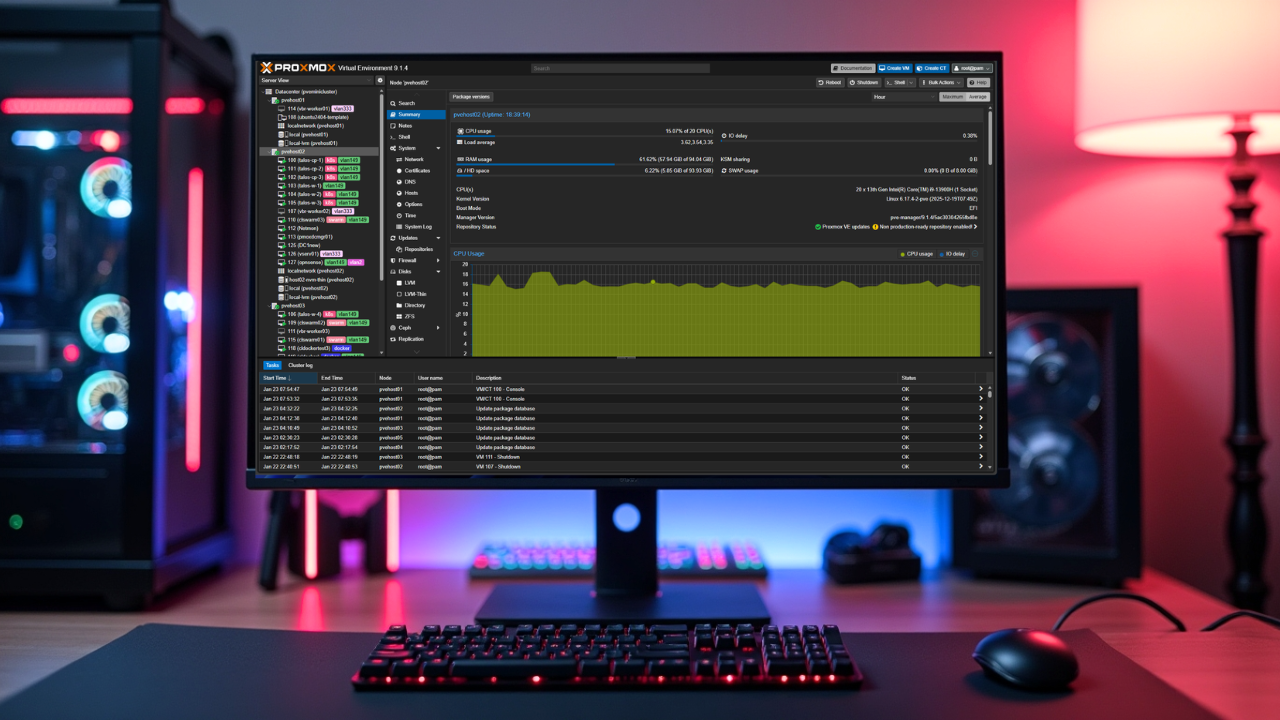
Since introducing my 10-inch mini rack, 5 Proxmox node cluster with Ceph, I am running a full-on Talos Linux Kubernetes cluster that is managed by Omni. Which, that is for another discussion that I have written about, but Talos is awesome sauce. If you want to run a secure Kubernetes solution, definitely check it out: How to Install Talos Omni On-Prem for Effortless Kubernetes Management.
Since I have the full blown Talos cluster now, I wanted to try out ArgoCD. ArgoCD is the solution that allows you to continuously compare what is running in your cluster with what you have defined in Git. If drift happens in your cluster, ArgoCD fixes it.
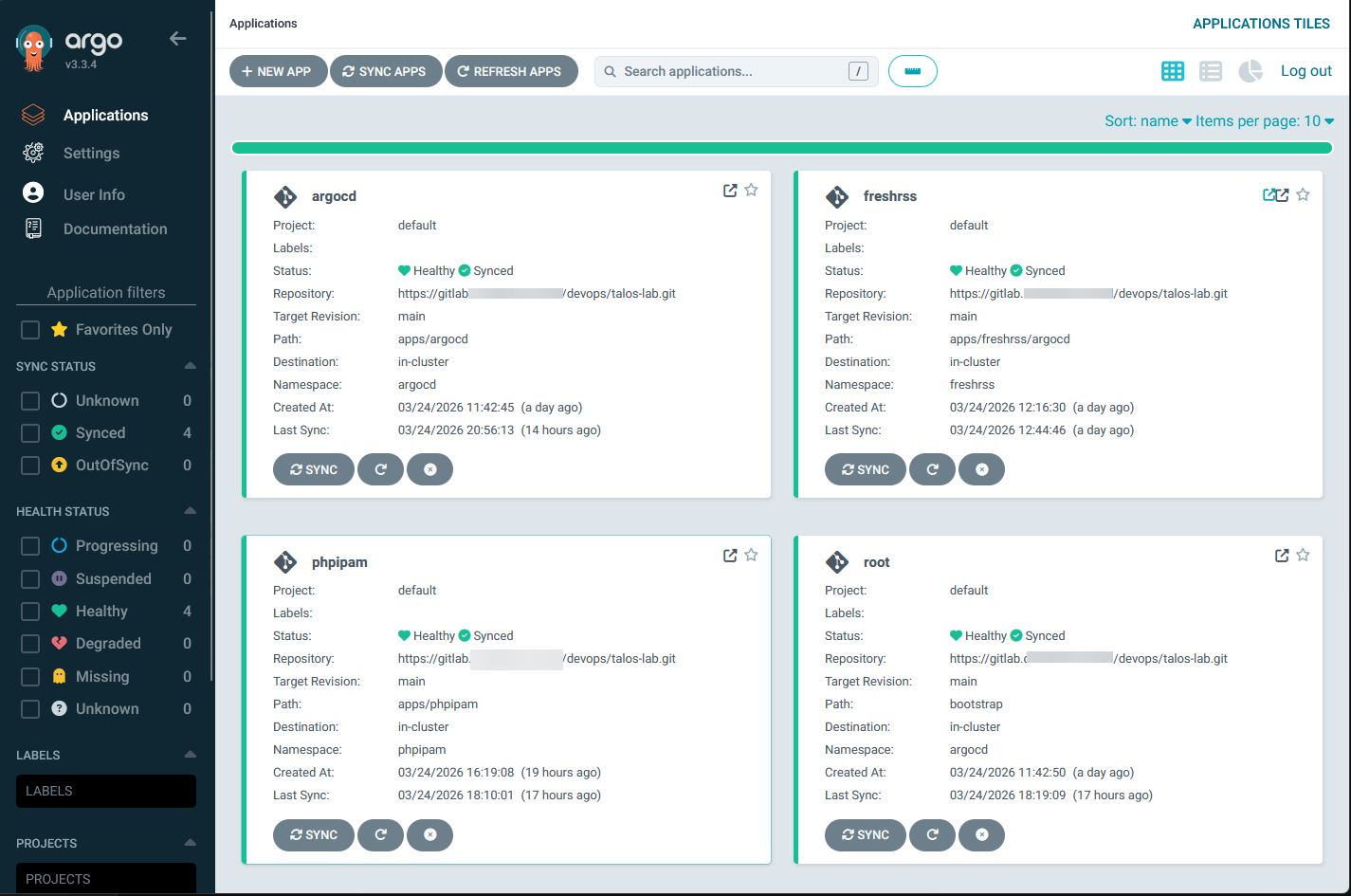
This means you have no more manual kubectl apply commands or manual docker compose up -d. No more logging into nodes to make changes. Everything flows from Git. In a home lab, this means you stop thinking about deploying apps and start thinking about managing your desired state in your GitRepo, which is a beautiful thing! And, these are skills that you can apply in production environments as well.
How I structured my GitOps repo
One of the first things that you need to do is setup your git repo structure so that it is ready for GitOps. This is where I spent a bit of time experimenting before I had something set up that I felt was clean and scalable.
At a high level, I have my repo organized like this:
- A top level folder for environments or clusters
- A folder for core infrastructure components
- A folder for applications
So my reasoning below is that I have a bootstrap folder where all the application custom resource manifests live for the ArgoCD deployments and tell it where in the “apps” folder the manifests are, an apps folder for all the different apps I have running, including ArgoCD that can manage itself. And then the infra folder where I have some infrastructure related manifests for my Talos environment.
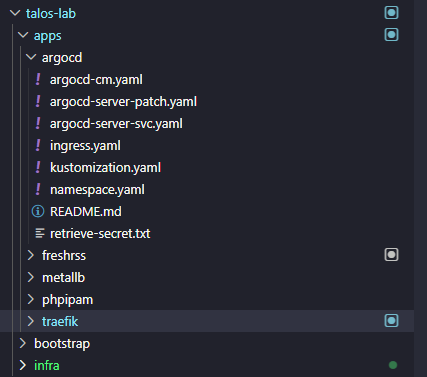
You can do any kind of arrangement you want on this front, but I like the hierarchical layout where you logically arrange everything by purpose in your cluster. This also makes it much easier to setup Argo since you will need a common spot to point it to look for deployments.
- clusters/
- homelab/
- argocd/
- ingress/
- storage/
- homelab/
- apps/
- grafana/
- prometheus/
- nginx-proxy-manager/
- gitea/
- freshrss/
Each application folder contains either raw Kubernetes manifests or a Helm chart configuration. The key here is consistency. Once you have a pattern, you stick with it for every app you deploy.
Setting up ArgoCD in the cluster
Getting ArgoCD installed is actually one of the easier parts of this process. You can deploy it using a simple set of manifests or a Helm chart. Check out my blog post that is an oldie but a goodie here: ArgoCD Helm Chart Install Applications.
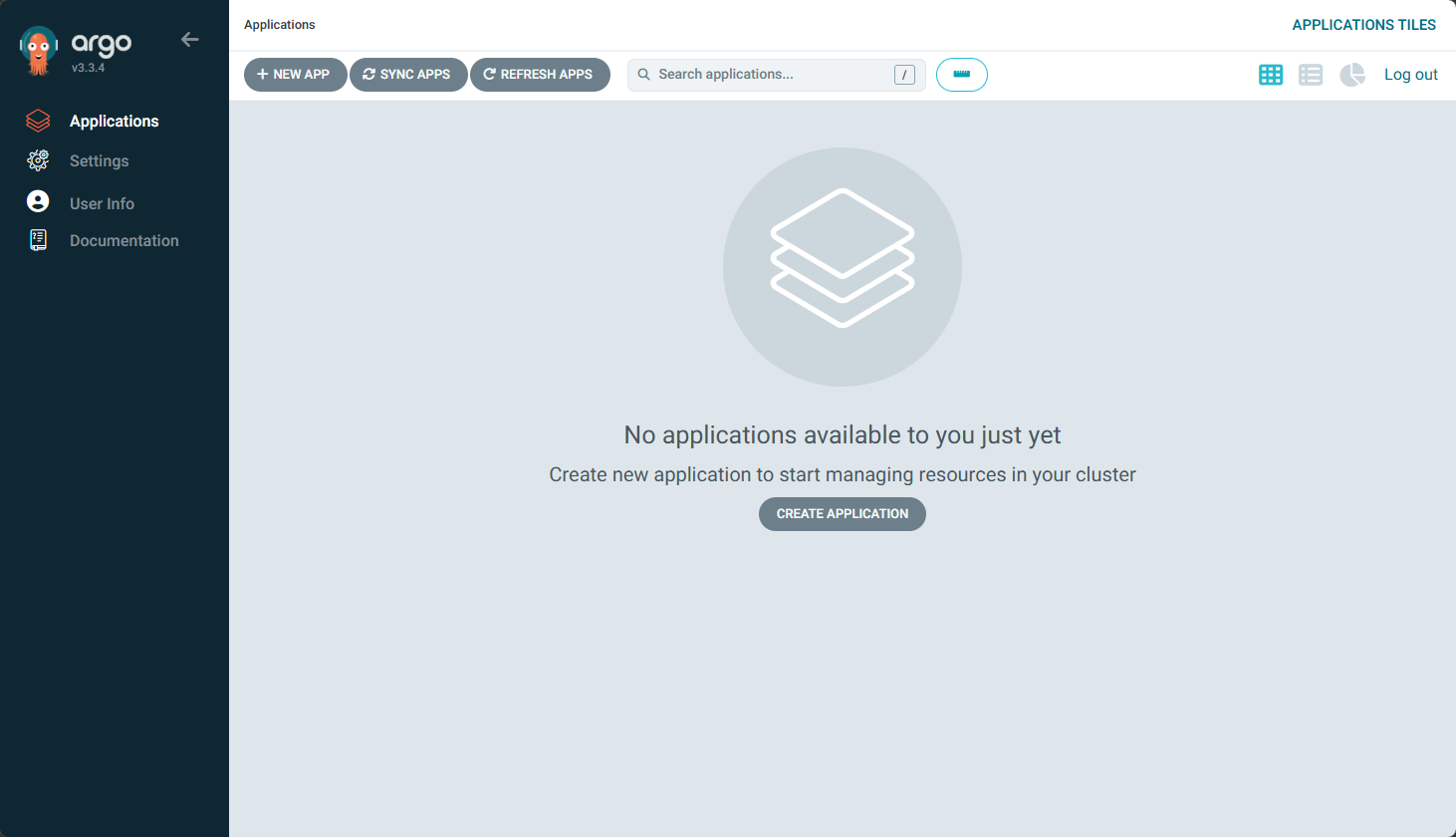
Once it is running, the thing about ArgoCD that is super powerful is that it lets you create a link between a git repo, a path inside the repo, and a Kubernetes cluster and namespace. You tell ArgoCD where your app lives in Git, and it takes care of syncing it into the cluster.
One of the patterns I use is the app of apps approach. This means I have a single root application in ArgoCD that points to a folder containing application custom resources for all my other apps. Here is what my code in the root-app.yaml file looks like:
apiVersion: argoproj.io/v1alpha1
kind: Application
metadata:
  name: root
  namespace: argocd
  finalizers:
    - resources-finalizer.argocd.argoproj.io
spec:
  project: default
  source:
    # -----------------------------------------------------------------------
    # UPDATE: Change this to your actual GitOps repo URL
    # -----------------------------------------------------------------------
    repoURL: https://your-git-instance.com/devops/talos-lab.git
    targetRevision: main
    path: bootstrap
  destination:
    server: https://kubernetes.default.svc
    namespace: argocd
  syncPolicy:
    automated:
      prune: true
      selfHeal: true
    syncOptions:
      - ServerSideApply=true
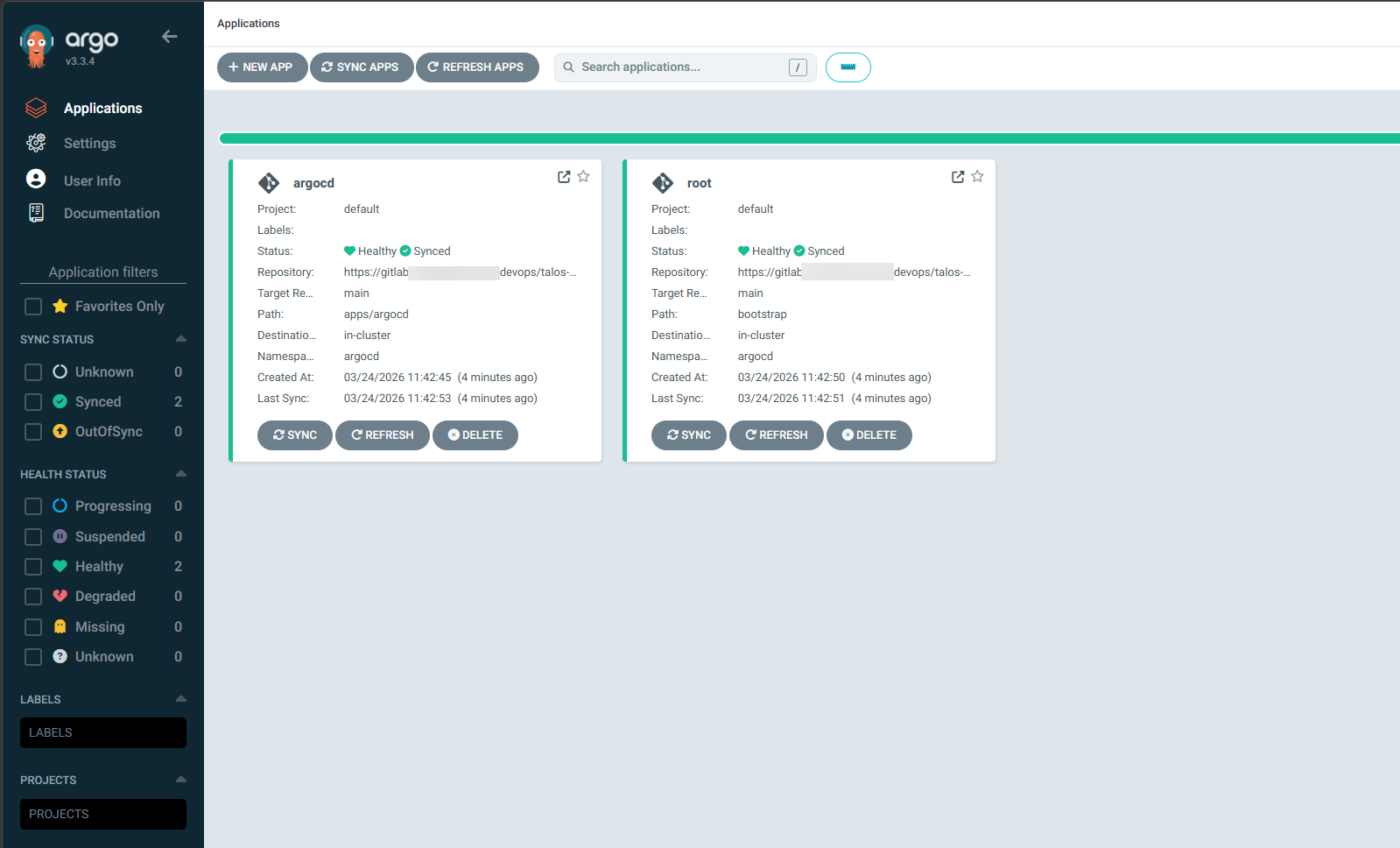
When ArgoCD syncs the root app, it creates and manages all the child applications automatically. This is how I get apps to show up and start synchronizing automatically when I add a new app to the repository. I just add a “custom resource” file in the bootstrap folder that points to the app files in the app folder. That is how ArgoCD knows how to synchronize and deploy.
Below is after I setup ArgoCD to manage itself and the root application:
What deploying an app looks like now
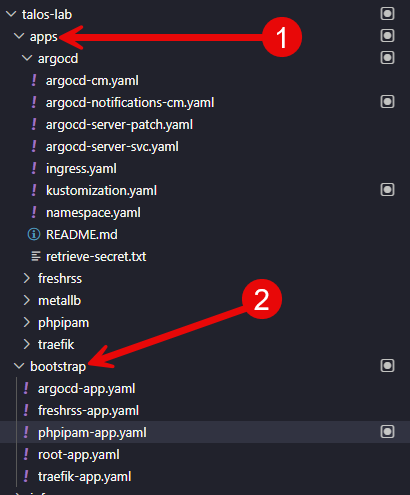
This is where things really started to feel like a game changer. I create a folder for a “new app” like I have done for freshrss, phpipam, and traefik below. Once you put your app manifest files here, then you put your “custom resource” file in the bootstrap folder.
- The apps folder is where I will create a folder and put the files below
- The bootstrap folder is where I would put the the “custom resource”
By the way, what does the custom resource file look like? Check out an example for freshrss below. I bolded 2 of the interesting settings. The first is the semver that you see which tells ArgoCD to update FreshRSS when any never version in the 1.0 release pattern comes out. This will keep your deployments updated. No more worrying about Watchtower or another tool to do this.
Then, you see the path statement. This is where ArgoCD gets configured on where to look for this specific application.
apiVersion: argoproj.io/v1alpha1
kind: Application
metadata:
  name: freshrss
  namespace: argocd
  annotations:
    argocd-image-updater.argoproj.io/image-list: freshrss=lscr.io/linuxserver/freshrss,db=mariadb
    argocd-image-updater.argoproj.io/freshrss.update-strategy: latest
    argocd-image-updater.argoproj.io/db.update-strategy: semver:^1.0
    argocd-image-updater.argoproj.io/write-back-method: git:secret:argocd/git-creds
    notifications.argoproj.io/subscribe.on-sync-succeeded.email: [email protected]
    notifications.argoproj.io/subscribe.on-sync-failed.email: [email protected]
    notifications.argoproj.io/subscribe.on-health-degraded.email: [email protected]
  finalizers:
    - resources-finalizer.argocd.argoproj.io
spec:
  project: default
  source:
    repoURL: https://your-git-repo.com/devops/talos-lab.git
    targetRevision: main
    path: apps/freshrss
  destination:
    server: https://kubernetes.default.svc
    namespace: freshrss
  syncPolicy:
    automated:
      prune: true
      selfHeal: true
    syncOptions:
      - CreateNamespace=false
      - ServerSideApply=true
    retry:
      limit: 5
      backoff:
        duration: 5s
        factor: 2
        maxDuration: 3m
Keep in mind how awesome this really is to drive your infrastructure this way. Before GitOps, deploying an app might look like this:
- SSH into a node or management machine
- Run docker compose up or kubectl apply
- Manually tweak environment variables
- Check logs and hope everything works
Now the process looks like this:
- Create a new folder in my Git repo for the app
- Add the Helm chart or manifests
- Commit and push to Git
- ArgoCD deploys
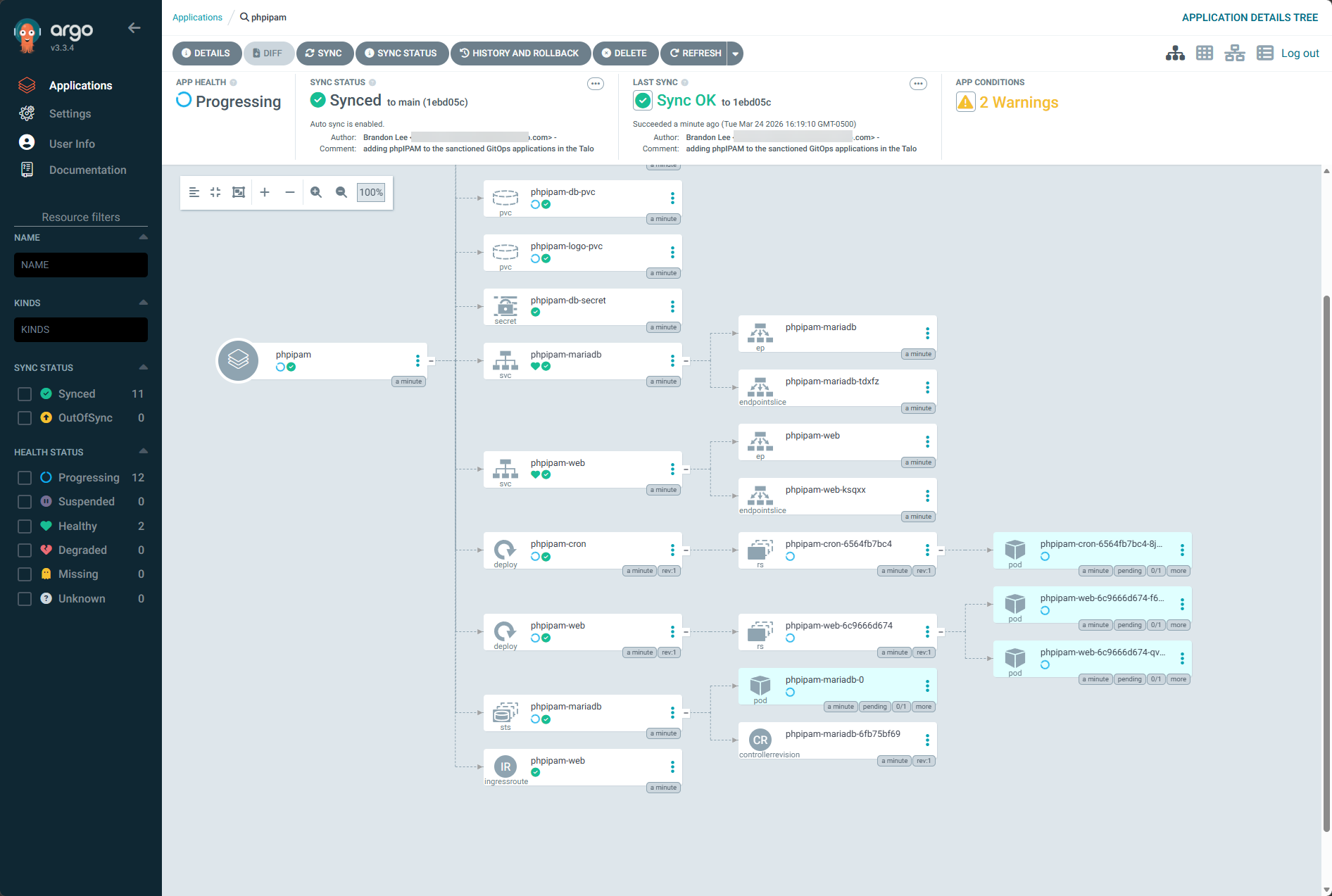
That is it. AND a huge benefit is you are forced to have your apps in code so that is now not a question when you deploy this way. ArgoCD detects the change and automatically syncs the application into the cluster. If something fails, I can see it immediately in the ArgoCD UI. Also, you can rollback by reverting the commit, or the great thing about Argo is that it has the ability to “rollback” changes directly from its interface.
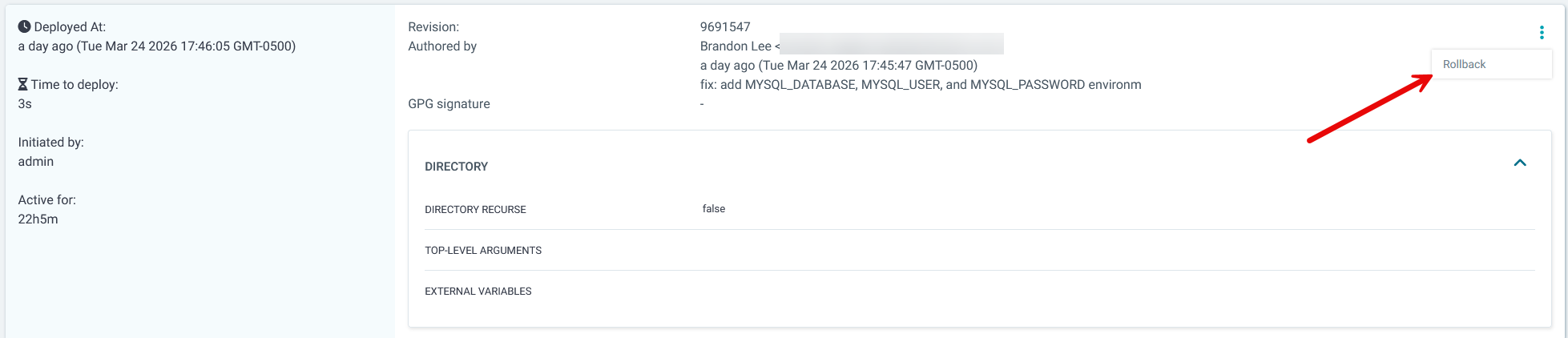
I also really like the level of detail that you get for your applications and resources running in Kubernetes with ArgoCD:
Handling secrets and sensitive data
One of the first challenges you run into with GitOps is secrets management. You obviously do not want to store plain text passwords or API keys in your Git repository.
There are a few ways to handle this in a home lab. One option is to use sealed secrets. This allows you to encrypt secrets and store them safely in Git. Only your cluster can decrypt them. Another option is to use external secret managers. Tools like Vault or even simpler solutions can inject secrets into your cluster at runtime. You can use native Kubernetes Secrets, and they are definitely the simplest option to get started with. But, in a GitOps workflow, this creates a challenge since secrets stored in Git are only base64 encoded and not truly secure.
For quick testing or non-sensitive data, native Secrets are fine. But for anything important like API keys or passwords, I would definitely use something like sealed secrets or an external secrets solution so you are not exposing sensitive data in your repository. The key takeaway here is to definitely think about how you are using your secrets and storing them.
This is an aspect that I will be tightening up in my current configuration after getting things working like I want them.
When this might not be worth it
As much as I like this approach, it is not always the right fit for every home lab and probably is not for those just starting out. If you are running a handful of containers on a single host, GitOps with ArgoCD is probably overkill. The learning curve is real and it has taken me a bit to get to the point where I am and comfortable with the complexity on the frontend.
It definitely takes time to get this setup properly, but once you do, you will have a seamless deployment experience and real skills that you can take into the real world and build complex deployment strategies that can take any organization to the next level if they have yet to adopt a GitOps approach to deployments.
Troubleshooting can also definitely be more complex. When something does not work, you are dealing with multiple layers:
- Git
- ArgoCD
- Kubernetes
That can be intimidating if you are just getting started. But using AI for troubleshooting Kubernetes has also been a level up in terms of expertise and troubleshooting quickly. There is also the overhead of keeping up a Kubernetes cluster which is nothing to sneeze at, but definitely a skill worth honing. I really love Talos Linux Kubernetes with Omni as Omni takes the heavy lifting out of lifecycle maintenance operations and keeping your Talos nodes updated along with the Kubernetes distribution itself.
Wrapping up
Moving my home lab to a full Kubernetes GitOps approach has been where I have been trying to get to for quite some time now. I have had several infrastructure pieces I have wanted to get into the mix before I did this, and once those were accomplished, it was full steam ago. Now, instead of focusing on individual commands and manual steps, I can now focus on defining the desired state of the environment in code. I get it, this looks complex and hard and complicated, but honestly, it just took some time to setup. It is really the holy grail of operations I think in the home lab and I am looking forward in 2026 to continue moving this direction. How about you? Are you moving towards GitOps in your lab, or how do you deploy your apps now?

Google is updating how articles are shown. Don’t miss our leading home lab and tech content, written by humans, by setting Virtualization Howto as a preferred source.
About The Author