When you start out with Proxmox, it usually begins with a single cluster that feels clean and manageable, with the expected handful of nodes. You have shared storage, the familiar web UI, and also a clear sense of where everything lives.
Then you add a second cluster. It might be a new rack, a remote location, or a separate environment for experimentation. That is when Proxmox can start to feel more disjointed than the simple single cluster experience that most are used to in the home lab or production. I stumbled onto a project called PegaProx and spent time exploring it because it was experimenting with multi-cluster visibility and placement. These are areas that I think tend to break down as Proxmox environments grow, at least in my experience.
Multi clusters in Proxmox management haven’t been that great
Native Proxmox VE Server management tools do a great job when you have a single cluster. You have access to your cluster, HA, networking, and other settings. Lifecycle management also makes sense. The UI is intuitive and simple and daily operations are pretty predictable.
But it seems when you grow past this naturally comfortable boundary in Proxmox, you lose the single place to see everything like you want. You start juggling browser tabs, different URLs for hosts, and have to make different mental switches between environments.
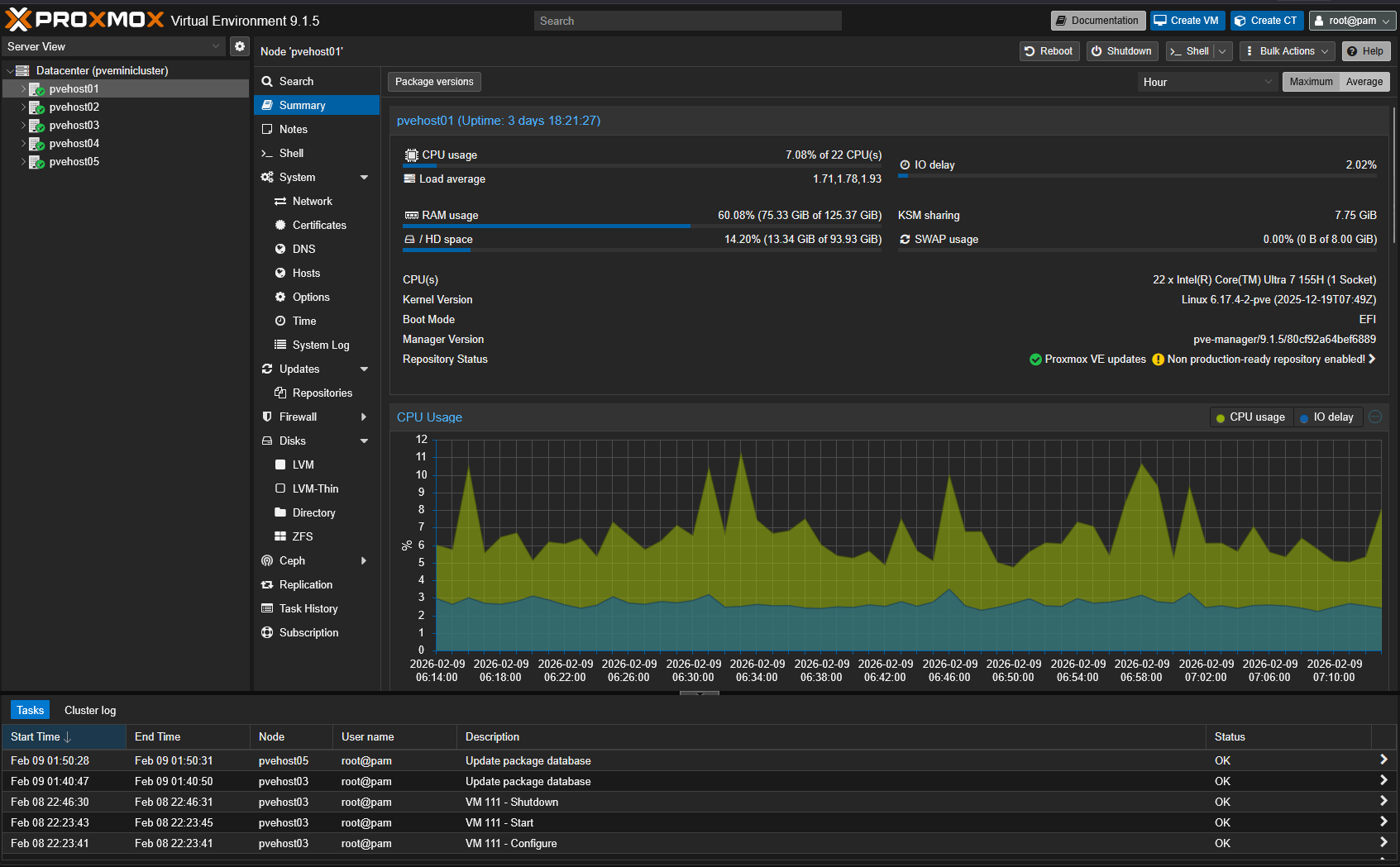
When you are juggling things like this, visibility suffers and when you lose visibility to things, this is when your environment issues can start to slip through the cracks. You then can’t answer questions that you need to answer from operations standpoint, like which cluster is over provisioned or underutilized?
Even in a home lab environment, many run multiple clusters, one for “production” workloads, and one for more intense experimentation. So having visibility across all your clusters is important. I found this is the gap that PegaProx is trying to address. Also, we will compare it to the official Proxmox Datacenter Manager 1.0 release below as well.
What PegaProx is for your cluster
I stumbled onto the PegaProx project. It is trying to be a centralized management layer that sits above your multiple Proxmox VE clusters. It isn’t trying to replace the Proxmox UI as that still has a place. However, it focuses on specific challenges and problems in a multi-cluster Proxmox environment like making sure you maintain visibility and you can orchestrate resources across your clusters.
After installing the tool using the instructions found on PegaProx GitHub page, you can start visualizing multiple clusters quickly.
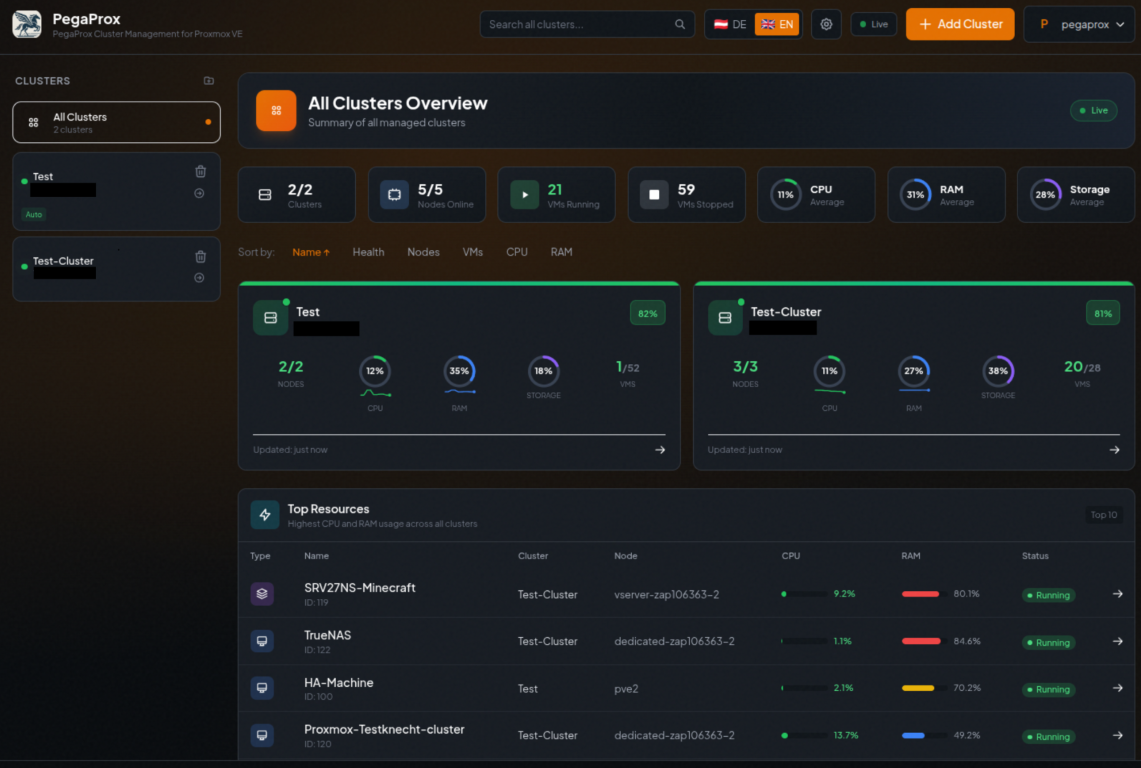
From the time I spent reviewing the project and exploring how it is intended to be used, it is obvious that the goal is not to turn Proxmox into something else that it is not meant to be. But, it is set on turning your Proxmox multi-cluster environment into a “fleet” that is more easily managed.
Multi-cluster visibility starts to matter
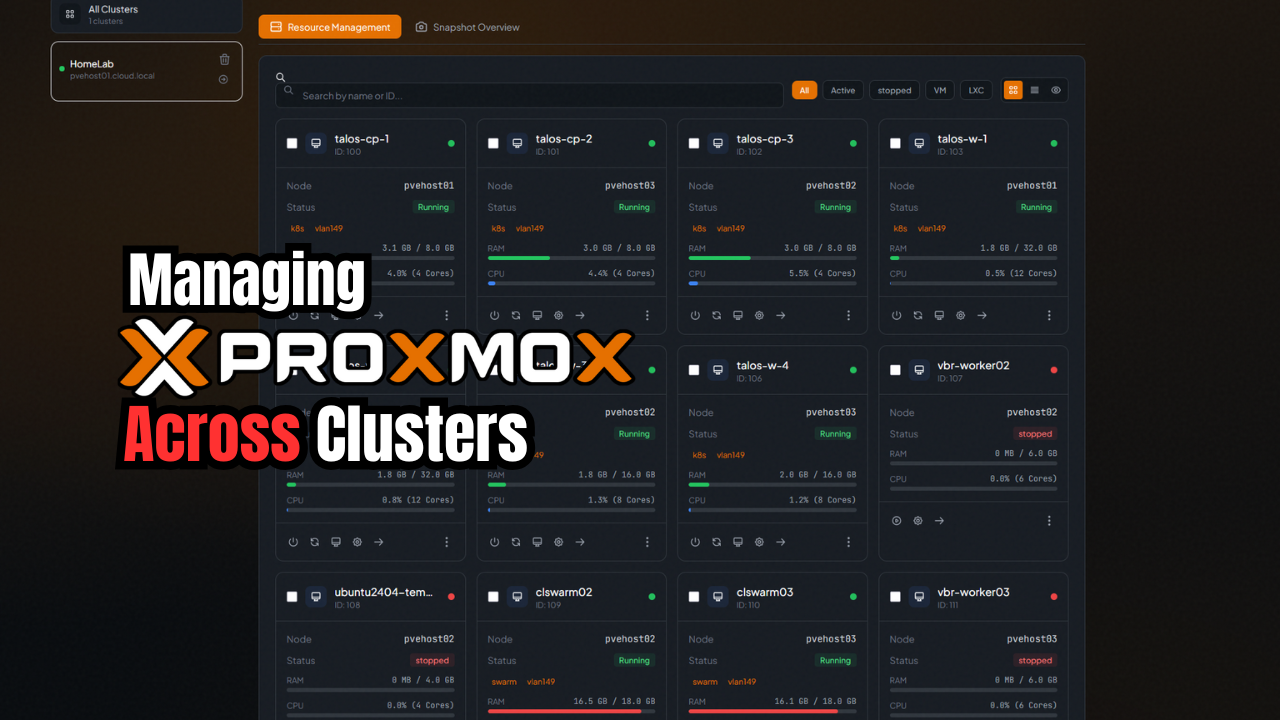
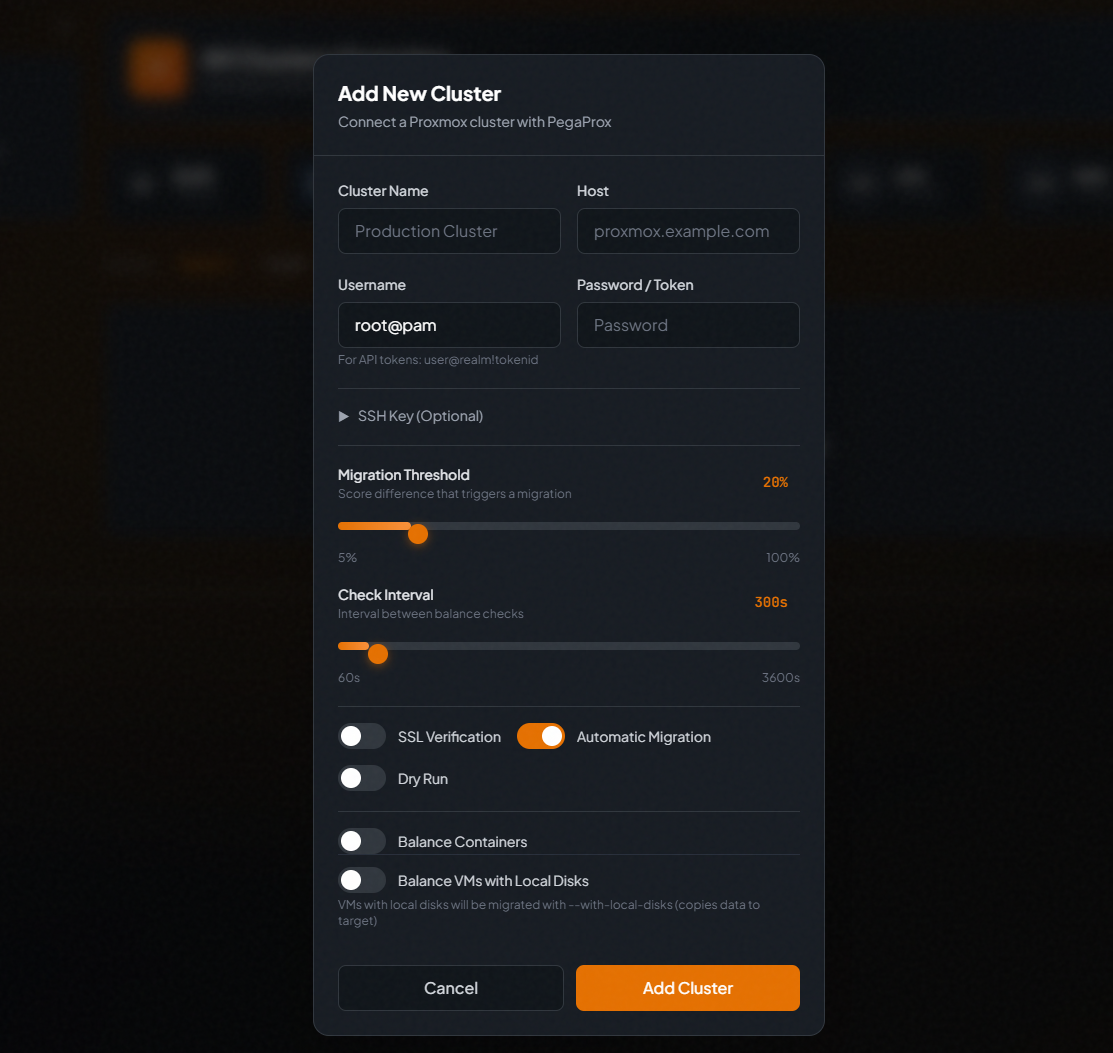
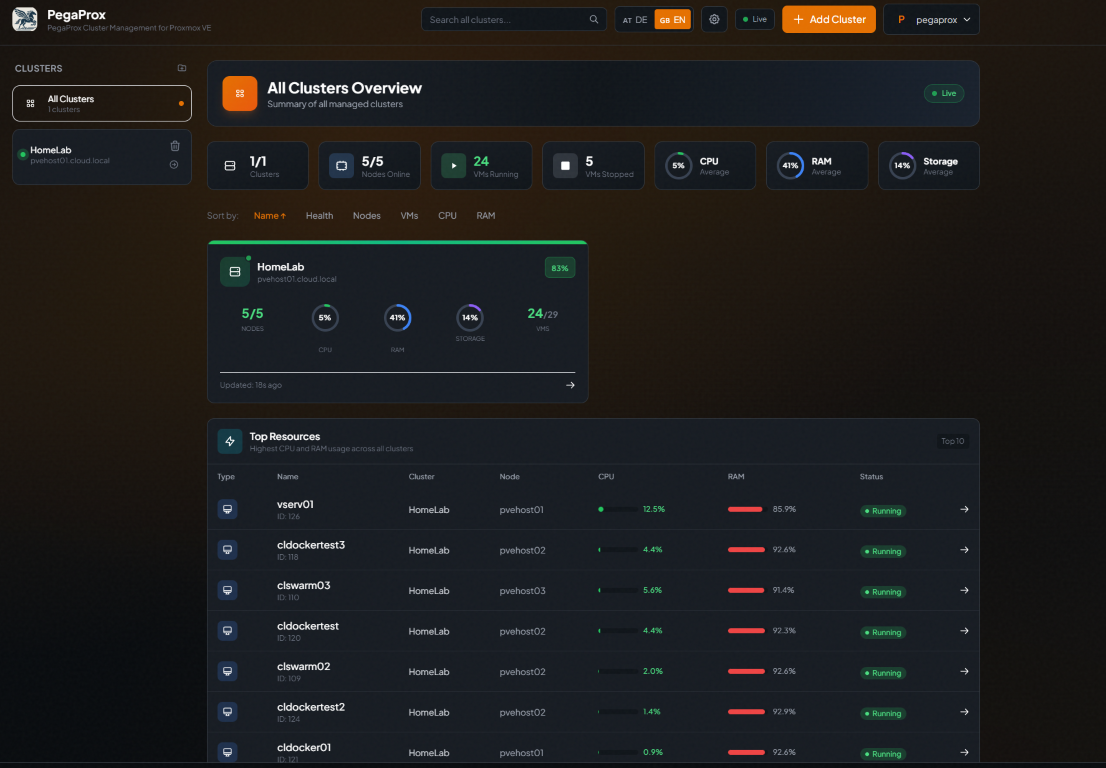
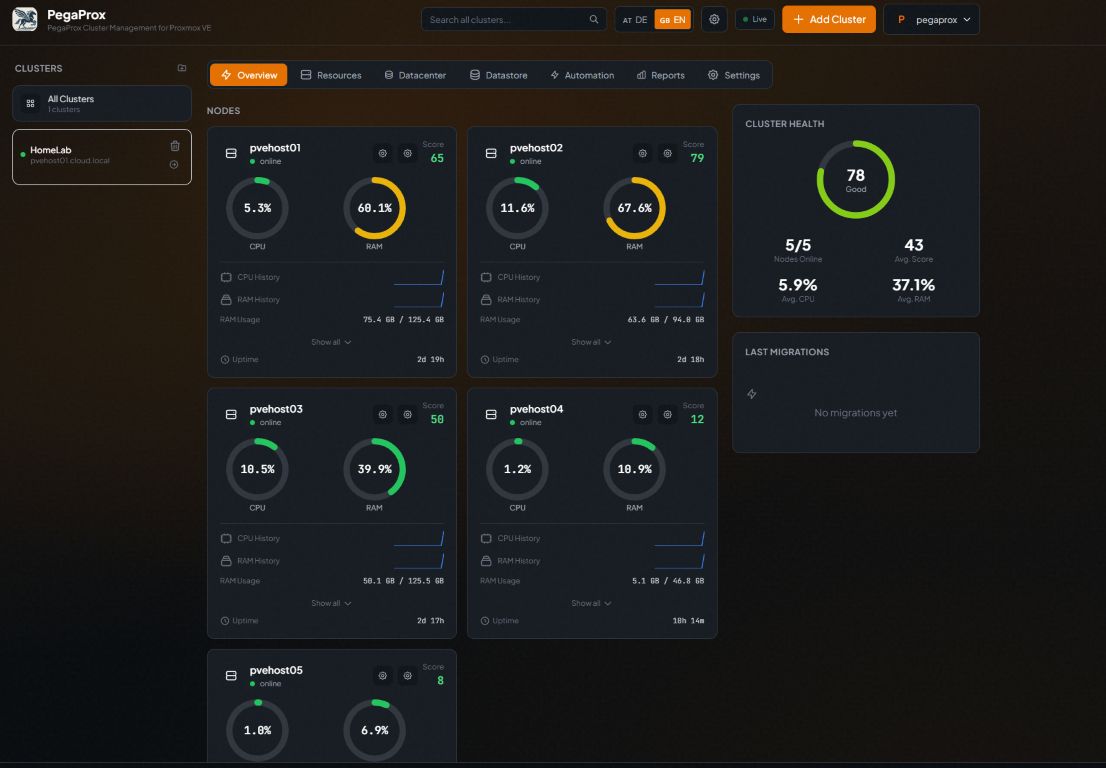
Once connected, PegaProx gives cluster health and workload distribution in a single place. What stood out to me is how quickly imbalances in your cluster become obvious without switching between cluster UIs or mentally calculating metrics across environments, which starts to matter once clusters begin competing for resources.
Overview dashboard and resources
Instead of hopping between clusters in different interfaces, PegaProx gives you a central place for host performance and workload views so capacity and pressure are easier figure out. I think this matters once clusters start competing for resources.
You can view your virtual machines and LXCs as tiles or lists.
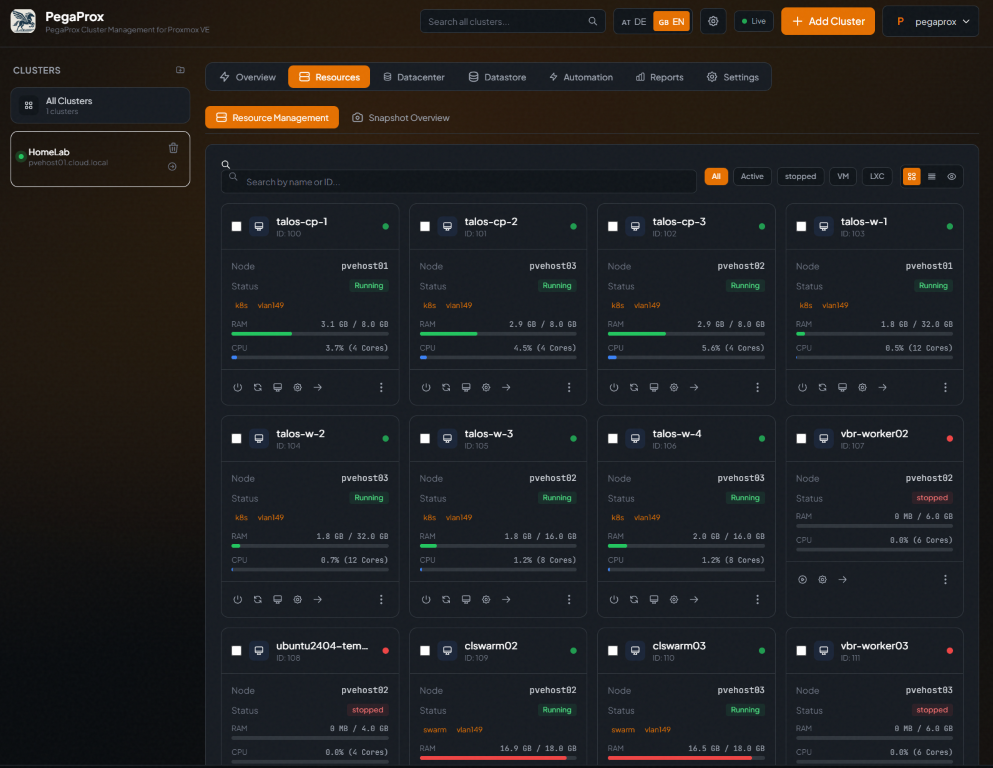
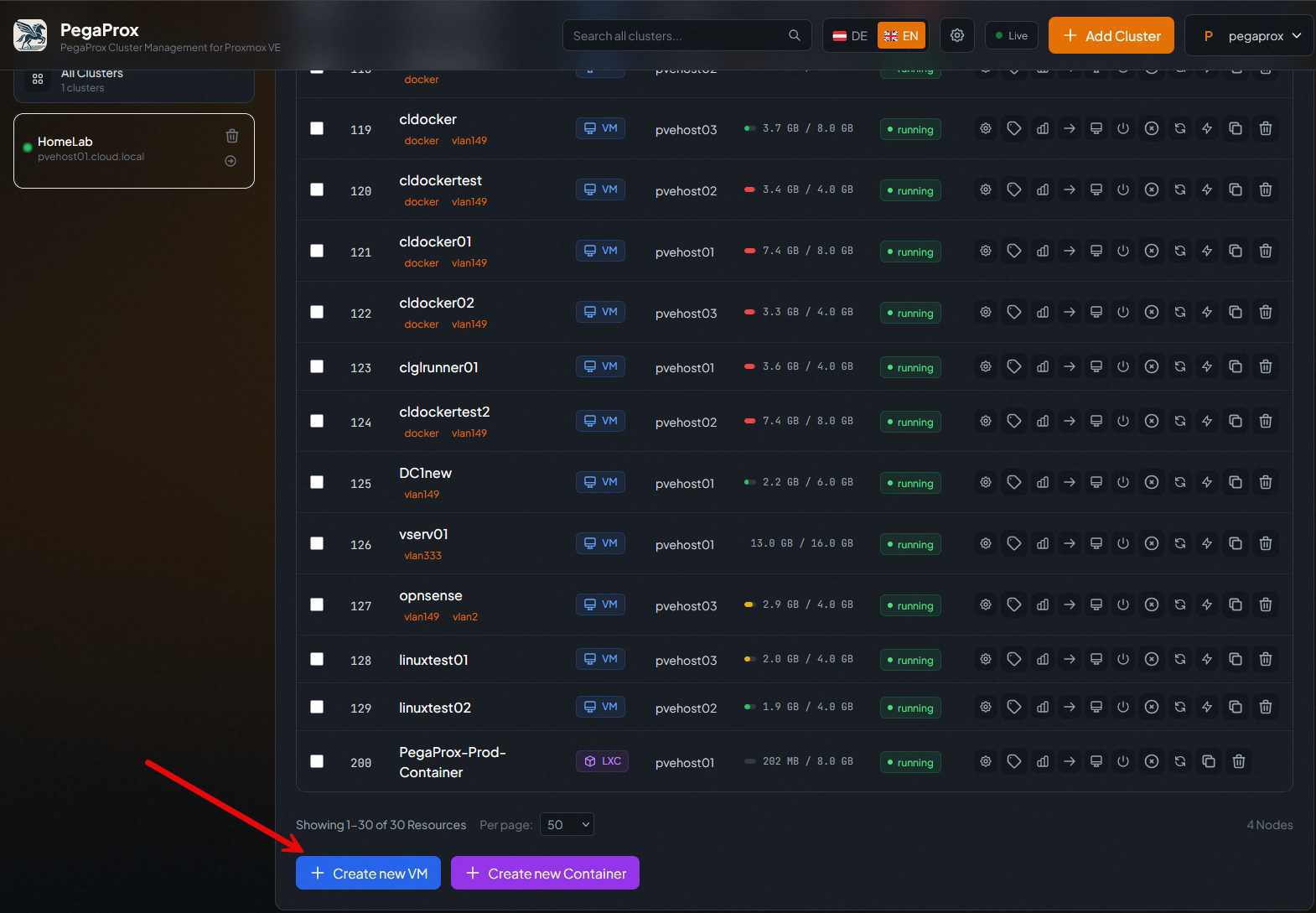
It makes a difference as well since you can manage normal VM and LXC operations from the same console that you manage your clusters.
Where automation begins to change operations
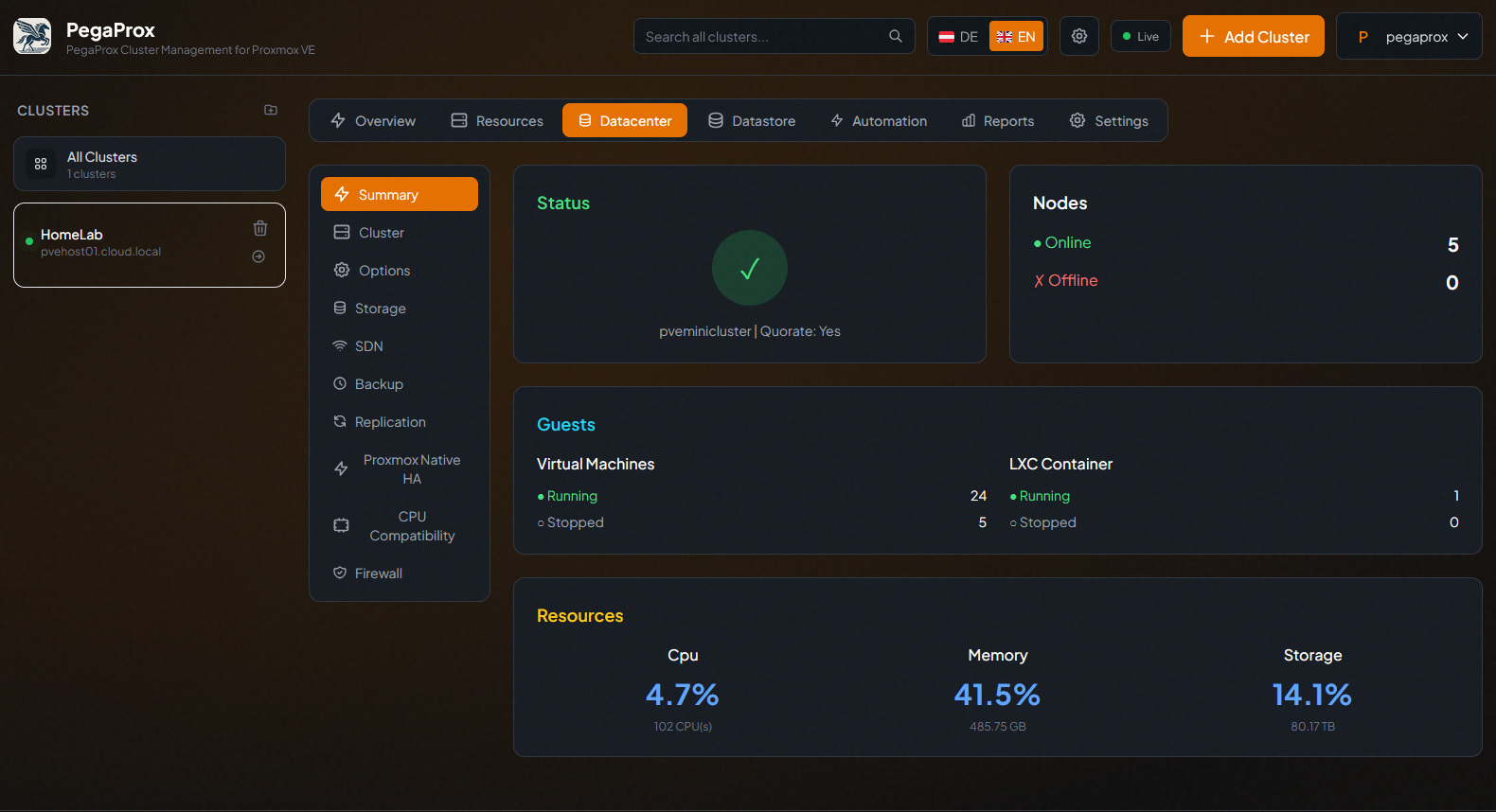
Data center operations are easy to see along with new features in the 0.6.5 beta release like SDN functionality that you can configure from the PegaProx interface.
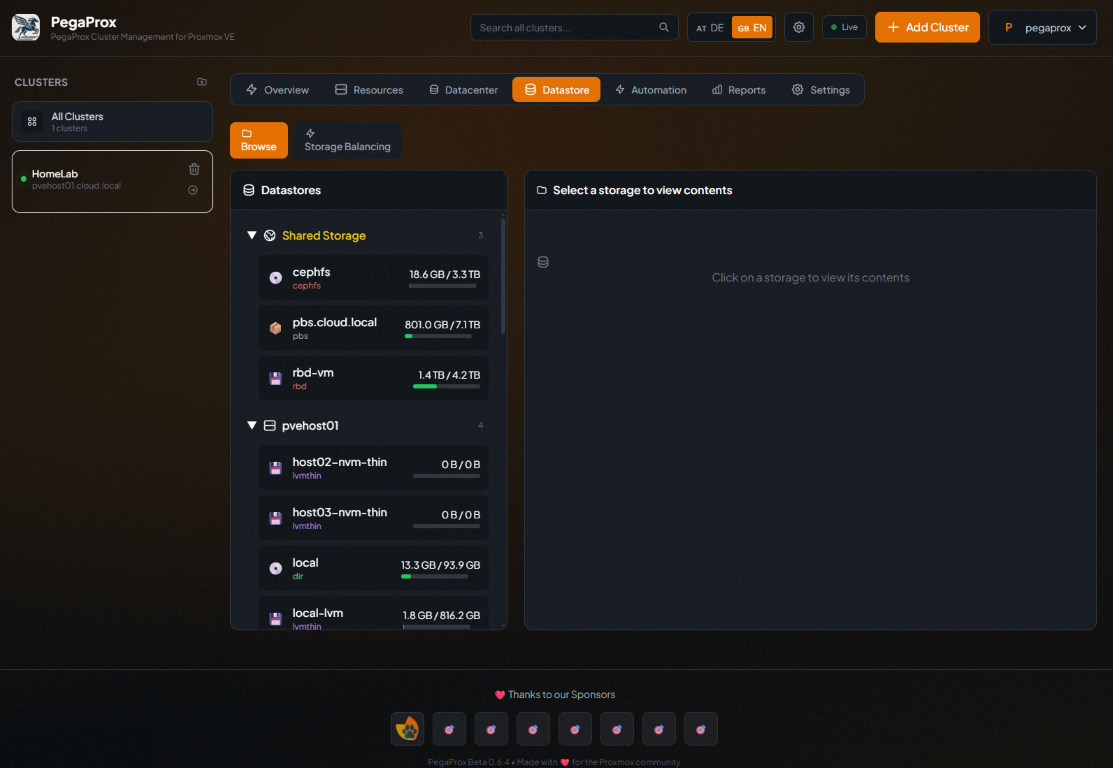
Storage management is another area that is crucial for cluster-wide management allowing you to understand storage needs for workloads.
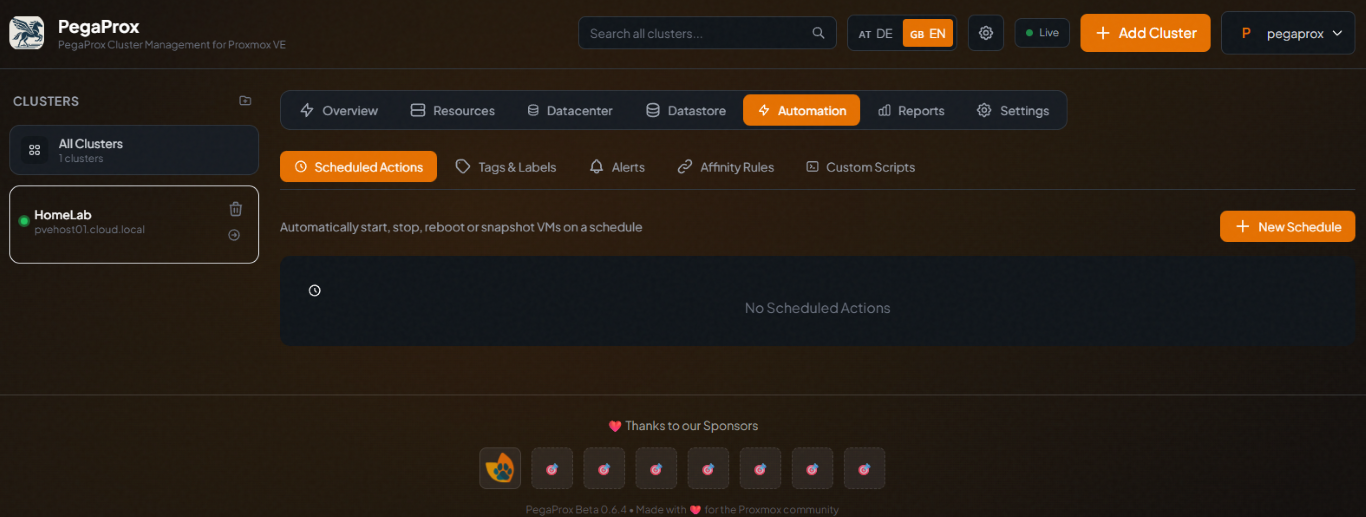
You can also schedule automated actions which allows you to automate things in the environment without scripting.
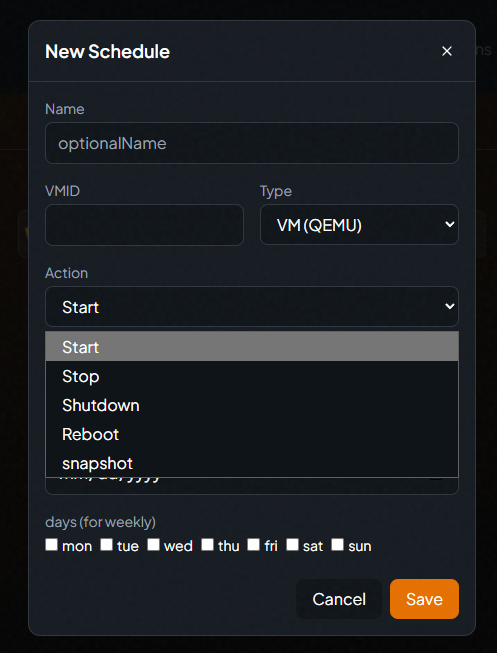
There are many automation actions for VMs which makes it easy for admins to automated their environments.
Reports and settings
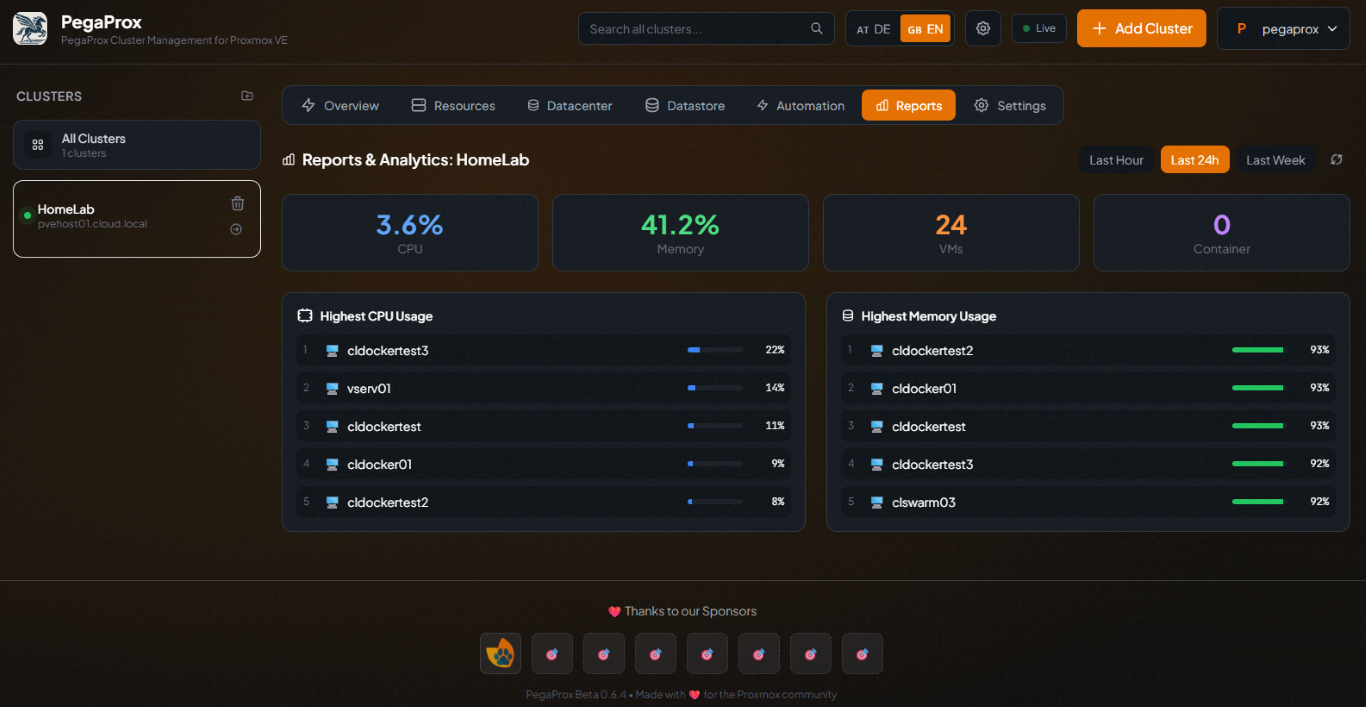
PegaProx reporting gives you a bird’s eye view of the highest CPU and memory usage across your clusters.
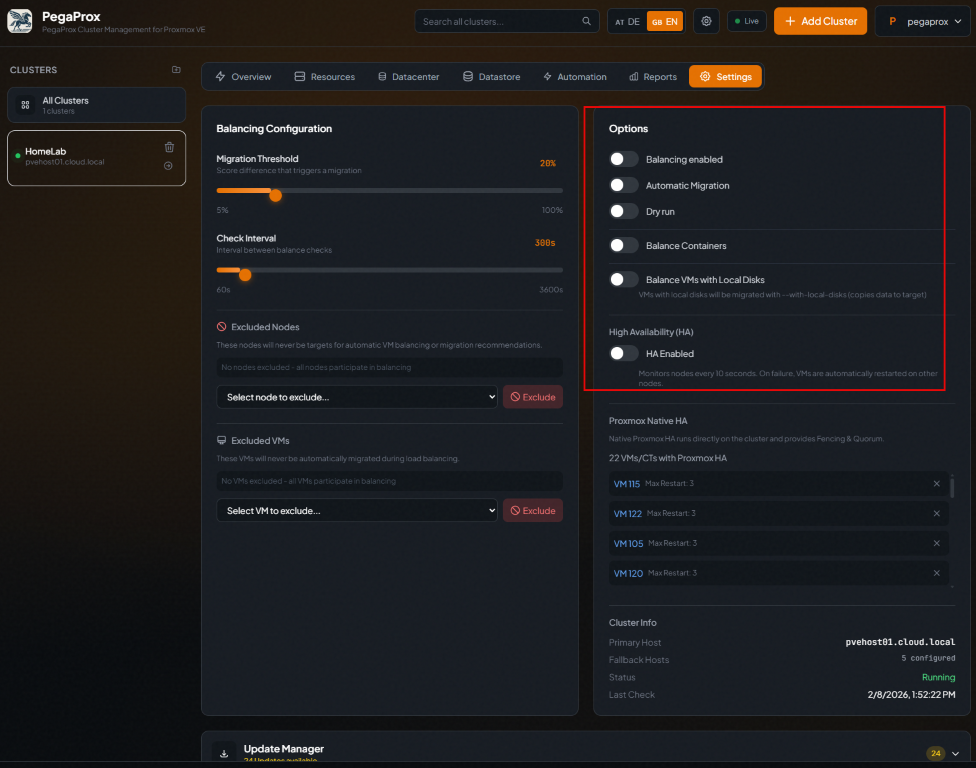
You can also set the balancing behavior and also enable HA in its settings. PegaProx has its own HA solution that you can turn on and have it manage the HA of virtual machines in the environment.
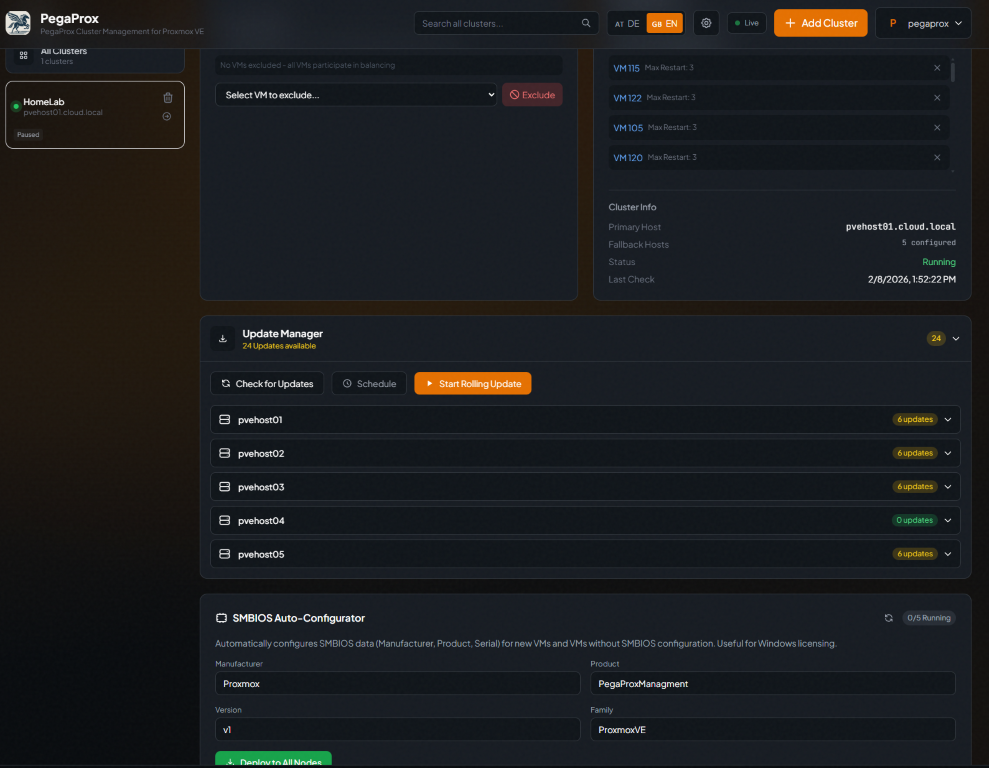
The update manager is also surprising. Here you can actually do “rolling updates” for your cluster and allow PegaProx to orchestrate this for your hosts.
Why centralized control feels different
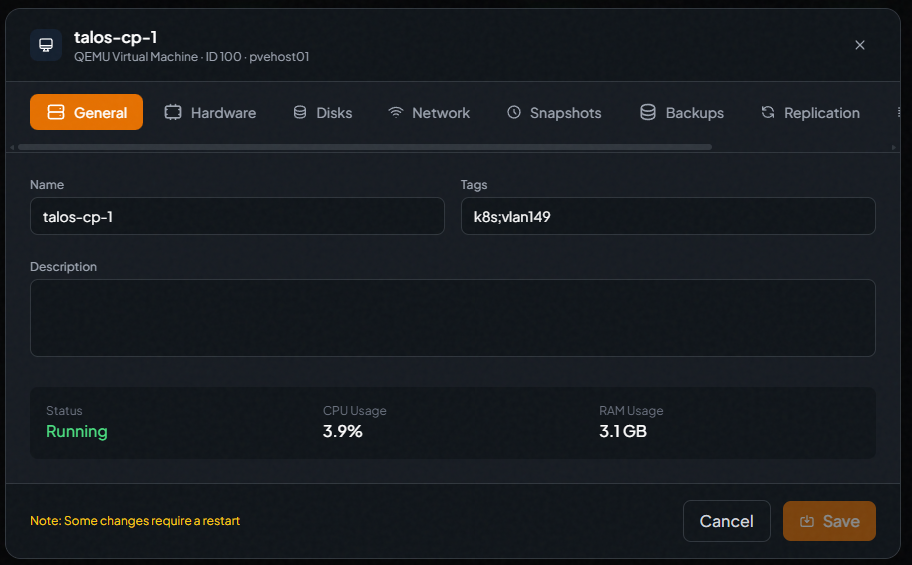
On the VM and container side, you get very granular configuration control on your VMs and LXCs. You see the tabs across the top for General settings, hardware, disks, network, snapshots, backups, replication, etc.
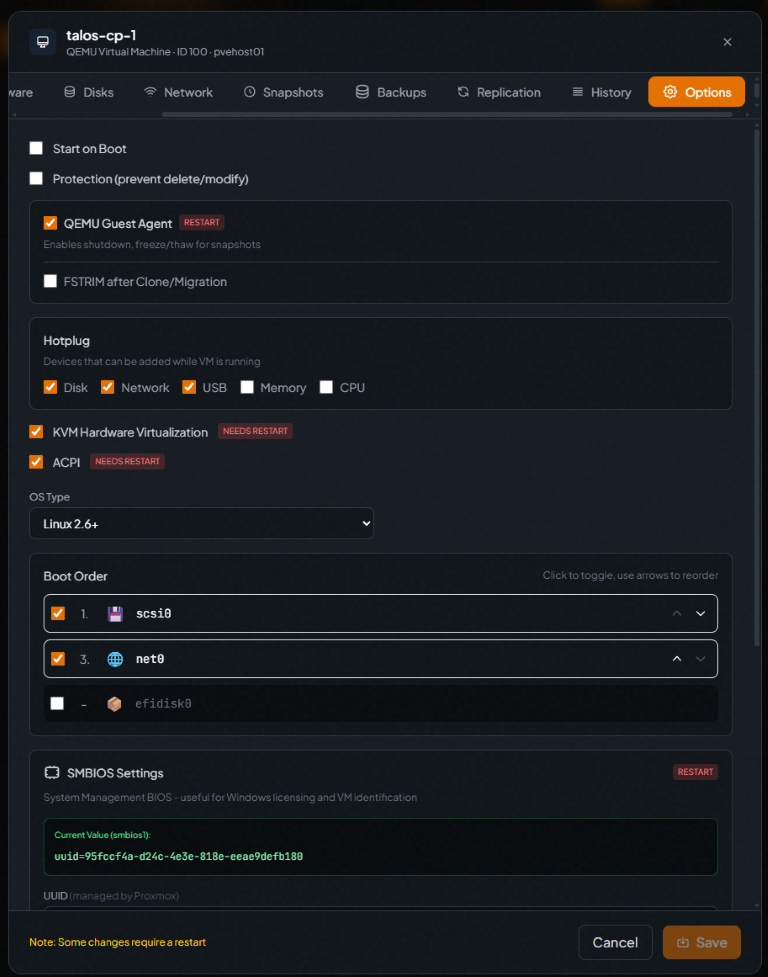
Configuring the options for a VM in PegaProx.
Snapshot reporting
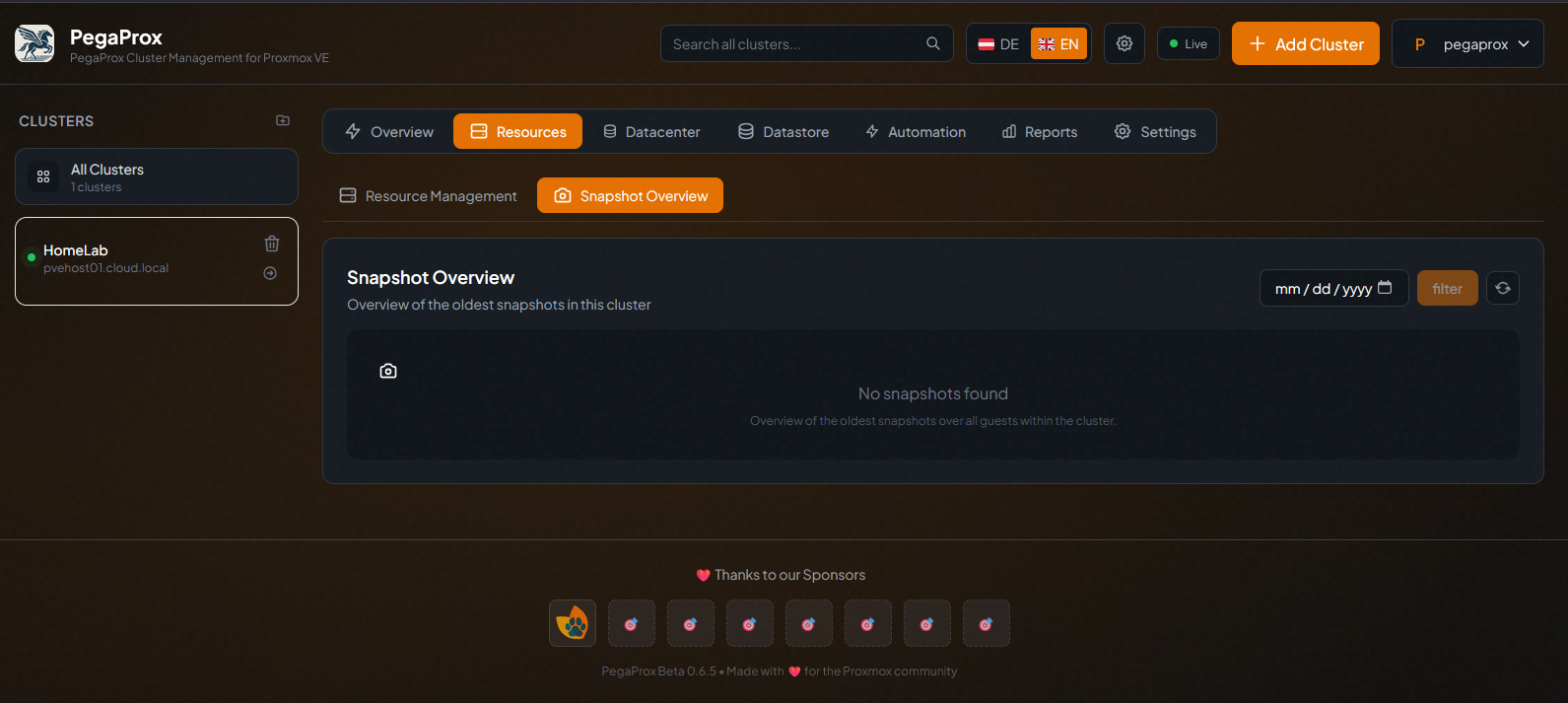
One of the other things you get with it is a Snapshot Overview. Coming from VMware environments, most of us know the issue with snapshots. You don’t want these to linger or hang around, but they seem to be the thing that everyone forgets about. This is a handy report that gives you a snapshot overview of snapshots running in your Proxmox environment.
Native load balancing and HA
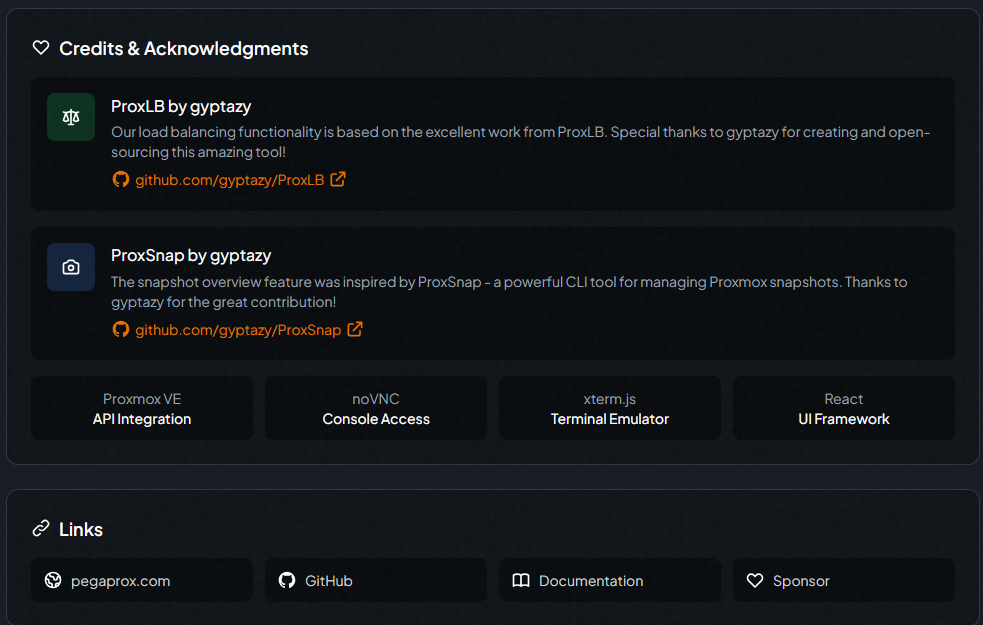
Many have been looking for a way to add a “DRS-like” feature to their Proxmox environments. PegaProx integrates the ProxLB open-source project into the tool itself. If you aren’t familiar with ProxLB, it is an open-source project written to add a resource scheduler to Proxmox. This is integrated natively into the PegaProx project.
How does this compare with Proxmox Datacenter Manager 1.0?
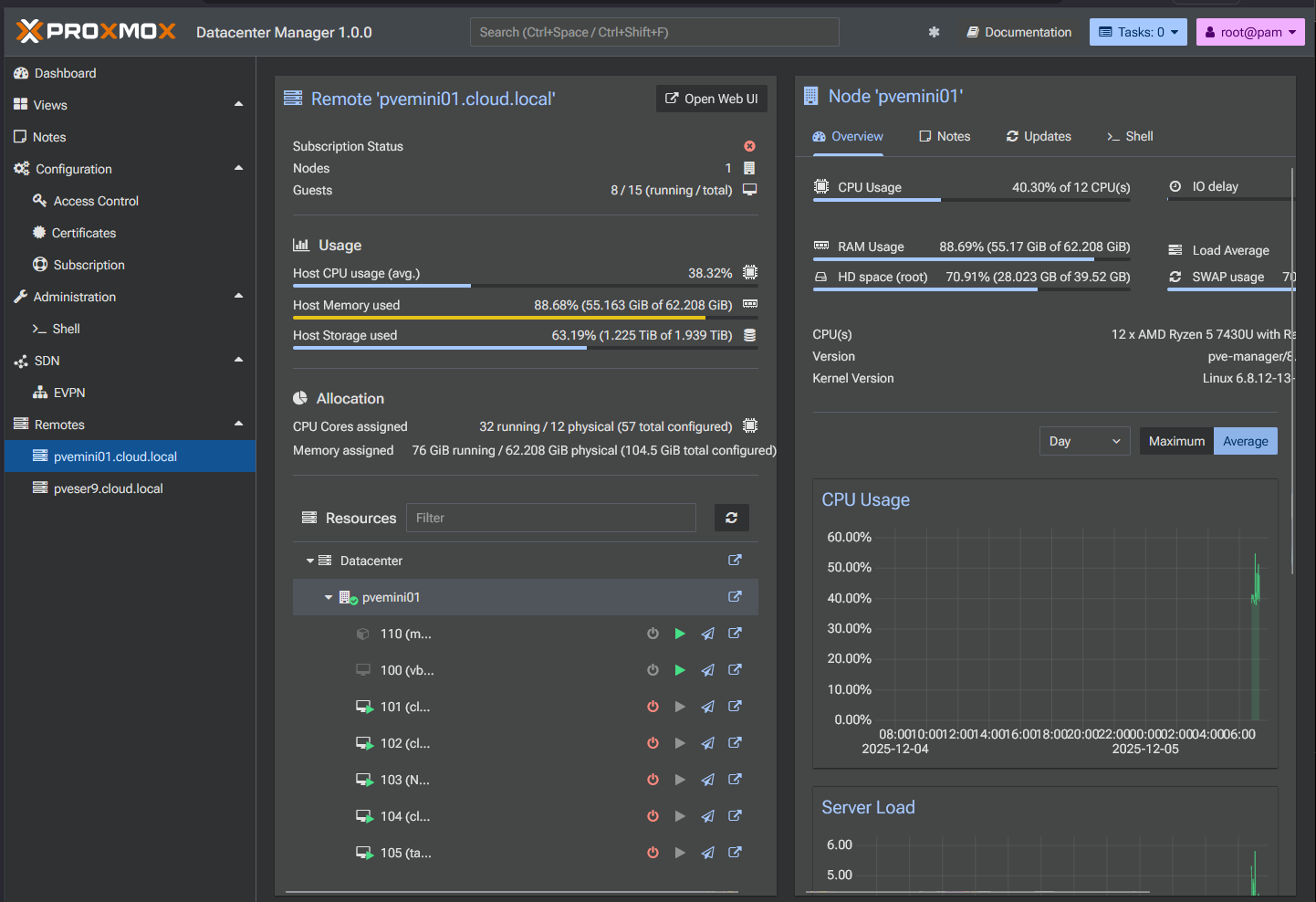
I know what everyone is probably going to ask about PegaProx. How does this tool compare to Proxmox’s own Datacenter Manager that is supposed to be a lot of what Pegaprox aims to be for the most part?
Proxmox Datacenter Manager feels intentionally conservative at this stage. I think it is laser focusing on centralized visibility and lifecycle management. PegaProx, on the other hand I think is exploring placement, balance, and coordination between clusters.
Check out my full review of the Proxmox Datacenter Manager 1.0 release here: Run Proxmox Datacenter Manager in a Docker Container for Home Labs and Testing.
Honest questions about PegProx
The PegaProx project is obviously still evolving. I am not sure it is something that I would just drop inside your production environment just yet. There are a few things like security posture and operational maturity that will need to get more scrutiny from the community before more serious use. I also wonder how well it will scale? How many clusters it will support?
Keep in mind these are not criticisms. They are just cautious considerations for an open source project that is still finding its footing. I also wonder if/when this project will transition to a paid solution. It is good enough to make that transition. Time will tell to see where the project goes from here.
Wrapping up
The Proxmox ecosystem continues to grow exponentially. I see new projects and announcements it seems like on a daily basis around Proxmox or some third-party solution. It really seems to have the momentum it needs to rapidly grow and mature. Mult-cluster management is something that organizations who are looking to replace larger VMware installations with, will definitely be interested in. Proxmox Datacenter Manager is still very early in its release cycle. It has potential but a long way to go to have the features and functionality built-in that will make it the go-to tool. In the meantime, PegaProx is a solution I that has placement and balancing logic that begins to resemble the kinds of automation VMware users associate with DRS built in. Also, it has its own HA. Let me know in the comments if you have tried out PegaProx and what you think of it? Are you using another tool?

Google is updating how articles are shown. Don’t miss our leading home lab and tech content, written by humans, by setting Virtualization Howto as a preferred source.
About The Author