


For years personally and professional, VMware was simply the default choice for production and home lab in my opinion. It was familiar, stable, and everyone was using it at their day job so it just made sense to run it everywhere. However, then along came Broadcom and they have basically killed the momentum of running VMware in all but the largest of environments. This leaves thousands of smaller shops in a weird position of not really being able to justify VMware any longer. With the changing tide, I decided to give Proxmox a go in the home lab and run it alongside VMware. I did not expect the comparison to last a full year as I thought VMware would trounce it. However, the experiment changed my mind and has reshaped how I run virtualized workloads. This post is not about “who wins,” but rather it is a retrospective of my experience. It is also about expectations, because Proxmox exceeded mine in ways I didn’t anticipate.
Stability and hardware compatibility
Honestly, one of my biggest takeaways from running both Proxmox and VMware side-by-side is that the stability of and compatibility of Proxmox has been just as good as VMware. In the case of compatibility, we could argue that Proxmox is even better here, especially for home lab environments.
VMware is hamstrung by the fact that it no longer has native support for Realtek network adapters. There was recently news of a VMware fling that introduces support for Realtek network adapters once again. But from the feedback I have seen with this is that it is not stable at this time. Many users are seeing the NICs disappear after a while or lose connectivity.
Proxmox fully supports both Intel and Realtek NICs making it arguably better for home labs with the wide variety of network adapters that are found across the different mini PC vendors. With VMware, you have to look for mini PCs that include an Intel network adapter to have supported connectivity.
The other area that we have to consider as well is the support for hybrid CPU architectures. Proxmox natively handles hybrid CPUs with the “big little” architecture without having to do anything special in terms of Proxmox configuration. With VMware, you will see a purple screen with hybrid CPUs unless you enter a boot parameter and make it persistent. Or the other choice you have is to disable the efficient cores in the BIOS.
Without the boot parameter in VMware:
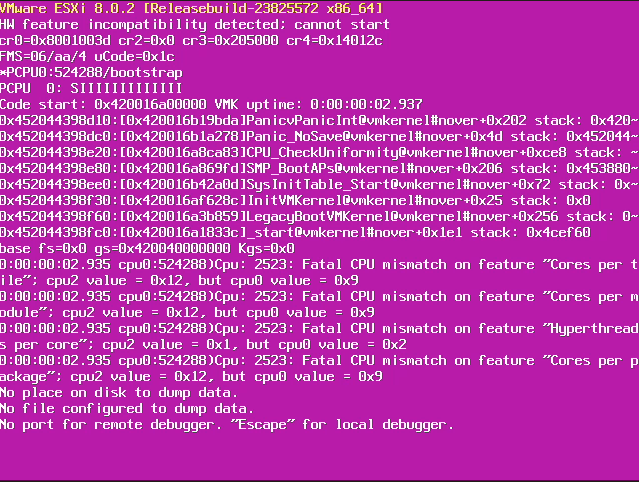
None of these VMware issues have been catastrophic issues, but they add complexity and friction. In a home lab where hardware choices are often decided by he cost of the hardware, where you may not be able to avoid some of the “unsupported” hardware, this friction matters longterm.
Stability for me is not just about not crashing, it is about letting you forget the hypervisor exists. Proxmox let me do much better than I expected and has even surpassed what I have be accustomed to with VMware.
The web UI has improved
There is no question that VMware still has the better interface. It is slick, modern, and very polished. But, what do we expect. It is the product of many years of refinement. I remember the pain we had to live through with the old flash-based web client. It was horrible. So, even VMware has had their fair share of bad interfaces.
Proxmox still feels like its interface is in that growing phase where it hasn’t quite reached the state of refinement that you would want to have. Many of the workflows are still inefficient and the UI is more about functionality rather than being slick or modern.
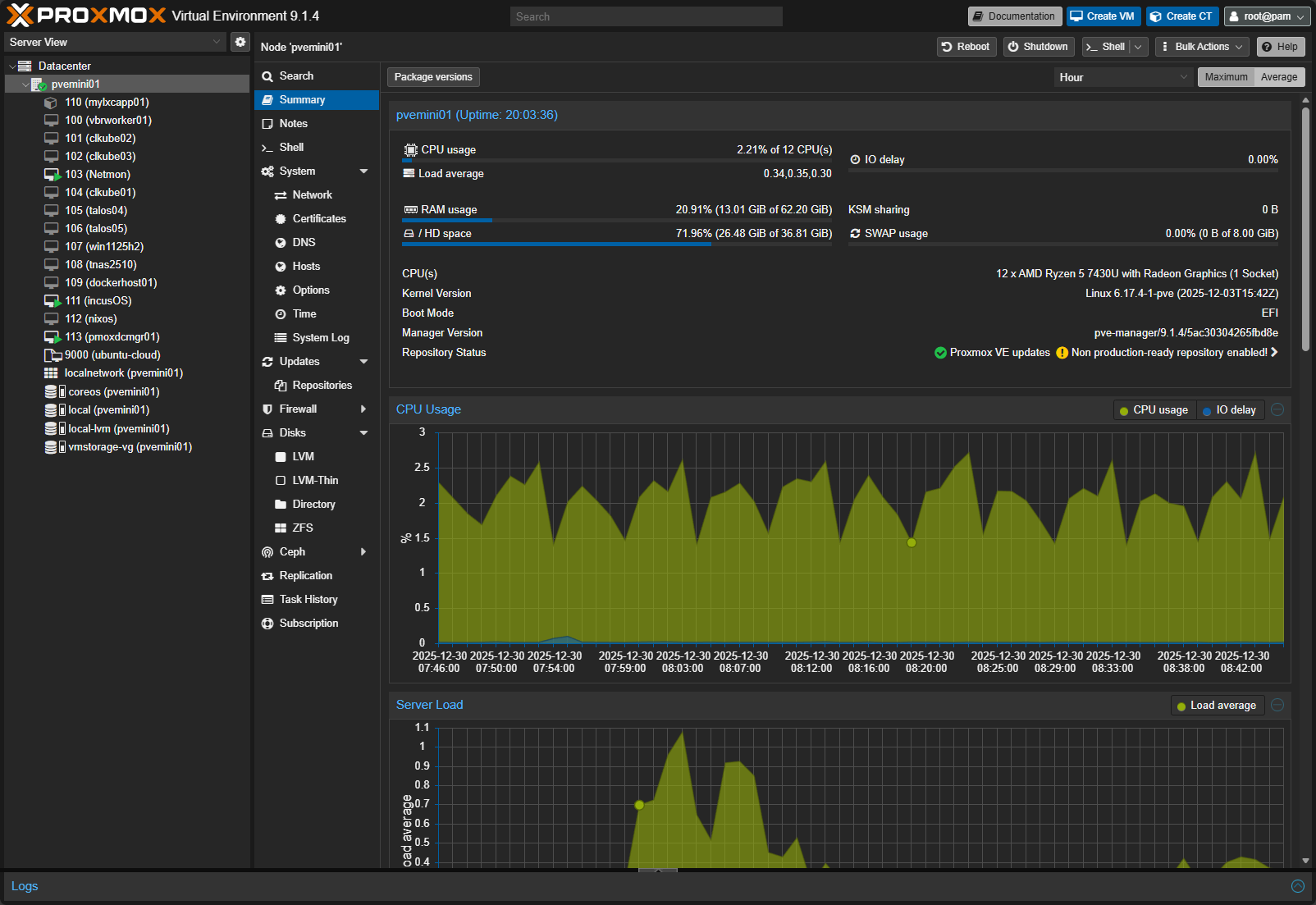
But, I will say this. Even though it isn’t as visually appealing, it has been 100% functional for everything that I do day-to-day. Honestly there are a few things I like better about the Proxmox interface, like how easy it is to get to a console on a VM, or a terminal on the Promox host.
But here is the important part. It is 100 percent functional for everything I want to do. I kind of had an epiphany after looking back at this past year. I care far less about polish than I thought I did, and far more about the capabilities and day-to-day management.
Proxmox Datacenter Manager is now GA and takes management to the next level
One of the biggest things to come down the pipes this year in the Proxmox ecosystem is Proxmox Datacenter Manager. I think this is going to be the turning point for Proxmox management. For a long time, VMware has had the advantage of centralized management with vCenter Server. It gave you a single pane of glass for managing multiple hosts and clusters. Compared to vCenter, Proxmox management has felt a bit disjointed and fragmented.
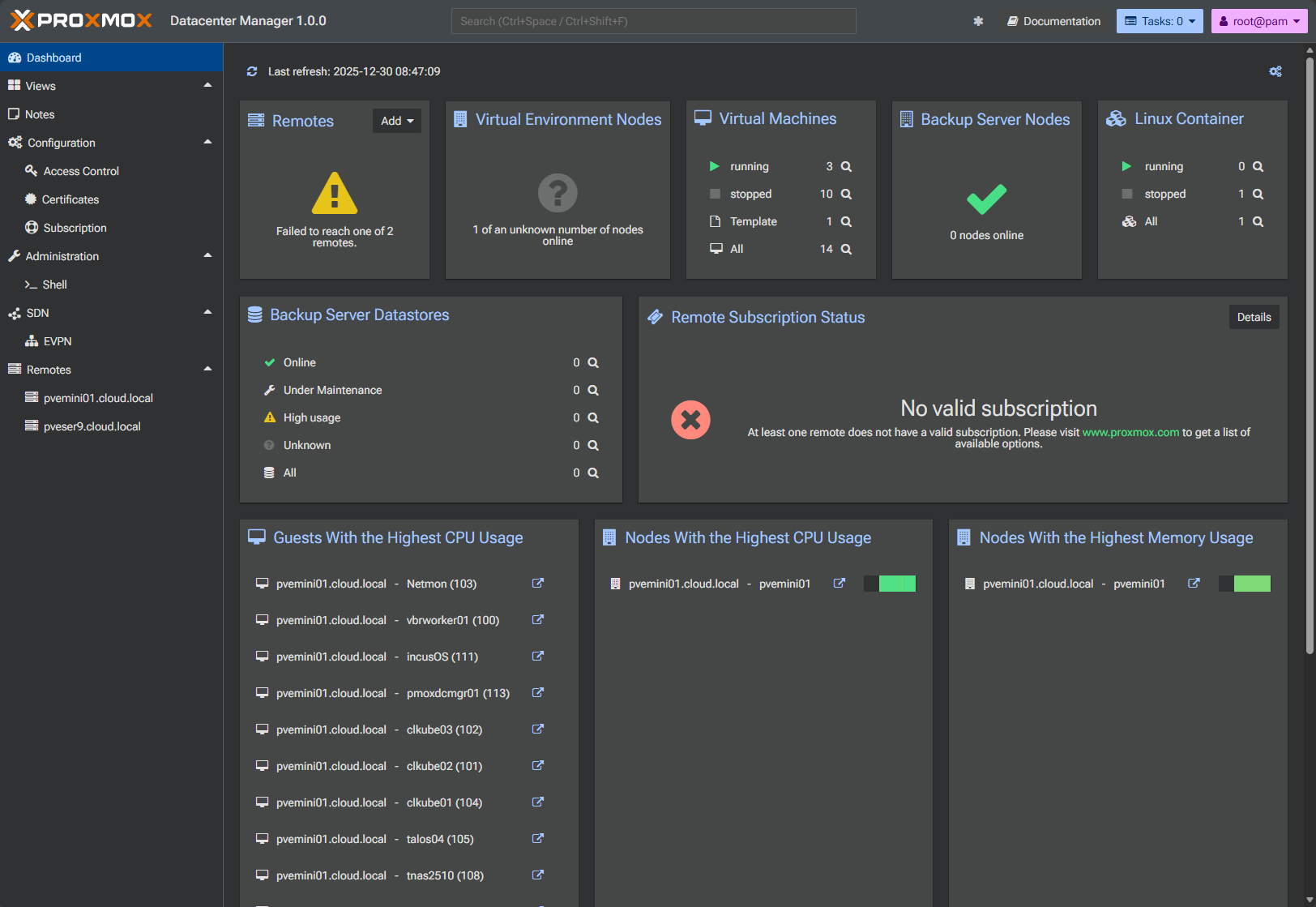
Proxmox Datacenter Manager has closed that gap. Now, I can manage all my Proxmox hosts and clusters from this new interface that makes it feel cohesive. You can now do things like see updates needed and actually perform updates across all your hosts without having to login to each local interface. It also gives you status checks for your hosts and high-level management capabilities.
It is good enough in the GA form that I no longer view it as a new tool but am actually finding that I am getting comfortable using it for daily management.
The community energy gap is hard to ignore
Man this is one area where I have seen a HUGE shift in the circles I am in. The VMware community enthusiasm has went from a feverish pitch to having a cold wet blanket thrown over it. The Proxmox community feels alive in a way that I have not seen from VMware in a long time since the beginning of 2024. It feels like VMware used to feel.
New projects are appearing constantly in the community for Proxmox and everyone is talking about Proxmox. Community projects have appeared that are incredible, like Pulse and ProxMenux to name a couple. And, these are not just toy projects. They are extremely useful tools created by people invested in the platform.
When I compare this with the VMware discussions I see, most of these live entirely within the VMUG or vExpert groups. Those groups I think are still valuable for the community, but now they feel so constrained compared to days gone by. This is a sad thing for me to see as it was VMware that everyone was talking about in previous years and where the excitement was. However, this has cooled off significantly. Conversations outside those circles still happen about VMware, but they are “how do we get off of it?”.
In my opinion, community matters so much and is important to the livelihood of any product or solution and frankly I think was the heart of VMware’s meteoric rise decades ago. Over the past year, Proxmox consistently felt like the place where momentum was building.
Backups and replication work just as good with Proxmox VE Server
Third-party backup vendors and backup features/capabilities is an area where VMware has had a huge lead over many other hypervisors. However, this has been one of the most surprising outcomes for me when I look back at what has happened this past year and how well Proxmox can be protected in terms of backups and data protection in general.
Proxmox has something that VMware doesn’t have and that is a totally free enterprise data protection solution in Proxmox Backup Server. It has deduplication, encryption, incremental backups, and fast restores.
But on top of that, Proxmox has scored many major third-party backup vendors as they introduced support for the platform. Arguably the backup leader in the world of hypervisors, Veeam released their Proxmox backup solution. From a day to day perspective, it gave me essentially the same experience backing up Proxmox as I am used to with VMware environments.
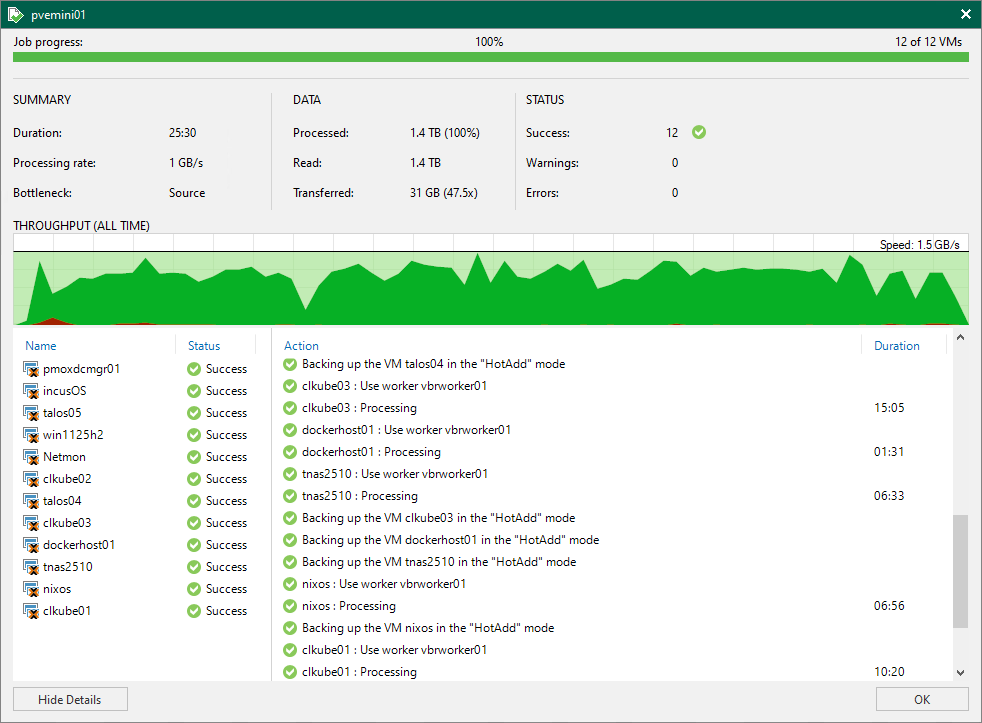
This eliminated one of the last major hesitations I had about relying on Proxmox more heavily in my home lab and production environments.
VMware still leads in advanced storage
There is an area I think where VMware is still hard to beat and that is with advanced storage features and capabilities. There is just not another option out there that has the features and capabilities that VMware has across different storage types like iSCSI and NFS. It has advanced snapshot handling and vSAN is hard to beat when it comes to software-defined storage.
Promxox 9 introduced strong improvements in the area of storage. But, there are still limitations. Snapshots are still not yet on par with what VMware can do across storage types. I would also like to see stronger compression and deduplication capabilities with Ceph storage to better match vSAN’s capabilities here.
Keep in mind, these are not deal breakers for most home labs, but it is an area where VMware continues to show its enterprise roots and longstanding technological capabilities.
Containers are where Proxmox shines
If I had to pick one area where Proxmox definitely shines, it is in the area of container workloads. Proxmox has long supported native LXC containers. These are lightweight and super fast and efficient. LXCs are great for home lab workloads as they easily stand in for full virtual machines in many cases.
Now, Proxmox has taken things even further with native support for OCI container images. I think this is a game changer and will continue to be as we see this feature mature and grow. Now you can pull down a native OCI image found on public container registries that are typically used to run on Docker and you can natively run this in Proxmox without any type of conversion needed. While it is still early on in testing out this new feature, it feels significant.
Read my post on this new capability in Proxmox 9 here: Proxmox VE 9.1 Launches with OCI Image Support, vTPM Snapshots, and Big SDN Upgrades.
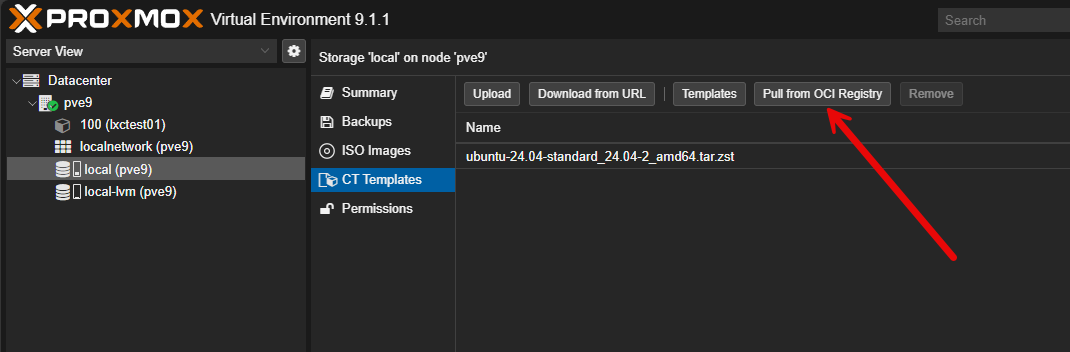
Now Proxmox has taken things further with native support for OCI container images. This is a genuine game changer. It bridges the gap between traditional container tooling and hypervisor level management in a way that feels natural. From a pure container capabilities standpoint, Proxmox is simply better suited for container heavy home labs.

Kubernetes is native in VMware but simple in Proxmox
VMware deserves credit for what it has built with Kubernetes and Tanzu. The capabilities of Tanzu are impressive, and in enterprise environments they can be extremely powerful for development and DevOps teams. But in a home lab, this story falls apart.
Running Tanzu in any meaningful way now requires full blown VCF or VVF with other addons. The amount of infrastructure needed for VCF is massive. The memory footprint alone is enough to disqualify it for most home labs, especially with today’s prices.
When comparing this with what you can do on Proxmox, running native LXCs or OCI containers on Proxmox is super simple. You get basically the same result without having to spin up lots of unnecessary infrastructure just to run orchestrated containers. I also am running Talos Linux Kubernetes on Proxmox, managed by Omni, and it is awesome.
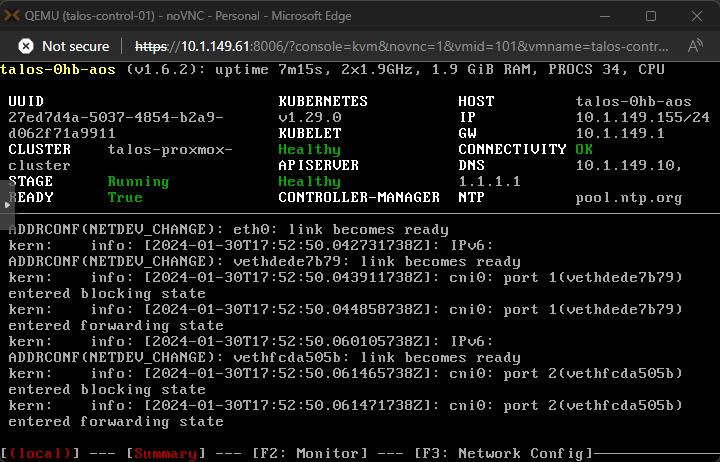
This is not a knock on VMware engineering. Its just not realistic to run this in the home lab, especially now with RAM being at a premium, and we no longer have easy access to VMware licensing and bits unless you have met the certification requirements.
Memory pricing definitely favors Proxmox
Most have seen the insanely expensive increases in memory over the past couple of months. It is not going to get any better for quite some time. In fact, it is outright painful now. It can cost as much for RAM as it does for the entire rest of a server build. This has forced many home lab builders (myself included) to reevaluate how resources are allocated to home lab workloads.
Considering this development with RAM, Proxmox feels like the more sensible choice. It is efficient and does not force you to run multiple layers of management infrastructure (think VCF). It supports a wider range of hardware, NIC drivers, and CPU architectures, and it is super strong in the area of running containers, which are inherently more efficient and RAM friendly. I think with Proxmox, you can do more with less, and right now that matters more than ever.
Wrapping up
I have covered a lot of ground in this post and thrown out there a lot of my thoughts on the outcome of this past year. I went into this comparison expecting Proxmox to be good enough to run workloads. But, what surprised me is that I didn’t expect to genuinely stop missing VMware altogether.
That does not mean VMware is irrelevant or broken. It remains a powerful platform with strengths that Proxmox has not fully matched yet. But for the modern home lab with the realities of today’s hardware choices and prices, Proxmox has exceeded my expectations. What about you? Have you been running a similar comparison? Are you still running multiple hypervisors? I am curious how many in the community are still doing this.

Google is updating how articles are shown. Don’t miss our leading home lab and tech content, written by humans, by setting Virtualization Howto as a preferred source.
About The Author



Brandon I have been hands on with PVE for just over a year and I pretty much agree with you on every point but I also think after taking the week long training and meeting enterprise customers moving to it, there is much more to it than just home lab use. This is a marketing problem that Proxmox needs to fix.
Chris,
Really appreciate your insights here with customers you are working with as well! Definitely agree with you here as well that Proxmox should double down on marketing to get the word out there that it is a serious hypervisor and not just a community project. Another area they are lacking in is support. I think the non mission critical support is also hurting their chances with perspective customers. Hopefully they are seeing the same and internally working on closing some of those gaps. Thank you again Chris for tossing the comment out here!
Brandon
I started with Vmware workstation years ago and was pushed into Proxmox during the transition to a new part company owner.
When starting out for me there are too many options and not much explanation to why certain options are better than others.
Over the years I learn what worked and what didn’t. I still see instructions online of how to install Windows with only some drivers during the installation process instead of all of them.
My corporate owner don’t have Linux knowledge base, so everything is hyperV, Vmware or cloud Azure or AWS.
Proxmox needs a service where it will manage the entire process of in-house servers for enterprise to use the VM. Enterprise don’t care which file system or network storage technology is used as long as it is robust, recoverable and Secure.
The technology works when configured correctly, focus on convenience to build uptake. My biggest blocker for using Proxmox in my company is who will look after it down the line.
There are companies that will provide as much support as you want, namely 45 Drives
Dave,
Great shout here to 45 Drives and other third parties. I would still like to see Proxmox get a native support option for mission critical support. I think if nothing else this would be a catalyst for adoption by larger enterprise environments.
Brandon