




Just a quick note if you are using Veeam to backup your Proxmox VE Server environment, you may run into an issue where your backups may start failing if you run out of space on the snapshot storage. This is the storage you configure when setting up your Proxmox VE Server backup job in the Veeam VBR Console. Here is what the error looks like:
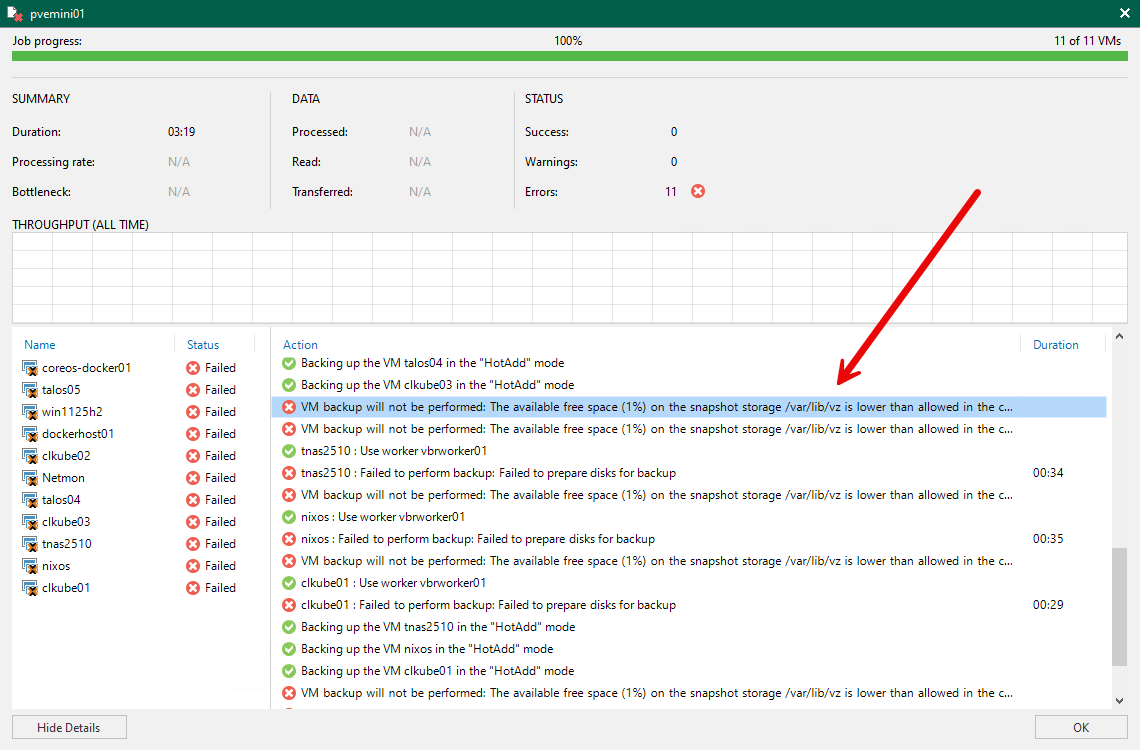
In my home lab environment, this was the result of me going in and playing around creating VMs and not paying attention to where a couple of template disks were created. The default space before backups fail with this error is 5% which is configurable for your snapshot storage. If you want to take a look at these thresholds or make changes, you can navigate in the menu to Options > Notifications. Here you will see the item Skip VM processing when free disk space is below...
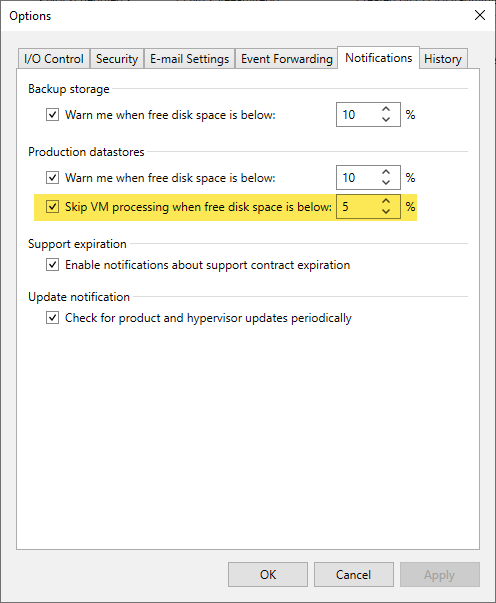
After I cleaned up the snapshot storage location disk, /var/lib/vz the backups were able to create the required snapshots and backups once again were running smoothly.