




I wanted to share today's project with everyone. I have been waiting on a few of the components to arrive, but got everything in today that I was waiting on, including the PSU. So this build for me is an "option 2" build that is built around the Minisforum BD795i SE motherboard with the Ryzen 9 7945HX processor which is the same processor that is found on the BD795M motherboard that I have posted about as well. You can read my post on here:
Home Server Build 2025: Run Proxmox or VMware ESXi 16 Cores and 128GB RAM.
Here are the parts (amazon affiliate links that I earn just a small commission on):
- Minisforum BD795i SE mini-ITX motherboard – https://amzn.to/4ilUC68
- RackChoice 2U Micro ATX Compact Rackmount – https://amzn.to/3CeIW5H
- Coolermaster MWE Gold 850 – https://amzn.to/4aFXhET
- Crucial 128 GB 5600MT/sec RAM – https://amzn.to/4i5g5zN
- 240 GB Kingston SATA hard drive – https://amzn.to/4hv6sKG
- Intel x520 10GbE adapter – https://amzn.to/4jv05ZA
- Samsung EVO 990 Pro – https://amzn.to/40OwtiA
- Artic P12 slim fan – https://amzn.to/3DwwnmD
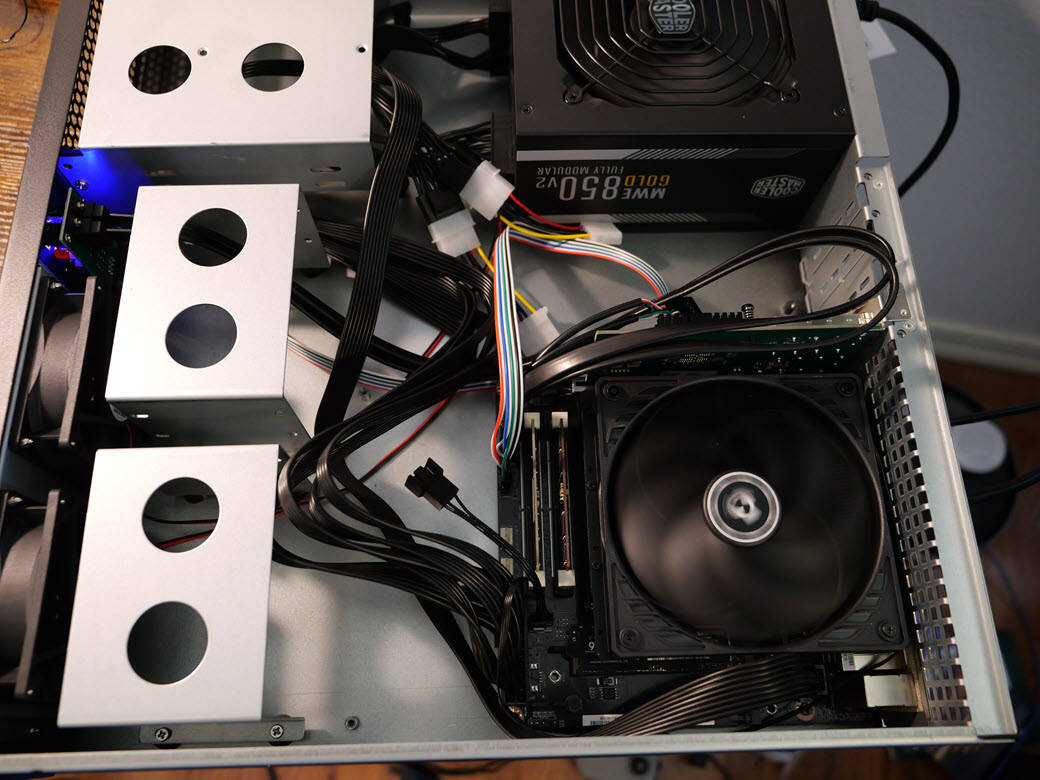
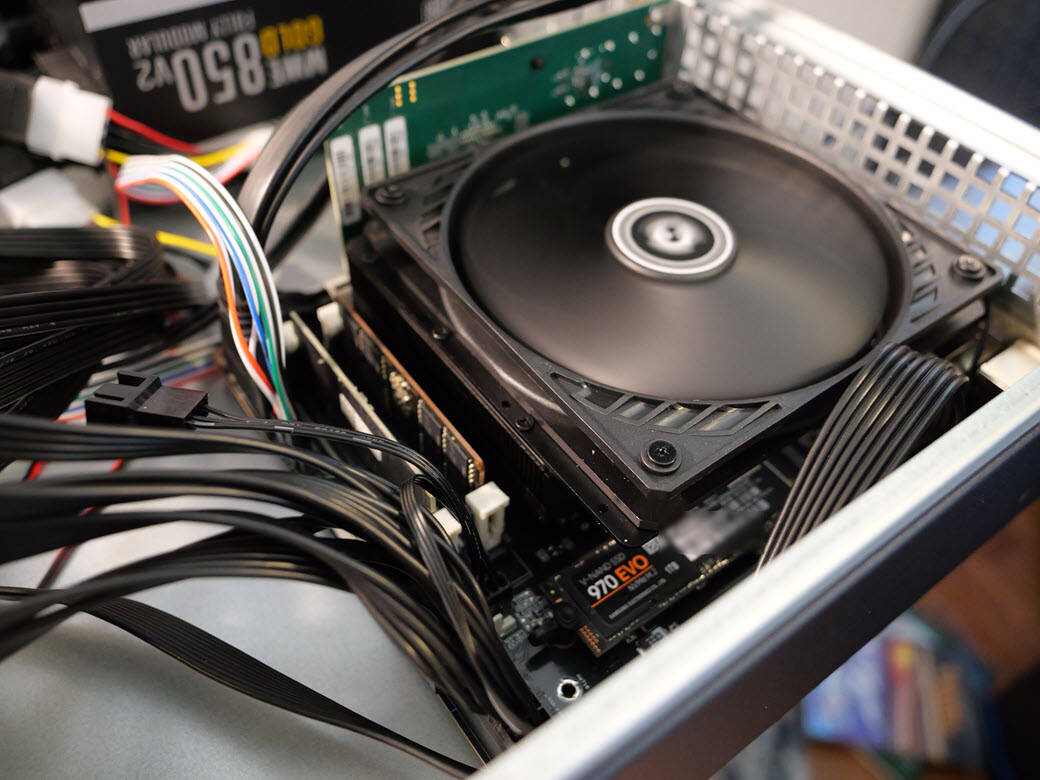
So far in my testing this is a great processor with tons of horsepower for home labbing. Also, now that we have 128 GB of SODIMM RAM, you can load up your build with at least 128 GB of RAM. If VMware installed, you can also do NVMe memory tiering if you want to push beyond 128 GB and Proxmox you can use Optane or other fast storage for super fast SWAP storage that is similar in principle to what we can do with NVMe memory tiering. Take a look at the pics so far of the build which I will be featuring on the coming week's video on the YouTube channel, so stay tuned. if you have any questions, please join the conversation!

Hey brandon nice set up! I was wondering if you might be able to help me. I have a vast server set up with the minisforum bd975m and a 5090 that works perfectly. i bought another one and now i cant get through to vast because when i turn secure boot on i get the 16gt x 16 lanes but when secure boot is off i get 2.5 gt (gen 1 downgrade) and 16 lanes. Have you ever ran into this problem or have a solution?