This weekend I went down an absolute rabbit hole that I think most home labbers eventually hit when they start getting more and more into Kubernetes and that is backups. One of the projects that I have had looming is getting backups up and running since I am now running most of my production home lab services in Kubernetes. Since most of my Kubernetes migration has been pretty straightforward, I figured backups would be the same. But I ran into some issues that threw a lot of my assumptions out the window.
Kubernetes backups are not as easy as they might seem
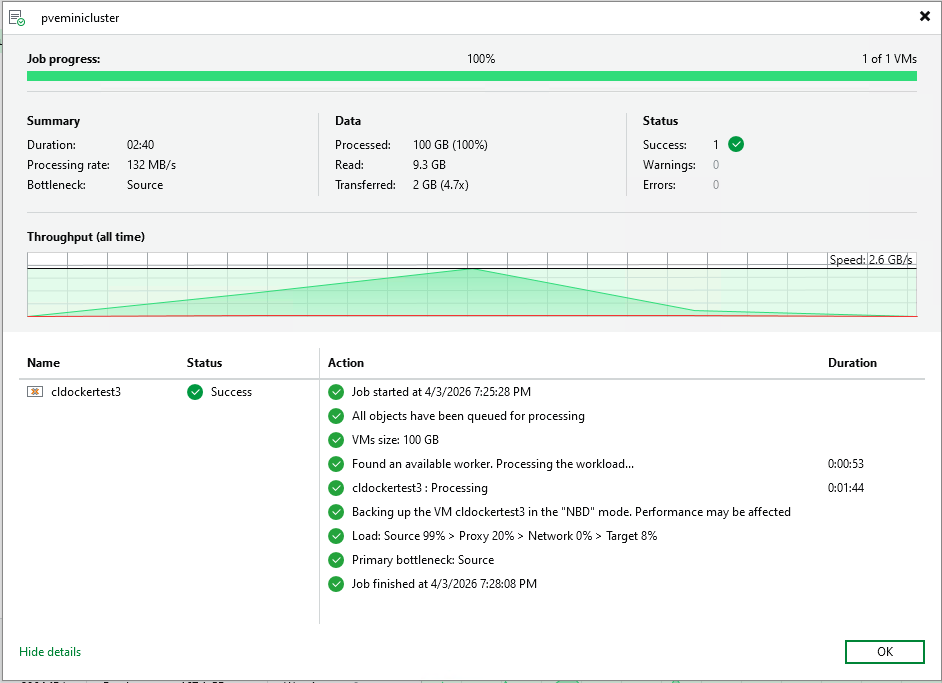
In a traditional VM environment, backups are easy to understand and think about. You take a snapshot of a VM or the disk using your backup tool and you restore it. Simple and easy. Everything comes back up and running.
Docker is mostly as straightforward, but starts to have that feel of things being decoupled. You start understanding how important it is to understand where your data lives in Docker and backing up your Docker “image” doesn’t grab your data or vice versa.
But in Kubernetes, things are much different. You are not just dealing with disks. You are dealing with a whole array of different configurations and important objects that make the application work. These include:
- PersistentVolumeClaims
- Storage classes
- CSI drivers
- Application state
- Kubernetes objects
And these are not tightly coupled in the way a VM disk is with the VM itself. That means that you can think you have a backup when you actually do not. Also, the problem gets murkier as well when you are using block storage technologies. These store data in a way that you can’t just copy and paste somewhere else. You have to have a way to read that data.
Where my assumption broke down
My initial thought process was simple getting backups going. I had persistent volumes AND backup tools that I want to try and those that I want to use. So, I shouldn’t have any issues getting things up and going (or so I thought).
I started off with Velero as it has been a tool that I have wanted to try for quite some time and it is the one that most people point to first. It is free and open source and is widely used not only in the community but also the enterprise as well.
But this is where things started to get weird and hard to understand on direction. In trying to get myself up to speed with Velero quickly I tried to ingest all the documentation that I could find. There were varying sources of information here on how I needed to configure Velero. I started out assuming that Restic was where data movement happend, but it appears there have been changes with Velero having moved away from Restic.
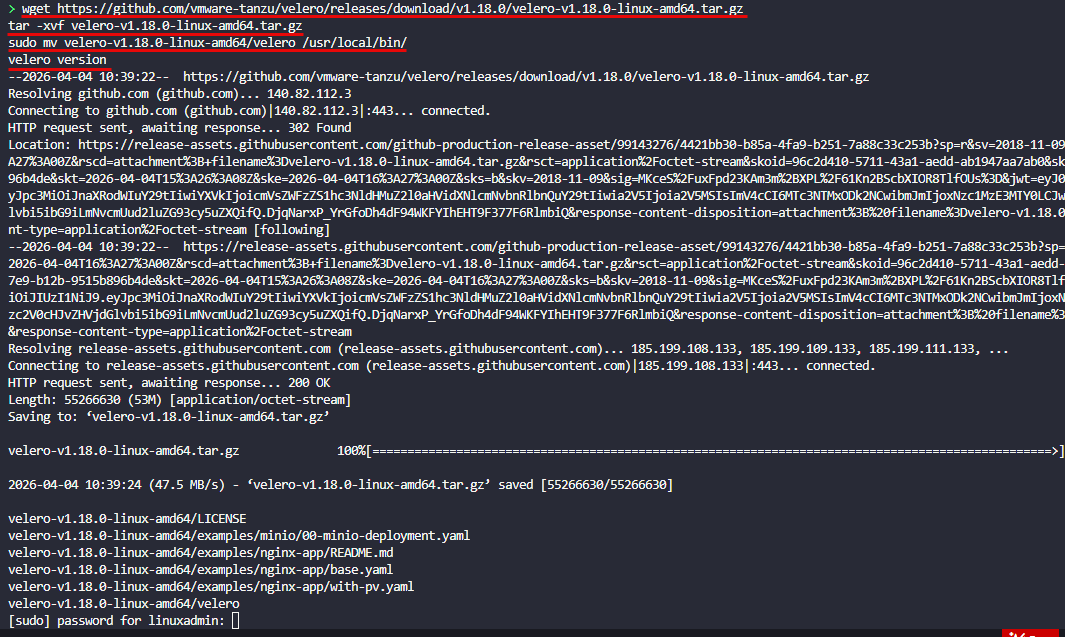
With this came confusion around how data movers worked. Also, there were multiple approaches depending on storage that you use with Kubernetes. I struggled and struggled to get things working with Velero. I targeted my RustFS deployment, which I recently wrote about, and was able to at least successfully see my Velero application backups making it over, but I couldn’t get the PVCs to successfully back up.
Even with CephFS which you can “see”, I learned the hard way that in my Docker Swarm cluster, this storage isn’t exposed to the backup when you get an entire VM backup. So you have to start thinking about your data differently.
Anyways, I think the Velero solution works well as obviously many are using it, but as it turns out I had some underlying issues in my storage provider that may have been at play as well. This turned up in the next solution I tried.
Moving to Kasten K10
After wrestling with Velero, I decided to try Veeam Kasten K10. I have tried Veeam Kasten K10 before in the lab, but it was a few years ago and the product has definitely matured and is much more robust at this point from when I had tried it before. You can also use it with the starter license that it defaults to which is free with some limitations and the number of nodes you can backup from for your applications.
The experience was different right away. Kasten is more opinionated about how backups should work, especially around snapshots and application awareness. It is closely tied to the Veeam Backup & Replication tool as you would expect. And, it has that Veeam polish and “enterprisey” feel that most of us prefer and have a comfort level with.
Kasten K10:
- Uses CSI snapshots for volume data
- Captures Kubernetes objects alongside the data
- Manages policies for backup and retention
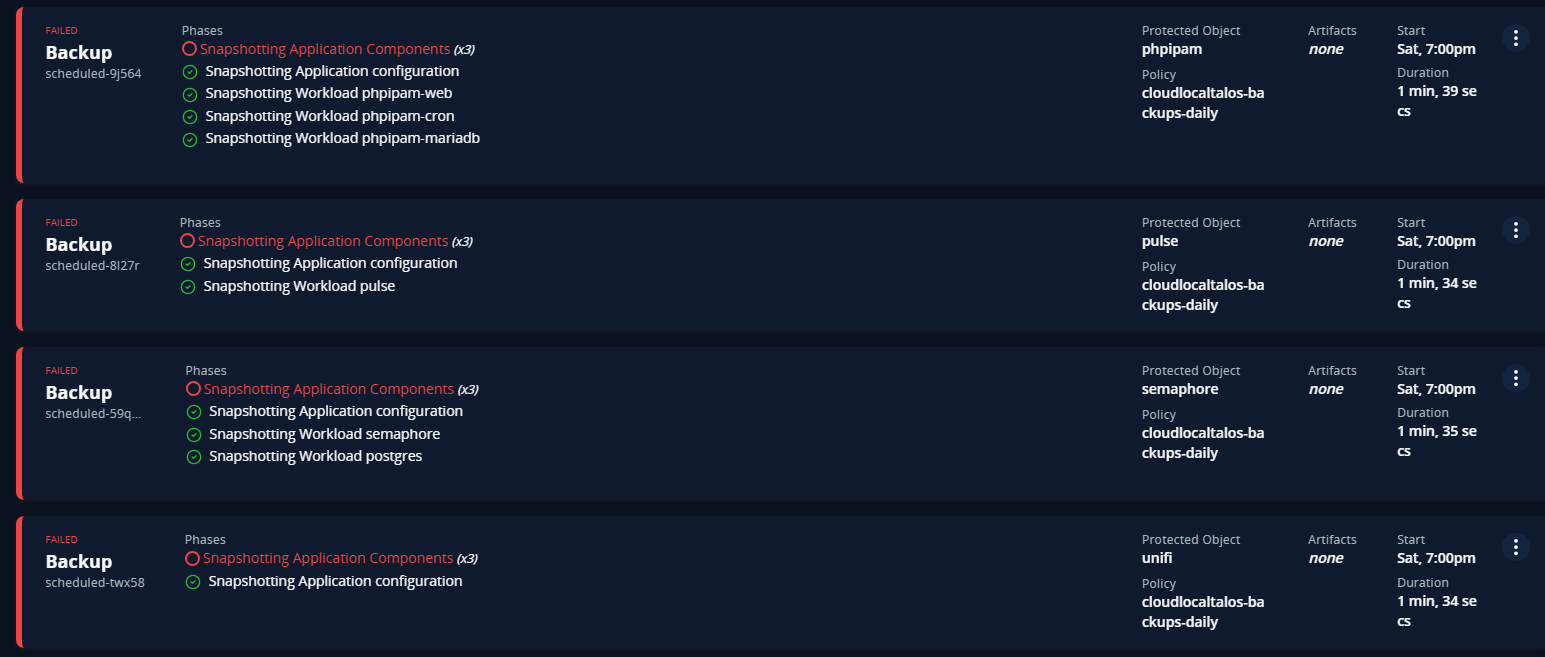
I would say the installation and setup of Kasten was easier than Velero, as for one, things seem to be better documented with it. But I ran into issues with Kasten K10 as well. But it wasn’t an issue with Kasten K10. It actually came down to something that was actually a little surprising to me. My Kubernetes CSI storage provider.
Complexity with CSI snapshots
One of the things to understand is that Kubernetes backup solutions often rely on something called a CSI snapshot. A CSI snapshot is when the backup tool tells the CSI storage provider to create a point-in-time snapshot of the data for a specific PersistentVolumeClaim.
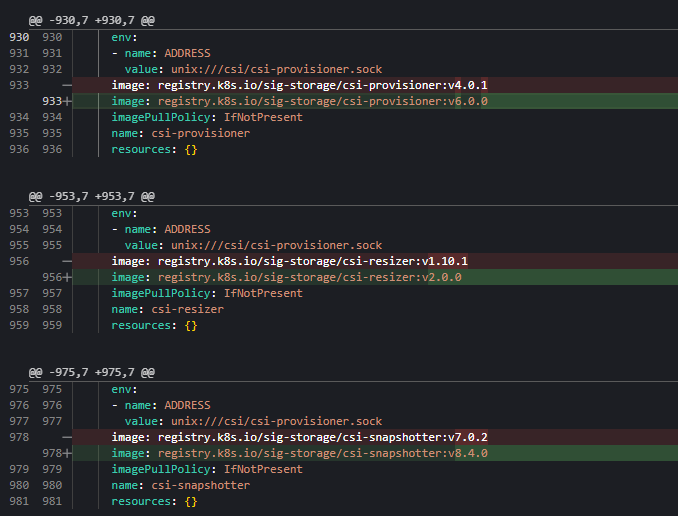
I spend a TON of time working through issues with my Ceph CSI provider and didn’t realize that I had shot myself in the foot with my Ceph CSI provider. I hacked my way through getting my CSI provider working for Talos pointed to my Ceph cluster running on top of my Proxmox cluster. In the process unbeknownst to me, I had some incompatible versions, between having an old version of the Ceph CSI provider, a different version of the “snapshotter” running and a few other things with RBAC policies that were missing etc.
This turned into several hours of googling, prompting AI, and trial and error. Finally, I found the current compatible versions of the latest Ceph CSI provider, being v3.16.2 and the snapshotter being v8.4.x.
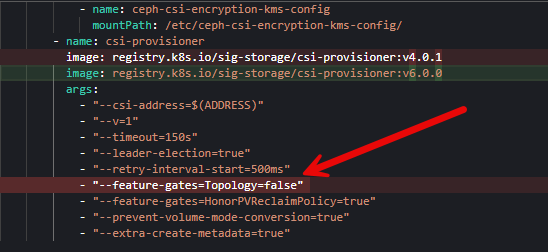
Then I had to work through some issues with gated functionality flags. It was a literal nightmare.
Also, you have to make sure you have your storage provider annotated with the annotations that Kasten looks for when using a CSI storage class provider.
metadata:
    annotations:
      k10.kasten.io/is-snapshot-class: "true"
      kubectl.kubernetes.io/last-applied-configuration: |
        {"apiVersion":"snapshot.storage.k8s.io/v1","deletionPolicy":"Delete","driver":"cephfs.csi.ceph.com","kind":"VolumeSnapshotClass","metadata":{"annotations":{"k10.kasten.io/is-snapshot-class":"true"},"name":"cephfs-snapshot-class"}}
But at the end of the day, I finally got my CSI snapshots where I could manually create a volume snapshot and it would create the snapshot with the ReadyToUse flag set to true. It kept saying false before.
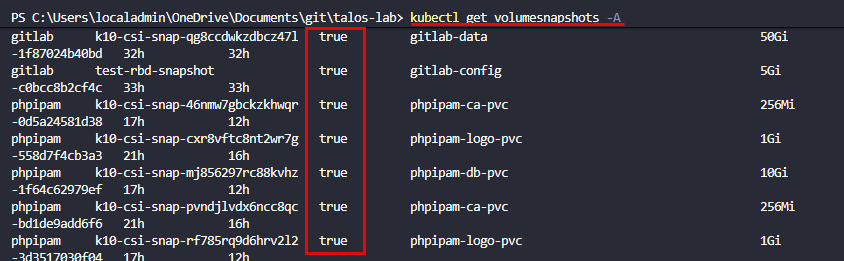
Just understand that even with backups, Kubernetes is MUCH more complex. All of your storage CSI configuration comes into play with most backup tools. So if these aren’t working correctly, you will likely have issues getting your data backed up in addition to your app config.
Do you need this kind of backup in a home lab?
In a home lab, it is easy to underestimate backups because the environment is not production, or so we might say. But like anything else, do you want to lose your data, maybe all of it, even if it is “just” home lab? If you are like me, you spend hours configuring things and working things out and losing those configs or your data would be overwhelming.
Most of us are at least running the following:
- Git repositories
- Media servers
- Automation platforms
- Monitoring systems
- Lab documentation
Losing that data is still extremely painful. And Kubernetes adds a layer of complexity that can make recovery harder if you are not prepared or have experience working with it. The goal is not just to have backups even of your data, but to also have backups that allow you to get all the resources required to access that data back up and running quickly (which in Kubernetes can be a challenge).
Where I landed with my cluster
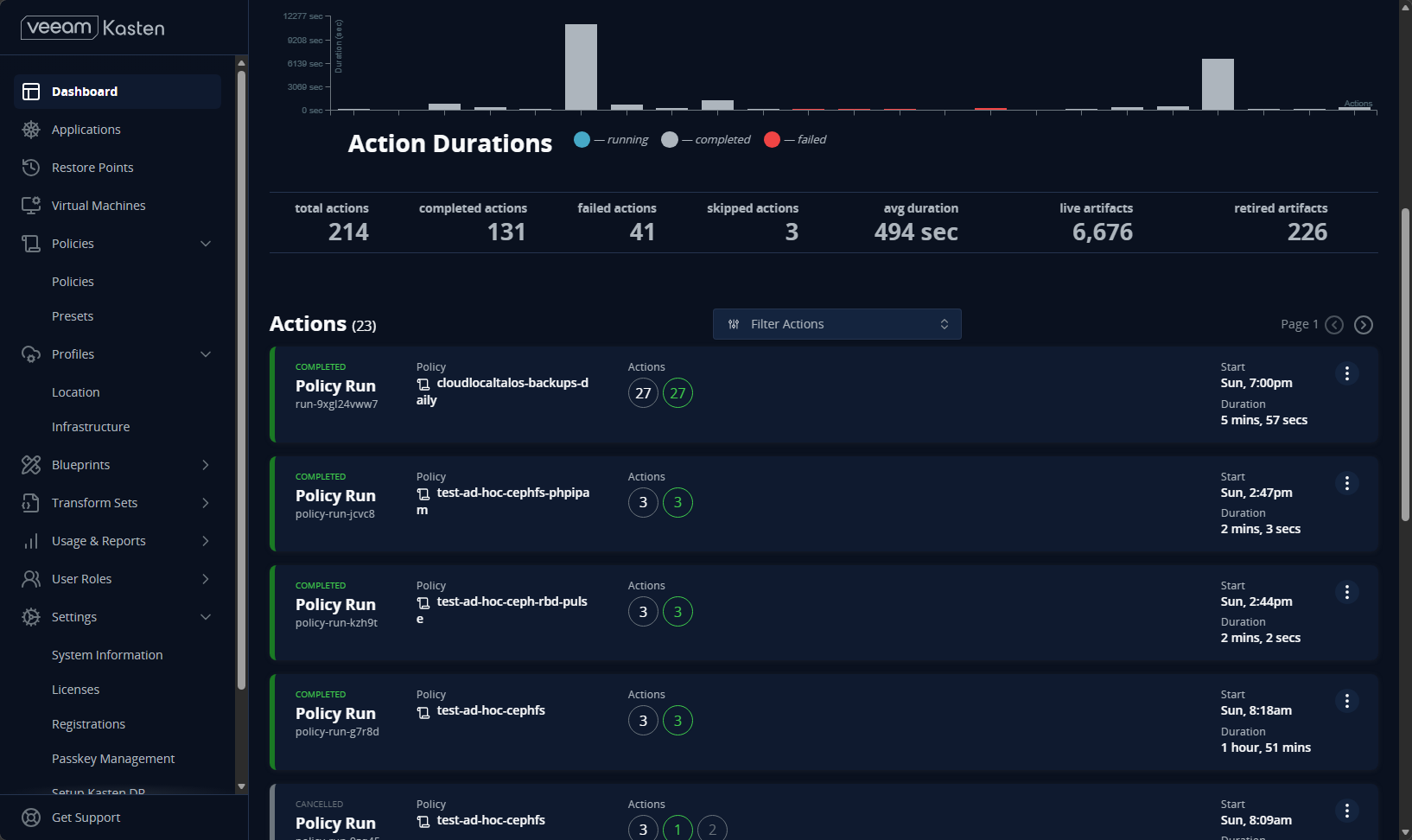
So by the end of the weekend, I had successful backps happening for my apps I had running in my Talos Linux Kubernetes cluster on top of Ceph storage (both CephFS and Ceph RBD). I am sticking with Kasten K10 for now for backups. It has a lot of really great features. However, it is Veeam and it works as we have come to expect from them.
This weekend project was a success as I was able to accomplish the following:
- CSI snapshotting is now working in my Talos cluster
- I had a clearer understanding of how backups actually function in Kubernetes
- I had a working setup with Kasten K10 tied into snapshots
Check out how to use your own self-hosted RustFS configuration to house your Kubernetes backups here: I Built My Own S3 Storage in My Home Lab (And It Actually Works).
What I would do differently now and what I learned
If I were starting fresh, here is how I would approach Kubernetes backups in a home lab. First, validate your storage. I don’t mean validate just the fact that you can get a successful binding on a PersistentVolumeClaim, as in my case this wasn’t enough. My PVCs were binding just fine. You need to also validate your CSI snapshots as many of the solutions out there for K8s backups utilize these to grab copies of your data. I found out the hard way I hadn’t tested my storage in a way that would fully vet this feature in my home lab Kubernetes storage. If you find that it isn’t working, fix that first.
You can test your volume snapshots with something like the following, just replacing with the namespace that you want to test along with your volumesnapshotclassname.
apiVersion: snapshot.storage.k8s.io/v1
kind: VolumeSnapshot
metadata:
  name: test-gitlab-snapshot
  namespace: gitlab
spec:
  volumeSnapshotClassName: ceph-rbd-snapshot-class
  source:
    persistentVolumeClaimName: gitlab-data
Next, test restores early. Kubernetes backups use different toolsets and the restore process is likely different than what you are used to as well. Pick a pod that isn’t production important, break it on purpose, and then try to restore it fully to a working state, using your backup.
Wrapping up
If you are moving to Kubernetes or have moved but haven’t gotten your backups up and running, I would challenge you to get this configured and successfully backing up your data. Don’t make the assumption like I did that it will just be a breeze. This turned out to be more complex than moving over most of my applications and also caused me to have to dig into the “guts” of my Kubernetes storage, which I wasn’t super comfortable with, especially since I already had things up and running. For me, this weekend was a reminder that Kubernetes is powerful, but it does not always behave the way you expect coming from VMs or plain Docker. How about you? Are you using Kubernetes? Are you backing up your data? If so, what are you using?

Google is updating how articles are shown. Don’t miss our leading home lab and tech content, written by humans, by setting Virtualization Howto as a preferred source.
About The Author