One of the assumptions that I think many make when moving to Kubernetes is that when you migrate, it is “all or nothing” from Docker. I probably thought that too when thinking about my migration from Docker over to Kubernetes. But, after going through the migration over to Kubernetes from Docker Swarm, I landed in a very different place, a hybrid approach if you will. There are still a solid set of Docker containers that I rely on every single day that I run outside of Kubernetes. These containers are intentional choices to run that way. Let’s look at the Docker containers I still run in 2026 and why I have kept them outside of Kubernetes and what I am using them for.
Why I did not move everything to Kubernetes
Let me give you a little bit of context on why I haven’t moved everything to Kubernetes. I am a big advocate of not putting all your eggs in one basket. Also, Kubernetes is definitely powerful, but it comes with a lot of overhead. Even with the tools I am using like Talos Linux and GitOps workflows, there is still a lot of complexity deploying apps, updating them, and troubleshooting when problems come up.
There are certain categories of workloads where Kubernetes shines at running your apps. These for me amount to the following apps:
- stateless apps (most of mine DON’T fall in this category, but important to understand)
- horizontally scalable services
- microservices architectures
- GitOps-driven deployments (this is one of the big ones for me)
But there are also categories where Kubernetes can feel like overkill and these are worth paying attention to. For me these include tools that are a lot of infrastructure focused ones. But for my list I would include the following:
- single-instance tools
- infrastructure utilities
- monitoring side tools
- admin dashboards
- services that rarely change
For the types of workloads that I listed above, these benefit from the fact that with a simple Docker deployment, you get faster deployments, easier troubleshooting, and less overhead running them. This context hopefully helps to understand how I go about choosing what goes in Kubernetes and what might stay on a Docker host.
Now for my list of very useful containers that I am running outside of Kubernetes on a Docker host that makes my life much easier in the home lab.
Kasm
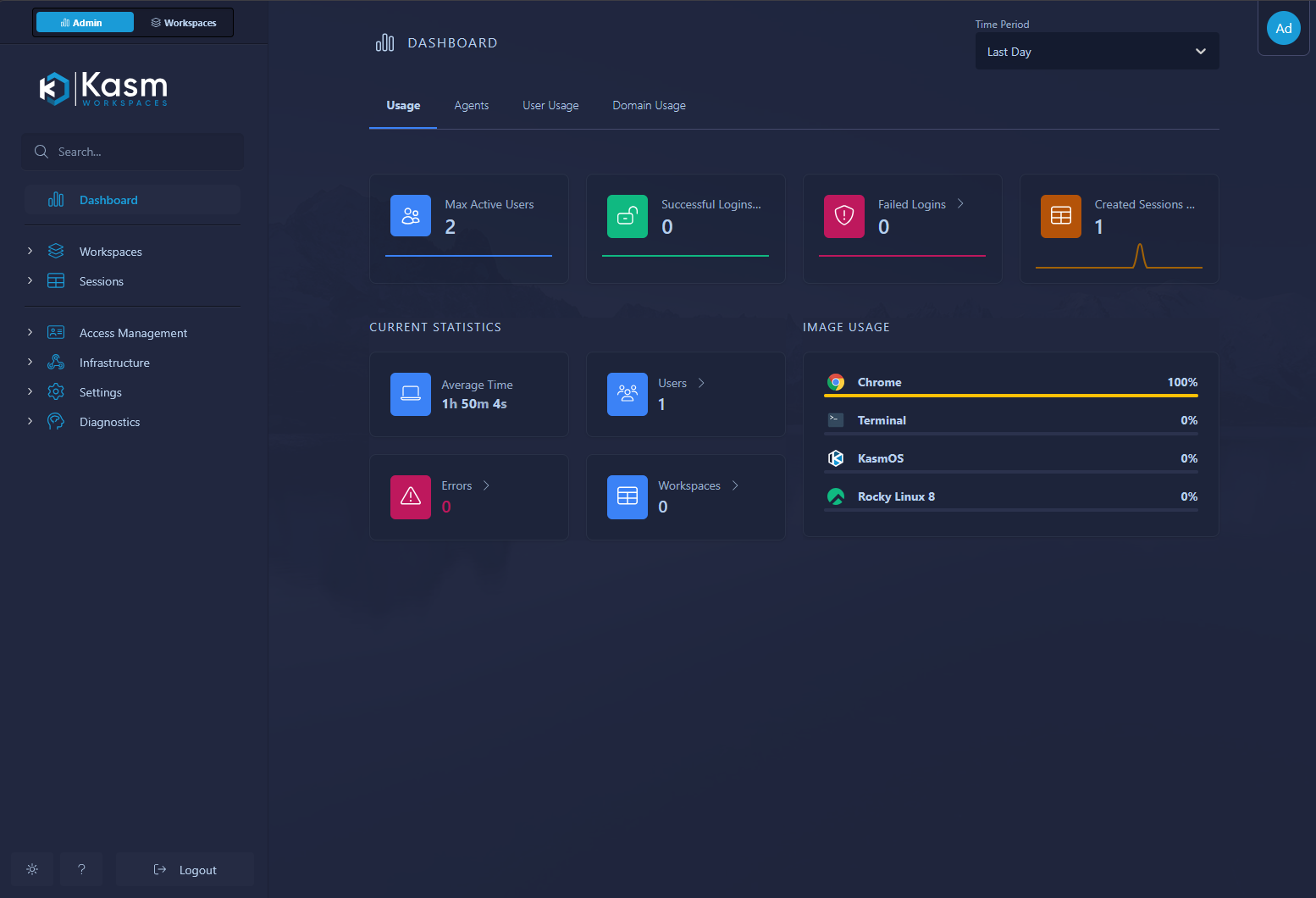
Kasm is one of those tools that is exceptionally powerful in what it does. It provides browser-based workspaces for apps and even full Linux desktops. You can even funnel full Microsoft RDS environments through it (I have not tested this myself, but you can do it). Kasm is something I use regularly for quick access to isolated environments. It is especially useful when testing applications, accessing tools remotely, or spinning up disposable sessions. I even run the browser plugin for opening links in an isolated Kasm session for questionable links or anything else I am not sure about.
Why I keep it in Docker:
- the official deployment model is already container-focused
- it expects certain networking and storage assumptions that are easier to manage outside Kubernetes
- it is typically used as a single logical deployment rather than a distributed app
Running Kasm in Docker lets me keep it simple. I can deploy it quickly, snapshot the VM, and restore it if needed. There is no real benefit to adding Kubernetes complexity here for me.
Check out the project here: Kasm.
Loggifly
Loggifly is another tool that fits perfectly in Docker and is actually built for Docker environments. It is a tool that provides a lightweight way to capture and notify on In my environment. You can setup keywords that it fires on in a quick and easy config file. Then it watches your Docker environment and apps for those key words like “error”, “failed”, or anything else you want to watch the logs for.
I have found this one to be super helpful in keeping an eye on containers running in a environment to make sure these are up and running and don’t have any issues. This one is built to run on your Docker host where it can parse the logs.
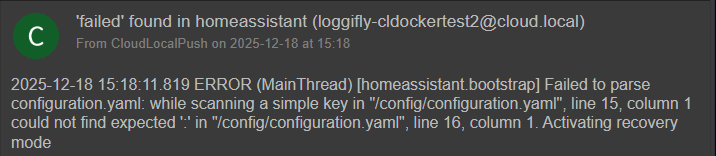
By its nature, it doesn’t need clustering and it is easy to persist your data and logs with simple volume mounts. If something breaks it is easy to troubleshoot
Check out the project here: clemcer/LoggiFly.
Sidero Omni
Sidero Omni is a big one for me since I run Talos Kubernetes clusters. I wanted to showcase this in the list simply to help get the word out on this management tool. It is free to use for home labs. Omni provides centralized management for Talos clusters and it is something I rely on a lot now for lifecycle management, visibility, and controlling my Kubernetes nodes.
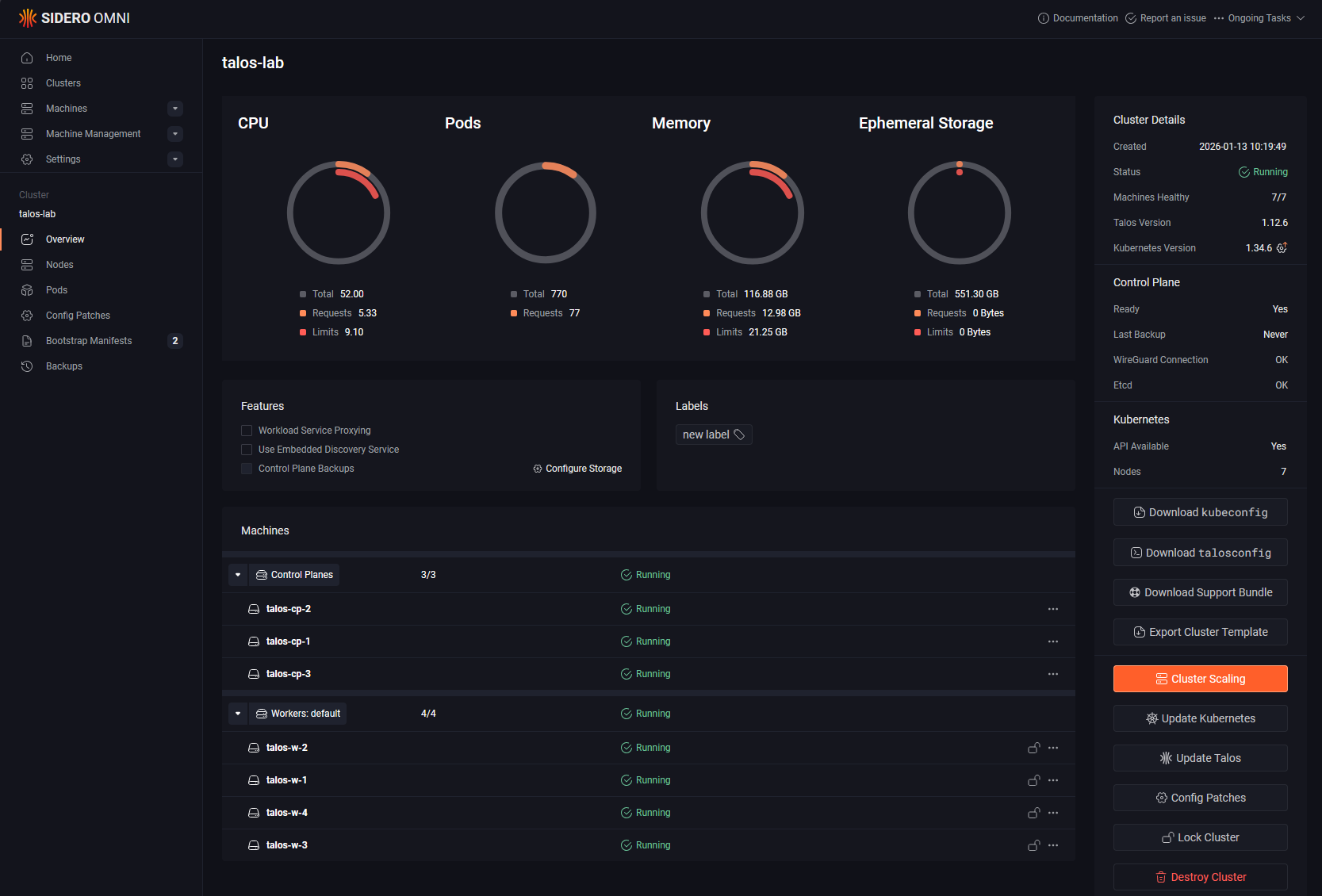
Even though it is tightly connected to Kubernetes, I still run Omni as a Docker container as I would never want the thing that is controlling and managing the cluster to be housed in the same cluster it is manageing.
Why:
- it acts more like a control plane tool than an application workload
- I want it available even if my Kubernetes cluster has issues
- it is easier to isolate and protect outside the cluster it manages
This is an important pattern for me overall. Anything that manages your cluster should not depend on that same cluster to run. For years I ran with the mentality that this is acceptable though mainly because of running vCenter Server in VMware. This may be the exception since it is designed in a way that is fairly safe, but I think in general you are always better off from a DR perspective to not have your management plane depend on your workload cluster.
Check out the project here: siderolabs/omni.
Pulse
If you are running Proxmox VE Server, Pulse absolutely is one of the best tools for monitoring your Proxmox VE Server environment. Pulse for me falls into the category of an infrastructure tool that I like to keep outside my Kubernetes cluster.
With Pulse, you can keep an eye on your Proxmox VE Servers, clusters, Proxmox Backup Servers, and also Docker hosts and containers. So it pretty much covers everything that most will be running in today’s home lab.
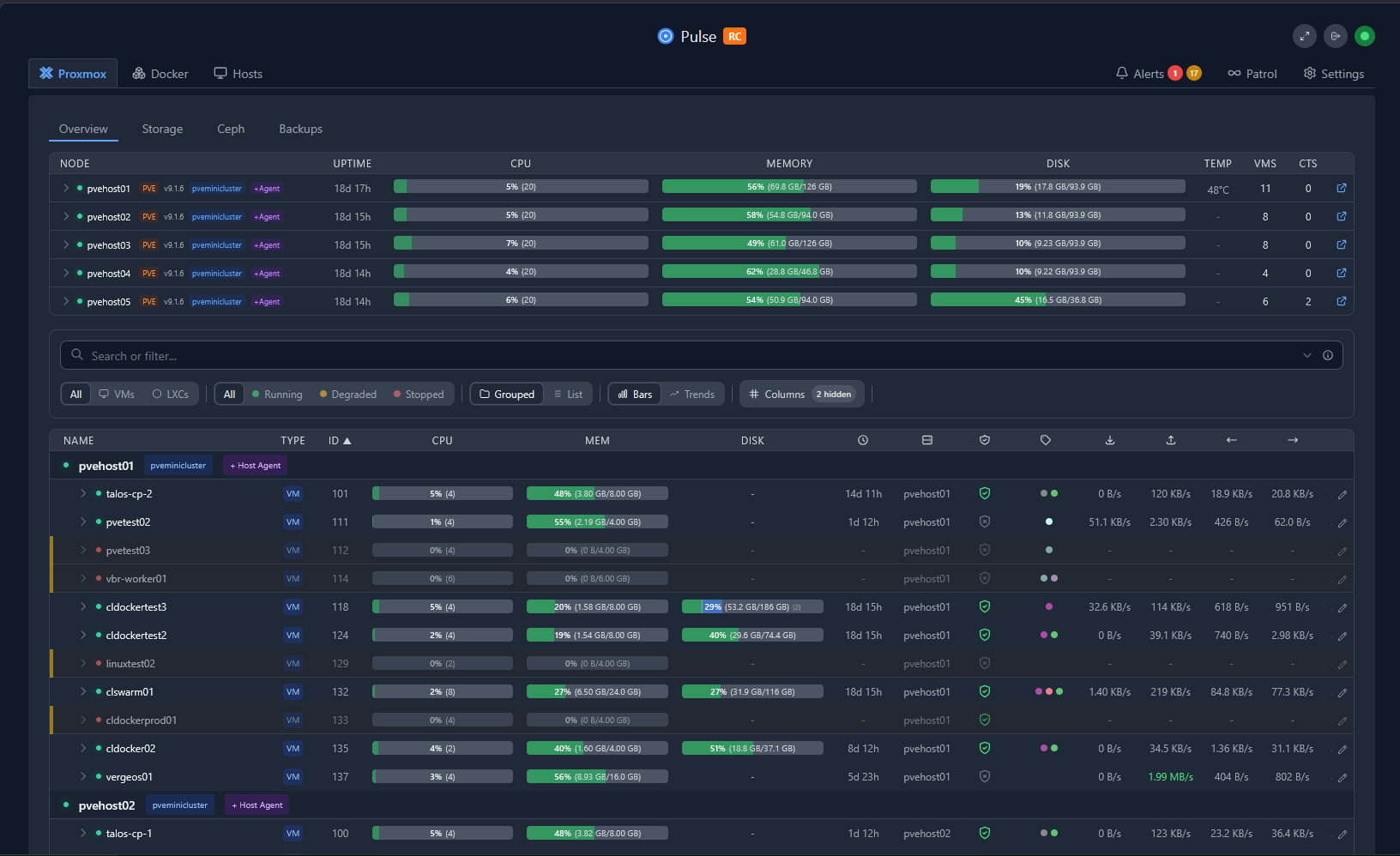
Why Pulse stays in Docker:
- it is tightly tied to infrastructure monitoring rather than app workloads
- it is simple to deploy and maintain
- it does not need Kubernetes features like autoscaling or service meshes
Pulse is a perfect example of a tool that helps you in your environment without needing to be part of your Kubernetes stack.
Check out this project here: rcourtman/Pulse.
Netdata
Netdata is still one of the fastest ways to get real time monitoring up and running. I have used Prometheus and Grafana extensively, and they are great inside Kubernetes. But Netdata fills a different role. It is easy to install as it only takes a quick Docker run command, it is lightweight, and it can help you to keep an eye on things like physical hardware on top of Docker and Kubernetes workloads.
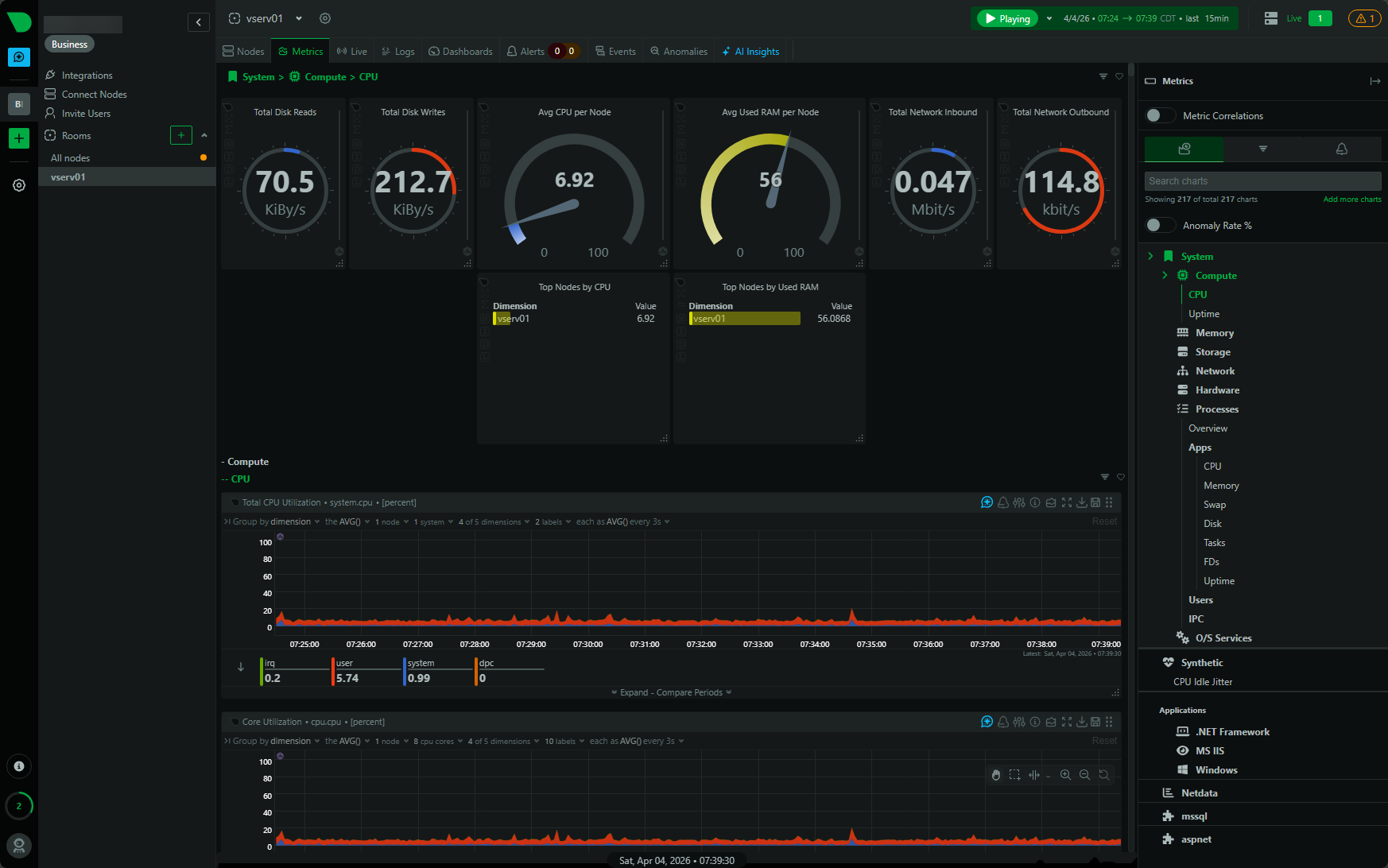
Why I keep it in Docker:
- near instant visibility into system metrics
- no complex configuration required
- great for troubleshooting in the moment
- can run alongside anything without dependencies
When something feels off in the lab, Netdata is often the first place I look.
Check out the project here: netdata/netdata.
Nginx Proxy Manager
Even with Kubernetes ingress controllers like Traefik, I still run Nginx Proxy Manager in my Docker lab. Hands down, I think NPM is the easiest proxy out there that allows you to expose services, manage SSL certficates, and create proxy hosts without touching Kubernetes manifests.
Why it stays in Docker:
- extremely easy to manage through the UI
- great for non-Kubernetes services
- fast to update and troubleshoot
- works well as a central entry point for Docker-based services
This is one of those tools that just works, and I have not found a compelling reason to move it.
Check out the project here: NginxProxyManager/nginx-proxy-manager.
Portainer/Komodo
These are still the big two with the most features in 2026. There are many other great compelling tools that have come out, some of these I have written about like DockHand and others. Even when you are comfortable with the CLI and YAML code, Portainer and Komodo give you that quick and easy way to visualize and manage Docker workloads.
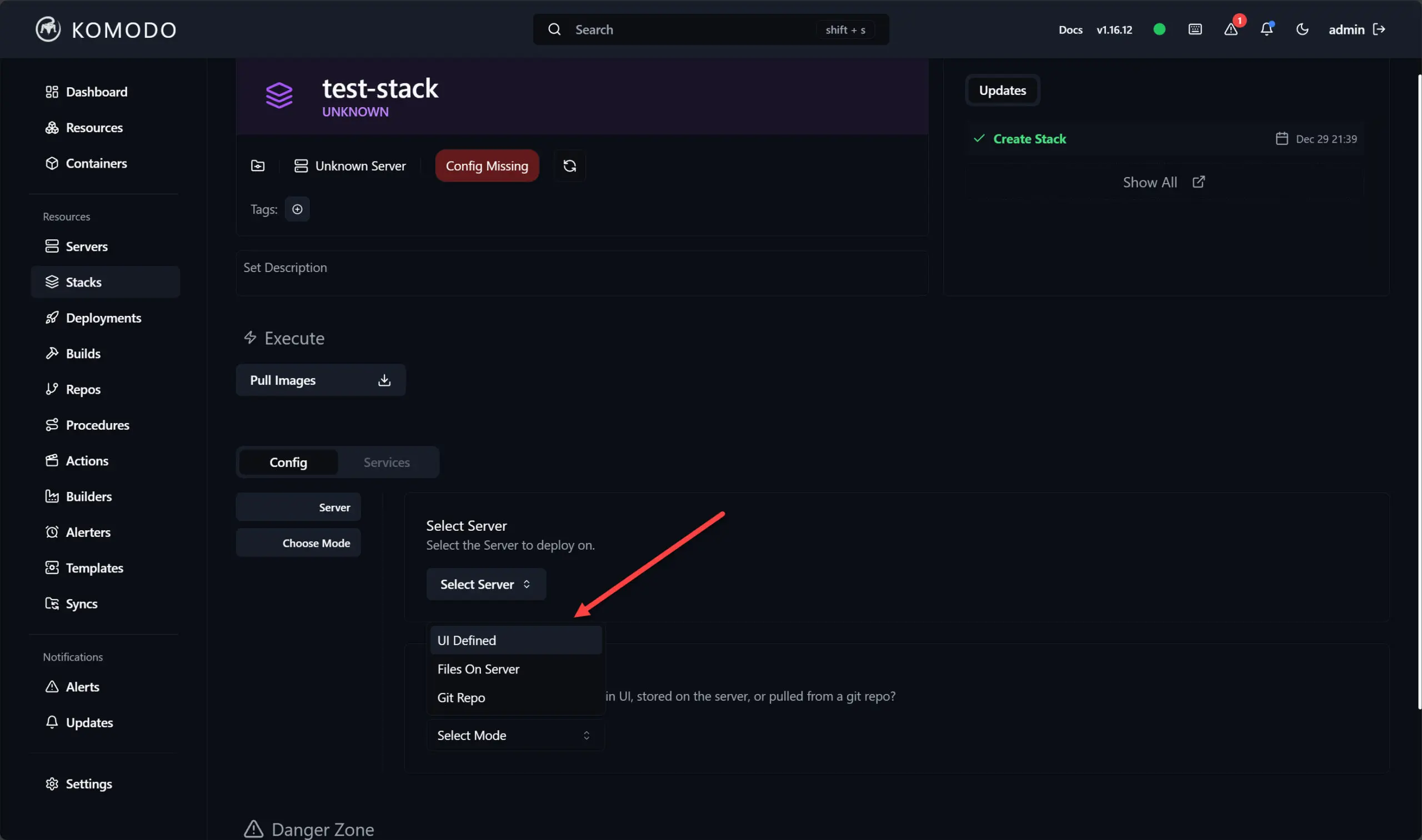
Why I keep these in Docker:
- fast visibility into containers and stacks
- easy to manage updates and restarts
- useful for troubleshooting
- works well across multiple Docker hosts
Both of these tools are worth checking out I think if you are running Docker containers or Swarm Clusters in the home lab.
Check out the Komodo project here: moghtech/komodo.
Dozzle
If you are looking for the best tool that is specific to looking at your Docker container logs, I think Dozzle is it. It is a simple but incredibly useful tool for viewing container logs in real time and allows you to instead of SSHing into hosts or running docker logs commands, it can quickly pull up logs in a web interface.
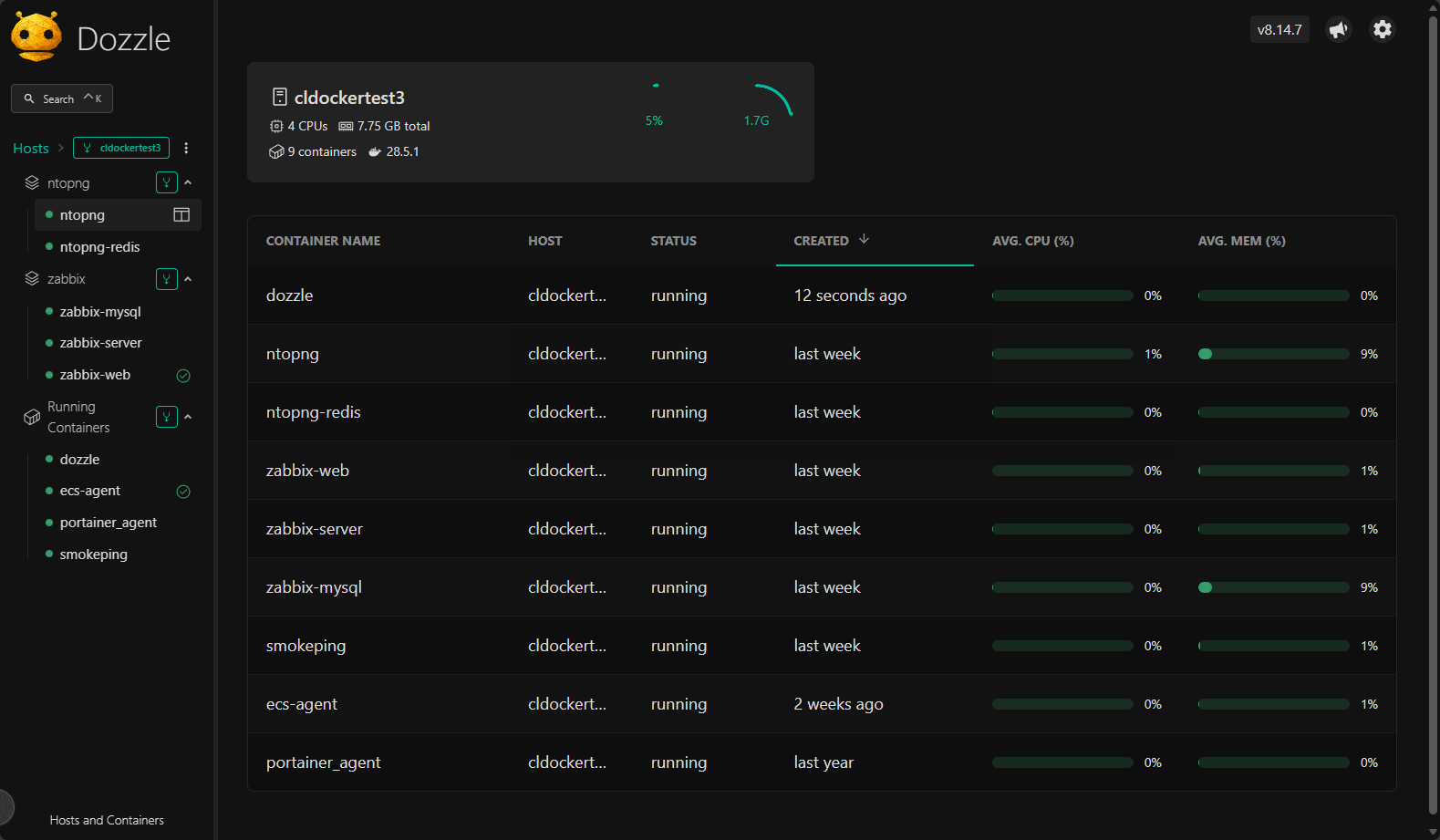
Why it stays in Docker for me:
- It is extremely lightweight and purpose built for it
- no configuration overhead
- instant access to logs across containers
This is one of those tools that you do not think about until you need it, and then it becomes an essential tool that makes viewing logs and troubleshooting so much easier in the lab.
Check out the project here: amir20/dozzle.
Traefik
Traefik is like a Swiss Army Knife and is one of those tools that is equally adept in either a Docker environment or a Kubernetes environment. I use Traefik heavily in Kubernetes, but I also run instances of it in Docker.
In case you are wondering, I would recommend Nginx Proxy Manager if you are a beginning home labber or just like the easiest solution out there with a GUI. If you are more into infrastructure as code, I would highly recommend Traefik over NPM in this realm. Check out my details on moving from NPM to Traefik and why I did: I Replaced Nginx Proxy Manager with Traefik in My Home Lab and It Changed Everything.
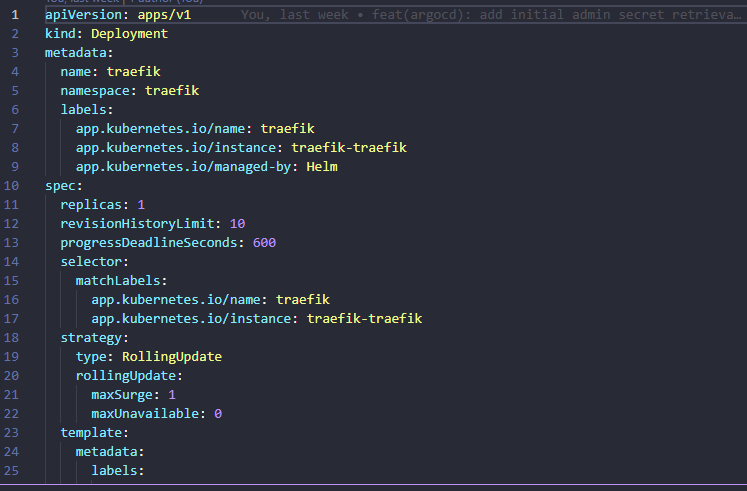
Why run it in Docker:
- it works great as a reverse proxy for Docker services
- It works great with infrastructure as code
- It has consistent configuration between Docker and Kubernetes
- easy to integrate with DNS challenges and TLS
Having Traefik in both worlds actually simplifies my overall architecture.
Check out the project here: traefik/traefik.
My current hybrid model
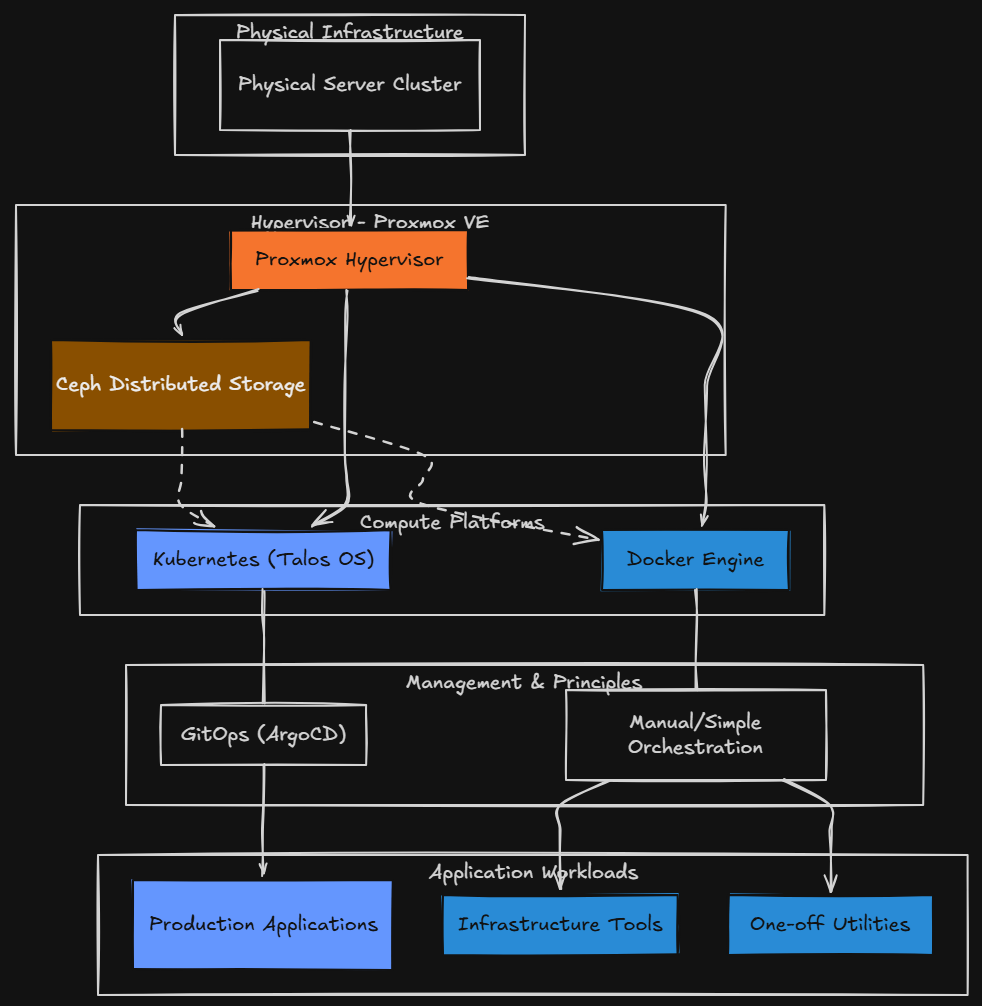
Right now I have what I would call a hybrid home lab that looks something like this:
- Proxmox as the hypervisor
- Ceph for distributed storage
- Kubernetes (Talos) for application workloads
- Docker for infrastructure tools and one off utilities
This hybrid model has been the best balance of flexibility and simplicity for me. If I need something that is fast, simple, reliable, and independent, I choose Docker.
Kubernetes handles the workloads that I need to be scalable, automated, declarative, and align with GitOps principles. For my “production” apps that I need to be up and running in the home lab I am running these on Kubernetes since I have gone to the GitOps approach with ArgoCD.
I like having both tools and both options. Sometimes it is just not worth it to put things into Kubernetes. Certain Docker tools run equally as good or arguably better due to less complexity in Docker. Some apps benefit from all Kubernetes has to offer so you have to take this on a case by case basis.
Wrapping up
Moving my home lab production workloads to Kubernetes has changed how I think about my infrastructure, but it did not replace Docker for me. Now I am extremely intentional about where I put things. The Docker containers I have listed in the list are not just holdovers. They are simple tools that require simple infrastructure to run, so this is what I have chosen for them. What about you? Do you run Kubernetes for some things and then run Docker hosts for everything else? Let me know in the comments.

Google is updating how articles are shown. Don’t miss our leading home lab and tech content, written by humans, by setting Virtualization Howto as a preferred source.
About The Author