



Many in their home lab environments are running single Docker hosts for their Docker workloads and this is just fine when it comes to simplicity and ease of getting services up and running. I love clustered control planes, quorum requirements, distributed storage and orchestration layers. But many run limited hardware, power budgets, and maintenance windows and you may not want all the complexity when it comes to things like Docker Swarm or even more complex, Kubernetes. You can still have a very good high availability plan and behavior from a single Docker host. Let’s walk through practical ways to have Docker high availability with Proxmox.
What is “high availability” for a home lab any way?
We are all familiar with enterprise environments where high availability means something in particular – little to no downtime. We know there is really no such thing as “no” downtime, but organizations can certainly get pretty close with various technologies. It usually means that you can withstand a failure and workloads can keep running. Users for the most part never notice outside of a hiccup or two.
While in a home lab, we can have a lot of the same goals as production environments as far as keeping our data accessible. Generally speaking it isn’t the type of high availability needed in a production environment. Most of us in our lab environments aren’t serving out data or applications to thousands of users.
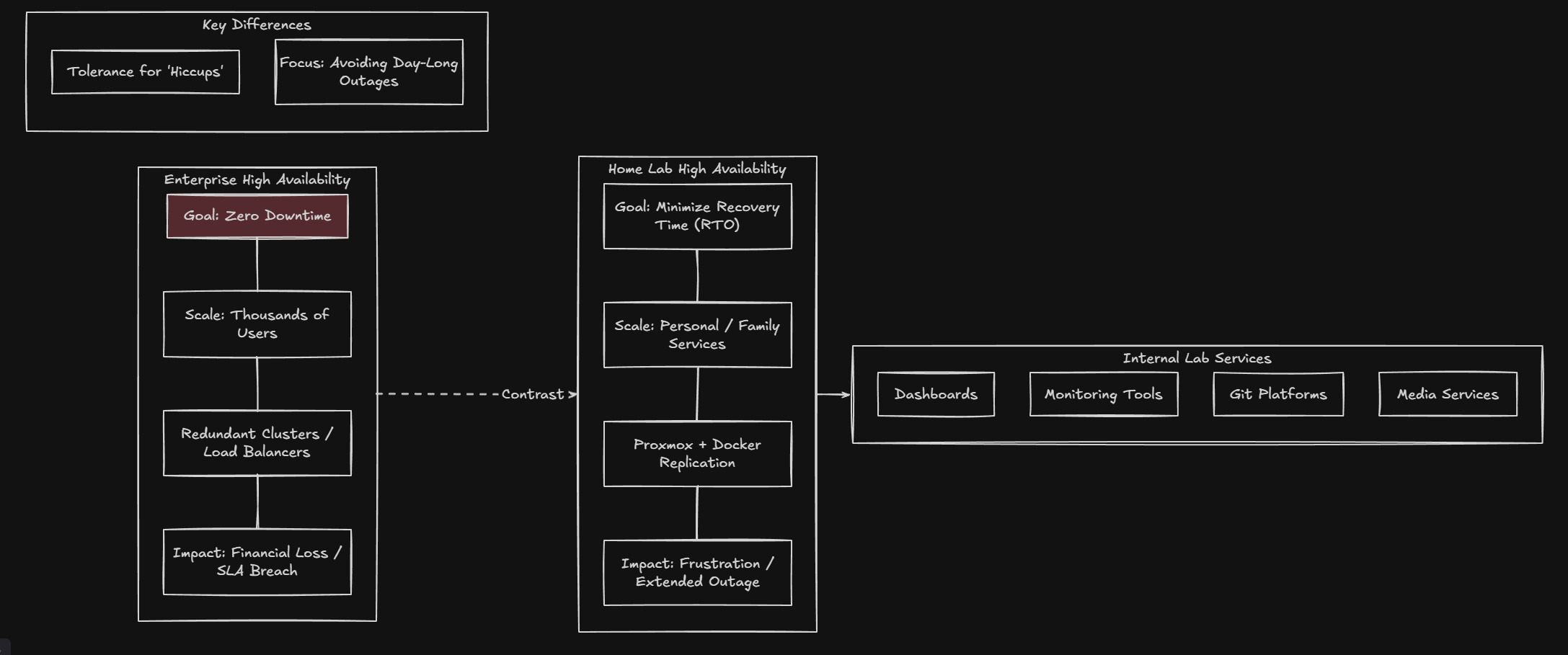
Most of us are not serving thousands of users. We are running internal services like dashboards, monitoring tools, Git platforms, automation pipelines, media services, or personal applications. Downtime matters, but not at the same scale. What really hurts though in a home lab is not just a single brief outage when something reboots. But usually it is hours-long outages that take down your services or self-hosted apps for a day or even longer.
So i think for most, having Docker high availability with Proxmox in a home lab is not about “never going down” but minimizing the time it is down and then getting things back up quickly.
Keep Docker Simple and let Proxmox do the heavy lifting
While Docker has great features that help to make sure your app stays up and has resiliency against failures, in my lab I let Proxmox do the heavy lifting. You might be thinking, if you are running a single VM a single Docker engine in this VM running in Proxmox, that might sound like the opposite of HA. But the key difference is that Proxmox provides tools that allow HA to operate as a single unit with your Docker host VM.
There are two components with Proxmox that I use to make this happen. They are Proxmox Backup Server (PBS) and Proxmox virtual machine replication.
Proxmox Backup Server allows you to have quick disaster recovery
When you have a top notch backup solution like PBS is that is purpose built for Proxmox, it allows you to have a way to very quickly restore the entire virtual machine. When you can restore your entire VM in under 10 minutes or so, that is pretty sweet.
PBS gives you incremental, deduplicated backups of your virtual machines. It tracks the changes to your VM at the block level. It also compresses your backup data. It allows fast restore operations. It even supports file level restore inside a VM. So, when you point your PBS server at your Docker host VM, you are not just backing up the container volumes, you are backing up EVERYTHING. Even the infrastructure around the Docker engine that makes it work. When you can restore the entire VM, this changes the game where it is a single step to get back up and running.
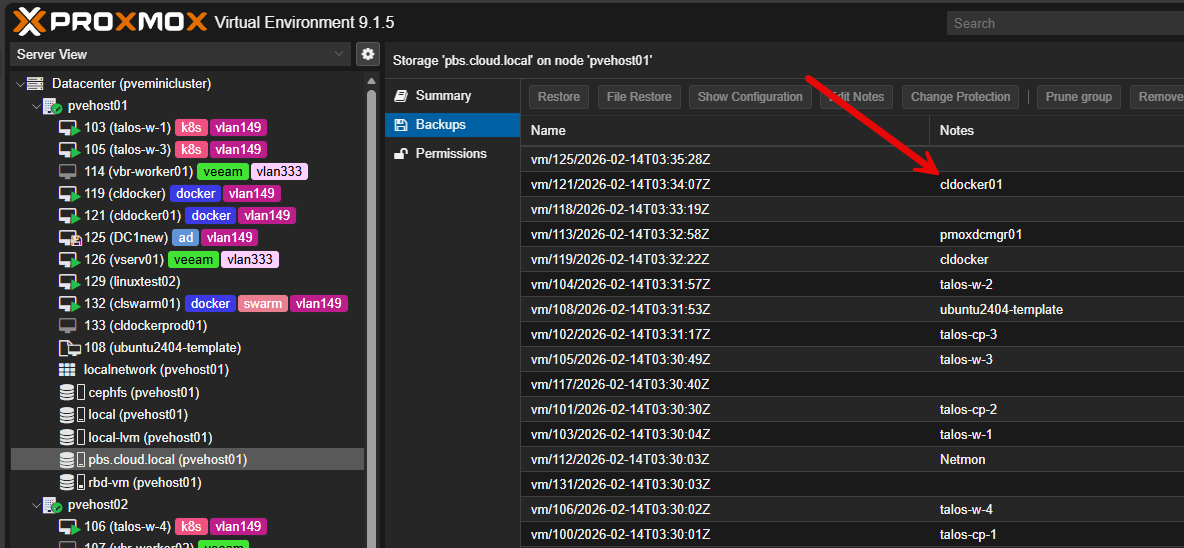
If I break something inside Docker, you can roll back to a specific backup such as the cldocker01 VM backup you see above. If you corrupt a configuration file, you can pull that file from a PBS backup. If you accidentally delete a volume, you can recover it. If the VM becomes unstable, you can restore it to a clean state in just a few minutes. That in itself is a great way to keep your services available with only very short disruptions even if your entire VM is lost.
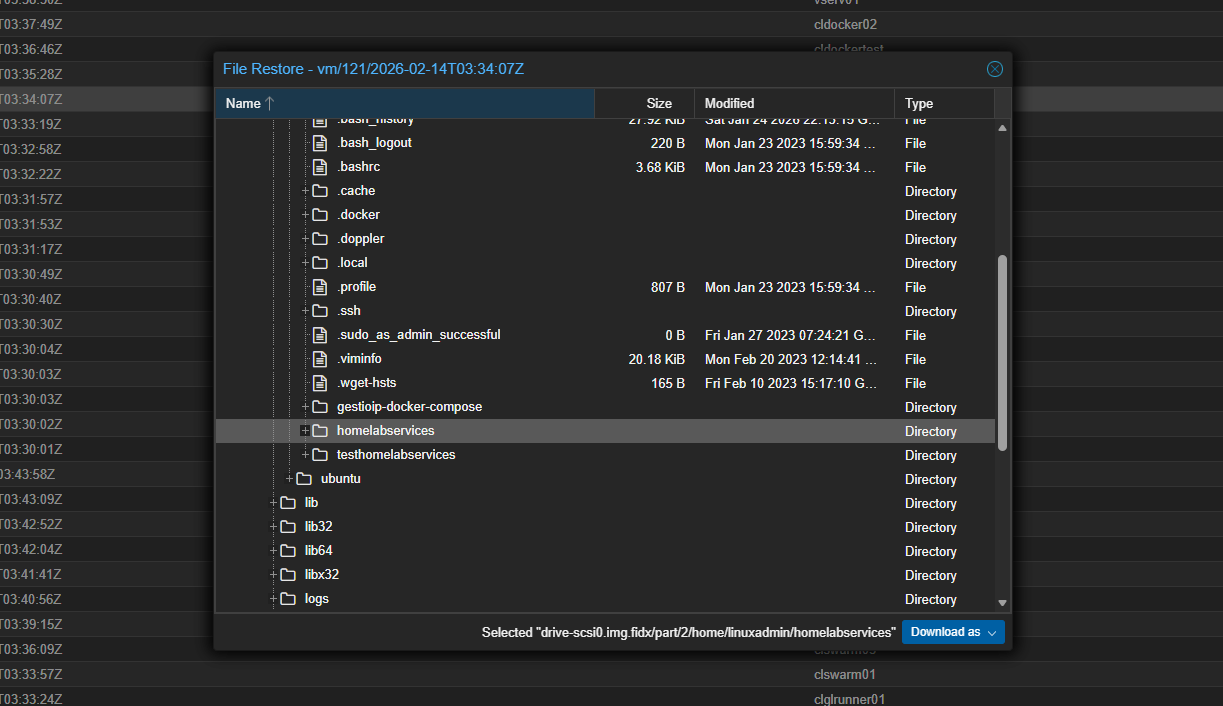
In a home lab context, that is often more valuable than zero downtime clustering because clustering in itself doesn’t prevent data loss. Backups do.
Check out my guide on Proxmox Backup Server here:
Proxmox replication adds near real-time protection
There is another feature of Docker high availability with Proxmox that you can use that can actually protect you from an entire host failure. Backups are great, but you still need a host to restore those backups on. So, if your main Proxmox host is down, that means your backups are great to have, but you can’t restore them until you get your host back up.
However, if you have a second host or just a second mini PC for home lab, you can load Proxmox on the second mini PC and replicate your VMs from your primary host over to your 2nd mini PC host. This allows you to have a second VM that is ready to go at all times. The replica is updated periodically on the interval you set to keep your replica updated with your “production” copy.
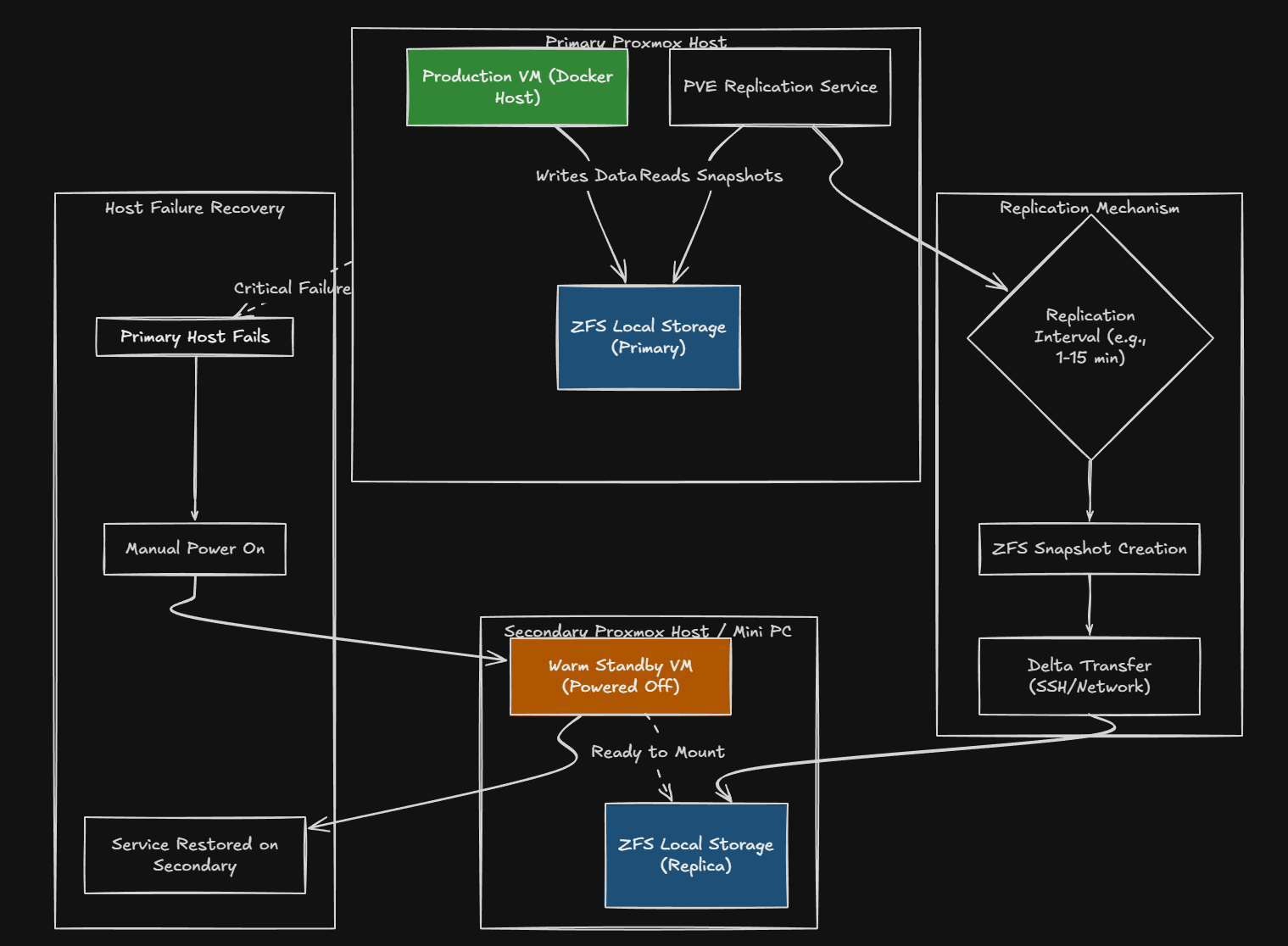
There is one limitation here in that you need to have ZFS backing your storage. You can enable replication for a virtual machine with ZFS storage. Proxmox will create snapshots and replicate those to your other node on a schedule. You can do this as often as every few minutes.
This way, you can have a second copy of the entire virtual machine sitting on another Proxmox node. It is not running but think of it as a “warm” standby. If your primary server fails, just power on the VM on your secondary server and it will be as up to date as the replication interval.
This is a form of high availability that most don’t take advantage of when they are running Proxmox but it makes a great way to minimize the blast radius and be able to recover your services even if you lose an entire host.
Check out my beginner’s guide to Proxmox replication here:
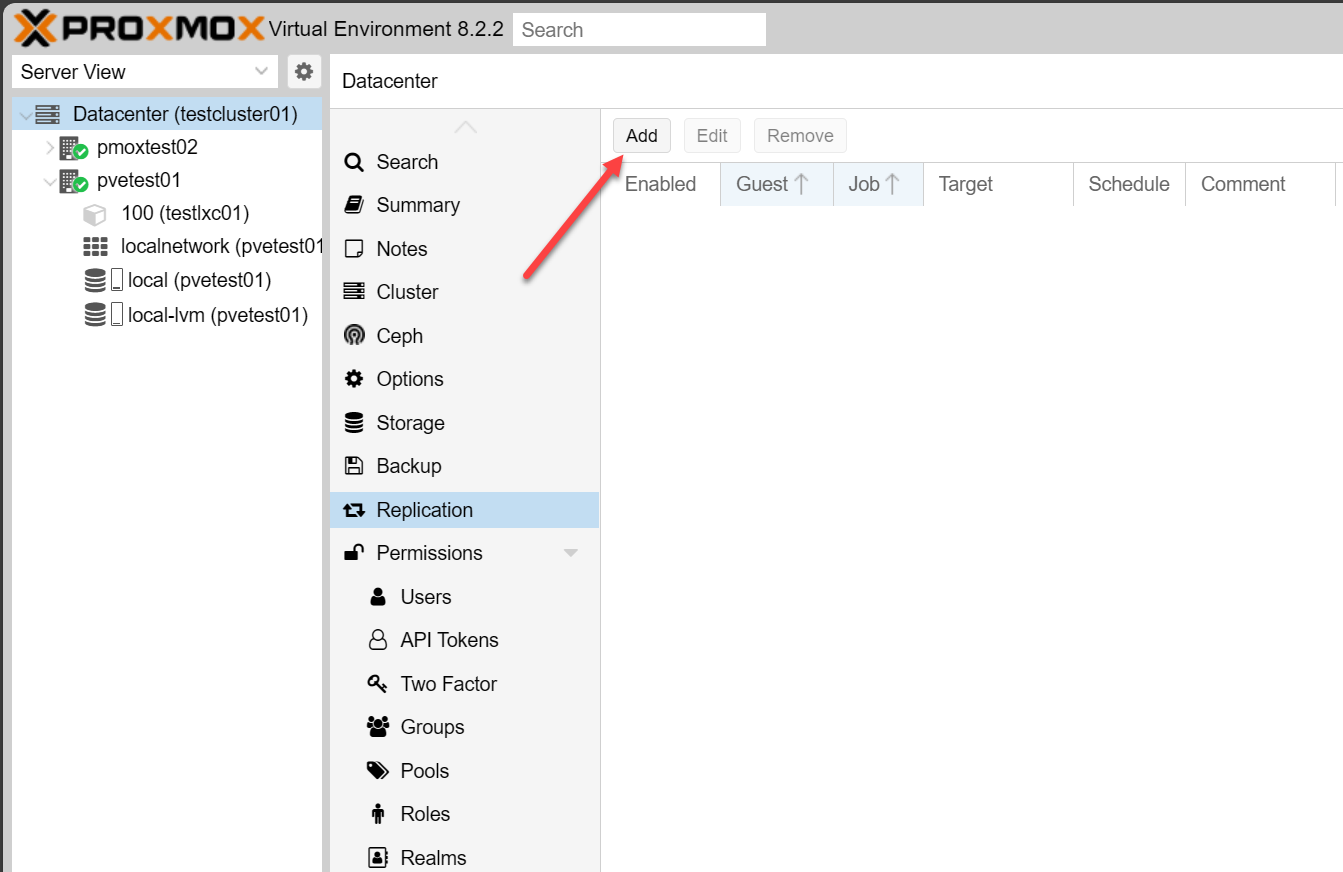
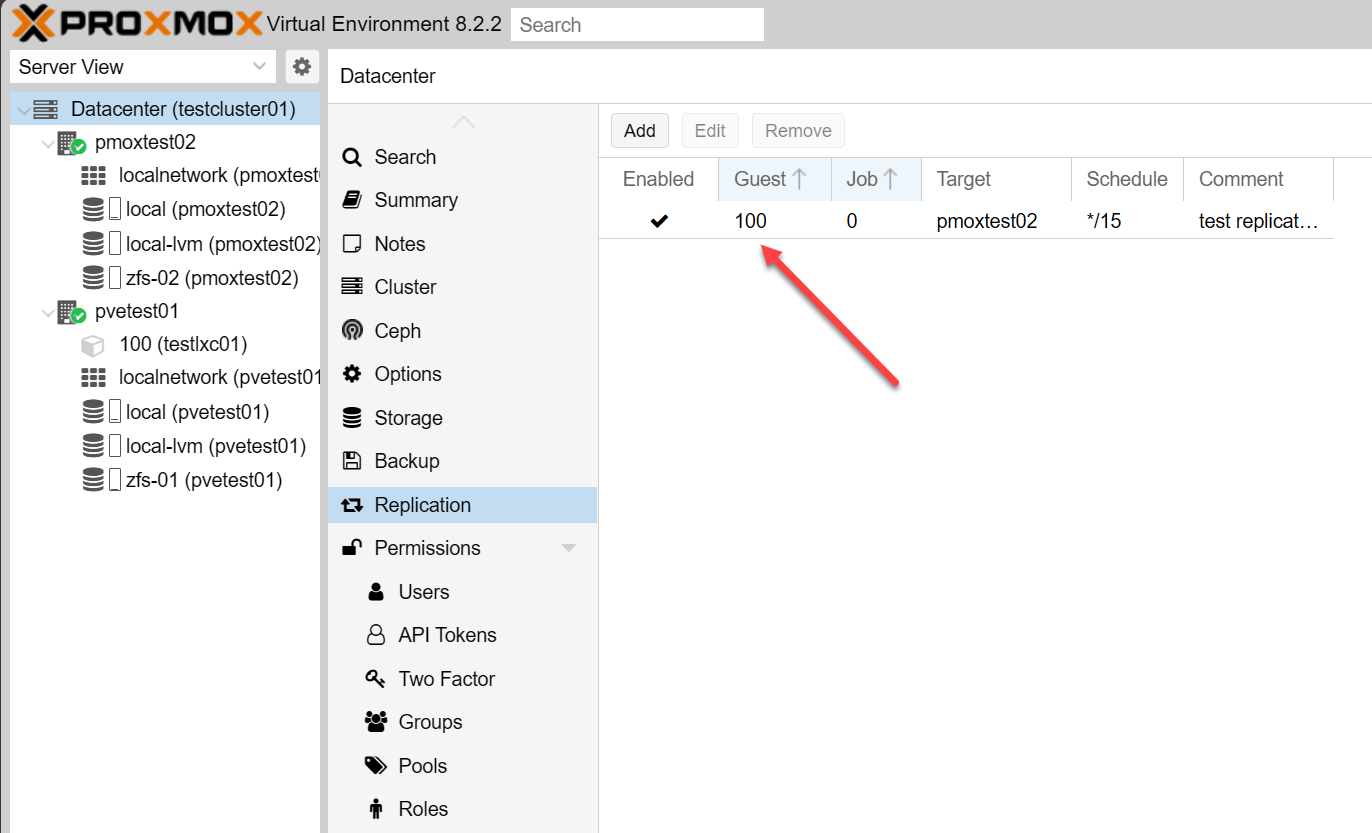
Below are screenshots of setting up Proxmox replication. Here we are clicking the Add button.
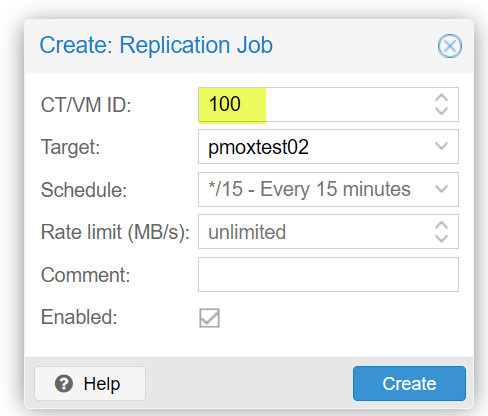
Creating the replication job, setting the target, and the schedule.
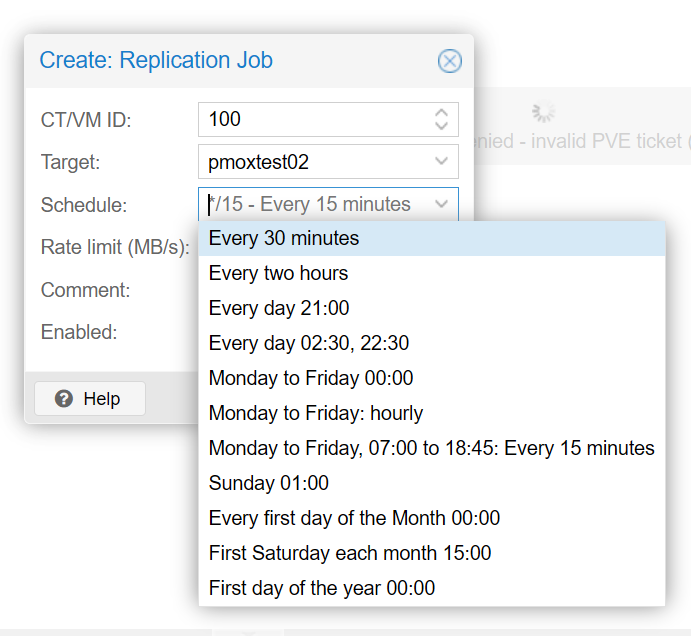
Below is a look at the scheduling possibilities by default.
Getting ready to create the job.
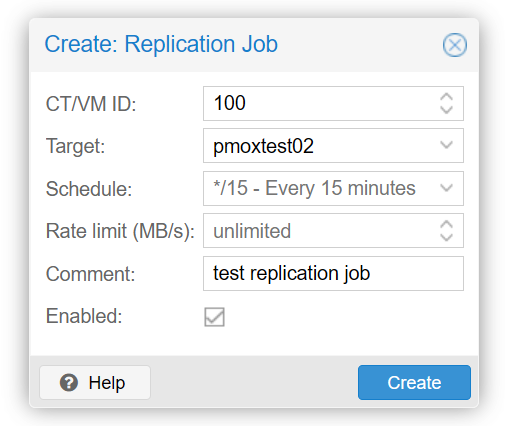
Replication job is created successfully in Proxmox.
Point in time snapshots of your VM you can rollback to
Another benefit of this is that it keeps a history of your snapshots. With each replication cycle, you have the benefit of the ZFS snapshot. It means you have a point in time version of your Docker host. This is powerful. If you need to roll back to a specific point in time or you know when you introduced a back update or config change, etc, you can just power on this snapshot of the virtual machine replica and you are back in business.
Why is this type of HA often better than Swarm or something else?
Docker Swarm and Kubernetes absolutely provide real, active active high availability. But they also introduce a lot more complexity, especially with Kubernetes.
You now have to maintain multiple Docker engines in sync. You have to worry about quorum. You have to have shared storage at the container layer. You have to understand and manage overlay networking.
In a lot of home labs, unless you are just specifically wanting to learn about these technologies, just running them for the sake of HA is just not worth it due to the complexity. Contrast this with running a single Docker host in Proxmox where you have a simple container layer and then everything is contained in the virtual machine.
Docker high availability with Proxmox is handled by:
- Replication
- Backups
- Snapshot management
Then Docker just does what it does best, manages the containers and leaves the rest of the resiliency and HA with Proxmox. I think for a lot of home labs, this model works really well. Also, this fits most home labs I think from a “what they are running” standpoint.
Most home labs already run:
- Proxmox
- Multiple nodes (perhaps)
- ZFS-backed storage
So, using Proxmox and by extension Proxmox Backup Server for your HA is not a major uplift, it is just simply turning on features that are already there and ready to be used. There will be brief downtime, but it won’t be major downtime.
What do these not protect you against?
It is important to be realistic. These two features are not going to protect you from absolutely all possible failure points. For instance, if your entire lab loses power, replication does not help in that case. If your storage backend fails and corrupts data across multiple nodes, you can still rely on backups, but probably not replication.
So, this is not “five nines” enterprise availability. It is very smart home lab high availability that will result in most likely just brief downtime during a failover to a replica or a few minutes to wait on a VM to restore. You still need to have good discipline in your backup routine and testing your backups with test restores. But these two things can make a HUGE difference in your level of protection for your data and self-hosted services.
Wrapping up
Realistically, Docker high availability with Proxmox is not just a checkbox, no matter what technologies you use. It is a mindset shift. For most already running proxmox it is just simply using features that you already have available to you in Proxmox. Proxmox Backup Server is a solution that you need to check out if you are not already using it. Replication in Proxmox is a great way to recover not only from a VM failure, but also a Docker host failure with very little disruption. When you use them together, they help make your self-hosted apps running in a single Docker host extremely resilient to many types of failures you can have in the home lab. How about you? Are you running your containers in a single Docker host? If so, are you using PBS and replication? If not, what are you using?

Google is updating how articles are shown. Don’t miss our leading home lab and tech content, written by humans, by setting Virtualization Howto as a preferred source.
About The Author




So it’s not really a single host if you replicate to a different host then right?
Renze,
Great observation here. Framing of the article is around single docker host and not single Proxmox host. So, no Swarm, no Kubernetes, etc if that makes sense. The truth of the matter is that for most the added complexity of running multiple container hosts, overlay networks, scheduling, etc, isn’t worth it, unless they just want to run it for learning in a home lab. Also, I am a firm believer in super small environments, if you don’t have multiple physical Proxmox hosts, disaster recovery with only backups is also reliable if you can have multiple backup locations for your data to make sure it doesn’t get lost, corrupted, deleted, etc.
Brandon
There’s nothing highly available about this approach. It’s a great simple DR approach, but it’s not HA.
Eikcid,
You are right. Not in the technical sense, but for home lab, this is often the best approach for “availability” since it removes the complexity and most don’t need always “up” services and can stand 10 minutes of downtime here and there.
Brandon