


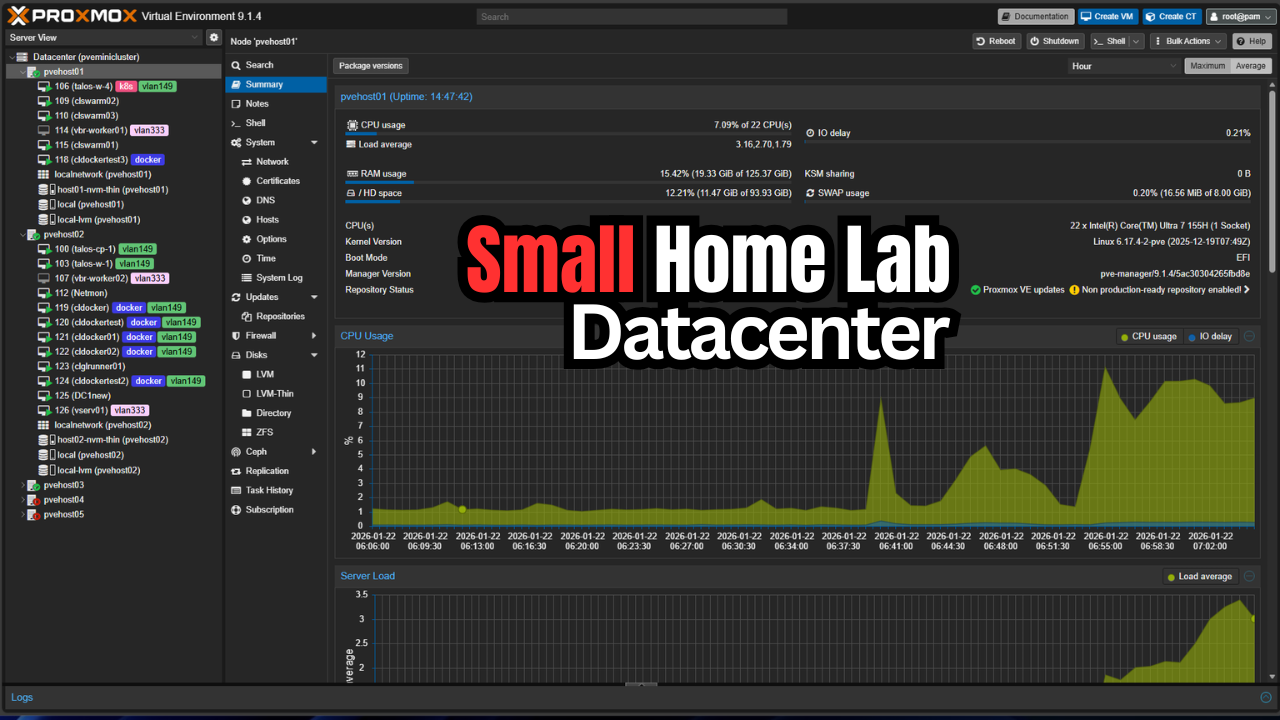
There is no question that my home lab has been shrinking, not in terms of processing and other power, but in terms of physical footprint this year. I have been on a journey to build out my mini rack and it has been super fun. What feels like a real datacenter is not the size it takes up, but its architecture, features, and value that it provides to your learning and self-hosting. My lab is moving that direction for sure, fewer machines, smaller footprint, and more containerized resources. This post is about how to build the smallest home lab that still feels like a real datacenter, not a pile of hobby grade hardware that you spend more time troubleshooting than using.
What makes a lab feel like a datacenter?
What gives a lab a datacenter feel anyway? Well, for one, good design. Also, networking is not an afterthought. You can also manage your environment freely and easily and redundancy is there where it matters.
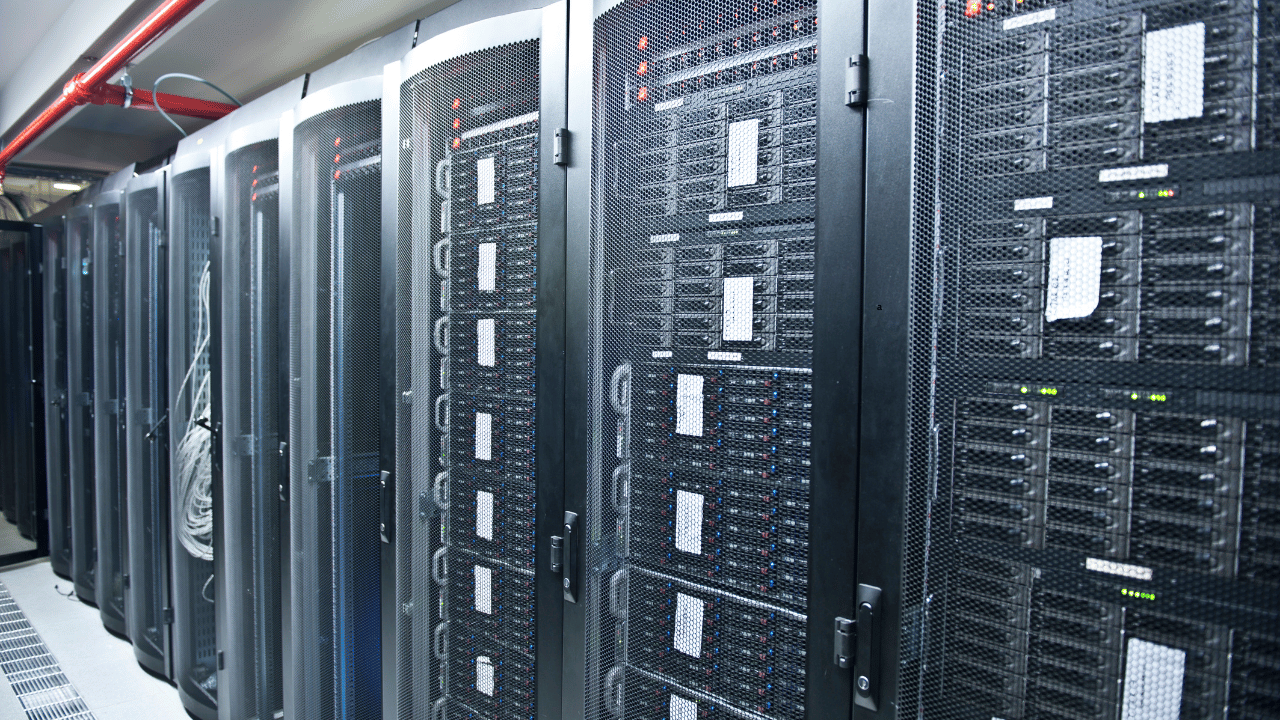
But, does it have to look like the following pic to be a real datacenter feel? No, it doesn’t. Read on!
For many home labs, these start out as all in one boxes. You have a single hypervisor host with local storage and basically flat or entirely flat networking. Everything is configured manually. This is a great place to start and let me tell you, it will teach you SO MUCH about infrastructure that you just can’t get anywhere else or by any amount of reading or watching videos.
So narrowing in on this, you have a few characteristics for a small lab with a datacenter feel and those are many if not all of the following:
- Shared storage
- Real networking concepts like VLANs and routing
- Automation and reproducibility
- You can withstand failure of hardware or software and it doesn’t mean your entire lab collapses
You can achieve all of this with actually quite minimal hardware.
The physical footprint matters and there is a sweet spot
When you first start out home labbing, if you were like me, you pictured, full sized 42U server racks, dozens of switches, and storage arrays. While this still appeals to me, after a few years of running a full size rack, I realized that the size of the actual hardware and physical footprint doesn’t matter as much as what you can do with the actual lab environment you are running.
If your lab is too large, you will start designing your infrastructure around “space” requirements and that is not fun. I like instead to design around what I want to accomplish. Keeping it small allows you to do this in the shared spaces of our homes where our home labs reside.
For most home lab builders, the sweet spot, believe it or not I think, is one of these two options.
- A 10 inch rack with short depth
- A shallow 12U to 15U rack that fits under a desk
Below is a look at my mini rack next to my 27U full size 19-inch rack. It looks tiny by comparison and keep in mind that 27U isn’t really a full height rack! Pardon the mess of cables as I have been experimenting a lot lately.
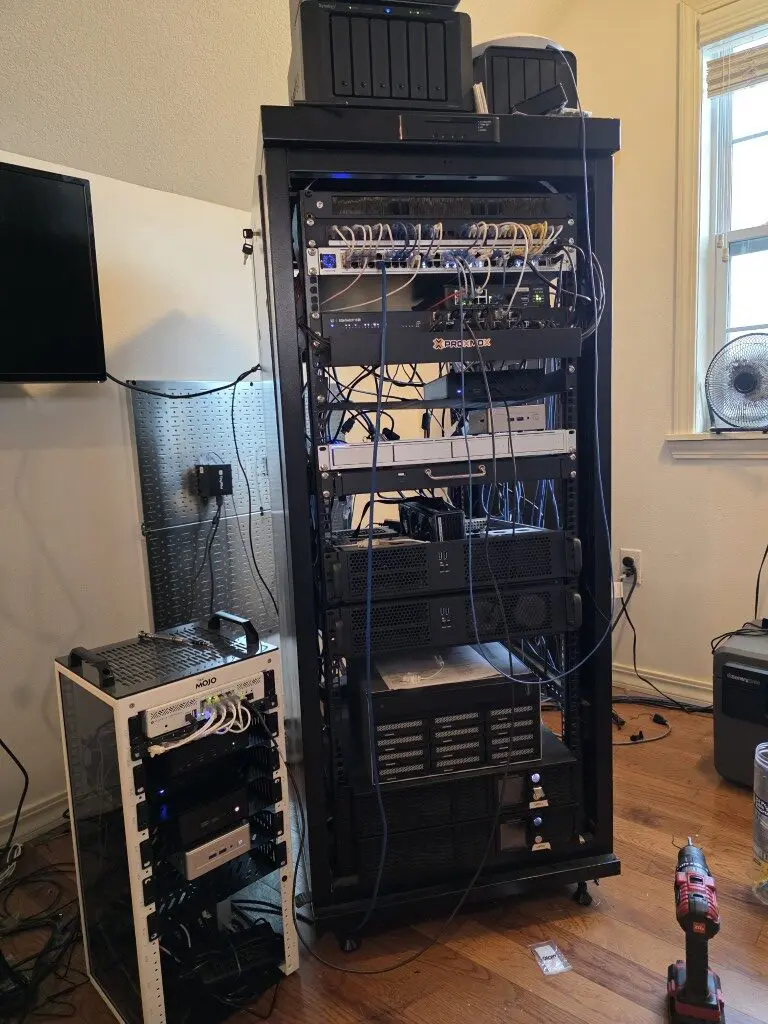
The key is that everything has a place. Servers are mounted. Switches are mounted. Power is mounted. Cables are dressed. Even if you only have three machines, mounting them changes how you treat them and it gives it the additional datacenter feel to the footprint.
Once hardware is mounted, you stop thinking of it as a collection of devices and start thinking of it as unified infrastructure.
Compute nodes (use as few as possible, but as many as you need)
When getting into a small home lab that starts to feel like a datacenter, having 3 compute nodes is where the datacenter “feel” starts to take place. This I think is the smallest real feeling datacenter lab environment. Three is usually the minimum in many different solutions that allows you to practice quorum based systems, rolling maintenance schedules and also to sustain a node failure.
When you have three nodes setup in a variety of cluster configurations, this is the configuration where you can start to have real redundancy without everything falling over. The nodes themselves don’t have to be large. In fact, smaller nodes start to help you force better design decisions.
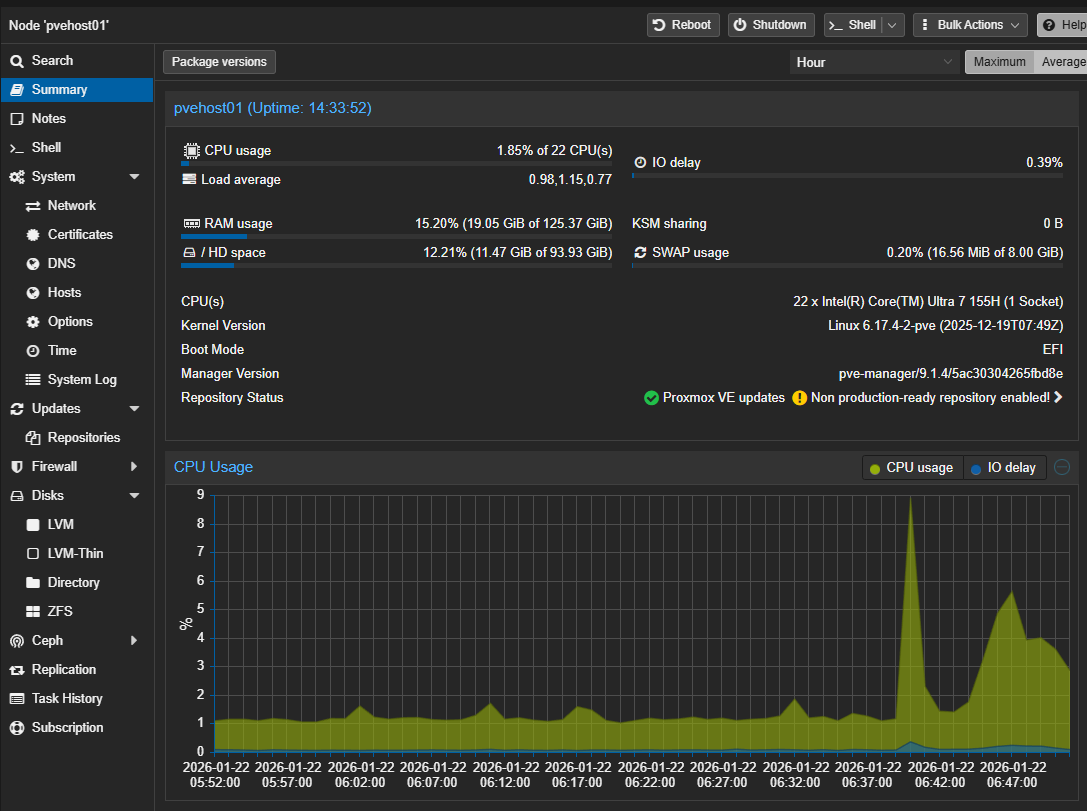
What does a typical setup look like for this? Something like the following:
- Three mini PCs or small form factor systems
- I recommend roughly 6 to 16 CPU cores
- 32 to 64 GB of RAM for each
- One fast NVMe for local workloads if you want to run a local datastore
- Optional second NVMe for storage backends or software-defined storage solutions
This gives you enough headroom to run a real cluster while still feeling constrained in a healthy way. You cannot waste resources. You have to plan placements. You will have to think about capacity instead of ignoring it. That mindset is exactly how real datacenters are run.
Storage for small footprint favors software-defined
Nothing makes a home lab feel more amateur than just locally attached storage. If you are running locally attached storage, there is nothing wrong with that. I started out that way and I think most do. However, when you start wanting to take your home lab to the next level and have some resiliency with your self-hosting with the ability to patch things with little disruption, shared storage is where it is at.
I also think that when it comes to mini racks with a small footprint home lab that still has a datacenter feel, software-defined storage is what you should look into. Why? Well, with other types of shared storage, you have to have an external physical box/device of some sort that presents the storage to all of your nodes. This is more physical space required, more power, more noise, and just more complexity from a hardware perspective. Software-defined storage allows you to do away with all of that and instead have locally attached storage that you “pool” together so that all nodes in the cluster “see” it.
This could be Ceph with NVMe drives across your three nodes. Even a small Ceph cluster with one disk per node completely changes how your lab behaves. You can really migrate your virtual machines. Failures are tolerated. And, storage becomes a service instead of a device.
Check out my full walkthrough on that process here: Mastering Ceph Storage Configuration in Proxmox 8 Cluster. Also, I did a video walkthrough on this one:
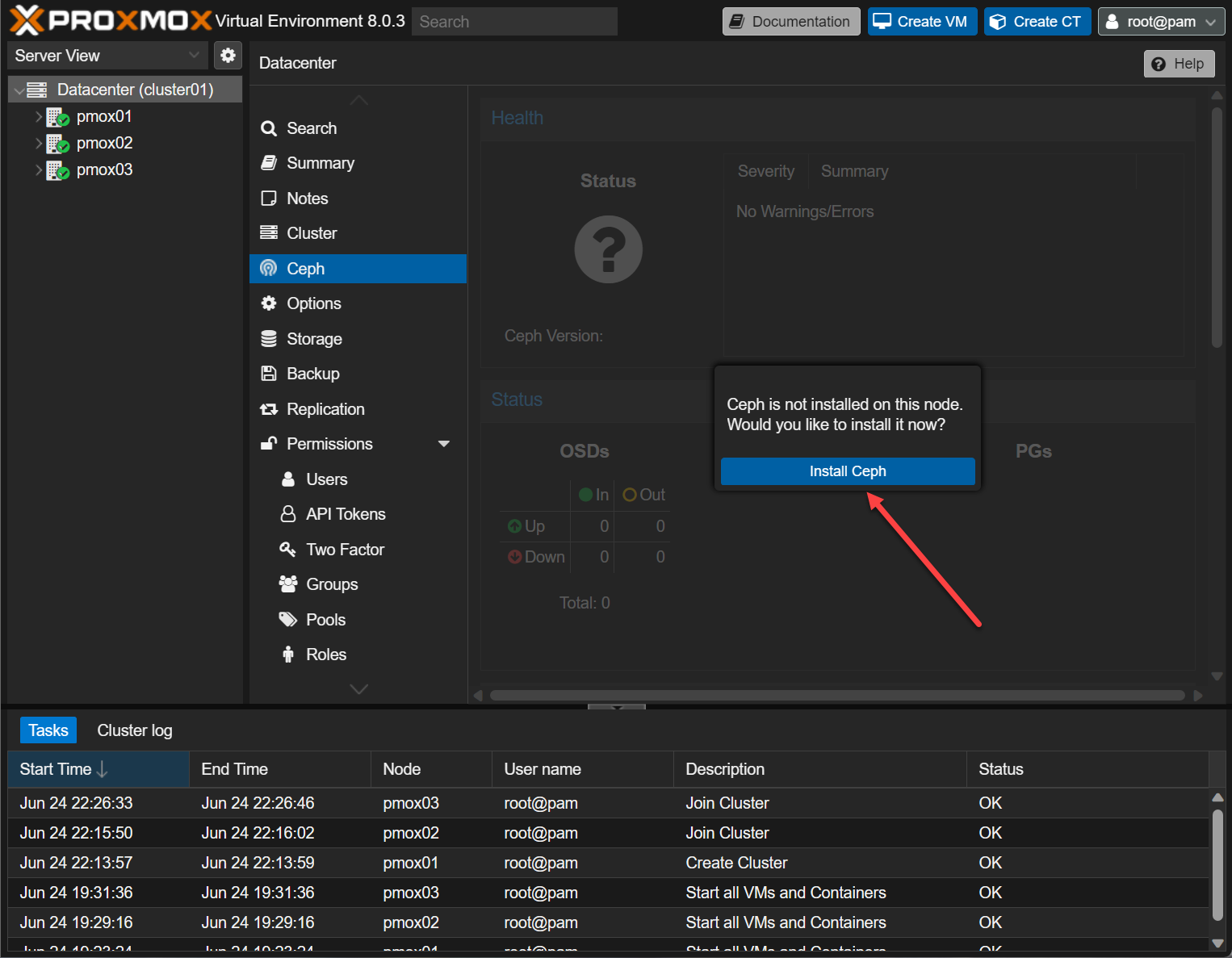
Below is a look at beginning the process to install Ceph in Proxmox.
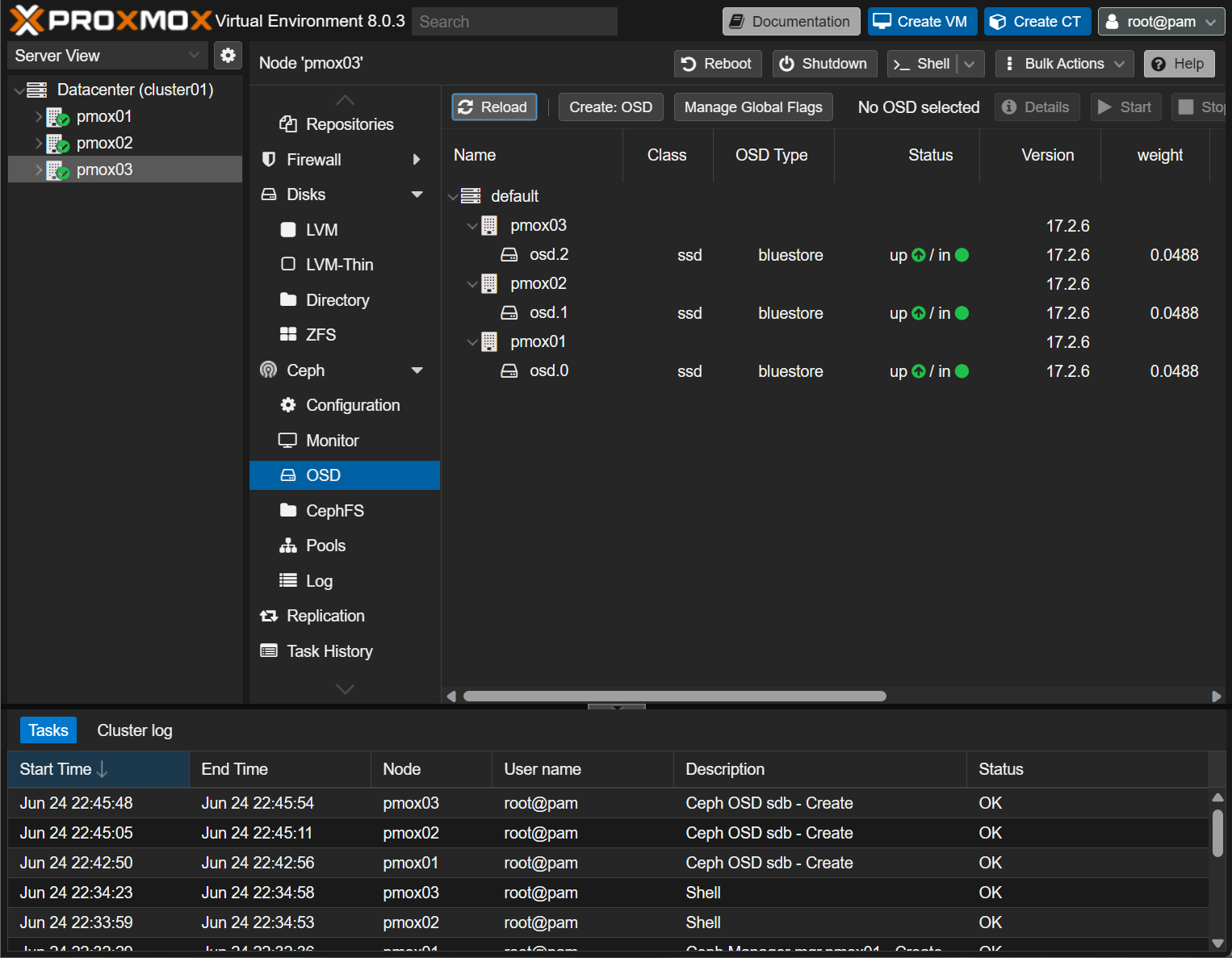
Adding OSDs for your Proxmox nodes.
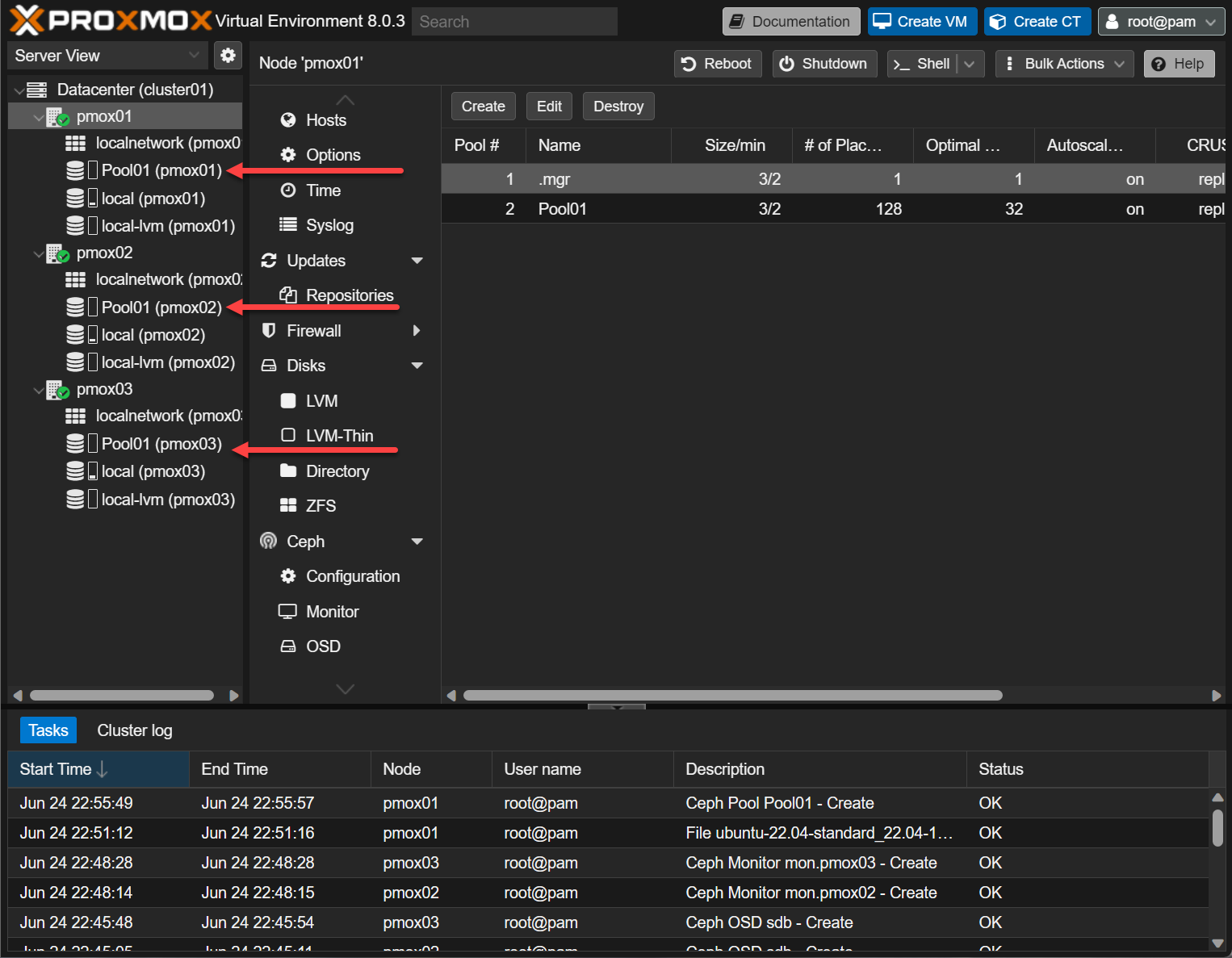
Shared storage pool between Proxmox nodes.
If you still want to have a more traditional external storage solution, option two is shared storage using NAS or other storage device. With something like TrueNAS, you can do ZFS replication, snapshot based backups, or a dedicated NAS that serves block storage to the cluster can work here using iSCSI. The key is that workloads are not tied to a specific disk in a specific box.
Once you can move a VM or container without thinking about where its data lives, the lab crosses a major line into the realm of datacenter quality.
Networking can be one switch with good design
With networking, you don’t necessarily need a stack of enterprise grade switches for it to feel like a datacenter. You need one good managed switch that you can actually configure. A single managed switch with VLAN support, LACP, and decent monitoring capabilities is enough. What matters is that you design your networks well and have could segmentation.
You do not need a stack of switches to feel like a datacenter. You need one good switch that you actually configure and segment your traffic in a meaningful way.
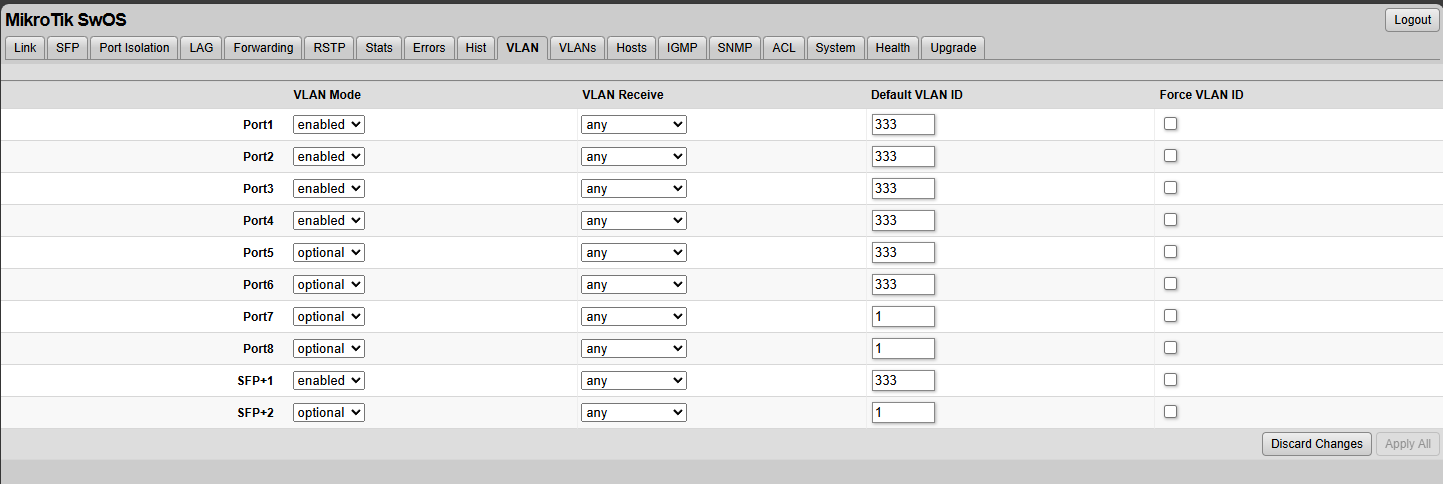
In a mini rack or small rack I would segment traffic similar to the following:
- Management VLAN
- Storage VLAN
- VM or container workload VLANs
- Optional DMZ or ingress VLAN
Even if all of this traffic flows through one physical switch, the logical separation using VLANs changes how you design and troubleshoot and keeps everything relatively secure from a layer 2 boundary.
When you combine this with a router or firewall that supports VLAN interfaces and basic routing policies, then your lab will behave like a scaled down enterprise network. This is also where mistakes become educational. Misconfigured VLANs break things in interesting ways. Routing loops can appear if you have things setup incorrectly. MTU mismatches can also happen. Doing all of this network configuration may seem unnecessary, but this is where on the networking side you learn real lessons and you start to appreciate how things are setup in a datacenter.
Check out a couple of helpful posts I have written on the topic of networking and VLANs:
- Home Lab Networking 101: VLANs, Subnets, and Segmentation for Beginners
- Proxmox Network Configuration for Beginners including VLANs
Containers and virtual machines galore!
It excites me just how many containers and virtual machines you can run on today’s mini PCs. They are really incredible when it comes to the amount of horsepower you get. Compared even to my enterprise-grade Supermicros from a few years back that I ran for quite some time, these things will run circles around that era of hardware with the Xeon-D systems.
Running a small home lab that feels like a real datacenter means that you are going to be running a heavy mix of virtual machines and containers both. For me, I am so much more container focused than I was just a few years back. Now I am into Dockerized solutions and LXCs now that I am heavily running Proxmox. Your small datacenter will likely be the same for you as well.
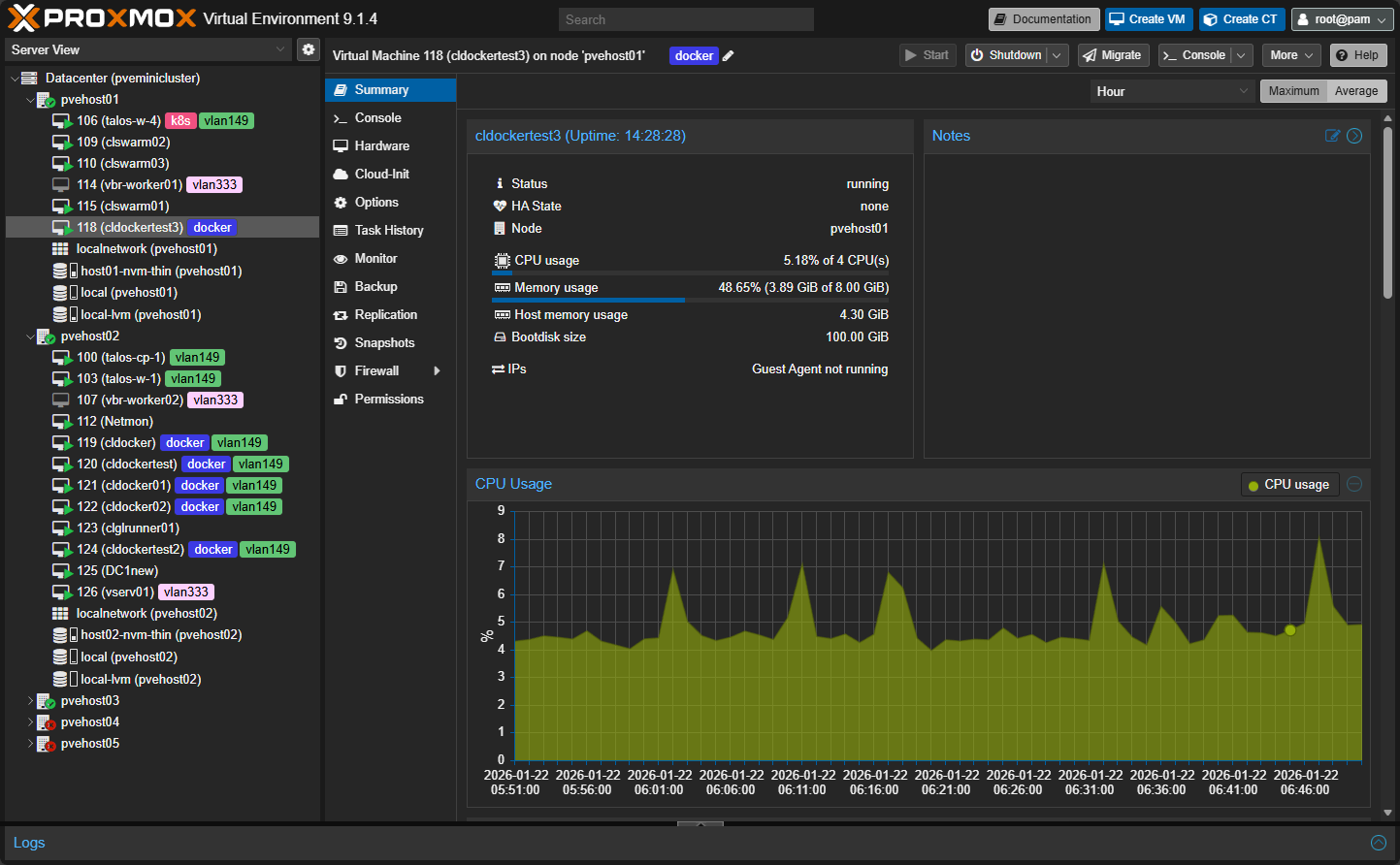
Virtual machines still matter for:
- Hosting containers
- Infrastructure components and services
- Legacy workloads
- Operating system testing
Containers shine for:
- Today’s application services
- APIs
- Dashboards
- Monitoring
- Management solutions
- Background workers
- CI/CD
Automation is key to a small home lab with datacenter appeal
Modern datacenters don’t have technicians executing every single task that gets performed. They have basically everything automated. This includes processes, backups, self-healing, monitoring, resource management, deployments, etc. Basically anything and everything is automated.
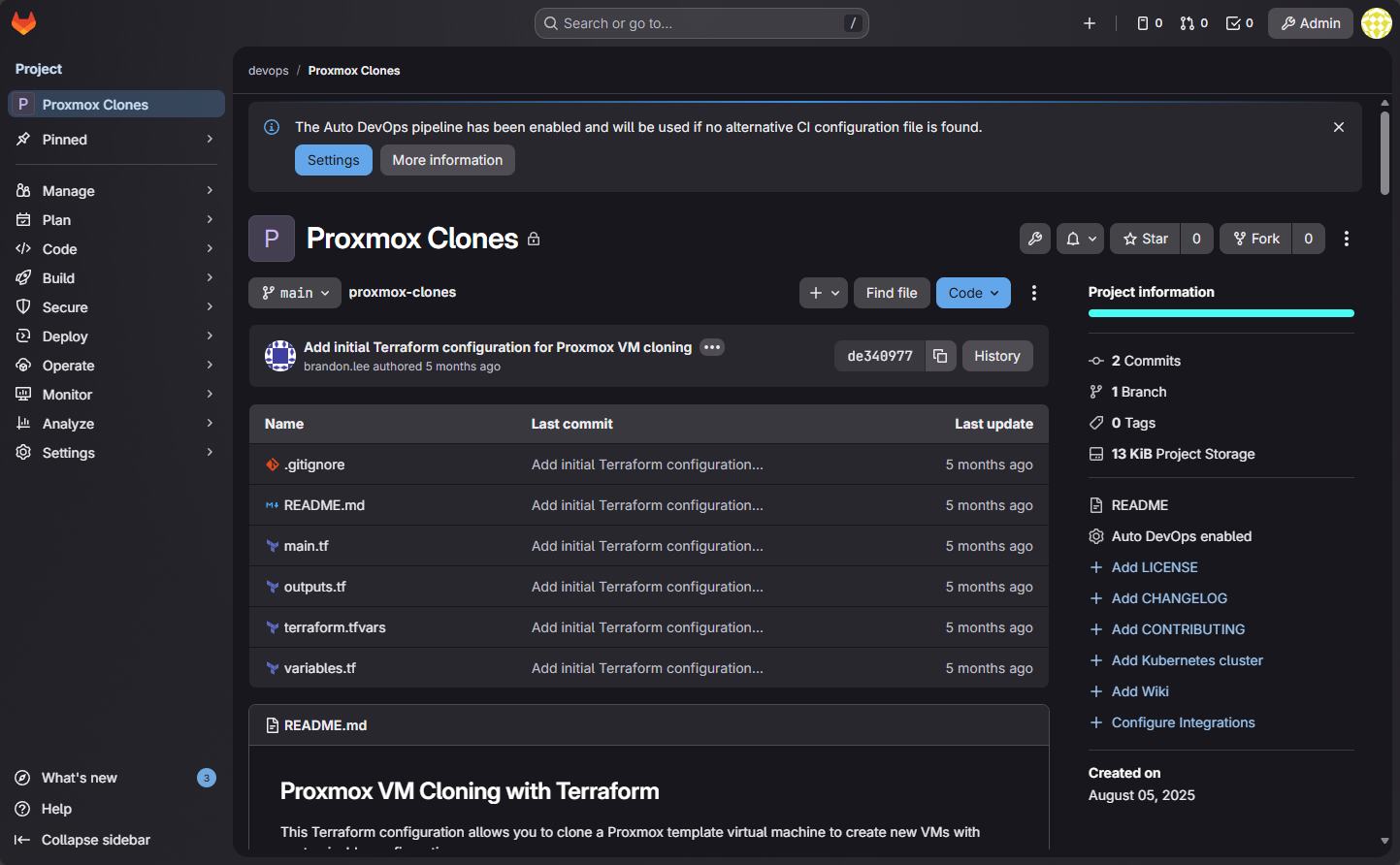
This is where many small labs fall apart. Manual builds are what everyone starts with at first. But when you have something that breaks you realize you cannot easily rebuild and repeat those same hands on and undocumented steps. That is when a lab stops feeling like infrastructure and starts feeling fragile.
At minimum, you should think about automating the following:
- Version controlled configuration
- Host builds that are repeatabe
- Documented network design
- Workloads that you can rebuild with the push of a button
This does not mean everything has to be perfect. It means you can burn it down and bring it back without worrying and you have confidence that you can get it back functional without much effort. Once you reach that point, the size of the lab stops mattering. Even if you have a small home lab it can still feel like a modern datacenter with automation.
Monitoring is just a part of your infrastructure
Modern datacenters have monitoring systems that are sophisticated and monitors everything from the hardware health to application performance. When you can see CPU usage, disk latency, network throughput, and service health in one place, you stop guessing. You start diagnosing problems with your monitoring.
The dashboard below is from Pulse Proxmox monitoring. Check out my post on that here: This Free Tool Gives Proxmox the Monitoring Dashboard It Always Needed.
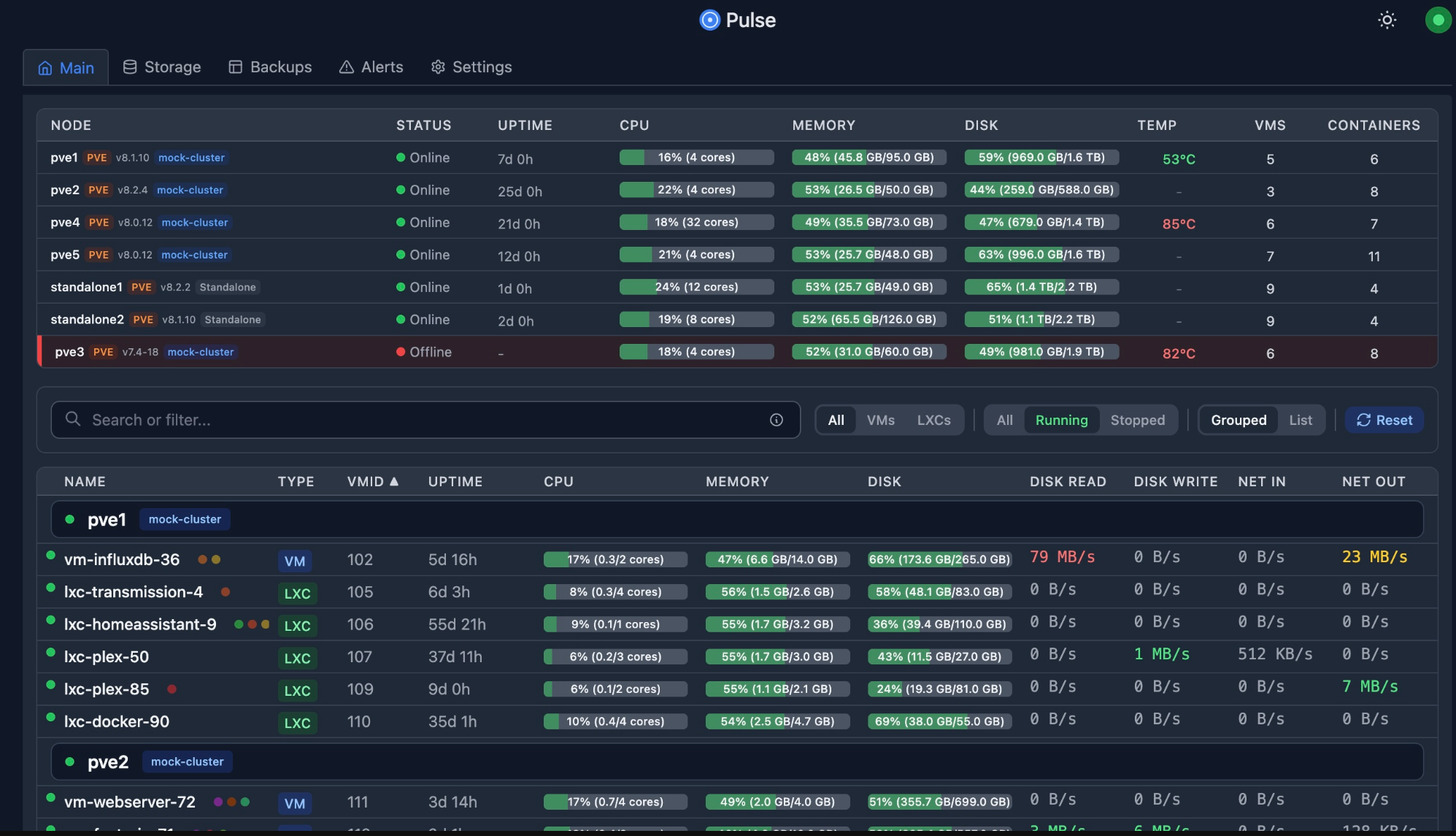
Even basic dashboards can improve how a lab feels. Instead of wondering why something is slow, you investigate it and you start to observe trends. This is also where even if you build a very small footprint lab, it can punch above its weight so to speak. With fewer systems, you can actually understand everything that is happening and it is a great learning opportunity to see how one thing affects another.
Don’t underestimate what you can learn with a small home lab
I think there are many ways that a small compact lab actually helps speed up learning. It forces you to think about your priorities and the design aspect. Most can learn how to implement systems fairly easily but design is another level altogether. When you can take a look at your infrastructure from a 10,000 foot view and understand how the pieces need to fit together and why they fit the way they do, you are starting to master the art of designing complex systems.
Some many think that without a full size rack and large footprint that you aren’t really learning enterprise datacenter skills, but in many ways the opposite is true. Small labs can teach all of the same design principles but they keep in focused and more sustainable as a learning environment from a power consumption, noise, and physical footprint perspective. Also, and this may be the most important, it stays fun.
A large lab shifts the focus and attention often more to the noise, power draw and other downsides that you may fight with and away from learning.
Wrapping up
In wrapping this up, I think the smallest home lab that still feels like a datacenter is not defined by how big the rack is or how many CPU cores or RAM you are running, it is how you think about it. There are I think some genuine concrete things though that we can say helps a lab feel like a datacenter. Those are three nodes, shared storage, real networking, automation, monitoring, and design. And, what is more, this combination of things and more can fit into a single mini rack, under a desk, or in a quiet corner of a room. Let me know your thoughts on this subject. What do you think makes a small home lab feel like a datacenter? Is there one thing over everything else that helps your lab transcend into that space for you? Let me know in the comments.

Google is updating how articles are shown. Don’t miss our leading home lab and tech content, written by humans, by setting Virtualization Howto as a preferred source.
About The Author


Thanks Brandon, it was a very enjoyable article.
If the RAM crisis ends, I’ll be able to pursue my dream of having a small home lab.
Tolga,
Definitely, I hate that we have had this major hit to the consumer market with component prices skyrocketing. Hopefully this bubble will burst soon and it will be hardware galore 😂
Brandon