


Man 2025 has been an exciting year for home labbing. I have been able to experiment with a lot of great software solutions and new hardware, including mini PCs and NAS devices. Time never stays still when labbing. This post is my now retrospective, traditional tour of the home lab environment and how my lab has evolved over the year and, more importantly, what the changes taught me. This post is my look at the home lab over the course of 2025.
New hardware that entered the lab this year.
I didn’t necessarily go crazy with new hardware this year. A lot of times, vendors will send over new mini PCs or NAS devices. So, the hardware below are additions to the lab thanks to those review units. Here are the new hardware additions that helped to add meaningful storage to the lab as well as compute nodes for workloads.
New NAS devices
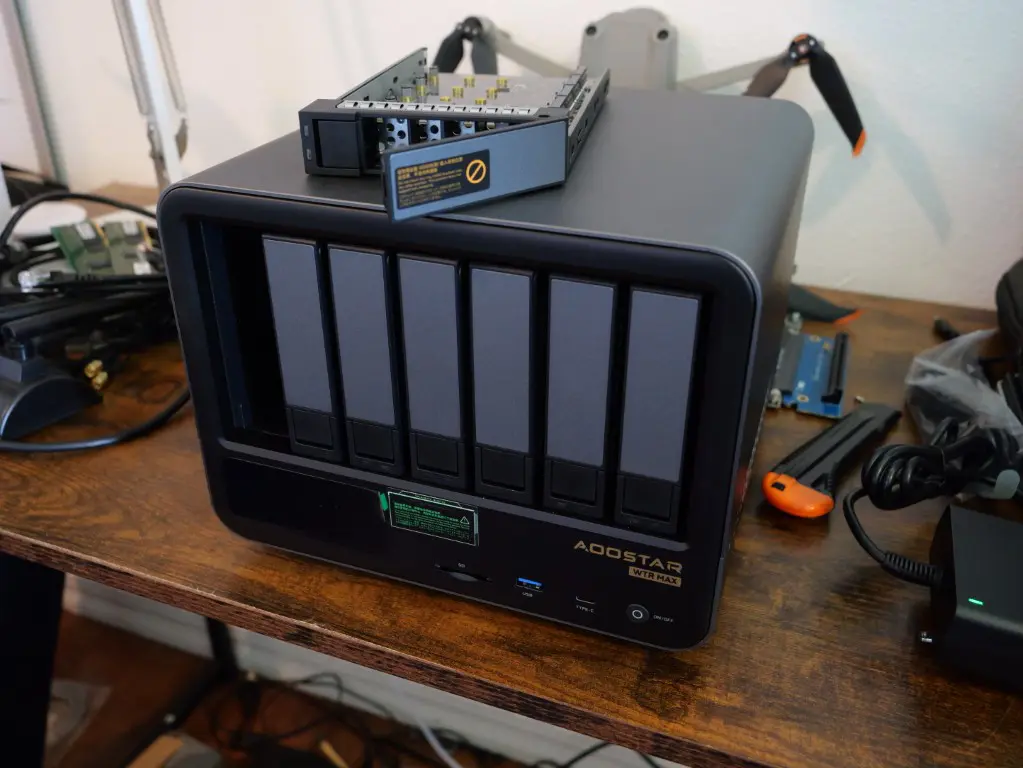
This was a NAS device that i was super excited about when I first read the specs, the AOOSTAR WTR Max. This NAS has delivered on everything promised by the early specs. The general specs include:
- CPU: AMD Ryzen 7 PRO (8 cores, 16 threads)
- GPU: Radeon 780M (RDNA 3)
- RAM: Dual SO-DIMM DDR5, came with 32 GB (unofficially 128 GB supported)
- Storage: Up to 11 drives
- LAN: Dual 2.5GbE ports
- Video Output: HDMI 2.1 + USB-C DP
Storage specific specs include:
- 6 x 3.5″ SATA drives
- 2 x NVMe M.2 slots x2 slots
- 2 x NVMe M.2 slots x1 slots
- 1 x 2280 M.2 slot on bottom side x2
- 1 x TF card reader
Read my full review of the Aoostar WTR Max here: Aoostar WTR Max Review: The Almost Perfect NAS Mini PC.
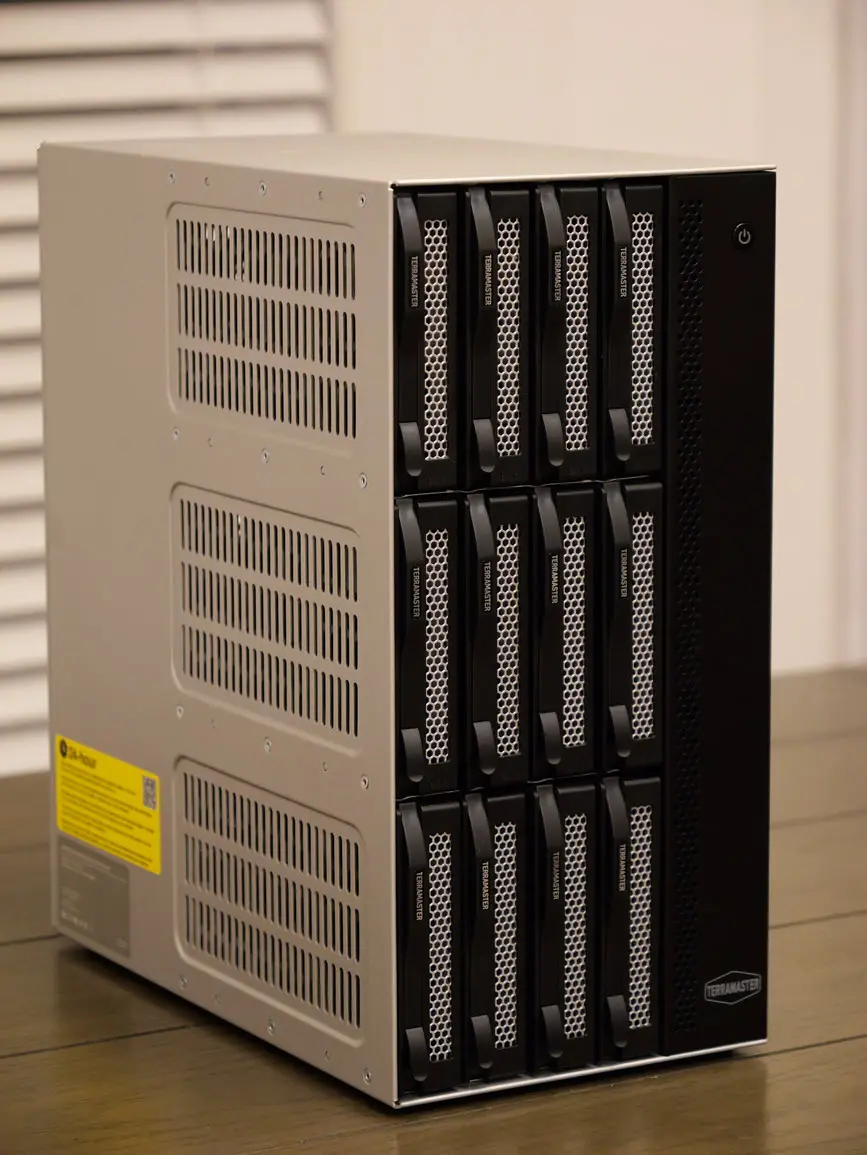
Another powerful NAS device that has been added to the overall storage of my lab in 2025 is the TerraMaster T12-500. This thing is a beefy NAS with tons of backup potential and capabilities. Take a look at the specs below:
- Model: Intel Core i7-1255U
- Architecture: x86 64-bit
- Cores and Threads: 10 cores, 12 threads
- Max Turbo Frequency: Up to 4.7 GHz
- Hardware Encryption Engine: Yes
- Hardware Transcoding Engine: Supports H.264, H.265, MPEG-4, VC-1; maximum resolution: 4K (4096 x 2160); maximum frame rate: 60 FPS
Memory:
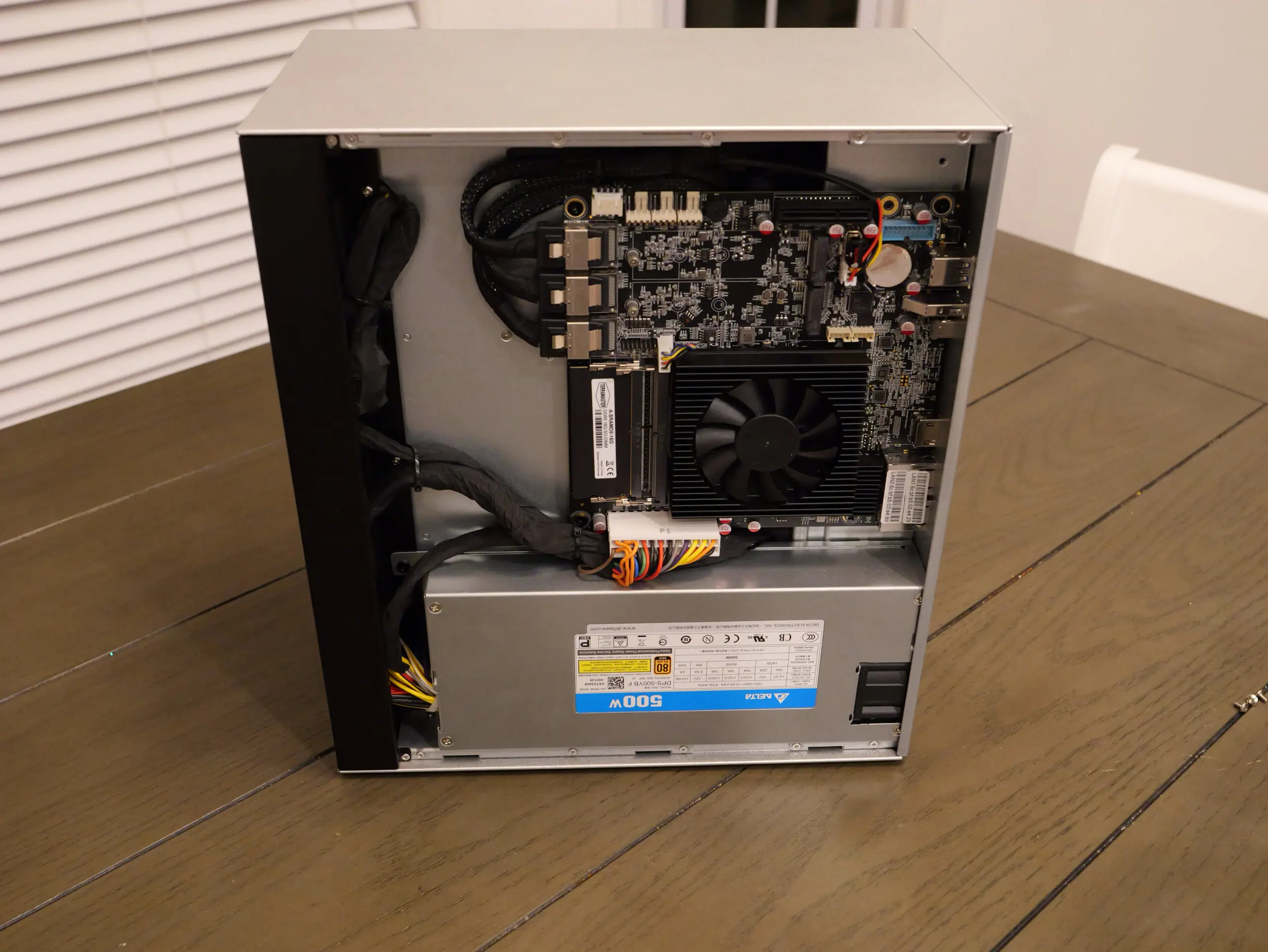
- System Memory: 16 GB DDR5 non-ECC SODIMM
- Pre-installed Memory Module: 1x 16 GB DDR5 non-ECC SODIMM
- Total Memory Slots: 2 (DDR5 SODIMM)
- Maximum Supported Memory: 64 GB DDR5 non-ECC SODIMM
Storage:
- Disk Slot Number: 12
- Compatible Drive Types: 3.5″ SATA HDD, 2.5″ SATA HDD, 2.5″ SATA SSD
- Maximum Internal Raw Storage Capacity: Up to 264 TB (22 TB x 12)
- Drive Hot Swap: Supported
- M.2 2280 NVMe Slots: 2 (PCIe 4.0 x4)
Take a look at my full review post on the Terramaster T12-500 here: Terramaster T12-500 Pro NAS Review: Beefy Specs with Backup Server Built-in.
New mini PCs
There were a lot of great mini PCs that I was able to get my hands on this year and a few of which I have made full-time compute nodes in the home lab. The first on the list that I want to mention is the Minix Elite EU715-AI. It became an important Proxmox 9.1 node and is a powerful little machine that is also extremely efficient, pulling only 69 watts at 100% CPU.
This little box gave me a compact but capable platform for experimenting with various solutions while leaving my existing nodes to service my “production” lab workloads. It packs some really great hardware, including:
- Intel Core Ultra 7 155H processor
- 6 Cores, 22 Threads
- 6 Performance Cores with 12 threads
- 10 Efficient Cores with 10 Threads
- (2) M.2 NVMe slots
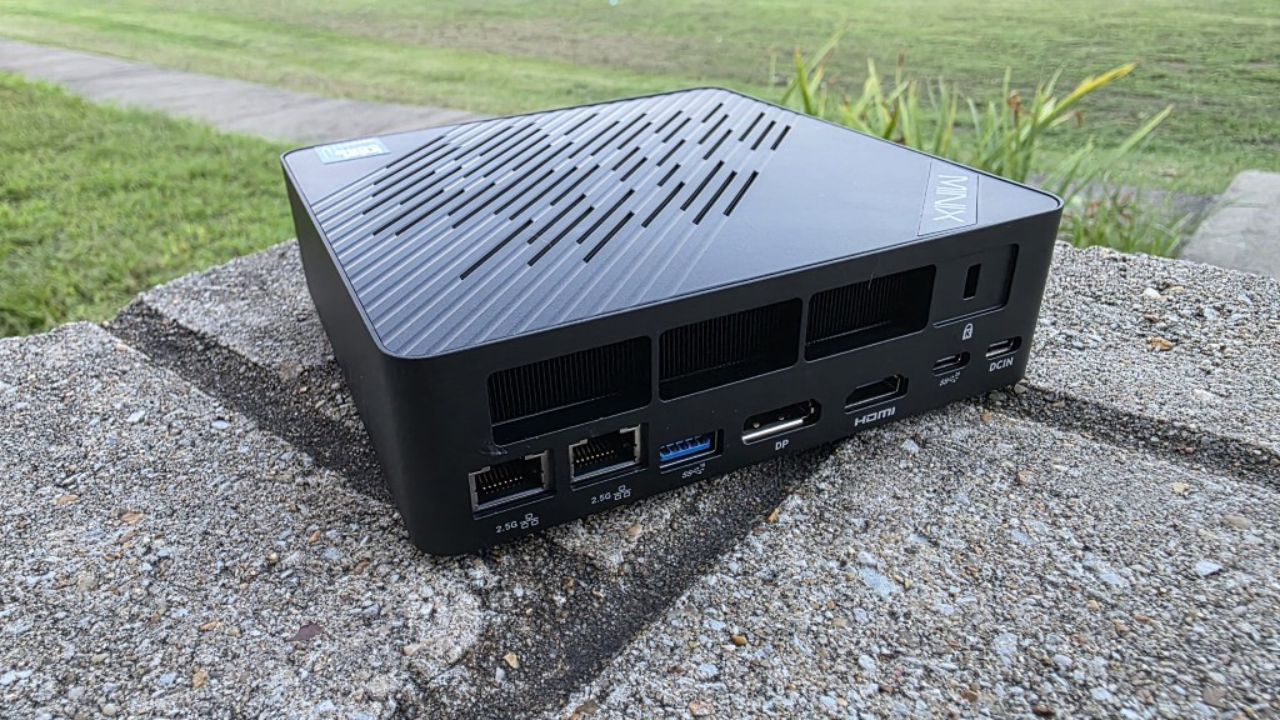
Another extremely efficient mini PC that has been a great addition to the home lab was another one that I reviewed, the Geekom A5 (2025 edition). This system is super efficient and is on another level in terms of power draw. At 100% CPU, it draws only 25 watts!
It is currently running Proxmox 9.1 in my home lab and is running lightweight VMs with infrastructure roles that previously lived on larger hosts could now be moved to something far more energy efficient. This has definitely reduced my noise, heat, and power draw in the rack while still delivering great performance for critical services.

Together, these two little mini PCs have been great Proxmox compute nodes for running lots of home lab services and trying out new things in 2025.
Server builds in 2025
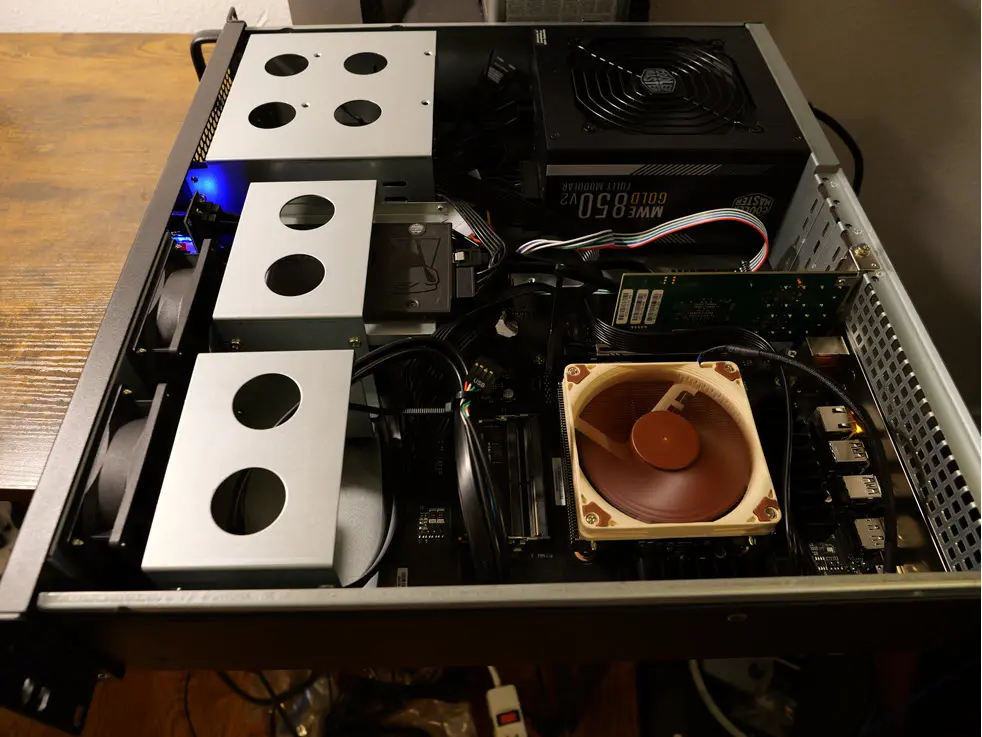
I did something also this year that I haven’t done in quite some time (early in the year when RAM was still reasonably priced. Minisforum sent me a couple of boards with the AMD Ryzen 9 7945HX processor. These boards are the BD795M and BD795i SE systems. I stuffed each of them with 128 GB of RAM and Intel Optane drives. They have become true workhorses in the lab. I have both of them running Proxmox 9.1 and they handle everything I can throw out them with ease.
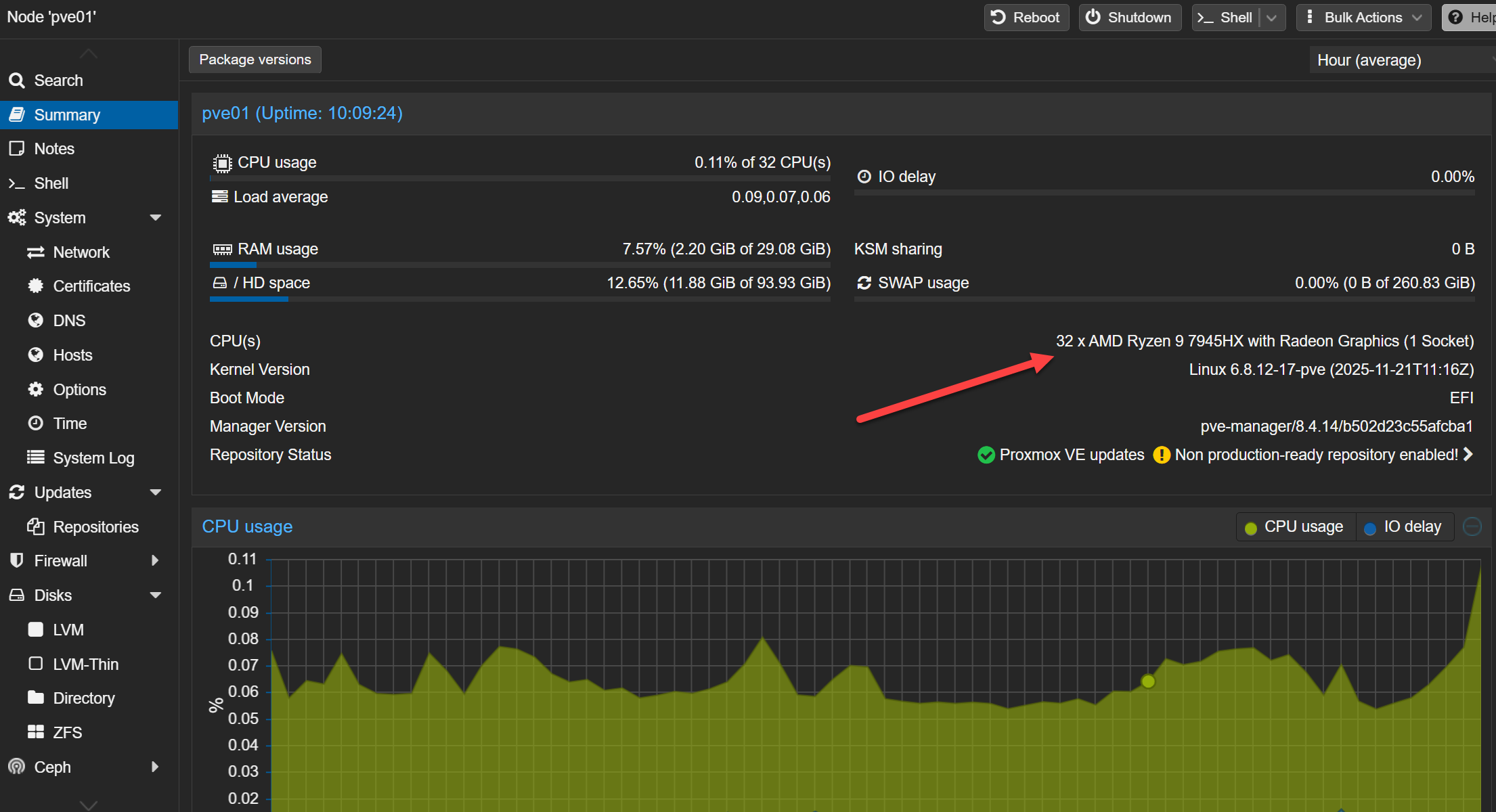
A view of the build here:
Hardware that stayed for a reason
There is a lot in my lab though that has stayed status quo in 2025. My original foray into running mini PCs in the home lab, the pair of Minisforum MS-01 systems that I now have running VMware ESXi 8.x with 96 GB of RAM each have continued to rock along. These continue to maintain my VMware presence as my Proxmox footprint continues to grow.

These MS-01s have been rock solid for the most part. I have seen a couple of purple screens on my 2nd MS-01 that I have been watching as of recently, but this seems to be related to hybrid CPU configurations from what I can tell. I am experimenting with various BIOS settings on that front.
One cool thing I enjoyed getting back in my lab was traditional storage. Broadcom destroyed vSAN for most organizations with the price increases and new storage restrictions cost per TB. I literally overnight saw many organizations I worked with, take vSAN off the table for their refreshes. It was amazing to me how seemingly software-defined storage was poised to snuff out traditional storage as that was the direction everyone was headed, but in steps Broadcom, and traditional storage once again became the focus.
So, I followed suit in my home lab. In August of 2024, Terramaster sent over their TerraMaster F8SSD-Plus. I set this up with a traditional iSCSI LUN in my VMware vSphere environment. This thing, even though it is limited in PCI speeds has actually performed really well in my environment and “feels” very much like fast enterprise storage in terms of performance, especially with the 10 gig connectivity. You can read my full review post of the F8SSD-Plus here: Terramaster F8 SSD Plus Review: All Flash NAS with NVMe.
My trusty Synology DS1621XS+ also is still going strong. It remains my primary destination for backups, media storage, and content creation data. While newer platforms are more exciting to talk about, this system still keeps things moving along on the bulk storage front in my home lab in 2025.
Networking in my lab has been uneventful with little change
In terms of my network, I have kept things mostly the same for 2025 in terms of network hardware and configurations. My Palo Alto Networks PA-440 firewall is still the underpinning for the environment routing and security policies. Palo in my opinion is just one of the best firewalls out there and I have been very happy with it still. Look at my review of that unit here: Palo Alto PA 440 New Firewall Review.
For my 10 Gbps core switch, I am still rocking the Ubiquiti EdgeSwitch 16 XG. It continues to serve me well. Also, for an edge switch, I am still also running the UniFi Enterprise 48 PoE switch which handles edge connectivity to my home network and home lab clients. I have the 2.5 Gbps switch with PoE. So this makes it a great switch that is still doing everything I need it to do.
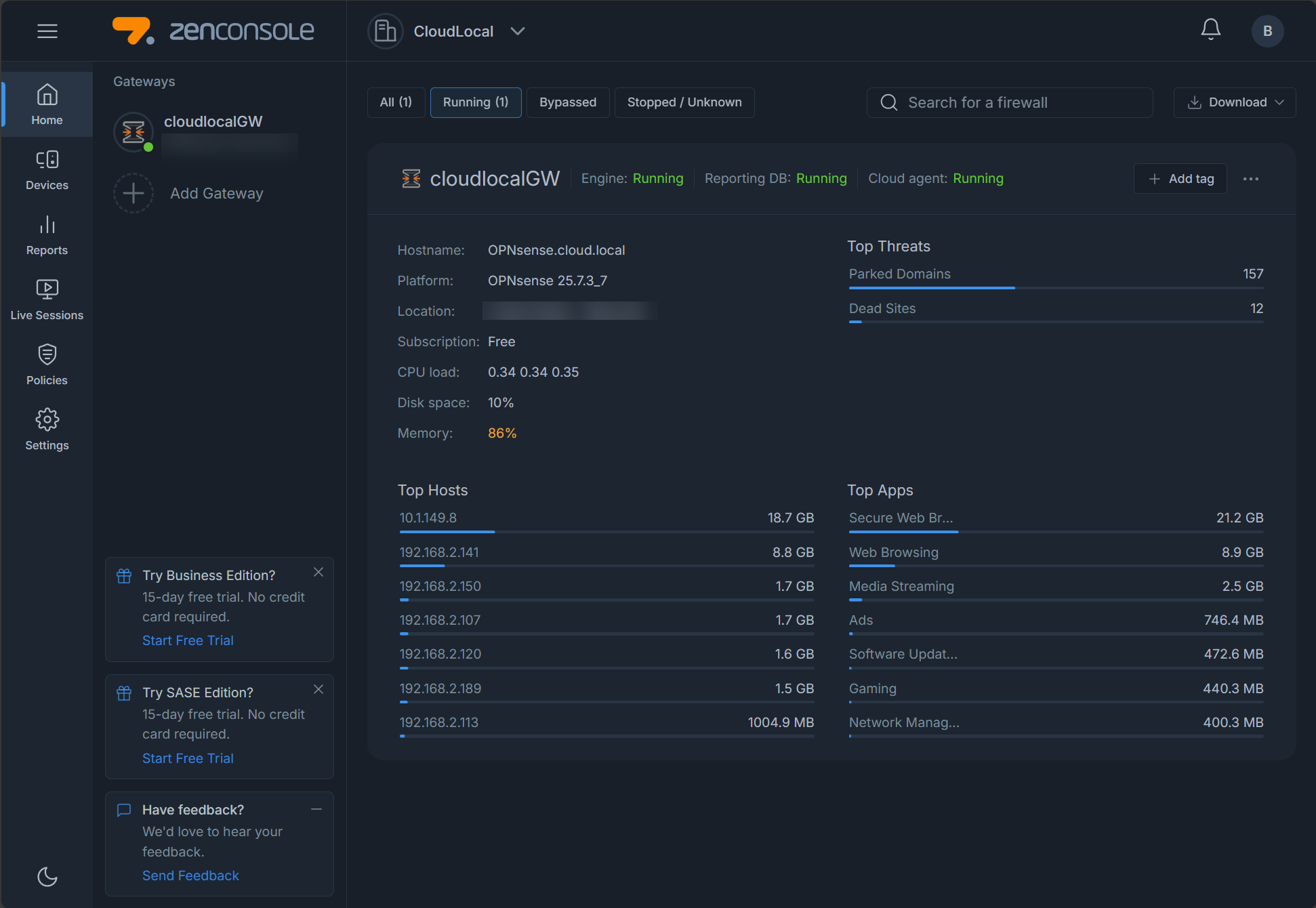
I did make one intentional change in 2025. I replaced an Untangle NGFW with an OPNsense firewall running ZenArmor for a portion of my LAN that is used as a secure segment. Untangle NFGW no longer has a “home network license”. So, I started considering what I wanted to stand up in its place. I settle on OPNSense with ZenArmor and couldn’t be happier. ZenArmor allows me to do deeper inspection and policies. See my review of ZenArmor here: The OPNsense Plugin You Must Install in 2025: Zenarmor Guide & Review.
Wireless remains an area of active testing. While a UniFi Wi-Fi 6E setup continues to work well, experimenting with Engenius Wi-Fi 7 access points reflects an ongoing evaluation rather than a rushed upgrade. Some parts of a home lab should stay flexible.
Virtualization this year was all about Proxmox
For me, 2025 became the turning point year for Proxmox. I have been going the way of attrition when it comes to VMware. Some part of me thought that maybe Broadcom would come to their senses and restore the original VMUG path to licenses with a membership. However, this didn’t happen as we all knew it wouldn’t. But all in all it has been a good thing, because it has accelerated my shift over to Proxmox and running self-hosted services on the Proxmox VE Server platform.
Proxmox VE 8 and 9 matured significantly. Also in 2025, Proxmox delivered Proxmox Datacenter Manager 1.0 GA. This has changed how multi-node environments are managed day to day. Also, I have introduced monitoring improvements for Proxmox with tools like Pulse and ProxMenux. These have closed visibility gaps that I had previously.

I still have my VMware vSphere 8.x cluster that continues to run a few workloads that make sense. With traditional iSCSI storage that I detailed earlier, Aria Operations monitoring, and workflows that I still have running using CI/CD pipelines.
I am also trialing out XCP-ng with the new XOLite interface and Xen Orchestra 6.0 interface which has been nice to test. Unfortunately, there isn’t really a “free version” outside of building from source code.
Containers and Kubernetes
The Docker environment expanded steadily throughout the year and now spans six hosts with around 100 containers give or take a few. I built a home grown docker dashboard project that I finished right at the start of 2025. You can read about that project here: Docker Dashboard: New Tool Let’s You See Containers Across Multiple Hosts.
I am still running multiple Docker management tools like Portainer, Komodo, Dockge, and a new one called Arcane. Not that I need all of these, but when you test out new solutions all the time for blog content and other purposes, you tend to have too much of everything. I have found too that each container management tool all have something special about them it seems.
I have tried out a lot of new reverse proxies as well. Currently in my lab, I have the following reverse proxies running: Traefik, Nginx Proxy Manager, Pangolin, Caddy, and Zoraxy.
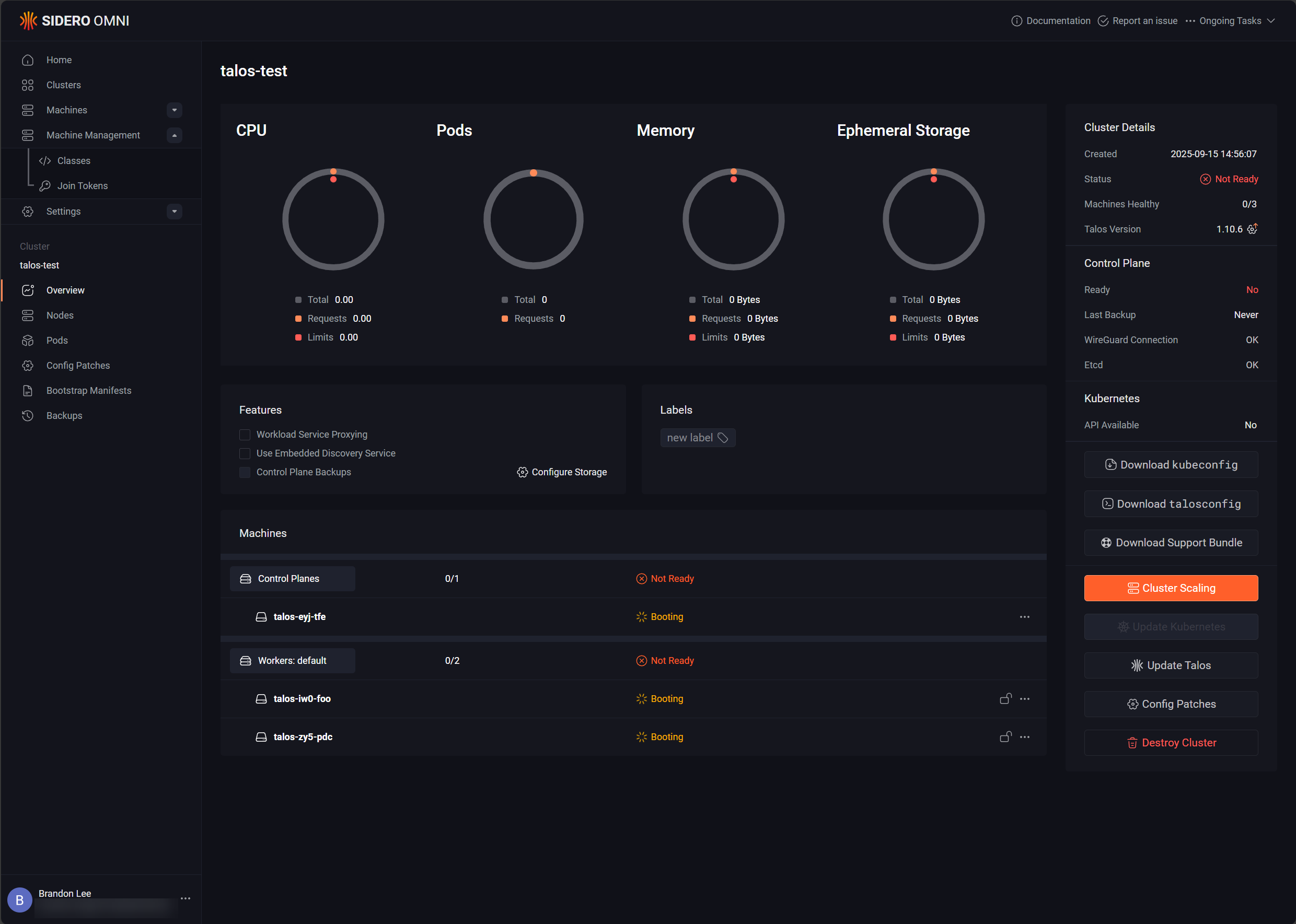
With Kubernetes, I am still running MicroK8s paired with MicroCeph. This is my favorite storage combination at the moment as it is super easy and works really well. What is new this year is that I have revisited Talos Linux Kubernetes along with Omni management. This is a very cool management solution from Sidero that gives you a single pane of glass interface to manage all of your Talos clusters.
I am also still running my Docker Swarm cluster as well and this continues to be a work horse in my home lab. You can see how I set this up here:
DNS, monitoring and other tidbits
I made a pretty dramatic change in my home lab as I swapped out running (2) Pi-Hole servers with Nebula Sync synchronizing settings between them to a cluster of Technitium DNS servers. I have really liked Technitium a long time, but the recent news from them introducing DNS clustering brought me back to it quickly. The cluster is easy to stand up and your changes are synced automatically without any third party solutions or projects. Read my blog about it here: Stop Using Pi-Hole Sync Tools and Use Technitium DNS Clustering Instead.
I am still running an unbound as a conditional forwarder with a split-horizon DNS zone. What has changed for me is now managing my DNS zone in Unbound with Git. This was a great project to tackle and it was pretty easy to implement.
Monitoring for me has evolved into running a wide range of tools. Netdata and PRTG are my two main “everything” monitoring platforms. When it comes to monitoring Proxmox in particular, I am now using Pulse and ProxMenux. Additional Docker and general monitoring is handled by other new solutions in my stack, including: Logward, LoggiFly, Patchmon, Scanopy, Dozzle, phpIPAM, Semaphore, and a custom arpwatch container.
Backups, messaging, and core services, Active Directory, etc
My backup strategy is ultimately about layers and not necessarily specific tools. I use Proxmox Backup Server, Veeam, NAKIVO, and Duplicati as part of my backup strategy and these coexist because they solve different problems at different levels and I like to have multiple backups in different solutions.
For notifications, I am still pushing alerts through through Mailrise and Pushover, and have added some Ntfy to the mix.
At the core of my home lab network, I am still running (2) Windows Server 2025 domain controllers hosting Active Directory, DHCP, and DNS (with the upstream Unbound conditional forwarder). Some infrastructure simply does not need to change often to remain valuable and that is how I see my Microsoft AD core.
What surprised me most
There were a few surprises in 2025 that caught me a bit off guard. One was how much I enjoyed building a server again. However, I am glad that I was able to get those in at the beginning of the year instead of late in the year or they probably wouldn’t have happened due to RAM prices now. Another surprise which I have just blogged about is how much I “didn’t” really miss VMware as much as I thought I might. Proxmox has been rocking along and with the new features and capabilities in Proxmox 9.x and the new Proxmox Datacenter Manager, I think VMware will be sunsetting in my home lab. It has been a year of turning points and laser focus on microservices and containerized apps and solutions.

Google is updating how articles are shown. Don’t miss our leading home lab and tech content, written by humans, by setting Virtualization Howto as a preferred source.
About The Author

Hi Brandon, it’s a great privilege to have found you.
It was a very enjoyable article and it broadened our horizons.
We will continue to follow your guides for those who want to set up a home lab at the beginner level.
Tolga,
Thank you so much for the kind words. I am glad the guides have been helpful. Do let me know your continued feedback on what you learn from the site. More really cool things coming down the pipelines.
Brandon
Can you do a blog of everything you have running right now in your home lab. Like you did for 2024.
Nick,
Sure thing, I will add this one in the pipeline. I have been meaning to do an overview post like this. Things have been in so much flux in my lab that I have held off, but I think now things are settled enough for me to encapsulate everything I’m running hardware and software wise.
Brandon