


When it comes to improving and “upgrading” your home lab, most of us starting thinking about the hardware side of things. More memory (haha, rolling eyes at prices), faster storage, 10 gig networking, etc. While all of these things matter, I have learned the hard way that reliability rarely comes from big upgrades. It comes from small changes and the ones that you barely notice day in and day out. Let’s look at 10 small home lab changes that made my setup more reliable so these can help you too.
1. Standardizing hostnames, IPs, and labels across the lab
One of the quality of life improvements you can make that makes a huge difference is standardizing names and addresses and keeping up with these. Often times, hosts are named based on hardware, location, or whatever makes sense at the moment. Containers might be named depending on how they are deployed. IP addresses have to technically follow a plan, but again these can be very loosely provisioned.
Can this type of setup work? Yes it will work, but it can make life difficult when you need to troubleshoot or even when provisioning new resources. When something breaks, you want to be able to immediately have a clear understanding of the situation, including which host, which container, which IP, etc, etc. You don’t want to have to stop and remember a host, or VM, or which VM a certain container lives on.
Also, a nice little trick to work out is numbering your VLANs with your subnets. So for example:
- VLAN 10 – 192.168.10.0
- VLAN 20 – 192.168.20.0
- VLAN 30 – 192.168.30.0
- VLAN 40 – 192.168.40.0
- VLAN 50 – 192.168.50.0
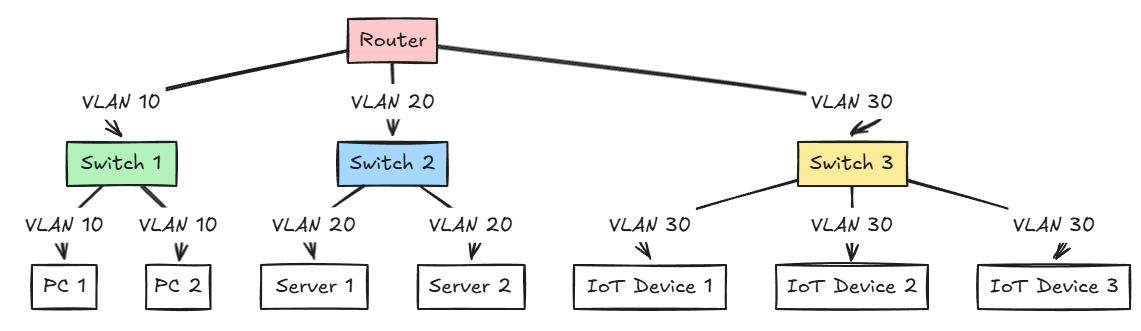
This helps our human brains keep things lined up so they are easier to remember.
With good standardization, when you start receiving alerts or a service goes offline, you can know where to look and what role it plays. This change didn’t really improve uptime per se, but it reduces mistakes and speeds up recovery when down time happens.
2. Rebuilding critical services to be disposable instead of fragile
All of us probably grew up on IT services that were more like “pets”. They were artisanal creations that we carefully tweaked and rarely touched. Home labs can develop this way as well. You get a server “just” like you want it and it works so you are afraid to touch it!
However, as you get more into containerized apps and using Docker Compose files instead of click based setups on Windows Servers, etc, it allows you to create or recreate services with a simple docker compose up -d command.
First of all, this needs to be a shift in mindset. To think about things in terms of immutable infrastructure that isn’t upgraded, but it is recreated as new is a change. But when you start becoming familiar how containers work and are deployed, and you get familiar with putting things in Git repos, this is a paradigm shift.
Now I store all of my containers and docker compose code in my GitLab repo. If I have a catastrophic failure, I know that all my configs and setups are safely tucked away in infrastructure as code.
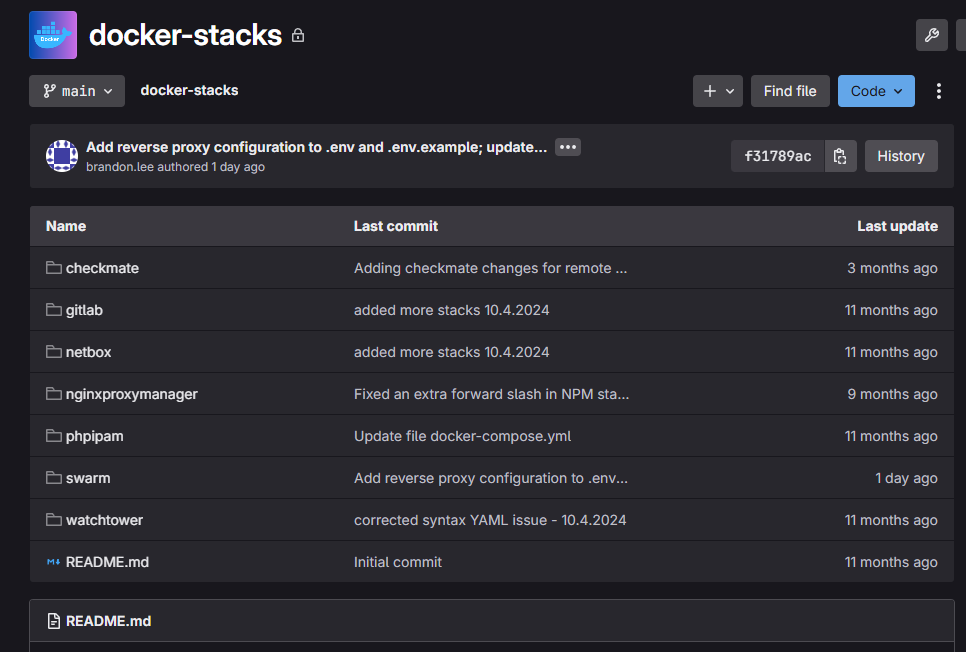
Once a service becomes reproducible and something you can easily recreate, it stops being fragile as a home lab service. If something breaks, the question changes from how do I fix this to how fast can I rebuild it. That mental shift alone makes your lab feel more stable, even when failures happen.
3. Treating backups as recovery tools
Backups are one of those things that feel solved once they are configured. Jobs run, storage gets seeded with your data, and everything looks healthy in the dashboard. For a long time, I assumed that meant I was protected.
That assumption disappears the first time you actually test a restore and it doesn’t work. I can tell you that testing restores quickly exposes weak spots. Sometimes backups are missing things you assume are there.
Below is a Pulse instance showing the Proxmox backups status for an environment.
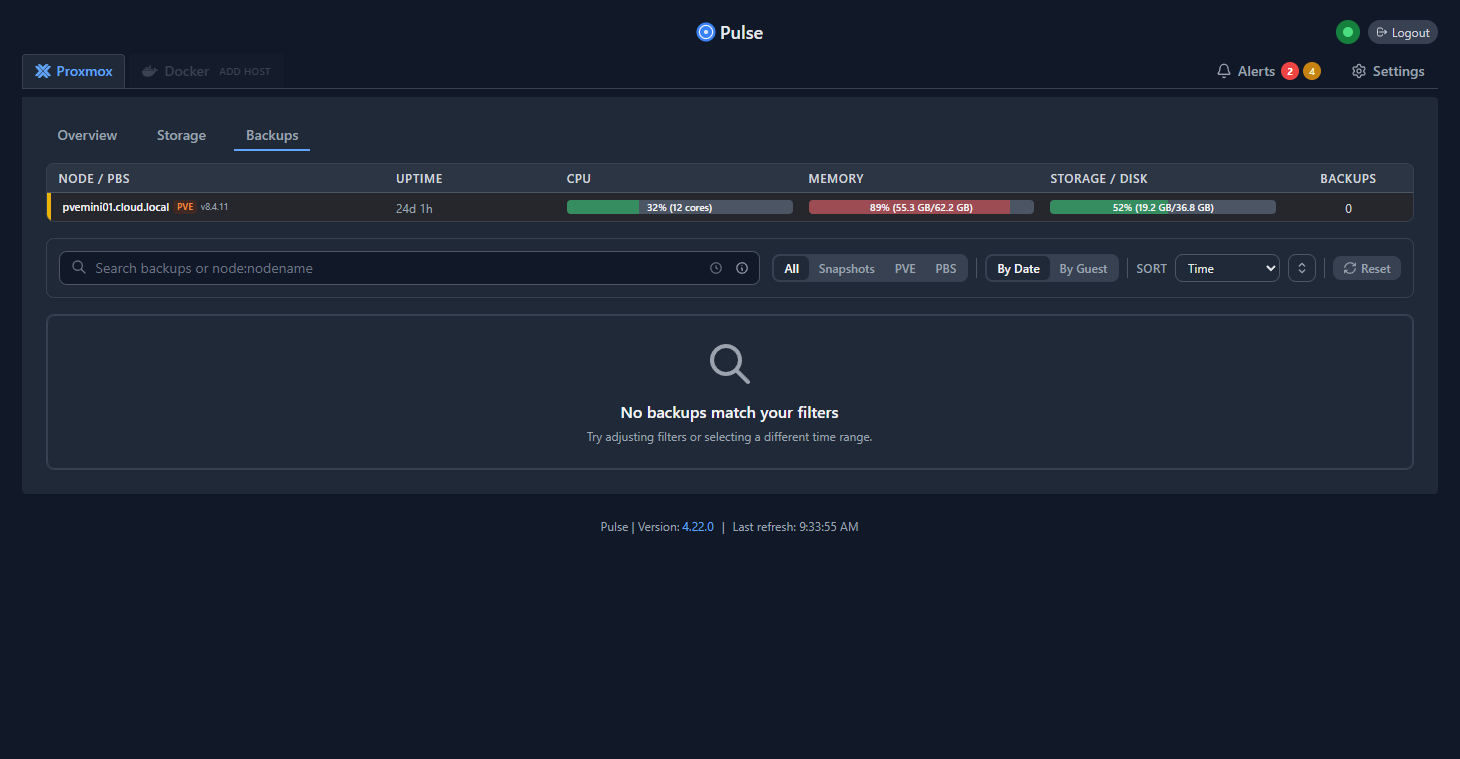
I know I had a scary moment when I realized that my full virtual machine backups didn’t capture the CephFS data that was mounted in /mnt/cephfs. I had to add a layer of application-level backups to my host that grabbed copies of this data.
Once I started testing restores, this helped to surface things that needed attention with backing up important data. When you test and restore data regularly, this helps to have better backups and higher confidence that when you need to restore something or recover specific data, it will work.
4. Centralizing logs to reduce troubleshooting chaos
Logs are the lifeblood of troubleshooting and they allow you to see what is actually happening underneath the hood so to speak. Typically, we SSH into different VMs, we check things like the journal logs, systemctl logs, docker container logs. Then, we open another host, and we repeat this process until something we see stands out and we can get to the root cause.
When you centralize your logging, this completely changes that experience. And, it gives you the ability to more effectively search logs at one time across multiple services and systems. This makes things much more easy to diagnose and easier to correlate things that are happening in the environment. Surfacing these types of issues and patterns might be hours worth of work “sneakernetting” between Linux servers from the terminal.
Below is the LogWard solution that I stumbled upon just a couple of weeks ago. This is an awesome little solution that is extremely powerful and you can start getting meaningful syslog data that you can search with just a little effort. Much easier to stand up than a full ELK stack.
Read my full blog on LogWard here: Logward Is the Lightweight Syslog Server Every Home Lab Needs in 2025.
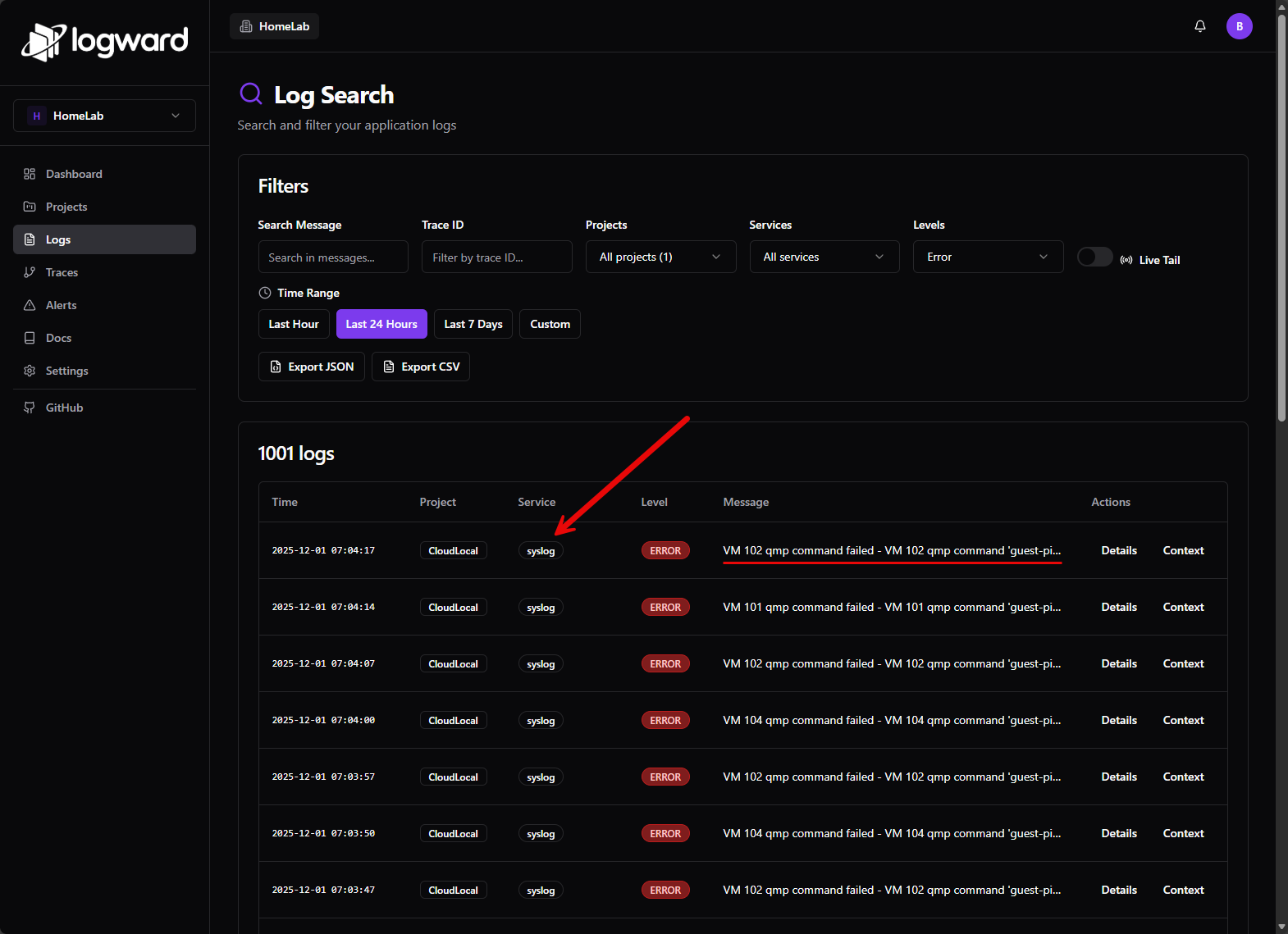
I highly recommend setting up a Syslog server where you aggregate your logs to see things going on. Forward your Proxmox logs, and other relevant logs to the syslog server and you will have a central repo of logging that you can effectively search.
5. Running fewer services and do regular “housekeeping”
At one point my lab was running all the services that I had ever spun up and the same time. Experiments and testing that I had done previous and maybe was no longer using were still up and running. This became really bad once I started spinning most things up in containers. It is so easy to spin up new containers and just as easy to leave old one running that old containers could linger.
This quietly eats up resources, generates log noise, causes port conflicts on container hosts, and many other issues. Also, you might have services you have forgotten about that are still interacting with other services that you use and they may do this in unexpected ways.
For instance, I am bad about testing monitoring solutions and leaving those monitoring solutions hitting the servers and endpoints they are monitoring and this can cause unnecessary overhead in the environment.
Now, I am much more diligent with housekeeping operations, stopping unused containers, deleting unused networks, unused images, etc. This means updates are simpler in the environment, maintenance windows are shorter, etc.
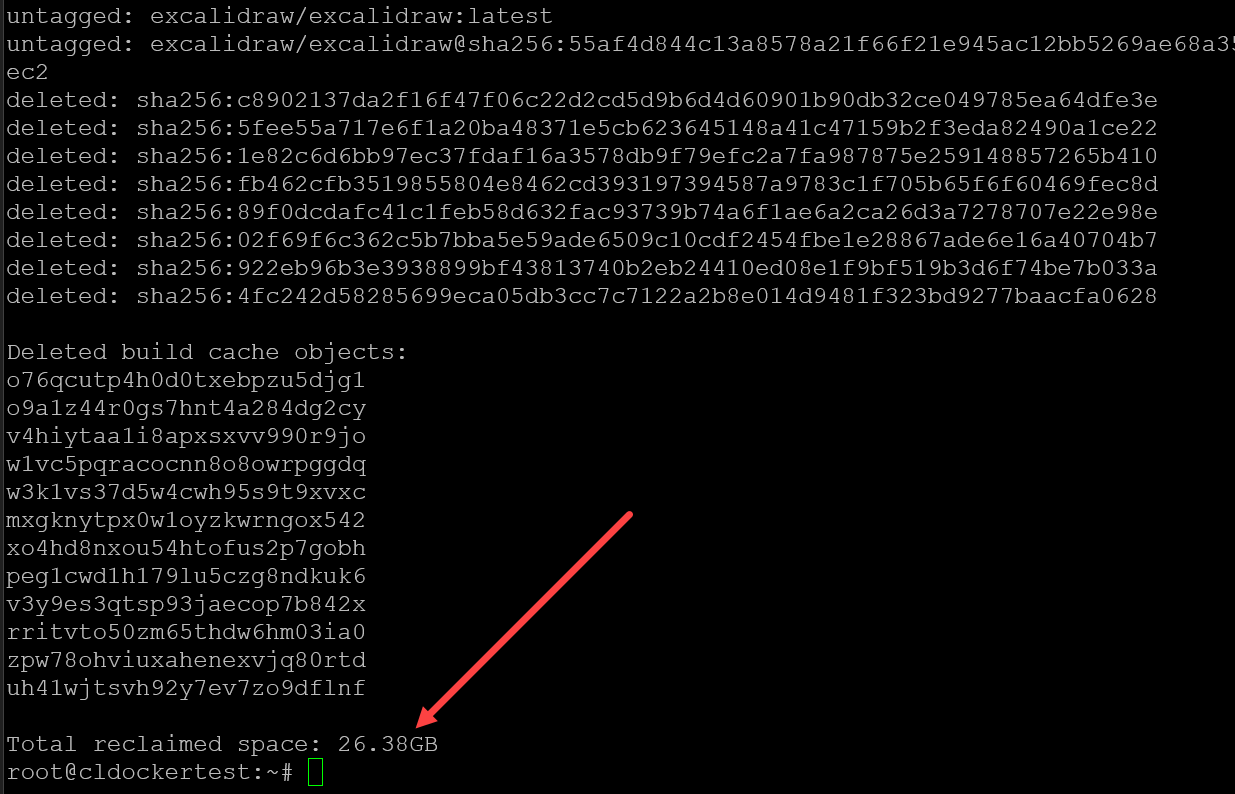
I have a CI/CD pipeline that runs every night to do some Docker cleanup running the docker system prune -a -f command. Read my full blog post on that here: Docker Overlay2 Cleanup: 5 Ways to Reclaim Disk Space.
6. Make DNS boring and stable on purpose
Early on, I liked to play around with DNS probably more than any other service. This is great and allowed a whole lot of experimentation on the front of trying new solutions, etc. However, as you guys know, DNS is a core critical service in a home lab, production, or anywhere else. If name resolution breaks, everything else is going to break.
So, I settled on my core DNS services having multiple servers and being on clustered hardware and clustered at the application level so that I can make sure that I have at least one DNS server up and running at all times. This also has the side benefit when it comes to maintenance activities, you can take things down and it doesn’t matter as much.
Check out my post on the new Technitium DNS clustering feature: Stop Using Pi-Hole Sync Tools and Use Technitium DNS Clustering Instead.
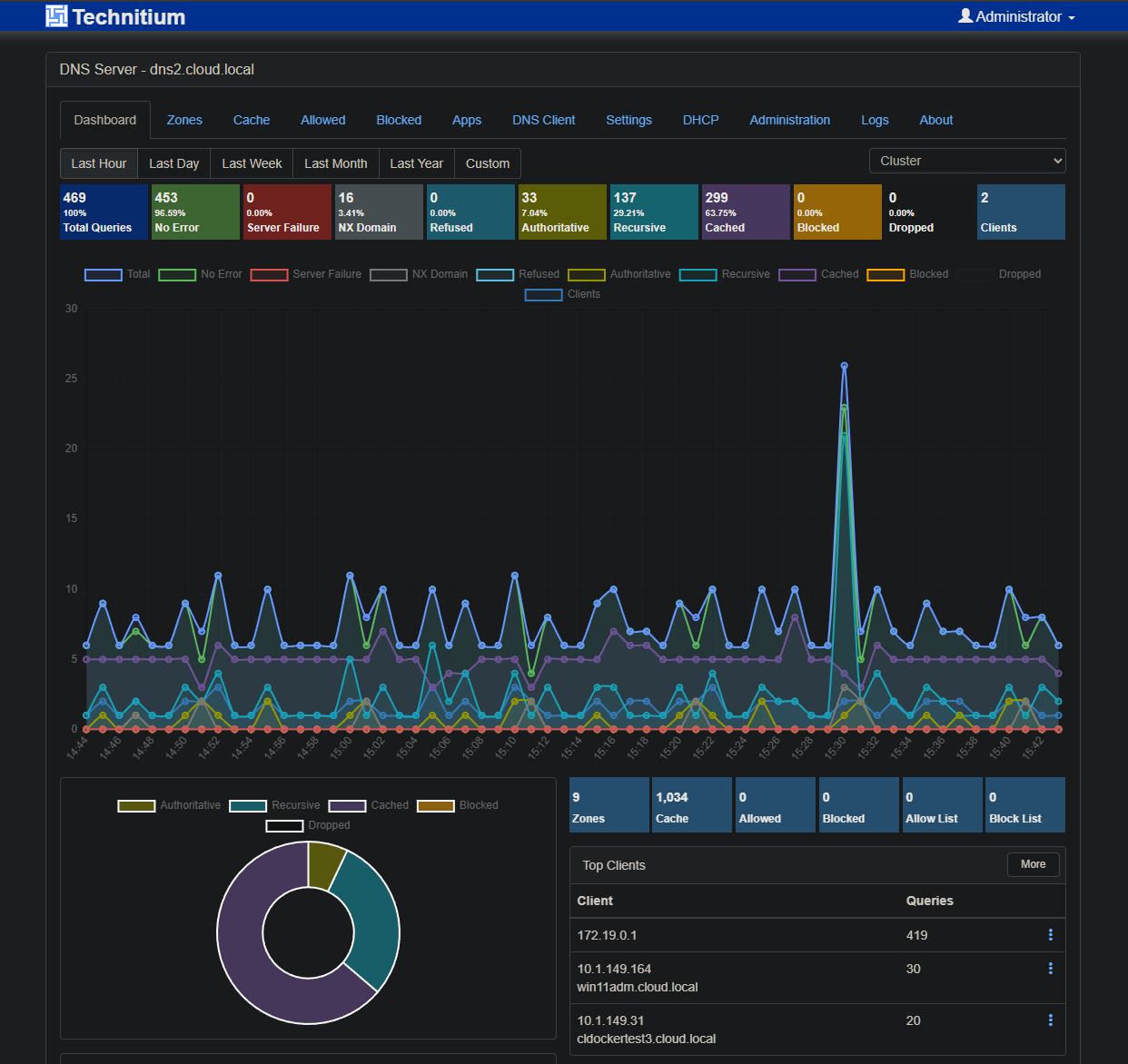
So, learn from my mistakes in the past. DNS shouldn’t necessarily be some exciting service. Make it resilient, stable, and use solutions that you know and that are rock solid.
7. Adding health checks and restart policies everywhere
When you start to run containers in your environment, there are two configurations that you want to learn about when running Docker containers. These are health checks and restart policies. Health checks are something you can put in place to catch issues with containers before users or automation processes start failing.

Restart policies define the behavior of the container if it crashes or something happens. Does it restart? How does it restart, etc.
Many containers fail silently. They crash once and never restart. Others keep running but stop responding correctly. Without health checks, you often do not notice until users or automations start failing. Adding health checks and restart policies together in your Docker Compose files make services more resilient to transient failures.
Check out my Docker compose tricks I wish I would have known sooner for tips I have learned along the way: Docker Compose Tricks I Wish I Knew Sooner.
With these in place, containers can restart automatically when something goes wrong. Dependencies come up in the right order. Temporary issues can resolve themselves with you having to take manual actions.
8. Don’t directly expose things to the Internet
This is a mistake I think most of us make early on. We are so excited to start using our self-hosted services remotely that it is a quick knee-jerk reaction to just poke things out to the Internet so we can connect to them. However, with all the bots out there and cybersecurity risks, you are asking for trouble and a compromised lab if you expose things to the Internet.
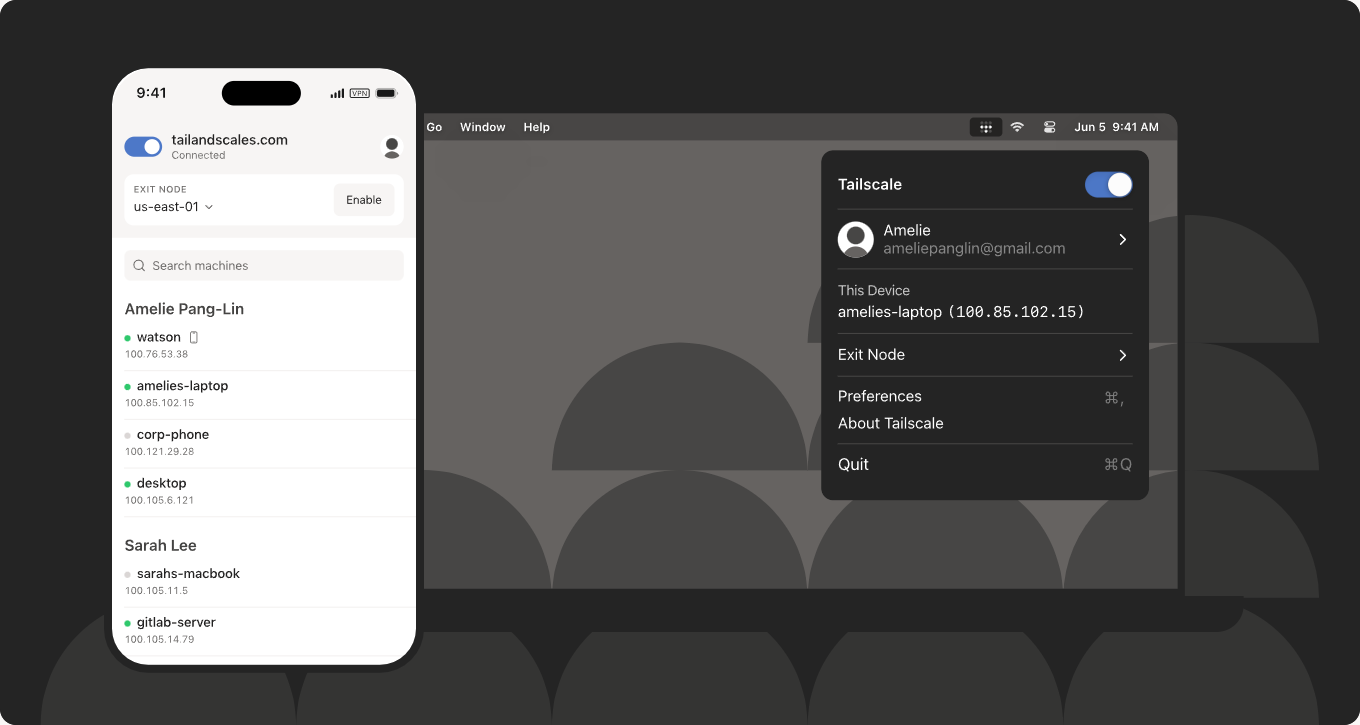
My recommendation instead is to use something like Cloudflare Tunnel, Tailscale, Twingate, Pangolin, or plain WireGuard to gain access to your internal network from externally. This is WAY more secure and it keeps you from having to poke out services and expose these to the Internet.
Check out my post here: Stop Exposing Your Home Lab – Do This Instead.
And definitely a 100% NO is exposing an RDP server or something of that nature. Hackers can pop these super quick with today’s tools. Just don’t do it. No matter what kind of rules you have on your firewall or other cybersecurity measures, this is dangerous.
9. Simplifying networking instead of optimizing it endlessly
Networking is also an area where you can make small changes that will add up into big wins. It is common on the networking side to overengineer things. Adding too many VLANs, or getting overly complicated on the routing rules side, using experimental features, or other things always piles up to create problems later on.
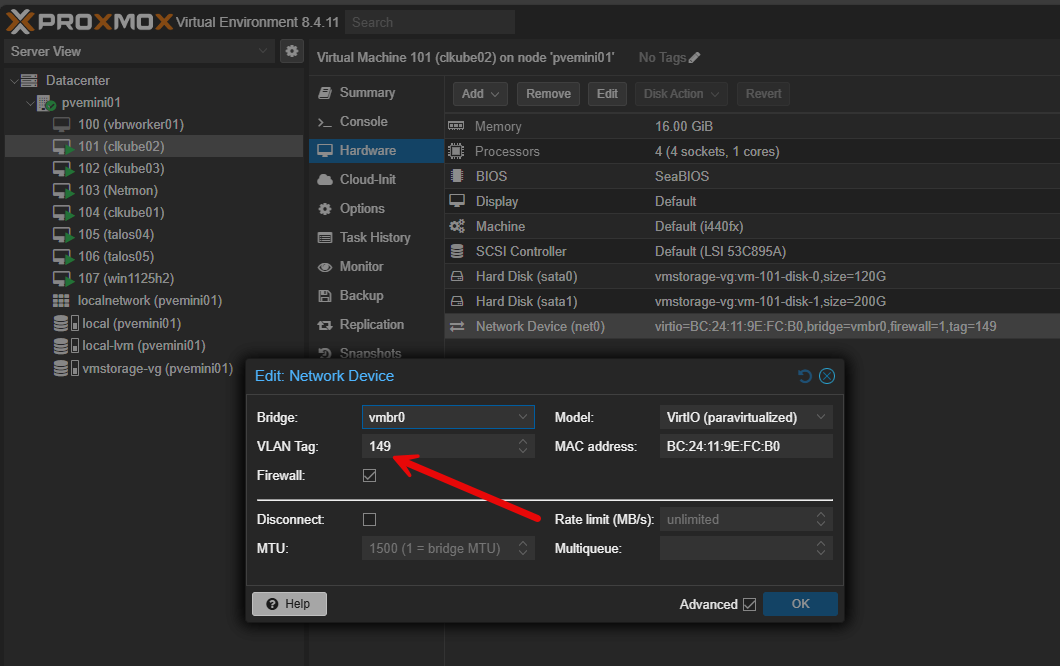
Keep your network as simple as it can be and still be functional. Fewer moving pieces and parts usually means less complexity which leads to fewer problems and issues. As I started to learn this over time, it didn’t make the network boring, but instead it made it more understandable which is much more valuable when you are troubleshooting issues or when problems arise.
Check out my Networking 101 post here: Home Lab Networking 101: VLANs, Subnets, and Segmentation for Beginners.
10. Writing just enough documentation to save future you
Documentation is an absolute life saver. Usually people go to extremes when it comes to documentation. This has been me over the years. Either I have no documentation, or I get into some aspect of it and write literal books on detailed configuration, etc.
One of the small changes I have made in my mindset is to keep minimal documentation of the most important aspects of the system. Things like IP ranges, service locations, backup targets, where containers are running, node names, etc are the important aspects that you do need to document.
But just documenting things to document them makes the hay stack even bigger when you are trying to find the needle. Good documentation does not have to be extensive. It just has to exist and contain the important basics when you need it.
Also, I like to use tools like phpIPAM, Netbox and others to help with documentation.
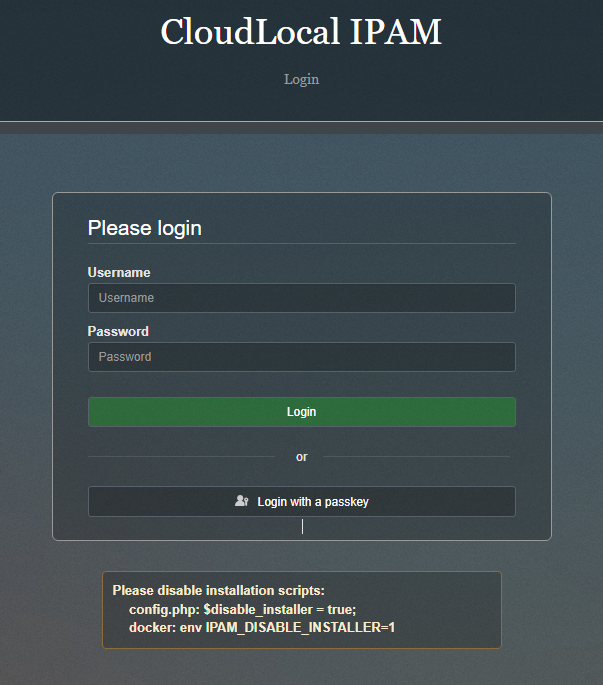
Check out my post here: How to Document Your Home Lab (The Right Way).
Wrapping up
None of these changes were just earth shattering on their own. However, as I relied more and more on my self-hosted services in the home lab, making these small changes over time have paid dividends and still are doing so each day. Failures do happen, updates can break things, hardware can die. The difference though is these moments are manageable instead of being chaotic and stressful.
Reliability doesn’t have to prevent every single failure. Instead I like to think of it as it is about making failures predictable and recoverable. If your home lab feels fragile, pick one of these areas to make changes and implement at least one change a week that is small but beneficial. Over time, these small improvements will add up. What about you? What changes are you looking to make to your lab? Any guidance I have missed here that you would like to add?

Google is updating how articles are shown. Don’t miss our leading home lab and tech content, written by humans, by setting Virtualization Howto as a preferred source.
About The Author


One way to help with documentation is to feed it to your AI of choice. Then you can ask it for what you need to know, instead of searching.
Of course, you need to keep the details of your network out of the hands of external, cloud AI, since who knows how secure that will always be. But there are half-decent local AIs that you can feed a directory of text docs and PDFs to that should be able to use them as sources to answer questions – or even reorganize them better.
Richard,
That is a great suggestion and definitely we have great tools today that we have never had access to before. I have used AI extensively for creating quick and easy Mermaid charts that can help to have a good highlevel overview of your lab. Great call out here.
Brandon
Awesome list! Im starting my own homelab and these are all solid tips
Very nice 25Ericcheong! Looking forward to seeing your progress.
Brandon