


Premium video
Proxmox Home Lab Containers
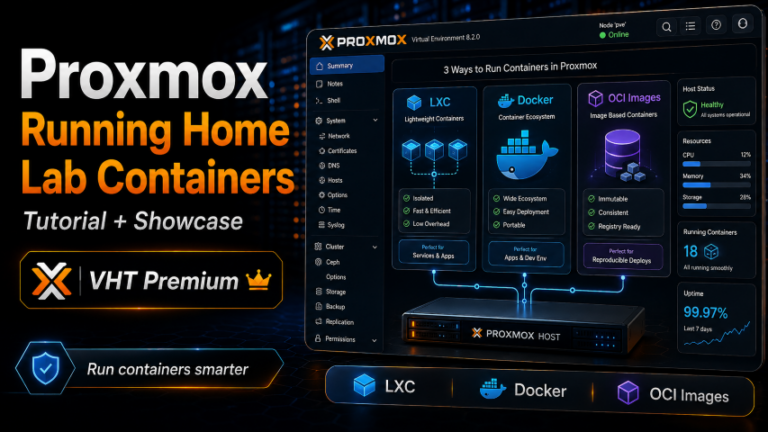
We deep dive into LXC, Docker, and the new OCI containers in Proxmox VE Server 9.1.
This video is included with Premium. The full description below is free to read.
About this video
In this training video, I show the three main ways to run containers in Proxmox VE and how the new OCI image support in Proxmox VE 9.1. I think this last one is super interesting, and helps to change the game. We compare Docker running inside a virtual machine, native LXC containers, and the new OCI-based container workflow. We are helped to understand where each option fits and which one makes the most sense for different workloads.
Beginning with the new OCI image support introduced in Proxmox VE 9.1.. I explain how Proxmox can now pull OCI-compliant images directly from registries such as Docker Hub and GitHub Container Registry and run them inside a Proxmox-managed LXC environment. This gives us a new middle ground between a full Docker virtual machine and a traditional LXC container. From there, we look at Docker inside a dedicated VM, which is still the most flexible and compatible option for larger container environments. We cover why this approach remains the best fit for Docker Compose stacks, advanced Docker networking, Kubernetes, Portainer, Traefik, GitLab, Nextcloud, Plex, and other multi-container applications. I also explain the tradeoff, which is the additional operating system, patching, and resource overhead that comes with maintaining a complete virtual machine.
Next, we look at native Proxmox LXC containers. LXCs are extremely lightweight, fast, and tightly integrated with Proxmox snapshots, backups, replication, and migration. We look at why they work very good for simple services such as Pi-hole, AdGuard Home, scripts, and lightweight web services. We also see why LXC does not completely replace Docker for application containerization. We then return to the new Proxmox OCI container workflow and look at where it fits best. OCI support allows you to deploy individual container images without installing Docker or Podman. It still manages those workloads using familiar Proxmox resources such as networking, storage, CPU, memory, snapshots, and backups. I also cover the current limitations, including the lack of Docker Compose support, advanced Docker networking, built-in orchestration, and a mature image update workflow.
Finally, we compare all three approaches and look at practical examples of when I would choose each one. Docker VMs remain the best choice for complex application stacks, LXC is excellent for lightweight OS-level services, and OCI containers provide a promising new option for simple single-image applications and microservices. By the end of the video, you will understand the differences between Docker VMs, LXC containers, and OCI containers in Proxmox VE 9.1. You will then have a clearer overview for choosing the right container deployment for your home lab or production environment.
Unlock this video and the full member library with Premium — ad-free browsing included.