




One little issue I have noticed with recent versions of Proxmox VE Server, such as Proxmox 8.3.3, is when you run the Proxmox Help Scripts, in particular the Proxmox post install script, you will see the following error:
"This version of Proxmox Virtual Environment is not supported, requires Proxmox Virtual Environment version 8.0 or later" even if you are running 8.x +, such as 8.3.3.
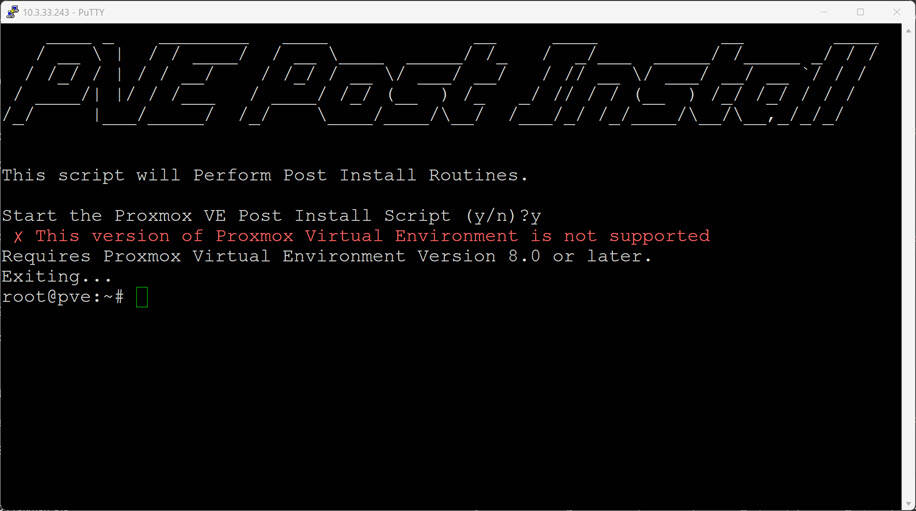
This will likely be fixed by the developer, but I will show you below, the slight change you need to make to the script before you run it, so you don't get that error. Instead of running the command using the command:
bash -c "$(wget -qLO - https://github.com/tteck/Proxmox/raw/main/misc/post-pve-install.sh )"
Download the file using:
wget https://github.com/tteck/Proxmox/raw/main/misc/post-pve-install.sh
Now use nano or vi to edit the file and find the line in the file that looks like this:
if ! pveversion | grep -Eq "pve-manager/8.[0-2]"
Change it to something like the below. I changed to [0-9]. This will ensure it will work with versions higher than 8.3.x. Save the file and close.

Run the file:
./post-pve-install.sh
It should now work without giving the error about an unsupported version.