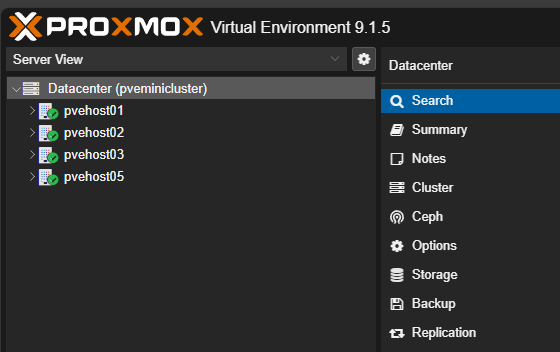
If you work with Proxmox clusters long enough, you will likely have a cluster that you need to remove a node from. This is a fairly easy process using the right commands. First, check the status of your cluster with the command:
pvecm status
This will show you the current status of your Proxmox cluster. Then to remove the selected node, you run the following command:
pvecm delnode <nodename>

However, you may have times when you run this command, it says it worked, but you still see the node listed in the Proxmox web UI. When this happens check the directory located here to see if there is a directory still showing for the deleted node:
ls /etc/pve/nodes
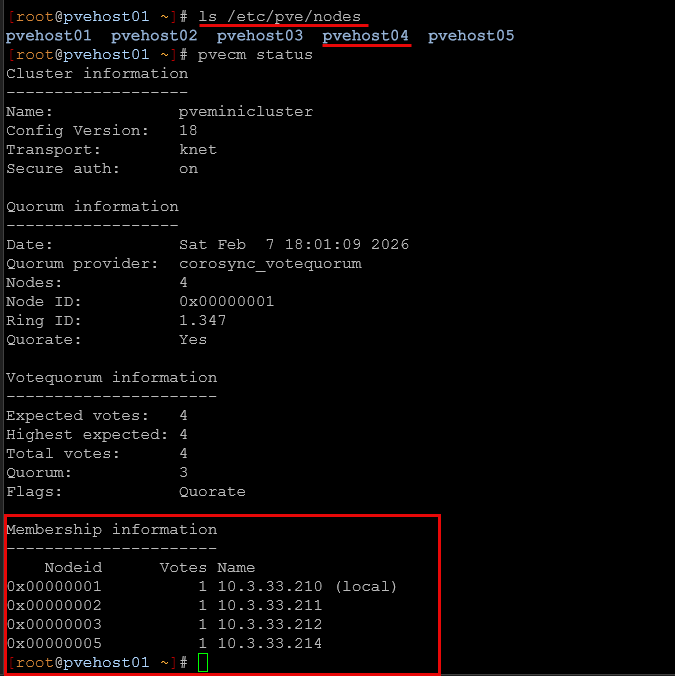
If you see the deleted Proxmox cluster node listed here, then you can delete the folder representing the node:
rm -rf /etc/pve/nodes/<nodename>
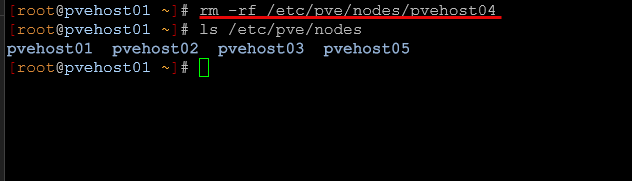
Check the web UI to make sure the node is gone.