If you are like me and have a long history with VMware environments, there is a good chance RVTools was one of your go-to utilities. It gives you the instant visibility you need into everything in the environment for diagnostic and best practices purposes. It helps to spot those nagging issues that you may not easily be able to see just looking at the vSphere Client (minus the scare mid 2025 with the site being compromised). With Proxmox, I recently came across a tool called CV4PVE-Diag that I think feels like it can fill a similar gap in a really interesting way in Proxmox environments. Let me show you this tool, that I think is the closest thing I have found to RVTools for Proxmox out there so far.
What CV4PVE-Diag actually does
CV4PVE-Diag is a lightweight diagnostic tool from a company called Corsinvest.it that runs directly on a Proxmox node and collects a wide range of data about your environment. It then outputs that data in a structured format that you can review, store, or share.
Think of it as:
- A full environment snapshot
- A troubleshooting tool
- Configuration audit
- Baseline capture tool
Instead of manually running a lot of different commands to get the diagnostic and troubleshooting information from the command line and then compile it all together, you run one tool and get a consolidated view of your system. This is where it starts to feel like RVTools in my opinion and helping you uncover some pretty insidious issues that are lurking in configurations, and stale left over files, etc.
What kind of data does it collect from Proxmox?
One of the biggest strengths of CV4PVE-Diag is the amount of quick information it gathers. It does not just focus on one layer of the stack, like compute. It pulls data across your entire Proxmox environment. This includes things like configuration, security, backups, storage, and other best practices.
One of the most powerful aspects of CV4PVE-Diag is how much of your environment it can capture in a single run. This includes across all the major areas of your Proxmox stack.
| Area | What CV4PVE-Diag Collects | How it helps |
|---|---|---|
| Cluster and nodes | Cluster membership, status, Corosync config, quorum, node roles, connectivity | Helps troubleshoot cluster health and quorum issues quickly |
| Virtual machines and containers | VM and LXC lists, configuration details, orphaned disks, resource allocations, runtime status | Gives a full inventory of workloads and how they are configured |
| Storage and Ceph | Storage definitions, disk usage, mount points, orphaned disks, Ceph config and status | Gives you storage and Ceph visibility without running multiple commands |
| Networking | Network interfaces, disconnected status, bridges, bonds, VLAN configurations | Quickly identifies misconfigurations and common networking issues |
| Logs and diagnostics | System and Proxmox logs, errors, diagnostic info | Surfaces issues across hosts and provides a full diagnostic snapshot |
Armed with all of this information, you can take this and remediate your host or cluster with the recommendations that you get back from the tool.
How does this tool for Proxmox compare to RVTools?
Below are just a few of the thoughts comparing the CV4PVE-Diag tool with RVTools and various points of comparison between the two tools.
| Feature/Area | RVTools | CV4PVE-Diag |
|---|---|---|
| Interface | GUI (Windows app) very easy | CLI-based on Proxmox node, less user friendly |
| Output | Excel with tabs and filters | Structured text / JSON |
| Focus | Reporting, inventory, troubleshooting | Diagnostics and full environment snapshot |
| Data coverage | Most everything in vSphere, including Clusters, VMs, storage, networking, etc | Cluster, VMs, storage, Ceph, networking, system |
| Ease of use | Very easy | Requires basic CLI knowledge |
| Best use case | Visibility, audits, troubleshooting, reporting, very detailed information gathering | Baselines, deep diagnostics, config capture |
While both tools are quite different, the point of the comparison for me is that this is one of the first tools I have stumbled on that gave me the same “vibe” as RVTools and that quickly surfaces potential issues in a Proxmox environment like RVTools does for vSphere.
How to install CV4PVE-Diag
You can get CV4PVE-Diag installed by pulling down the latest installation from the GitHub repo and then installing on the platform you are running of choice. I prefer LInux for these types of tools. You can even install this directly on your Proxmox VE Server itself if you want as well.
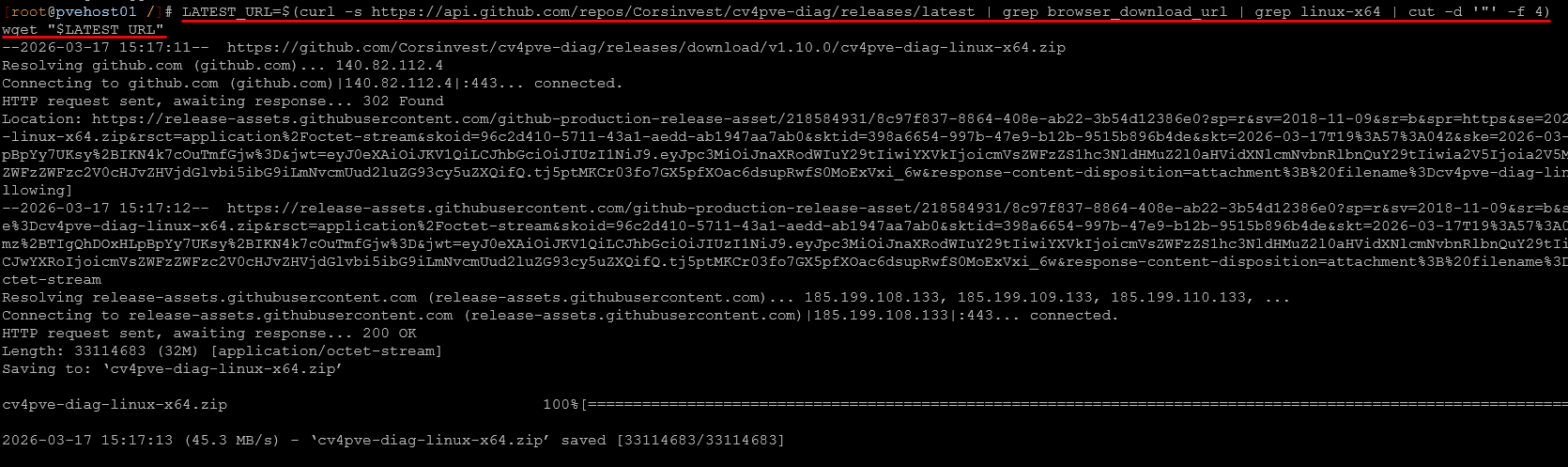
Using the script commands below, you can pull down the latest release programmatically. Then just unzip and install by moving the executable to your /usr/local/bin directory. You can also just call it directly from the extracted folder if you want.
# Get latest release URL
LATEST_URL=$(curl -s https://api.github.com/repos/Corsinvest/cv4pve-diag/releases/latest | grep browser_download_url | grep linux-x64 | cut -d '"' -f 4)
wget "$LATEST_URL"

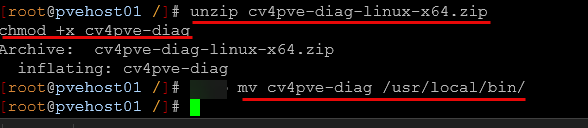
# Unzip and make it executable
unzip cv4pve-diag-linux-x64.zip
chmod +x cv4pve-diag

# Move to system path (this is optional if you want to just type the command)
sudo mv cv4pve-diag /usr/local/bin/
Pulling down the latest version.
Here we are unzipping and moving to the /usr/local/bin directory.
Using CV4PVE-Diag in your environment
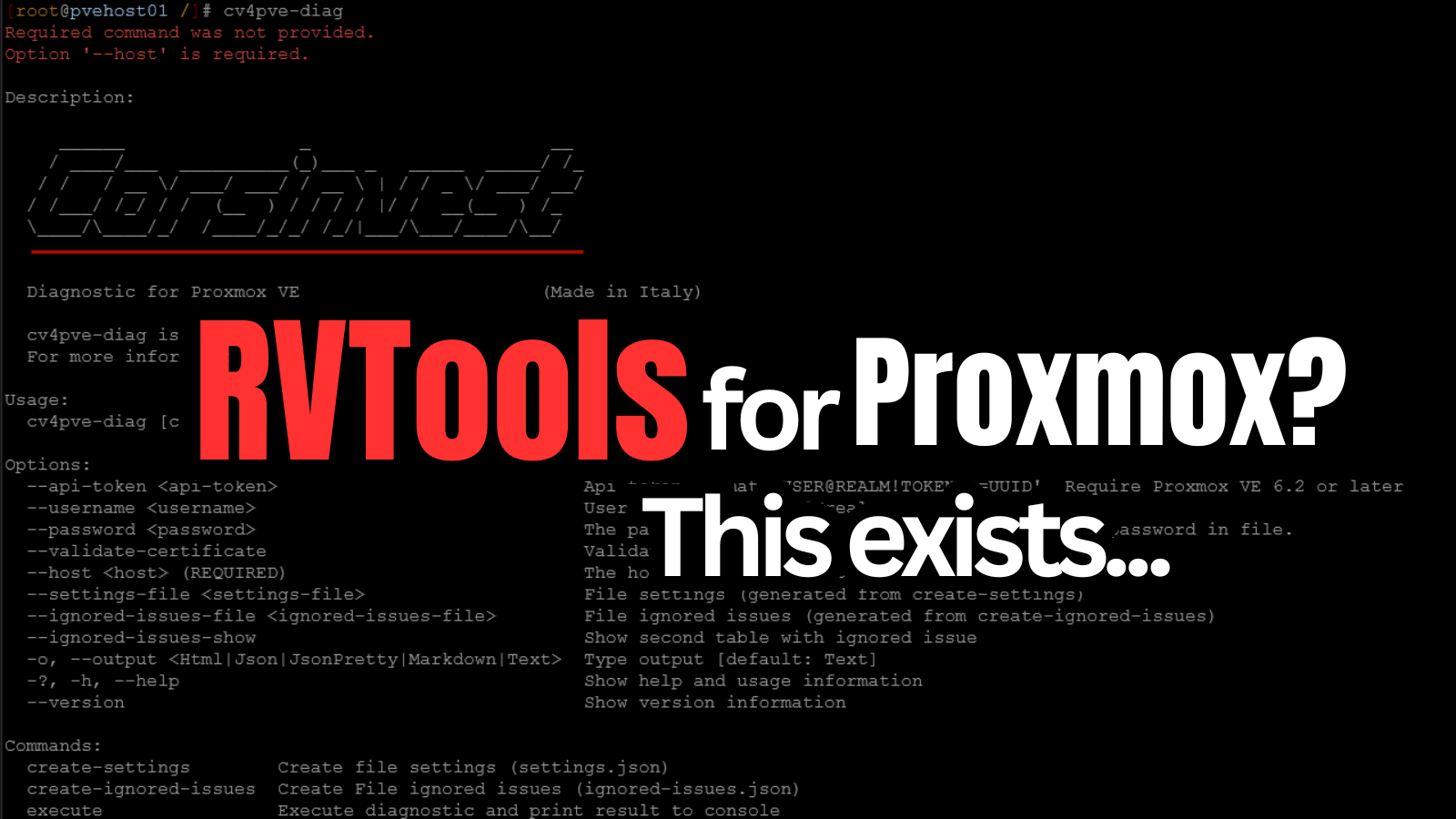
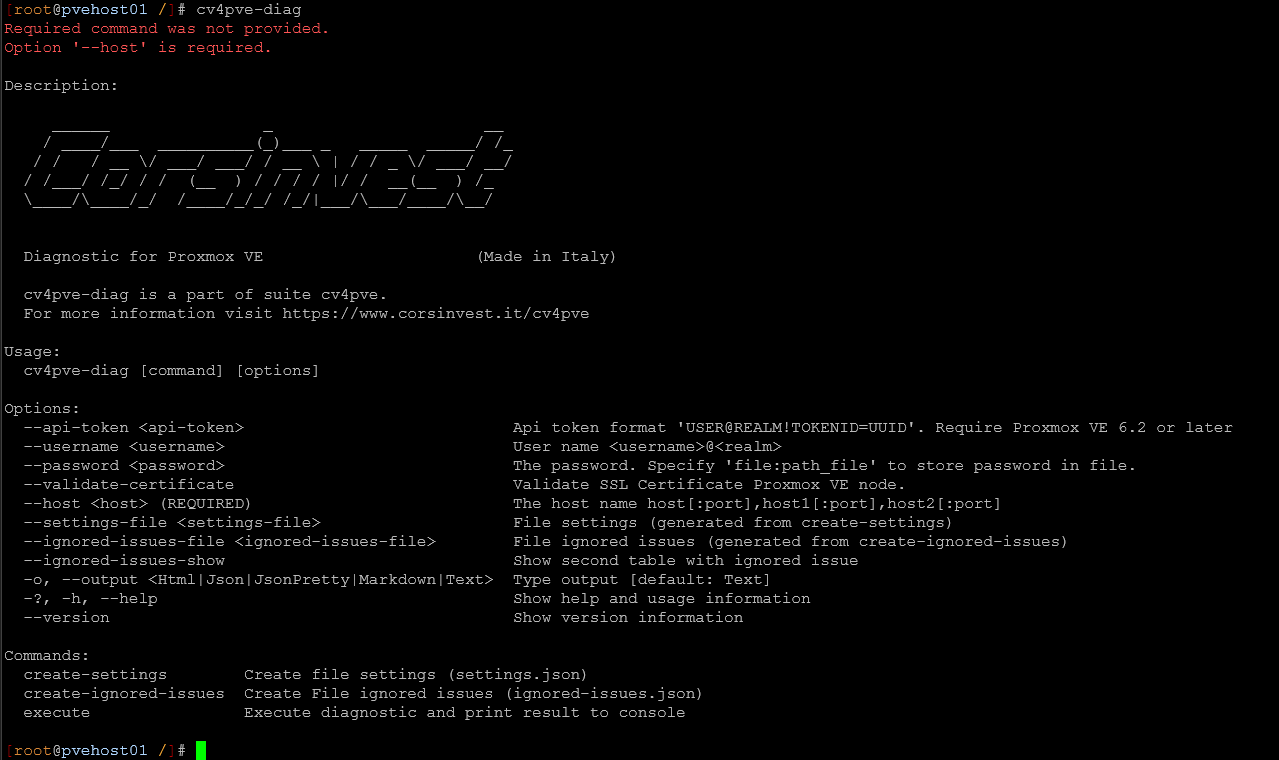
The first thing we can do after installing it is just simply run the cv4pve-diag command without any parameters and see what we have available with the command. As you can see there are various parameters we can use. We have a few related to the login, such as username and password or API token and also others that allow us to control what information is presented in the tool.
Running the tool against your Proxmox host or cluster member
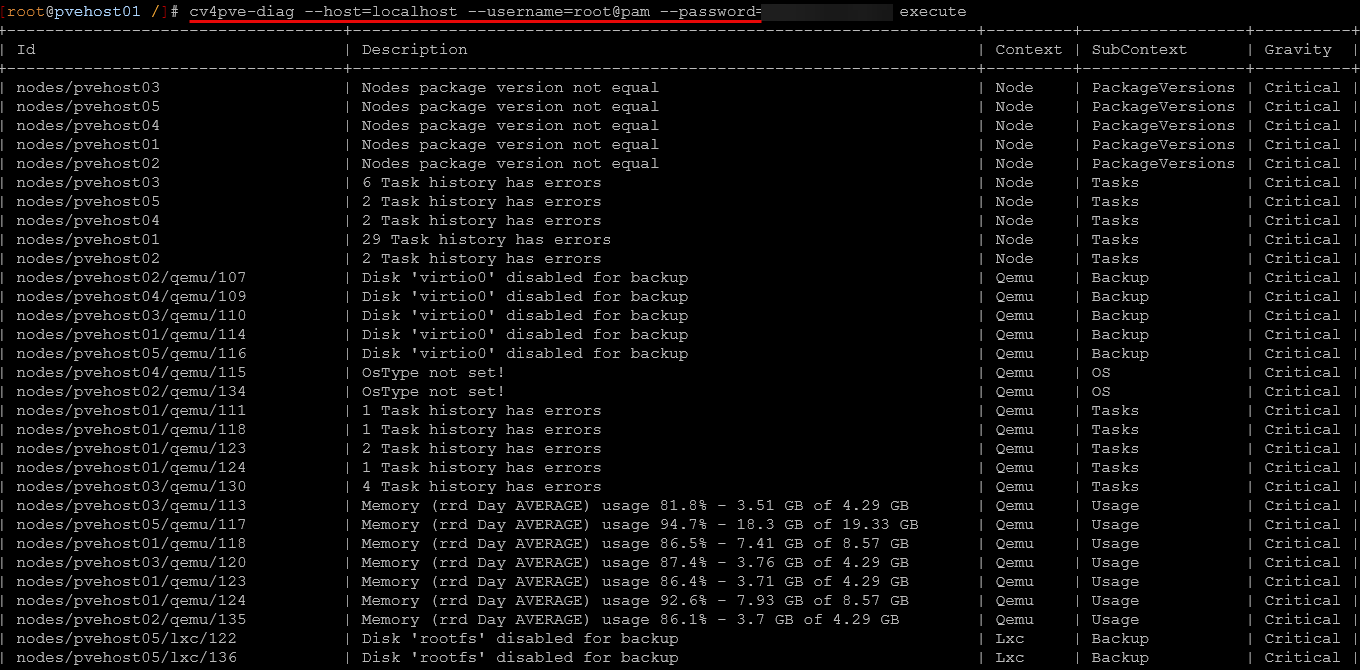
To run the tool against one of your Proxmox servers or a cluster member and have it pull information from the environment, use the command (if you are using password)
cv4pve-diag --host=<your hostname> --username=root@pam --password=<your password> executeYou can also use an API token which is recommended:
cv4pve-diag --host=192.168.1.100 --api-token=diagnostic@pve!token1=uuid-here executeOnce you hit enter, it will immediately start to pull information, so it may take a few seconds for the command to return. Once it completes, it will start to display the information it has gathered for the environment.
Returned information: critical, warning, and informational
As you can see it has several columns in the returned output, like ID, Description, Context, SubContext, Gravity. It groups all like information together. Wow, I was blown away by the information that is quickly presented. This definitely feels like RVTools for Proxmox since it quickly surfaces issues that you may not even realize. Also, severity is sorted by the most critical down to least critical which is a great default for the returned information.
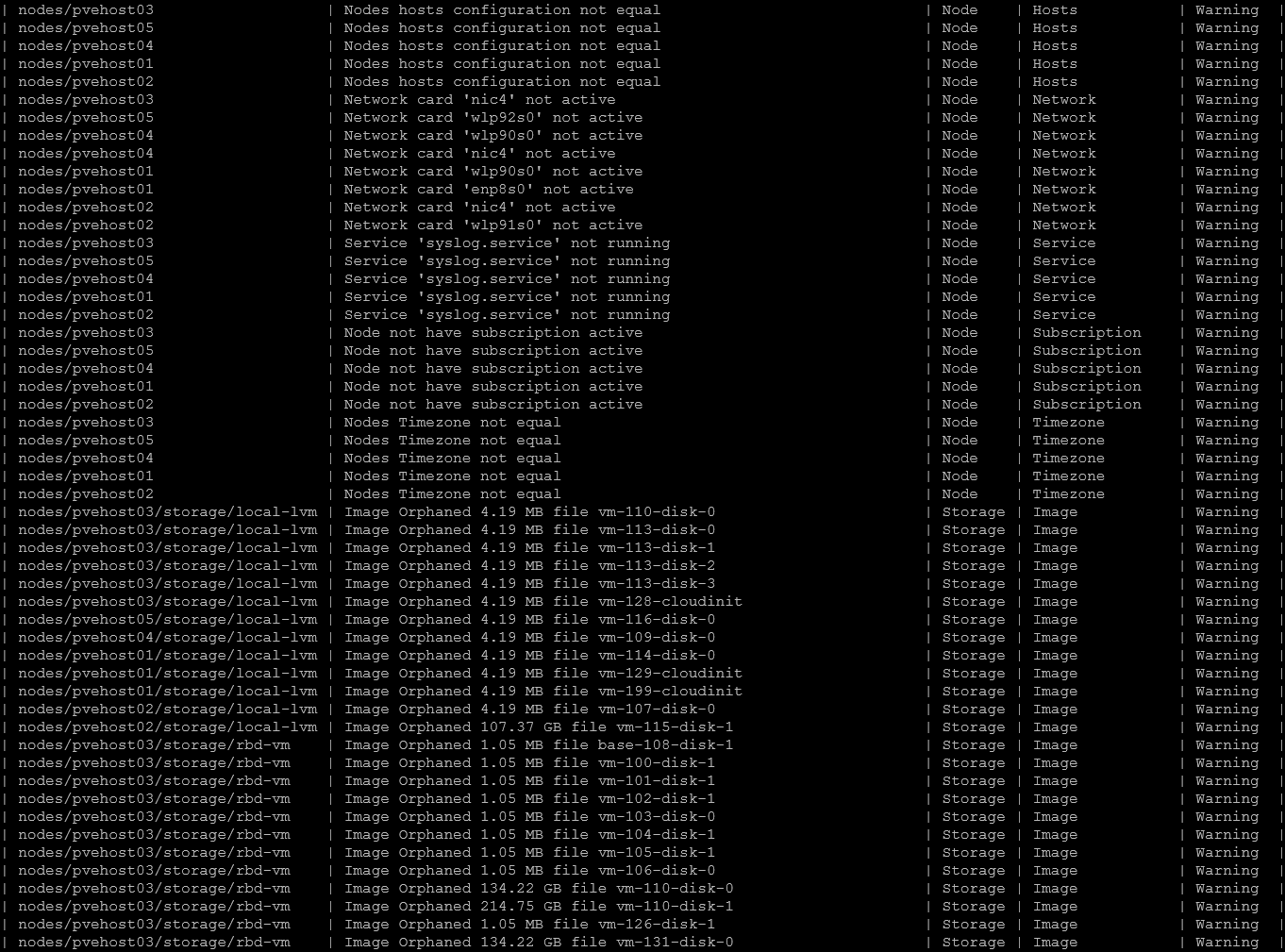
The next section is full of items that are classified as “Warnings”. I really like the wealth of visibility you get here to things like node configuration skew, network cards that aren’t active, services that are configured that probably should be like syslog.
Also, you have visibility to super important storage related items that I always loved about RVTools (orphaned disks and images). This is great for housekeeping. Otherwise these are things that you most likely wouldn’t notice or realize as many of these are not surfaced in the GUI.
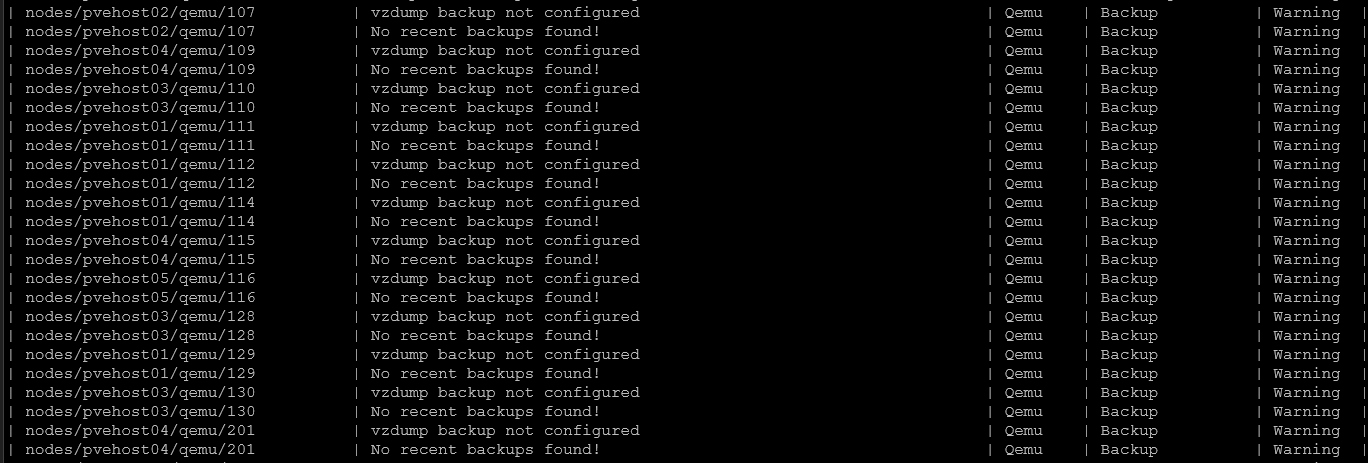
It has a great touch here that checks to see if you have backups configured for all your VMs and it will let you know if you have VMs that do not have backups configured.
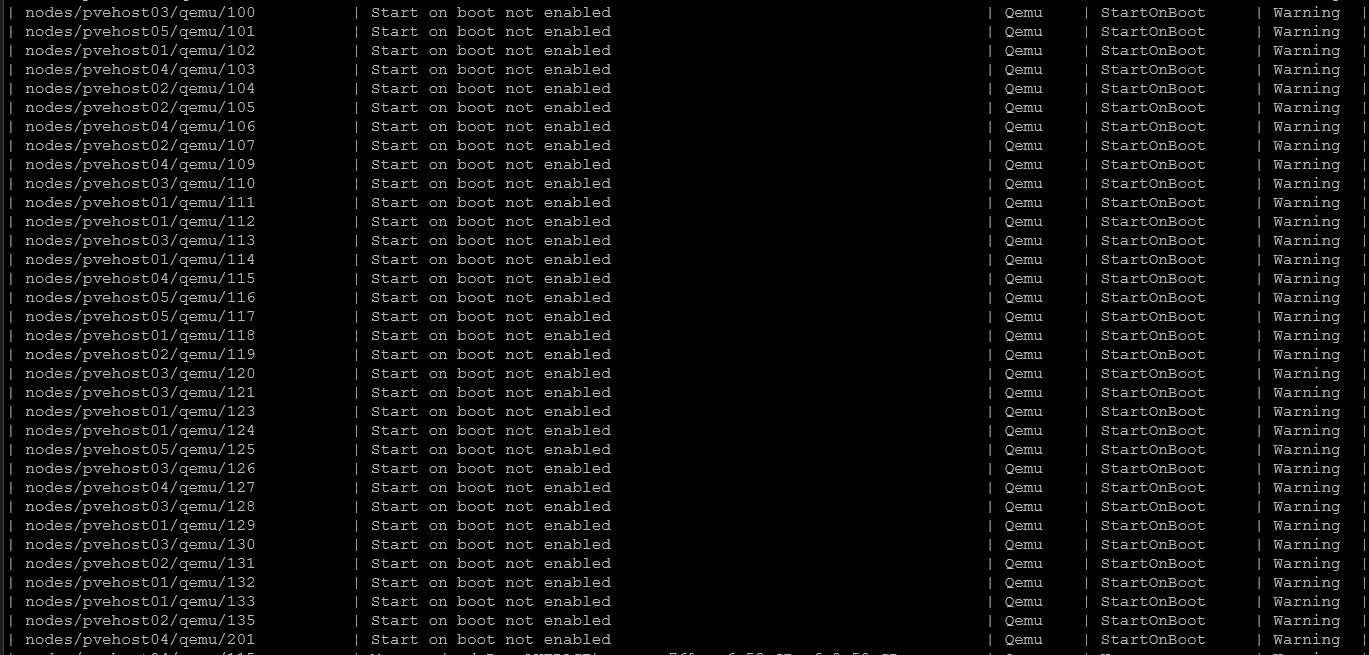
Additional virtual hardware related items that you need to give attention to.

It will flag things like start on boot not being configured. Granted some of these things are items you may not action, but it is great to have the visibility nonetheless.
Is this a helpful tool for the home lab or even production?
Absolutely it is! Again, I think this tool has the vibe of RVTools. It isn’t as robust as RVTools, but it helps to fill a need that I think many will be looking to fill as they move workloads over to Proxmox and want to keep an eye and visibility on things that may be happening underneath the hood.
I think having visibility to things like configuration skew between hosts, orphaned disks, disconnected or inactive network adapters, and VM configurations that may not be best practice is an excellent benefit. I am definitely going to start using this tool to keep an eye on things and see what underlying issues may be lurking in my Proxmox environment.
Wrapping up
For the quick and easy information that it provides to you for Proxmox VE Server environments, CV4PVE-Diag is a quick win for any Proxmox environment. Like RVTools, you can find out definite issues in the environment that may be lurking underneath the hood like zombie VM disks that aren’t attached to any virtual machines, VMs without backups, non-aligned configurations, etc. I think this is exactly the type of tool orgs that are moving away from VMware will need on platforms like Proxmox as production workloads are moved over. How about you? Have you heard about this tool before? I am curious if you have found anything similar?

Google is updating how articles are shown. Don’t miss our leading home lab and tech content, written by humans, by setting Virtualization Howto as a preferred source.
About The Author