


If you are running Proxmox in your home lab in 2026, you already know something. The hypervisor is one of the best out there and arguably I think it is the undisputed king of the 2026 home lab. The web UI is a bit dated but I think very good at doing what you need to do. But if your environment grows beyond a single node and you start layering in things like Ceph, 10 GB networking, multiple clusters, there are additional tools that help the management of the platform to be even better and adds great functionality. Over this past year, my lab has grown into a multi-node Proxmox powerhouse that features a handful of tools that I definitely recommend. Let’s cover the five Proxmox management tools that have made the biggest difference for me in 2026.
PegaProx
This is the one of the Proxmox management tools I have discovered most recently. PegaProx is a tool that is geared towards “multi-cluster” environments. We all know this that once you go beyond a single cluster, the native web UI built into the Proxmox platform is just going to show you the cluster it is attached to.
Proxmox Datacenter Manager is Proxmox’s official answer to this. But it is still very early in development and has many limitations at this point. PegaProx is a tool that I think provides great management features that you really can’t get anywhere else or in another tool.
Not only does it allow you to add multiple clusters to the mix, it also has built-in DRS functionality as it has natively included the Proxmox scheduling project called ProxLB. For so long many VMware enthusiasts have longed for an equivalent to add to Proxmox to get similar functionality. Well, I think PegaProx provides that. in my testing, it actually does a really good job of moving VMs around that need to be moved to keep things balanced out.
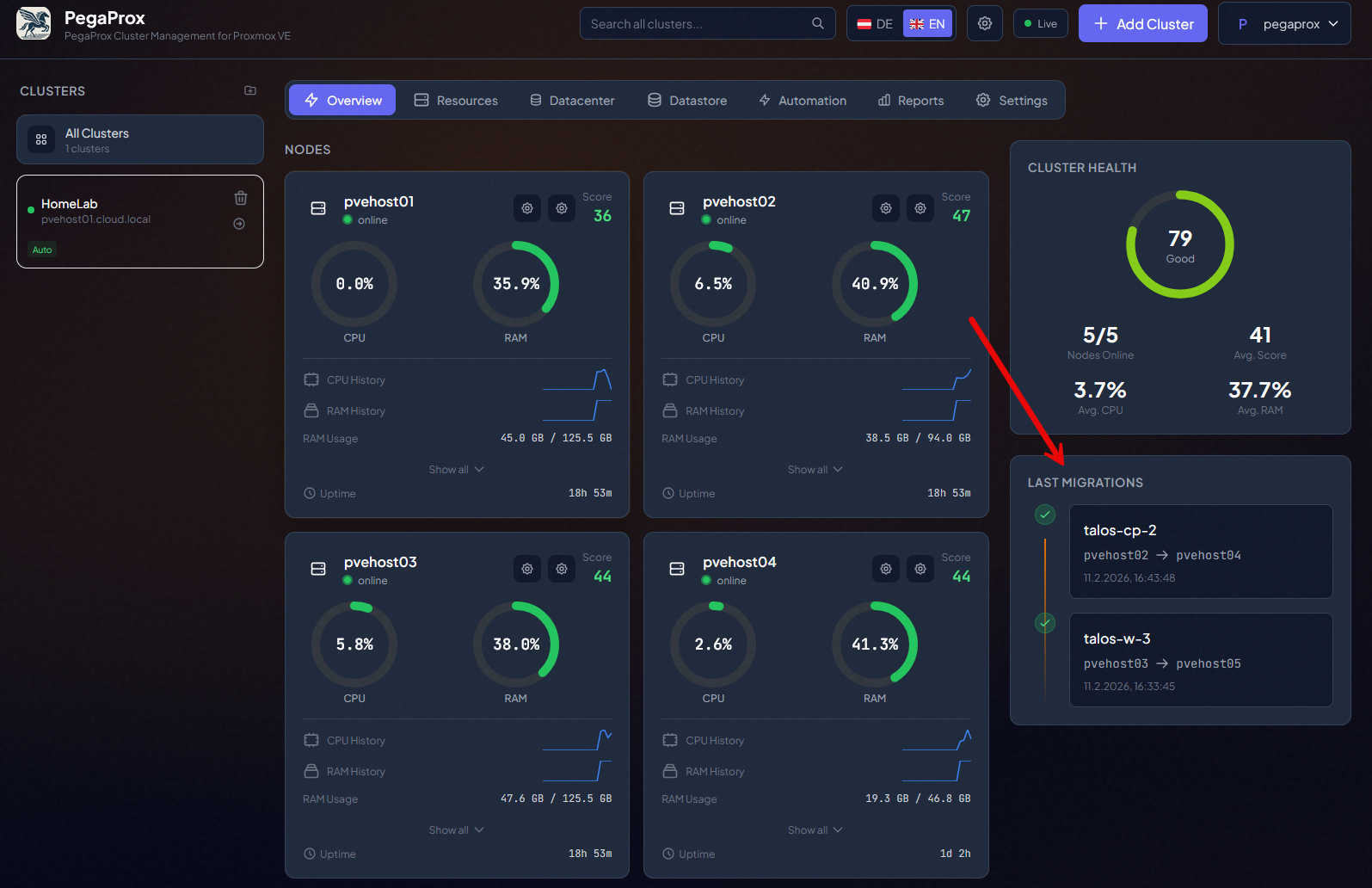
Below you can see migrations that were orchestrated by PegaProx:
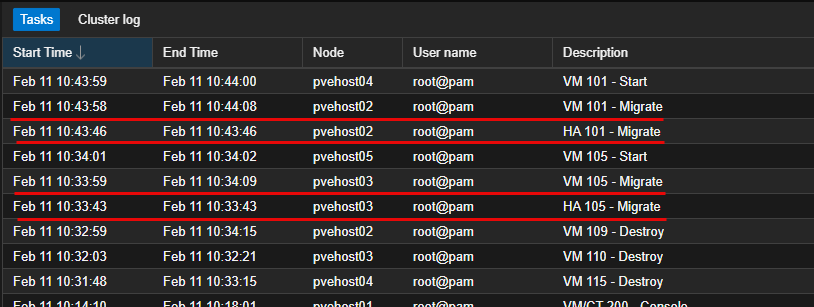
It also features its own HA orchestration outside of the native Proxmox HA that is built into your cluster features and capabilities. I haven’t tried out this feature as of yet as I am still using native Proxmox HA, but this is definitely something I want to try.
Check out my full write up on this one:
ProxMenux
I have now been using ProxMenux for a while now with Proxmox and really love it. It’s definitely one of those tools that I have just added to my normal tools for Proxmox operations. I run the post optimization script that is included with ProxMenux and it quickly allows setting most of the settings that I prefer for my home lab environment.
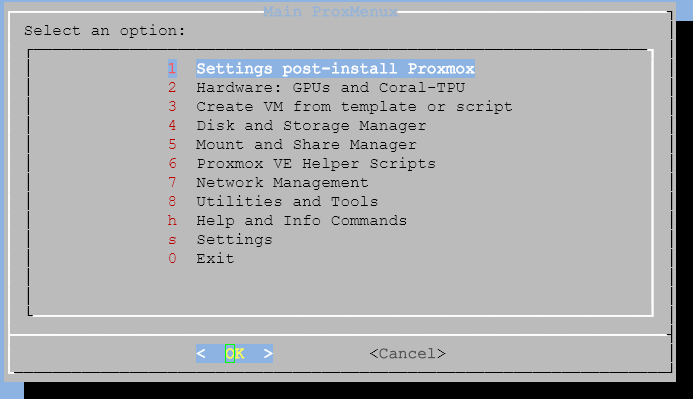
Also, now, ProxMenux has an additional monitoring feature that you can install that provides its own native monitoring solution. I find it to be one of the best hardware monitoring tools that you can use for Proxmox. It doesn’t stop at hardware, also monitors VMs and LXCs, but the hardware monitoring is just really really good. This is being actively developed as well so look for new features to be added with each new release.
All in all, ProxMenux helps configure the post-installation settings in a very consistent way. You know that each node is configured the way you want by using the post-installation automation script. Or using the customized menu driven optimizations that you can install one-by-one.
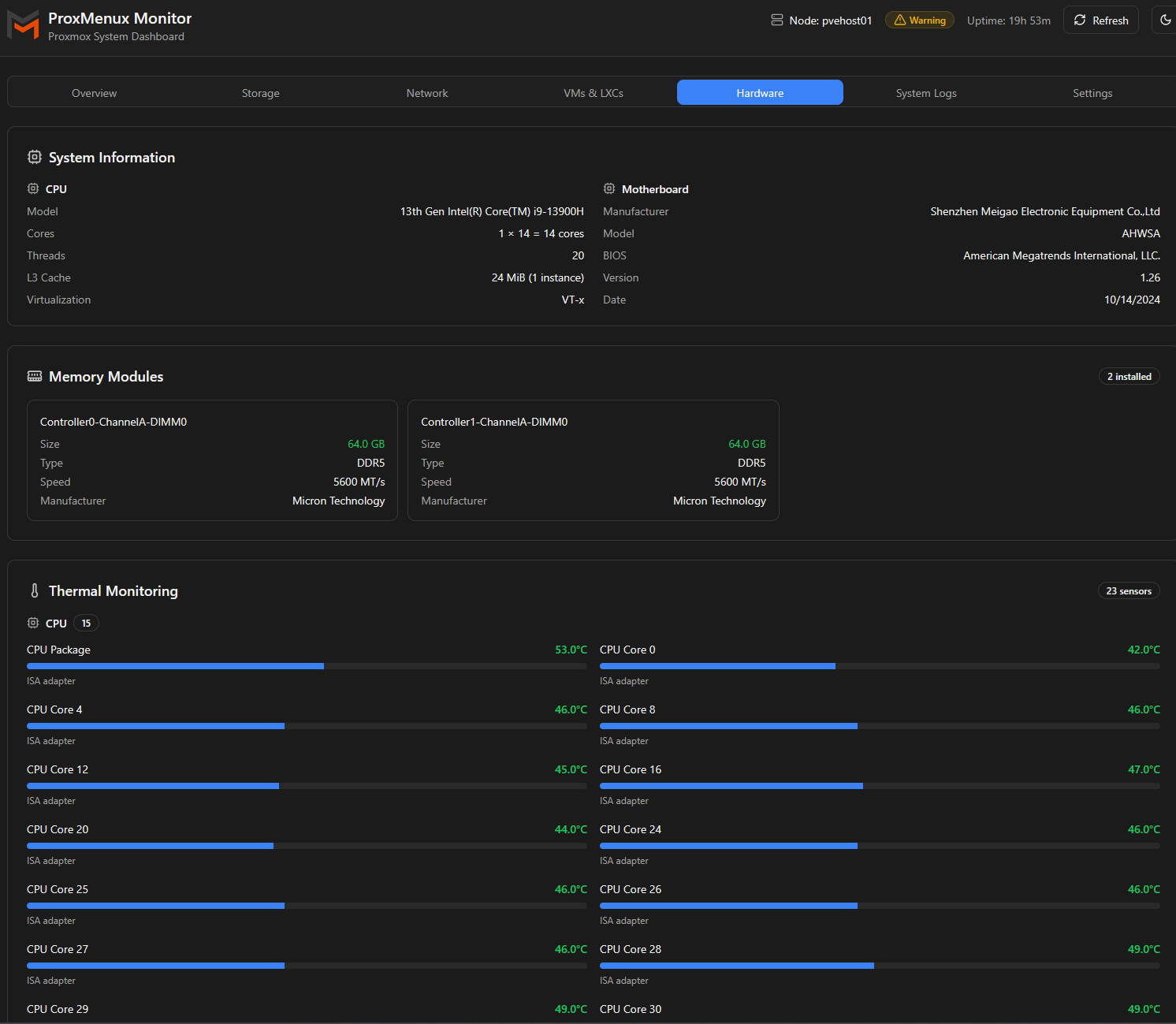
- ProxMenux Might Be the Best Proxmox Management Tool You’re Not Using
- Meet ProxMenux Monitor: The New Way to Monitor Proxmox Servers
Pulse
Pulse is now my goto all around monitoring solution for my home lab. If you are running Proxmox as your hypervisor and making use of Docker containers, this solution is just almost too good. Basically it gives you a birds eye detailed view of the health of your Proxmox environment, including storage (Ceph aware as well), and your running workloads.
But, that is not all. It also gives you a very detailed view of your Docker containers. So, for a single pane of glass management interface to see what is going on in your home lab as I think most are running a stack comprised of Proxmox, Proxmox Backup Server, and Docker for the most part. This tool has taken the place of other monitoring solutions I was using before.
At a high level. It gives you an idea of the following:
- Are my nodes healthy
- Are critical services running
- Is something degraded that I have not noticed yet
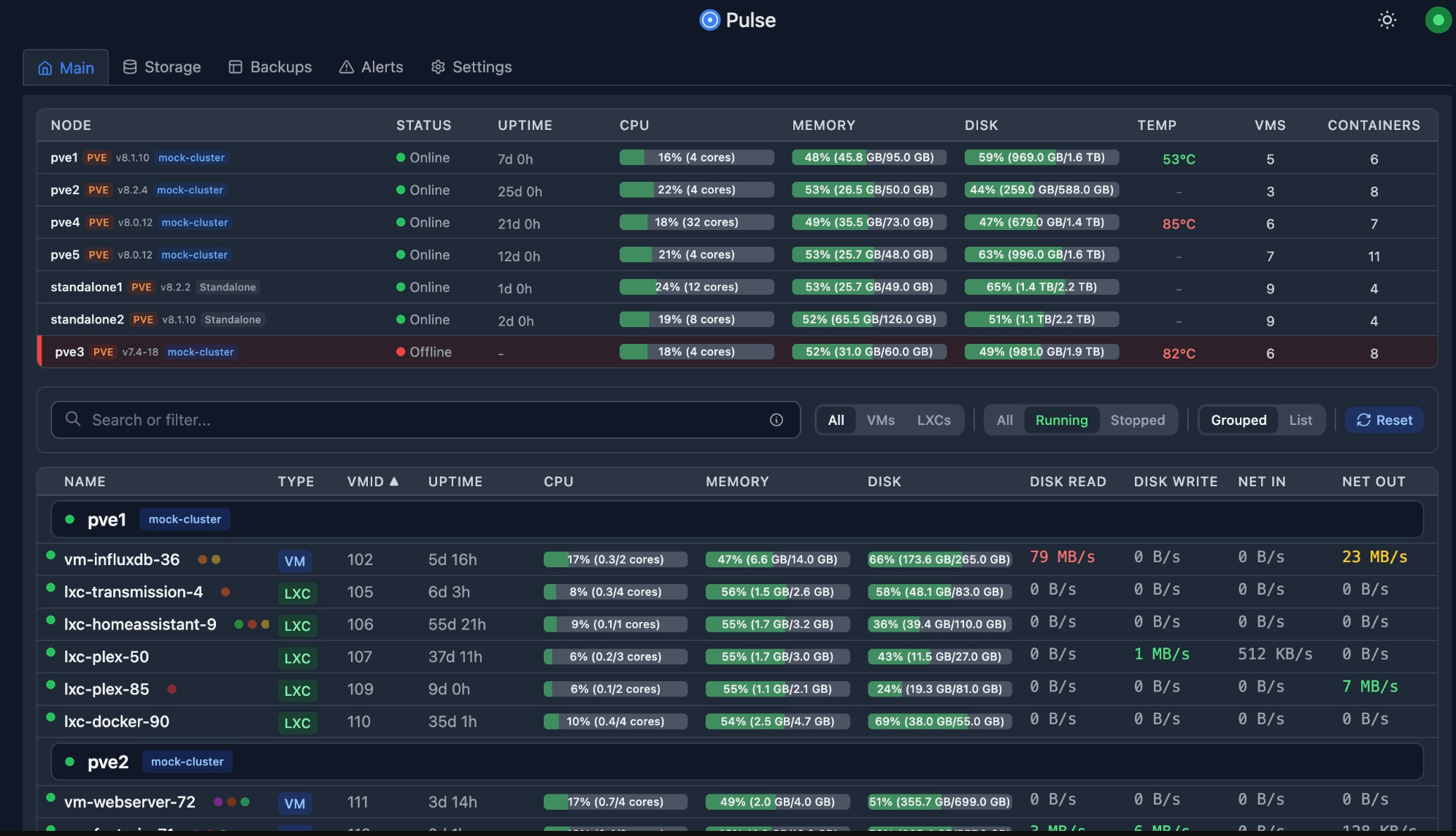
In my lab, Pulse has helped me catch issues during maintenance windows and after configuration changes or storage issues that were flying under the radar. It gives a layer of visibility that is simple enough to keep in place but powerful enough to matter.
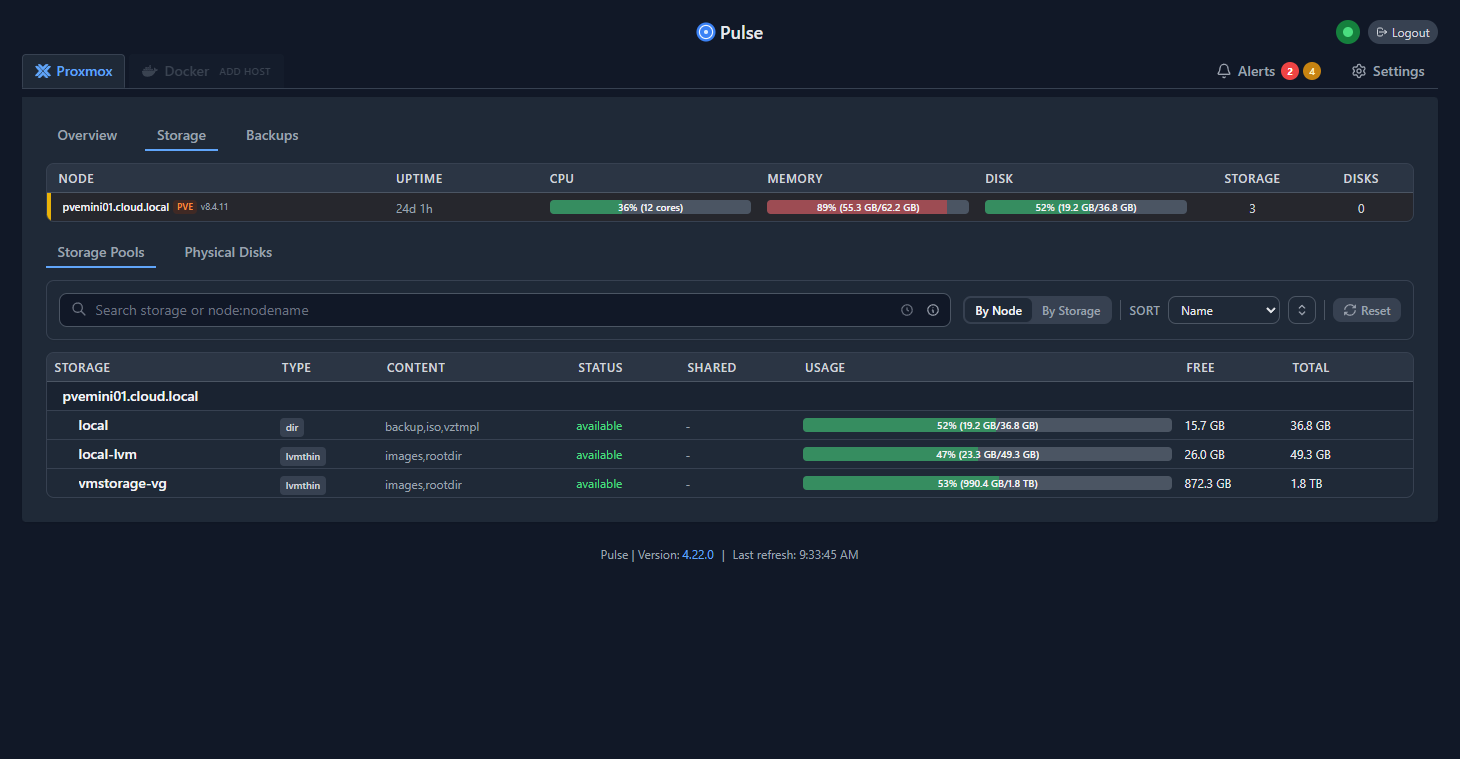
Check out my write up on Pulse here:
ProxSave
ProxSave is another project that I stumbled onto as of recently and I think this one really helps to shore up a disaster recovery plan for Proxmox. Most of us honestly just think about backing up and protecting our VM and container workloads. We don’t think as much about the Proxmox Server itself or the Proxmox Backup Server config.
But, when it comes to disaster recovery, this should be a part of what you think about. Proxmox Server itself probably has tons of config and customizations that you probably would hate to lose. So are you backing this up?
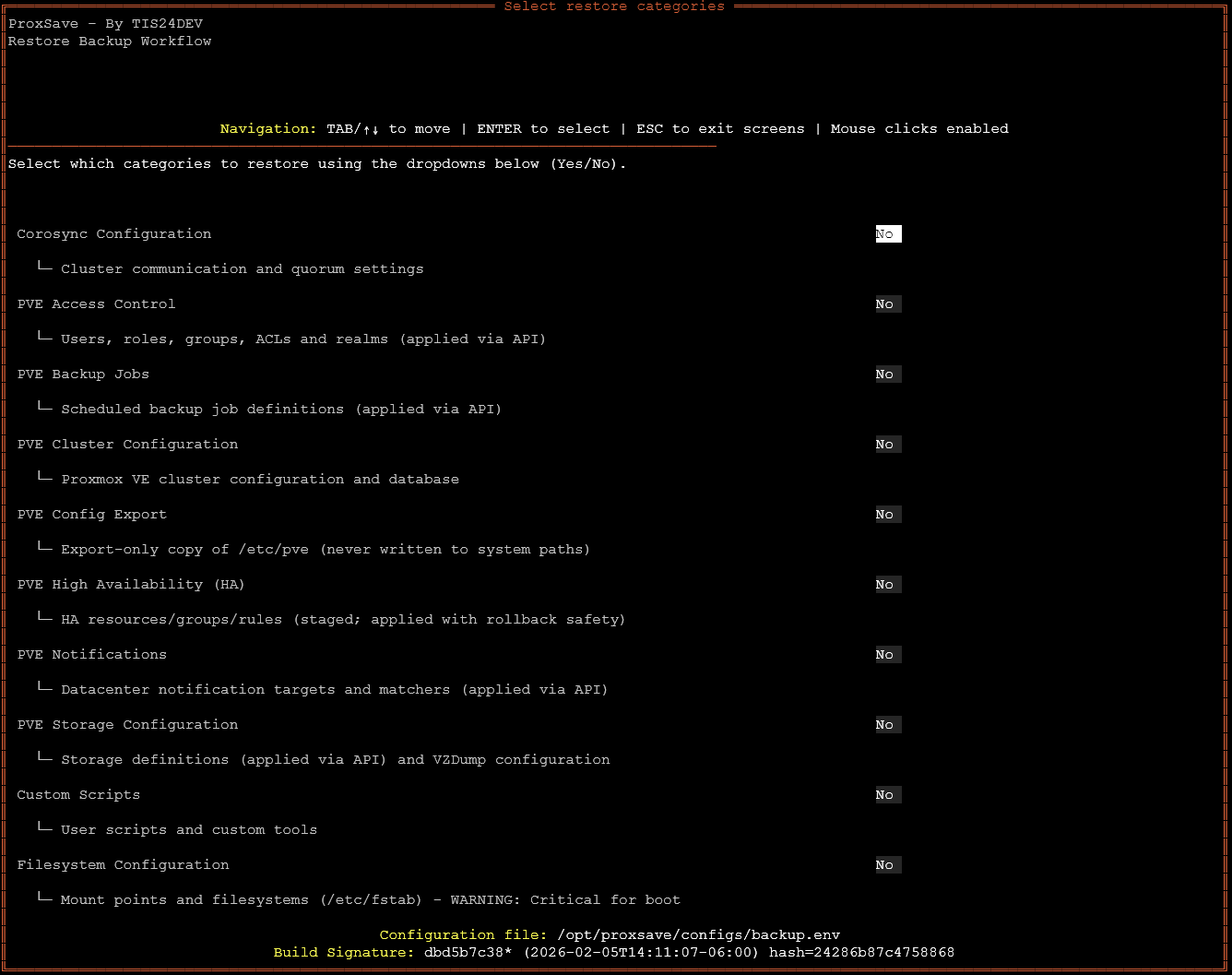
ProxSave is an open source and free project that allows you to do just that. It backs up all of the key configuration locations for Proxmox and you can even add customized folders or other configs that you want it to grab as well.
The configurations that it grabs includes:
- config.db
- corosync.conf
- ACLs
- firewall rules
- storage definitions
- cluster configuration
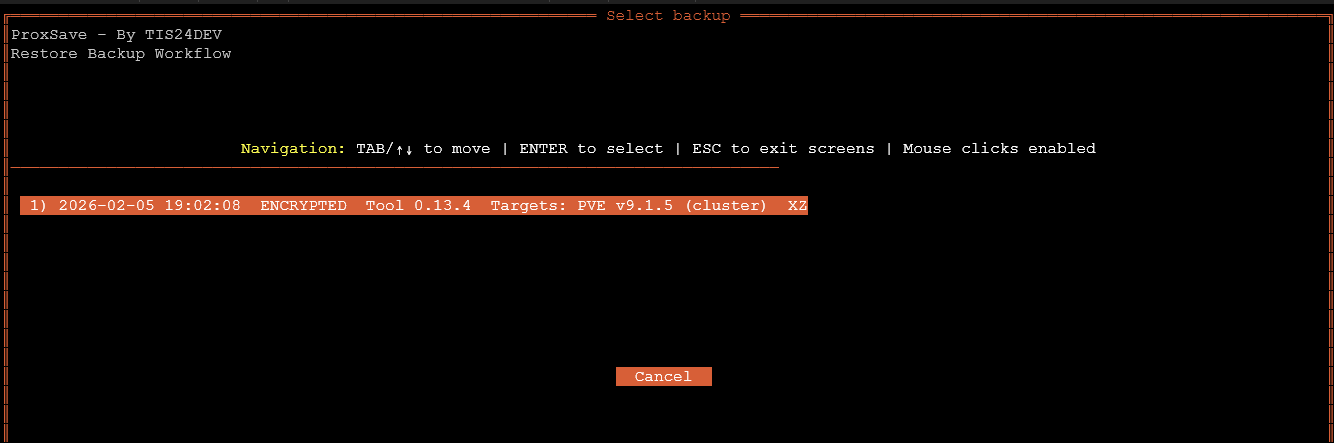
In my opinion, this takes your backups and disaster recovery to the next level.
Check out my blog on ProxSave here:
ClusterShell
ClusterShell was another tool that I recently took for a test spin in my Proxmox cluster. It is not some fancy dashboard or another GUI tool. But it is a command line tool that is incredibly useful. With the clush command, you can execute commands across all your Proxmox nodes at the same time.
Clustershell with its clush command basically allows you to run commands in tandem across all hosts at the same time. So you are not having to sneakernet commands across different hosts manually by SSH’ing into each host and running commands that way. This is great if you:
- Need to update packages across every host
- Need to restart a service cluster wide
- Need to verify a configuration file on all nodes

In my lab, especially when you are experimenting with Ceph tuning, network adjustments, or kernel changes, ClusterShell can save you a lot of time. For me, this has been one of those little tools that has been a lifesaver in the lab.
Check out my write up on ClusterShell here:
Wrapping up
The Proxmox ecosystem is just really exciting. It feels like almost daily I hear about a new tool that brings great features to the Proxmox datacenter solution. Proxmox has some serious momentum behind it and the great management tools definitely reflects that. These are the five Proxmox management tools that I use the most and currently find to be just what I need for my home lab. How about you? Let me know if there is a great Proxmox tool that I am missing or haven’t tried yet.

Google is updating how articles are shown. Don’t miss our leading home lab and tech content, written by humans, by setting Virtualization Howto as a preferred source.
About The Author




I love these projects. I hope the security of PegaProx is ok? At least it is open source so we can review the code. I am going to test it out regardless.