


Premium video
How to Fork, Clone, Commit, and Create a GitHub Pull Request
This video is included with Premium. The full description below is free to read.
About this video
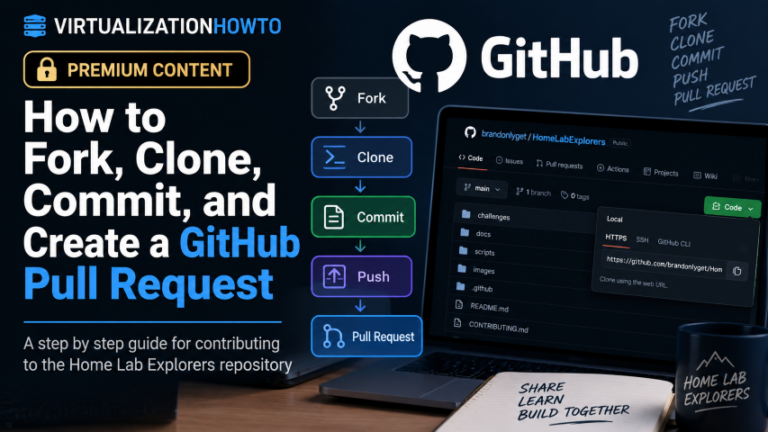
In this training video, I show how to contribute to a GitHub repository by forking the project, cloning it locally, adding your challenge documentation, committing the changes, pushing them back to GitHub, and creating a pull request. This video content was originally used on HomeLabExplorers to show the process for forking and creating a PR for some of the challenges. We walk through the entire process from the perspective of someone who may be brand new to Git and GitHub.
We begin by finding the official Home Lab Explorers repository on GitHub and creating a personal fork. I explain what the fork actually does, why it creates a copy of the repository under your own GitHub account, and how that gives you a safe place to make changes before submitting them back to the main project. From there, we clone the fork to a local Windows machine using Visual Studio Code. I also show a real-world troubleshooting step when Git is not installed, including how to install Git with winget install Git.Git, restart Visual Studio Code, and retry the clone operation successfully.
Once the repository is local, we add challenge documentation using the existing folder structure so contributions stay organized and consistent. We then use Visual Studio Code source control to stage the changes, write a commit message, and commit the new files. I also show how to fix the common Git error that appears when your username and email have not been configured. We use git config --global user.name and git config --global user.email so Git can properly identify future commits. Next, we push the commit back to the forked repository on GitHub, authenticate through the browser, and verify that the new challenge files are visible in the personal fork.
Finally, we create a pull request that compares the personal fork with the official Home Lab Explorers repository. We review the commits and file changes, add a pull request title and description, and submit the PR so it can be reviewed and merged into the main repository. By the end of the video, you will understand the full beginner-friendly GitHub contribution workflow: fork the repository, clone it locally, add your files, stage and commit the changes, push them to your fork, and create a pull request back to the official project.
Unlock this video and the full member library with Premium — ad-free browsing included.